SeeTestAutomation - TouchCoordinate Commands
Please note that this tool is classified as a Legacy tool. We recommend transitioning to our updated solutions to maintain optimal performance and security in your workflows. For more information on this matter, please reach out to technical support .
Touch commands supported in iOS only in instrumented Native zone, Android supports all zones
TouchDownCoordinate
void touchDownCoordinate(X, Y)
Description
Touch down at X,Y coordinates
Parameters
- X: Horizontal coordinate
- Y: Vertical coordinate
TouchMoveCoordinate
void touchMoveCoordinate(X, Y)
Description
Touch move to to X, Y coordinates, this command should come after touchDownCoordinate or touchDown commands.
Parameters
- X: Horizontal coordinate
- Y: Vertical coordinate
TouchUp
void touchUp()
Description
Touch Up from last element/coordinate touched down or moved to.
Usage
Generate a lock pattern.
-
Go to debug tab to see the desired coordinate (of all elements we will want to use).
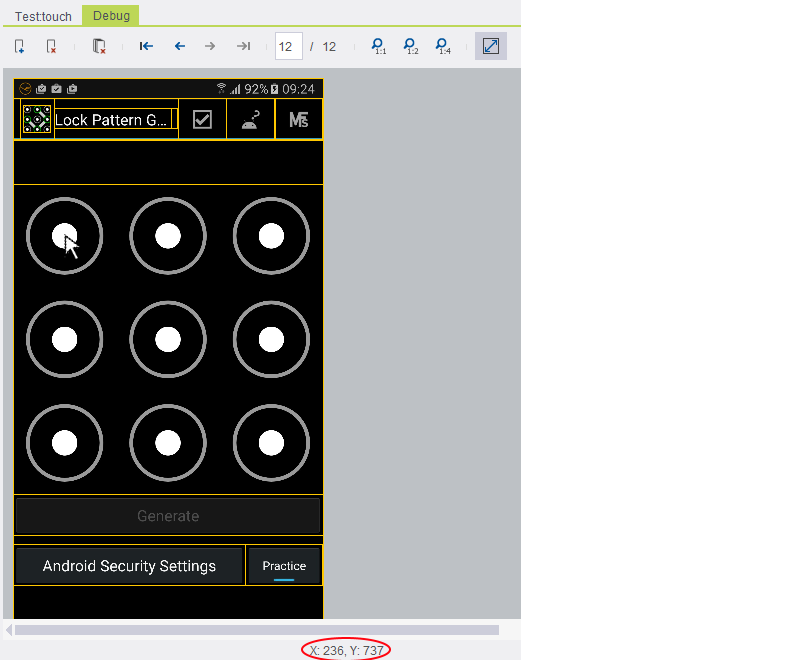
-
Run the commands TouchDownCoordinate, TouchMoveCoordinate with the selected coordinate and end the test with touchUp command.


Code Examples:
Java Example
client.touchDownCoordinate(236, 737);
client.touchMoveCoordinate(1200, 1700);
client.touchMoveCoordinate(700, 1700);
client.touchUp();
C# Example Expand source
client.TouchDownCoordinate(236, 737);
client.TouchMoveCoordinate(1200, 1700);
client.TouchMoveCoordinate(700, 1700);
client.TouchUp();
VBScript Example Expand source
client.TouchDownCoordinate(236, 737)
client.TouchMoveCoordinate(1200, 1700)
client.TouchMoveCoordinate(700, 1700)
client.TouchUp()
Python Example Expand source
self.client.touchDownCoordinate(236, 737)
self.client.touchMoveCoordinate(1200, 1700)
self.client.touchMoveCoordinate(700, 1700)
self.client.touchUp()
Perl Example Expand source
$client->touchDownCoordinate(236, 737);
$client->touchMoveCoordinate(1200, 1700);
$client->touchMoveCoordinate(700, 1700);
$client->touchUp();