FluxCD Setup Git Repository
This workflow configures a Git repository CI in Digital.ai Release. This repository serves as the source of truth for application and infrastructure manifests used by FluxCD.
Step 1: Git Details Input
- Task Type:
User Input Task - Description: Prompts the user to provide details for the Git repository.
- Properties:
-
Title: A symbolic name for this Git repository configuration in Digital.ai Release. -
URL: The Git repository URL (for example,https://github.com/user/repo.git). -
Branch: The specific branch in the Git repository to use (for example,main,develop). -
Path: The location within the repository where manifests are stored (for example,clusters/my-cluster). -
Username: Git server login username (required if a token is not provided). -
Password: Git server login password. -
Bearer Token: A Git personal access token for authentication. -
Committer Username: The GitHub username to be used for commits made by Digital.ai Release. -
Committer Email: The GitHub email to be used for commits. -
Proxy URL: Optional proxy settings. -
Proxy Username: Optional proxy settings. -
Proxy Password: Optional proxy settings. -
Insecure Skip TLS: Whether to skip TLS verification (for example, for self-signed certificates). -
CA Certificate: CA certificate for verifying the Git server's TLS certificate.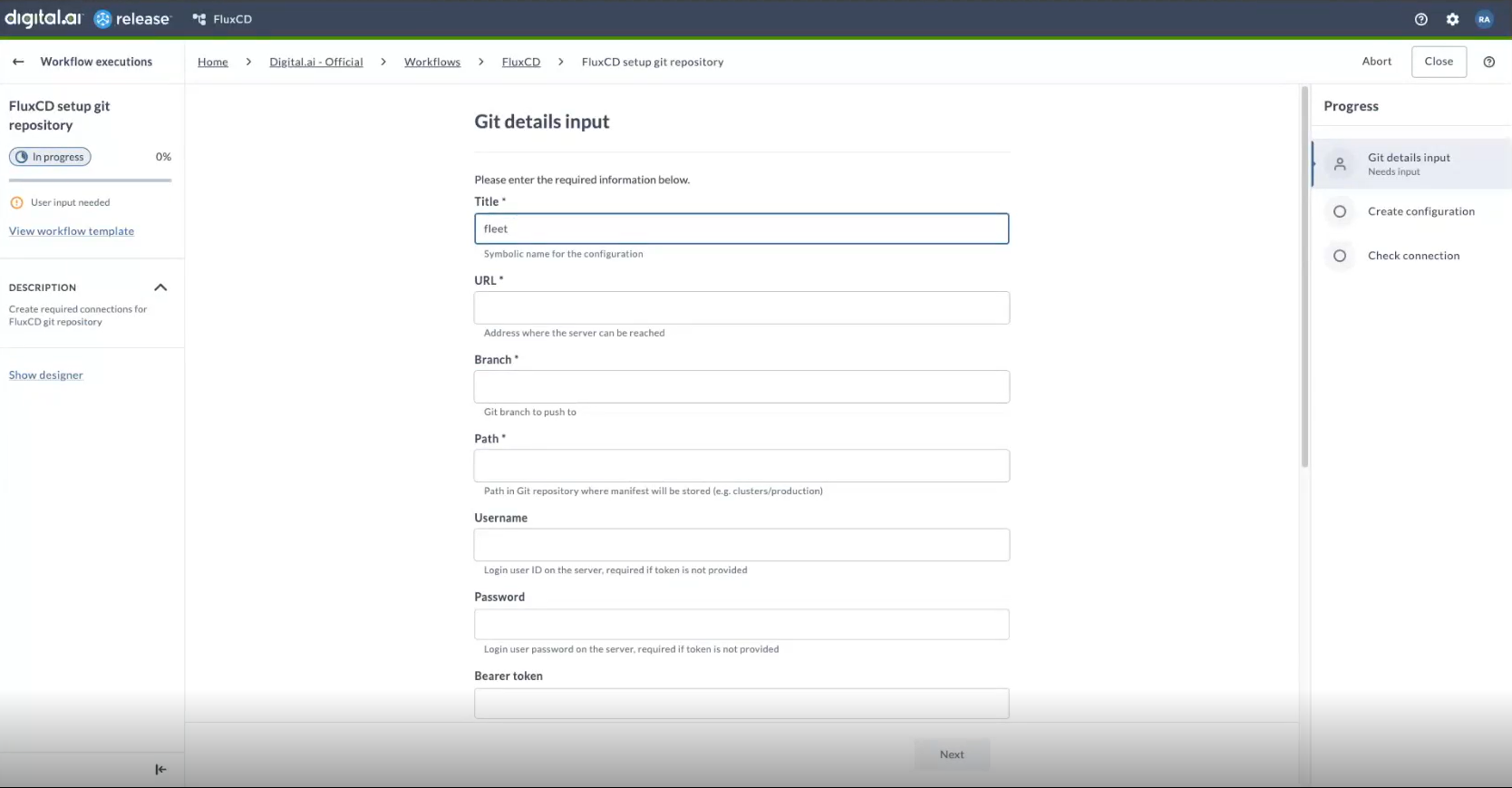
-
Step 2: Create Configuration
- Task Type:
Script Task - Description: Creates a
fluxcd.GitConfigCI in Digital.ai Release using the provided details. This CI stores the Git repository connection information and credentials.
Step 3: Check Connection
- Task Type:
Script Task - Description: Tests the connection to the configured Git repository to ensure that Digital.ai Release can access it with the provided credentials and settings.