GitLab Container Plugin
The GitLab Container Plugin integrates Digital.ai Release with GitLab to enable scalable, secure, and high-performance execution of GitLab tasks using Release Runners and containerized environments.
This plugin is best suited for execution-heavy, cloud-native workflows that require scalability, isolation, and dynamic routing of tasks across distributed runners.
For event-driven workflows, triggers, and dashboard tiles, use the GitLab Plugin (Jython-based).
What You Can Do With This Plugin
- Automate GitLab operations such as managing branches, tags, repositories, and merge requests
- Trigger and monitor GitLab pipelines
- Execute tasks on distributed runners using containerized environments
- Route tasks dynamically using runner capabilities
You must set up a connection to the GitLab server before adding GitLab tasks. For more information, see Set up Connection to GitLab Server.
Prerequisites
Before using this plugin, ensure the following:
GitLab Access
- Access to a GitLab instance (SaaS or self-managed)
- Ensure that all required projects exist in GitLab. You can create new projects in advance or dynamically as part of your release pipeline using the Create Project task.
- Digital.ai Release Runner set up to run container tasks
Authentication
You must provide a GitLab API token:
- Use a Personal Access Token (PAT) or Project Access Token
- Required scopes typically include:
api(recommended for full functionality)read_api(for read-only operations)
Some tasks (such as triggering pipelines) require a pipeline trigger token, which is different from a Personal or Project Access Token.
Required Information
You should have the following details available before configuring or running tasks with the GitLab Container Plugin:
- GitLab Server URL (for example,
https://gitlab.com) - Project ID (numeric ID from GitLab project settings)
- Branch, tag, or ref names (depending on task)
- Merge Request ID (for MR-related tasks)
When To Use This Plugin
Use the GitLab Container Plugin when you need:
- Scalable, distributed execution using Release Runners and containers
- High-performance automation for execution-heavy or cloud-native workflows
- Dynamic routing of tasks to specific runners based on capabilities
- Isolation and security for tasks running in containerized environments
For event-driven workflows, triggers, and dashboard tiles, use the GitLab Plugin (Jython-based).
Common Pitfalls
Using the wrong token type
Pipeline trigger tokens and API tokens are different. Most tasks require an API token with the correct scopes. Some tasks (such as triggering pipelines) require a pipeline trigger token. See the Authentication and Trigger Pipeline (Container) sections for details.
Missing required token scopes
If the token does not include the api scope, operations such as merge, create, or trigger may fail.
Using project name instead of Project ID
The plugin expects a numeric Project ID, not the repository name.
Incorrect Merge Request ID
Use the internal MR ID from GitLab, not the title or branch name.
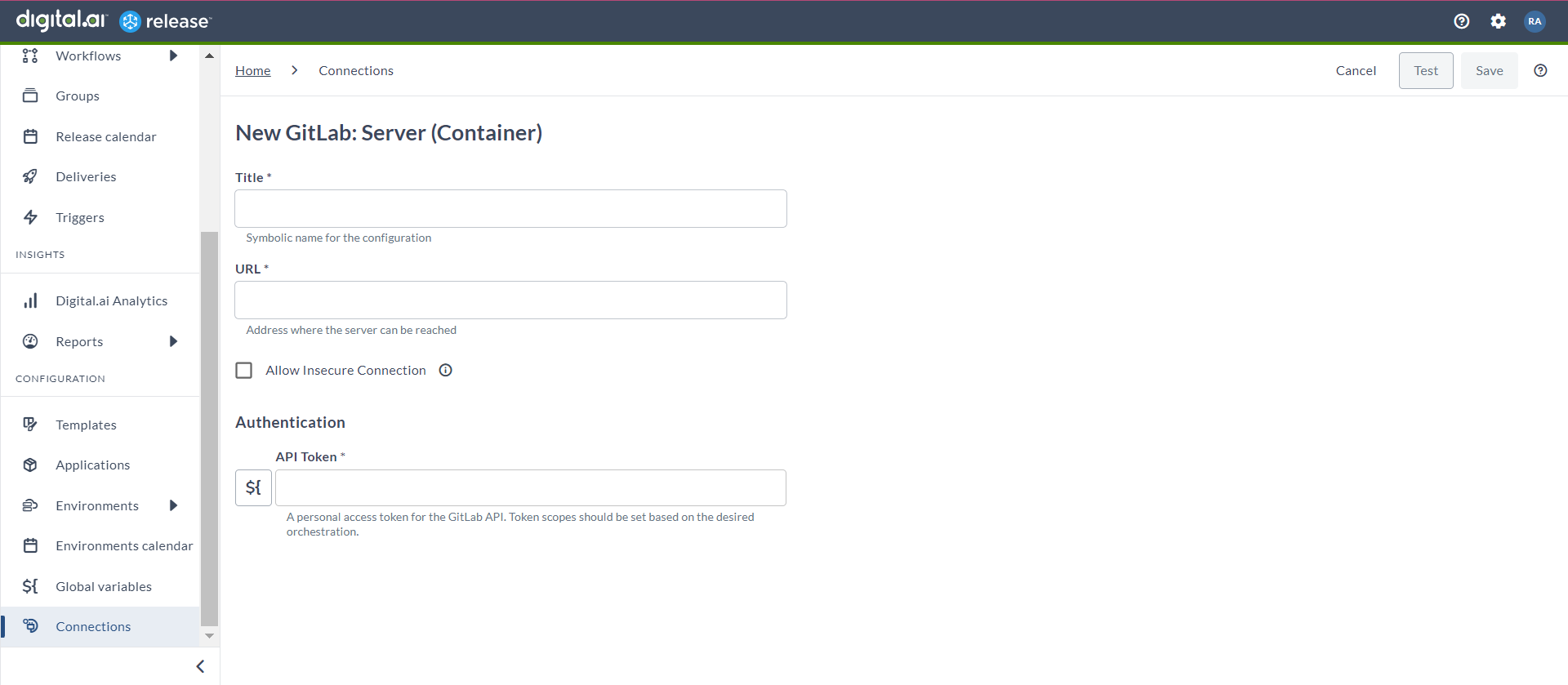
Set up Connection to GitLab Server
- From the navigation pane, under CONFIGURATION, click Connections.
- Under HTTP Server connections, next to GitLab: Server (Container), click
 .
The New GitLab: Server (Container) page opens.
.
The New GitLab: Server (Container) page opens. - In the Title field, enter a name for the configuration.
- In the URL field, enter the server URL.
- If you want to connect to the server, without validating the TLS/SSL certificate, select the Allow Insecure Connection checkbox.
- In the API Token field, enter the PAT token created for the GitLab API.
- In Capabilities, define routing rules for Release Runners. Add one or more capability labels to direct tasks to appropriate runners.
- To test the connection, click Test.
- To save the configuration, click Save.
Accept Merge Request (Container)
This task accepts (merges) a merge request in a GitLab project after review and approval. Use it to automate the process of merging feature or bugfix branches into your main branch as part of a release workflow.
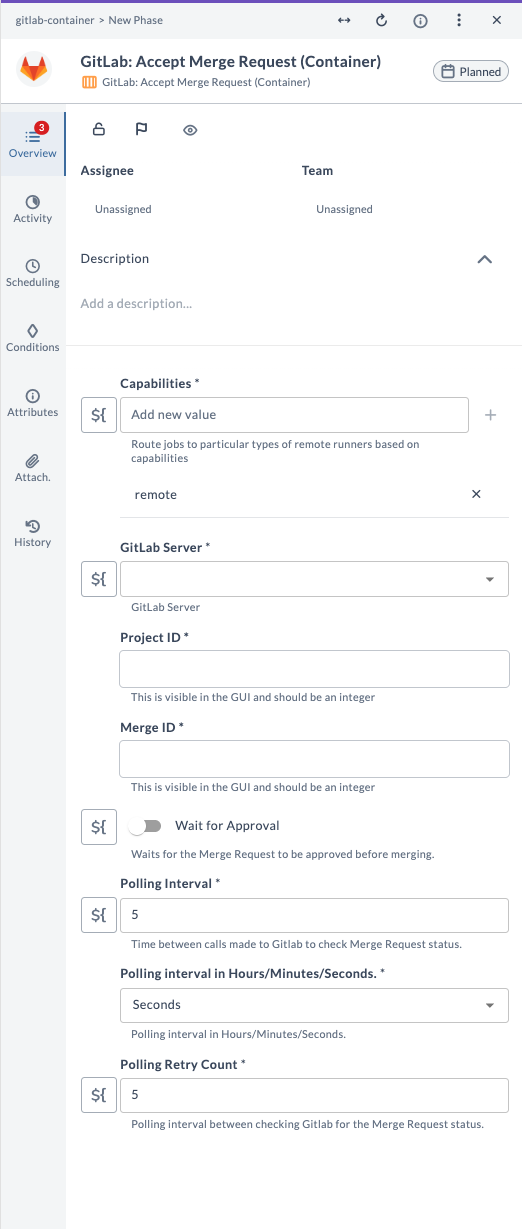
Field Descriptions
| Field Name | Description | Example |
|---|---|---|
| Capabilities | Route jobs to particular types of Release runners based on capabilities. | remote |
| GitLab Server | The configured GitLab server connection to use. | gitlab.example.com |
| Project ID | Numeric ID of the GitLab project. Do not use the project name. | 12345 |
| Merge ID | Internal numeric ID of the merge request to accept. Not the title or branch name. | 42 |
| Wait for Approval | If enabled, waits for the merge request to be approved before merging. | true |
| Polling Interval | Time between calls made to GitLab to check merge request status. | 5 |
| Polling Interval Unit | Unit for polling interval: Seconds, Minutes, or Hours. | Seconds |
| Polling Retry Count | Number of polling attempts before giving up. | 5 |
Example Usage
Suppose you want to accept a merge request for project ID 12345 and merge ID 42, waiting for approval, with a polling interval of 5 seconds and 5 retries:
| Field | Value |
|---|---|
| Capabilities | remote |
| GitLab Server | gitlab.example.com |
| Project ID | 12345 |
| Merge ID | 42 |
| Wait for Approval | true |
| Polling Interval | 5 |
| Polling Interval Unit | Seconds |
| Polling Retry Count | 5 |
This will wait for the merge request to be approved, then merge it when ready, polling GitLab every 5 seconds up to 5 times.
Approve Merge Request (Container)
This task approves a merge request in a GitLab project, indicating that it has been reviewed and is ready to be merged. Use it to automate the approval step as part of your release workflow.
Input Field Descriptions
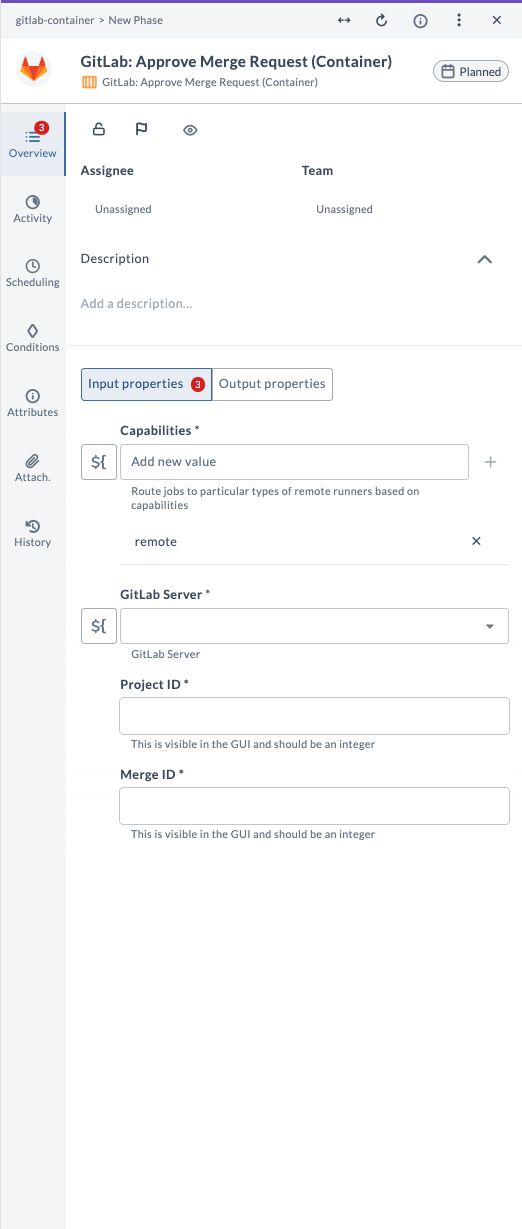
| Field Name | Description | Example |
|---|---|---|
| Capabilities | Route jobs to particular types of Release runners based on capabilities. | remote |
| GitLab Server | The configured GitLab server connection to use. | gitlab.example.com |
| Project ID | Numeric ID of the GitLab project. Do not use the project name. | 12345 |
| Merge ID | Internal numeric ID of the merge request to approve. | 42 |
Output Field Descriptions
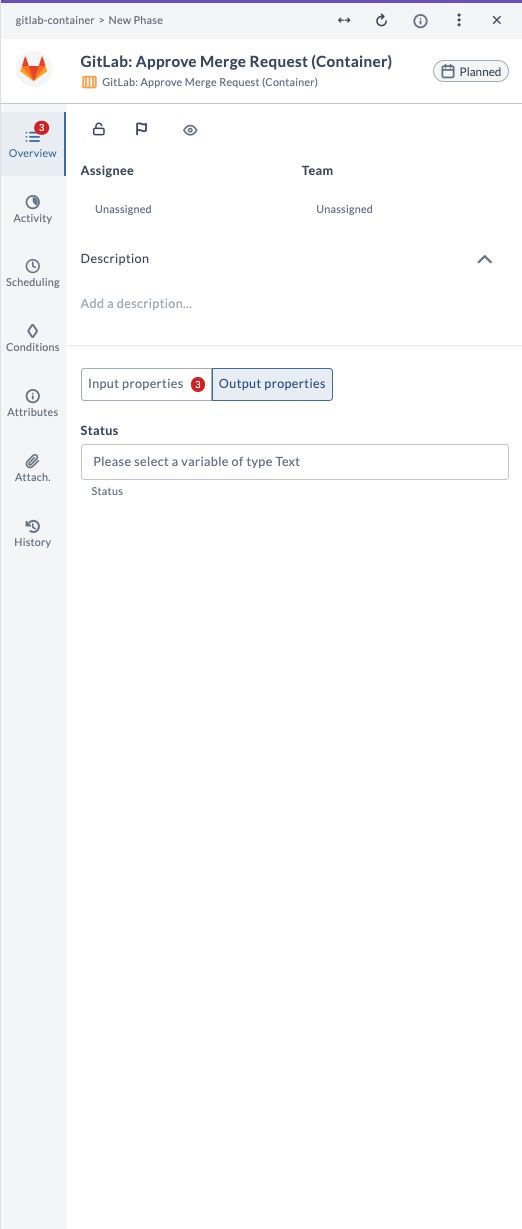
| Field Name | Description | Example |
|---|---|---|
| Status | Status of the approval operation (Text). | success |
Example Usage
Suppose you want to approve a merge request for project ID 12345 and merge ID 42:
| Field | Value |
|---|---|
| Capabilities | remote |
| GitLab Server | gitlab.example.com |
| Project ID | 12345 |
| Merge ID | 42 |
The output field Status will indicate the result of the approval operation (for example, success).
Close Merge Request (Container)
This task closes a merge request in a GitLab project, marking it as closed without merging. Use it to automate the process of discarding or ending merge requests that are no longer needed as part of your release workflow.
Field Descriptions
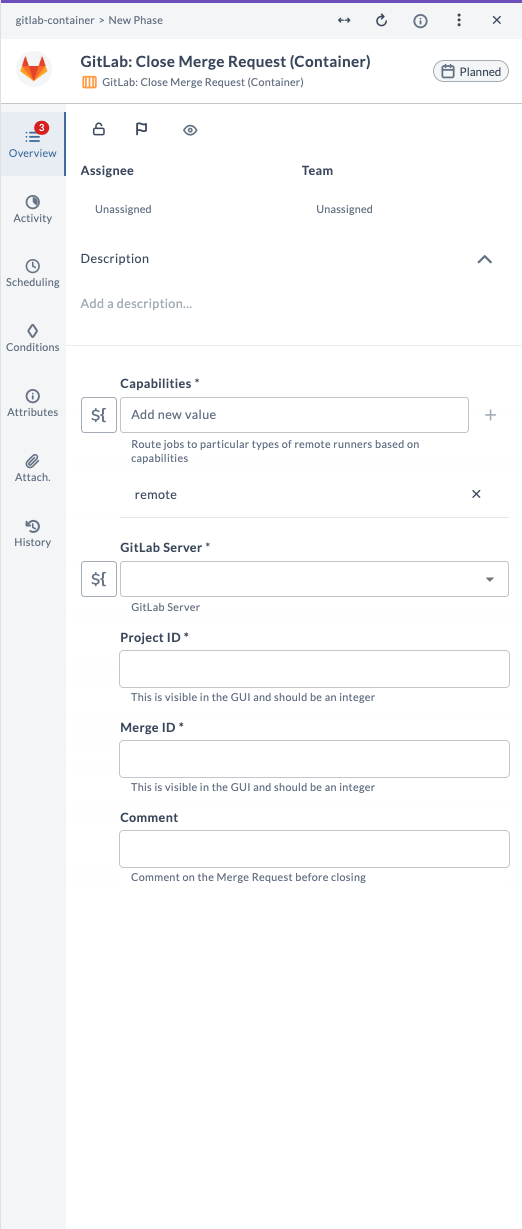
| Field Name | Description | Example |
|---|---|---|
| Capabilities | Route jobs to particular types of Release runners based on capabilities. | remote |
| GitLab Server | The configured GitLab server connection to use. | gitlab.example.com |
| Project ID | Numeric ID of the GitLab project. Do not use the project name. | 12345 |
| Merge ID | Internal numeric ID of the merge request to close. | 42 |
| Comment | (Optional) Comment to add to the merge request before closing. | No longer needed |
Example Usage
Suppose you want to close a merge request for project ID 12345 and merge ID 42, with a comment:
| Field | Value |
|---|---|
| Capabilities | remote |
| GitLab Server | gitlab.example.com |
| Project ID | 12345 |
| Merge ID | 42 |
| Comment | No longer needed |
This will close the specified merge request and add the comment "No longer needed" to the merge request before closing it.
Create Branch (Container)
This task creates a new branch in a GitLab project. Use it to automate the process of starting a new line of development from a specific commit or branch as part of your release workflow.
Input Field Descriptions
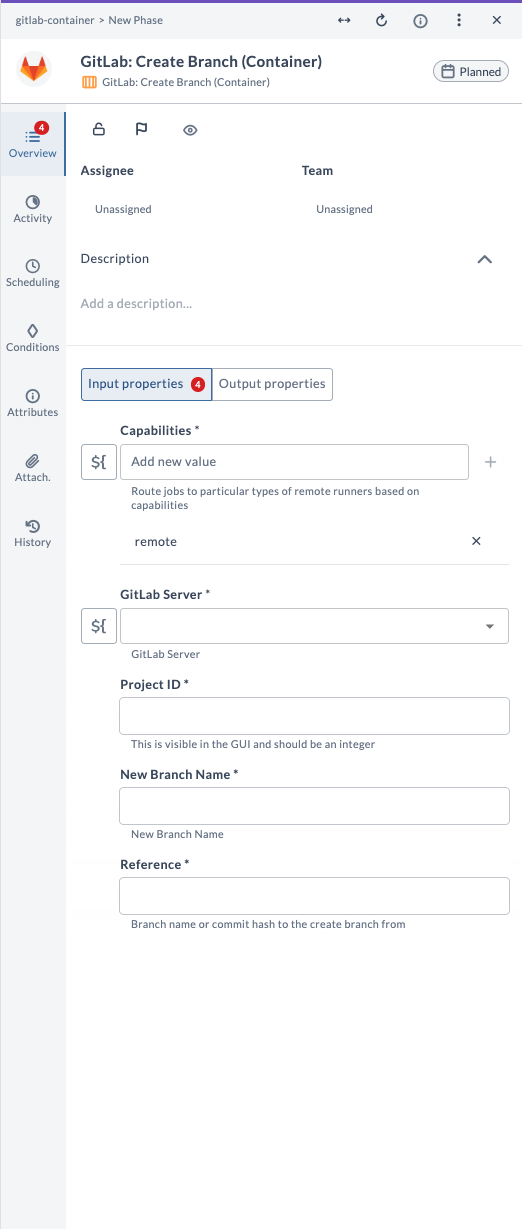
| Field Name | Description | Example |
|---|---|---|
| Capabilities | Route jobs to particular types of Release runners based on capabilities. | remote |
| GitLab Server | The configured GitLab server connection to use. | gitlab.example.com |
| Project ID | Numeric ID of the GitLab project. Do not use the project name. | 12345 |
| New Branch Name | Name of the new branch to create. | feature/new-feature |
| Reference | Branch name or commit hash to create the new branch from. | main |
Output Field Descriptions
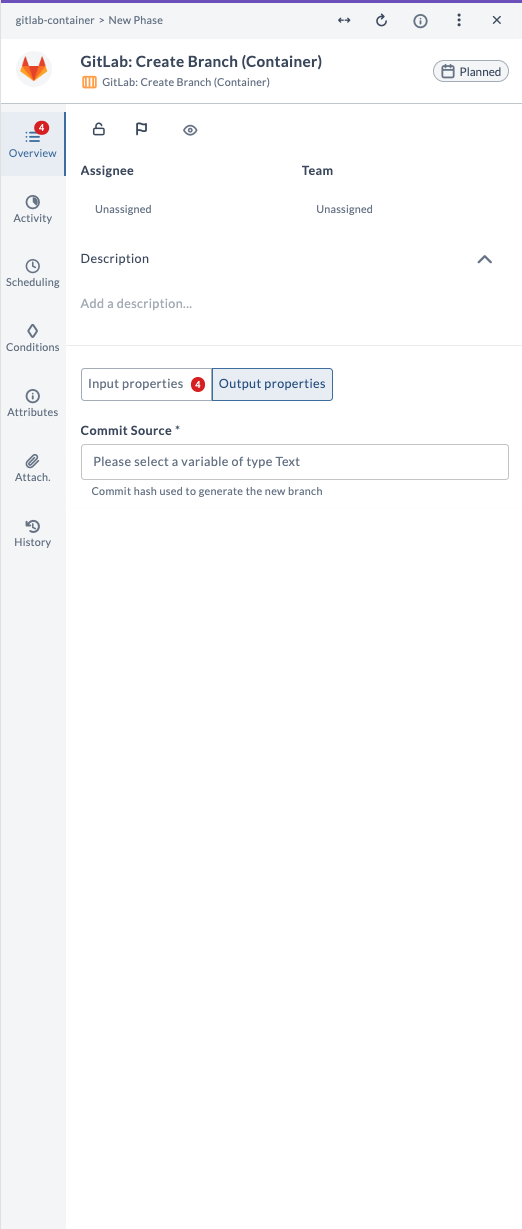
| Field Name | Description | Example |
|---|---|---|
| Commit Source | Commit hash used to generate the new branch (Text). | 1a2b3c4d5e6f... |
Example Usage
Suppose you want to create a new branch called feature/new-feature from the main branch in project ID 12345:
| Field | Value |
|---|---|
| Capabilities | remote |
| GitLab Server | gitlab.example.com |
| Project ID | 12345 |
| New Branch Name | feature/new-feature |
| Reference | main |
The output field Commit Source will contain the commit hash used to generate the new branch.
Create Group (Container)
This task creates a new group in GitLab. Use it to organize projects and manage permissions for a collection of related projects, or to create nested groups as part of your release workflow.
Input Field Descriptions
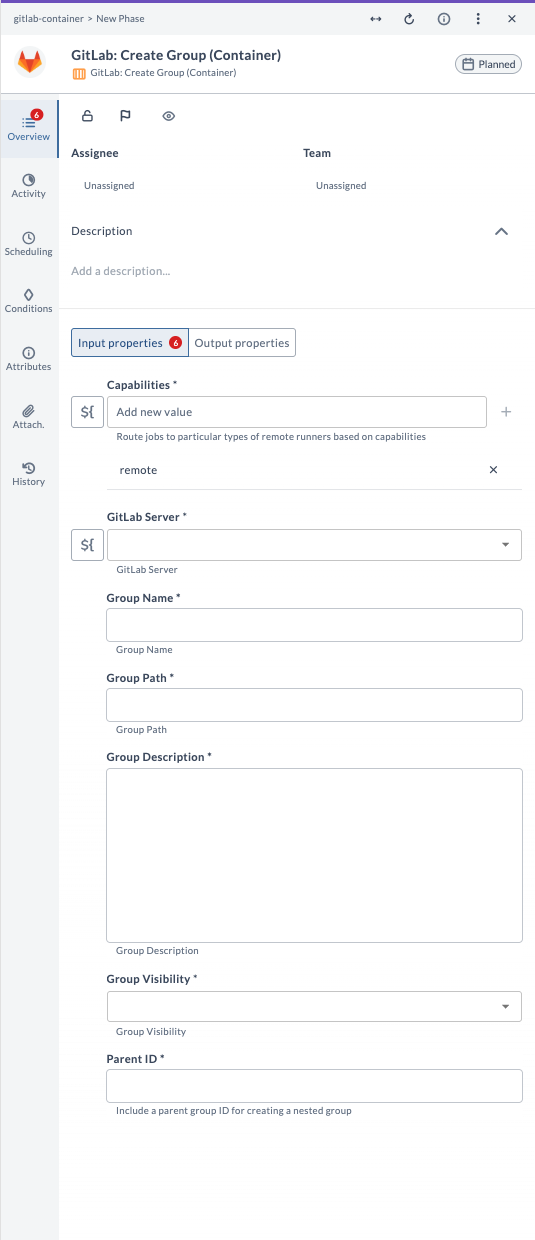
| Field Name | Description | Example |
|---|---|---|
| Capabilities | Route jobs to particular types of Release runners based on capabilities. | remote |
| GitLab Server | The configured GitLab server connection to use. | gitlab.example.com |
| Group Name | Name of the new group to create. | devops-team |
| Group Path | URL path for the group (unique, lowercase, no spaces). | devops-team |
| Group Description | (Optional) Description for the group. | Team for DevOps tools |
| Group Visibility | Visibility of the group: public, internal, or private. | private |
| Parent ID | (Optional) Parent group ID for creating a nested group. | 1234 |
Output Field Descriptions
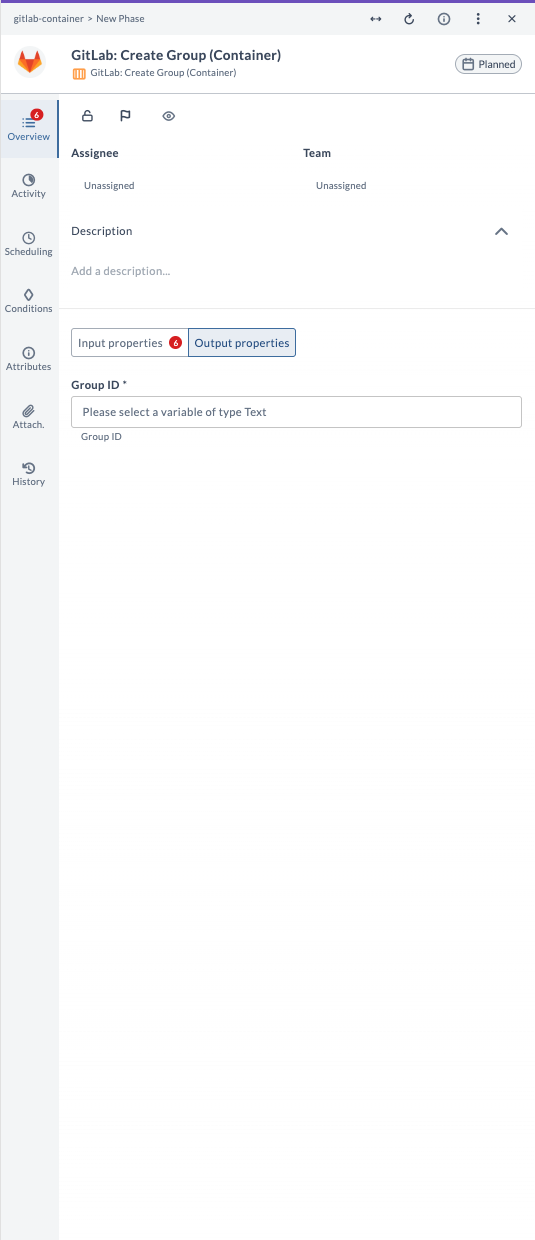
| Field Name | Description | Example |
|---|---|---|
| Group ID | Numeric ID of the created group (Text). | 5678 |
Example Usage
Suppose you want to create a new private group called devops-team with path devops-team and description Team for DevOps tools:
| Field | Value |
|---|---|
| Capabilities | remote |
| GitLab Server | gitlab.example.com |
| Group Name | devops-team |
| Group Path | devops-team |
| Group Description | Team for DevOps tools |
| Group Visibility | private |
| Parent ID | (leave blank) |
The output field Group ID will contain the numeric ID of the created group.
Create Merge Request (Container)
This task creates a new merge request in a GitLab project. Use it to propose changes from one branch to be merged into another, often involving code review and approval processes as part of your release workflow.
Input Field Descriptions
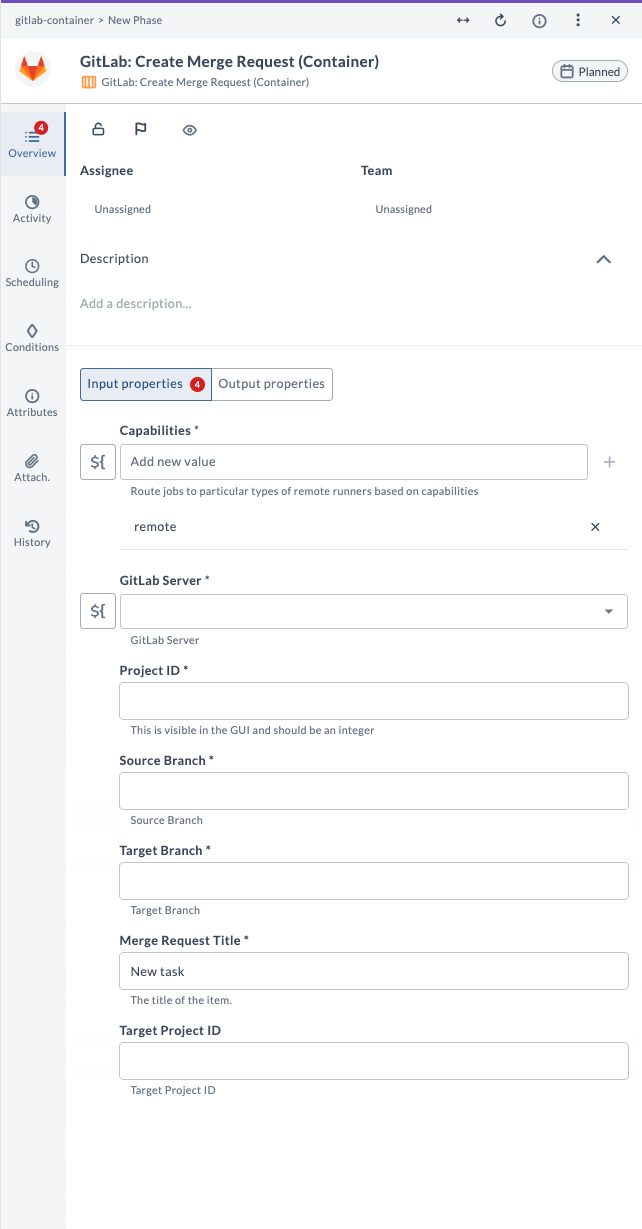
| Field Name | Description | Example |
|---|---|---|
| Capabilities | Route jobs to particular types of Release runners based on capabilities. | remote |
| GitLab Server | The configured GitLab server connection to use. | gitlab.example.com |
| Project ID | Numeric ID of the GitLab project. Do not use the project name. | 12345 |
| Source Branch | Name of the branch containing your changes. | feature/new-feature |
| Target Branch | Name of the branch you want to merge into. | main |
| Merge Request Title | Title for the new merge request. | New task |
| Target Project ID | (Optional) Numeric ID of the target project for cross-project merge. | 67890 |
Output Field Descriptions
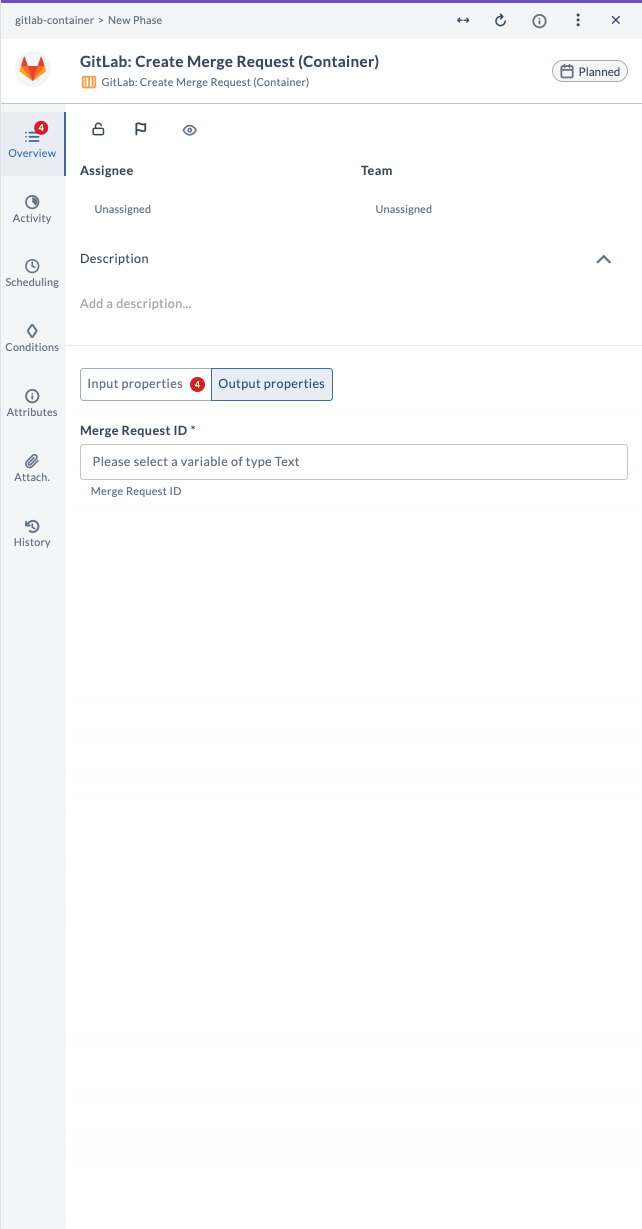
| Field Name | Description | Example |
|---|---|---|
| Merge Request ID | Numeric ID of the created merge request. | 42 |
Example Usage
Suppose you want to create a merge request from feature/new-feature to main in project ID 12345 with the title New task:
| Field | Value |
|---|---|
| Capabilities | remote |
| GitLab Server | gitlab.example.com |
| Project ID | 12345 |
| Source Branch | feature/new-feature |
| Target Branch | main |
| Merge Request Title | New task |
| Target Project ID | (leave blank) |
The output field Merge Request ID will contain the numeric ID of the created merge request.
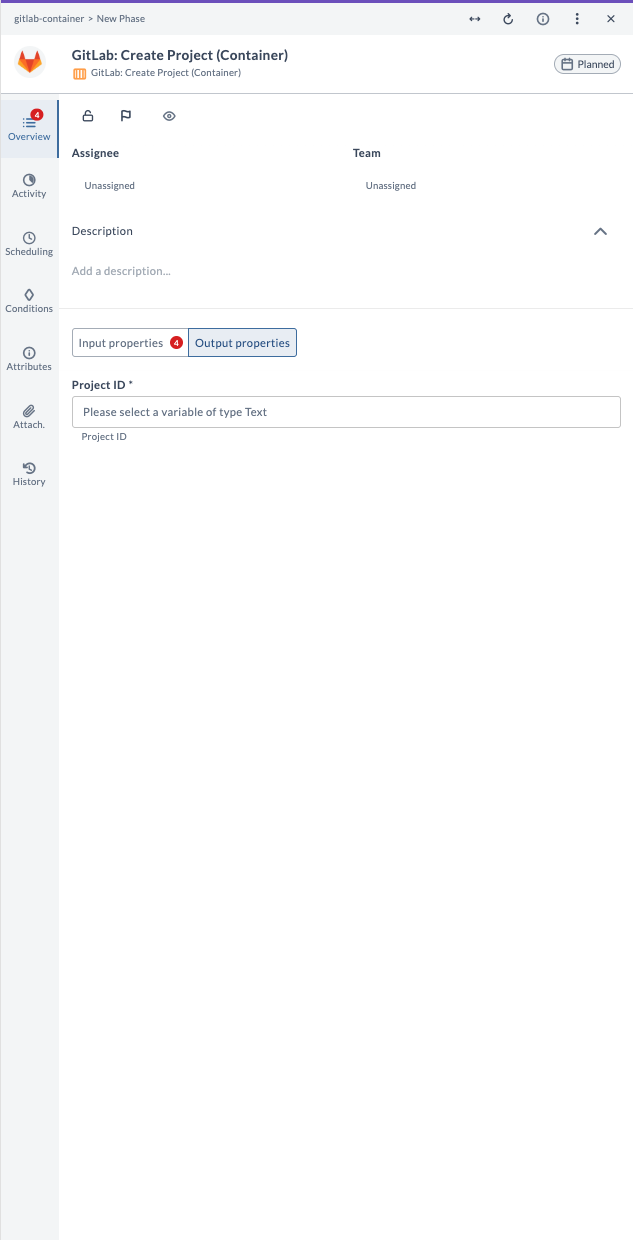
Create Project (Container)
This task creates a new project in GitLab. Use it to automate the creation of new repositories as part of your release workflow, including setting up visibility, importing from another repository, and organizing under a namespace.
Input Field Descriptions
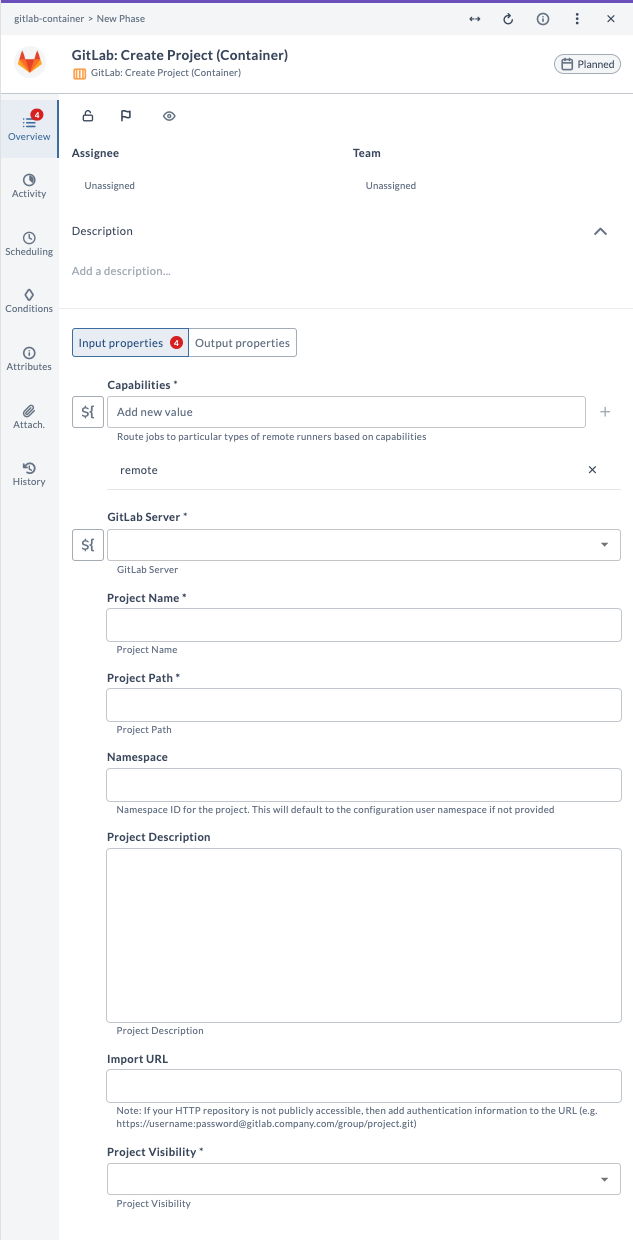
| Field Name | Description | Example |
|---|---|---|
| Capabilities | Route jobs to particular types of Release runners based on capabilities. | remote |
| GitLab Server | The configured GitLab server connection to use. | gitlab.example.com |
| Project Name | Name of the new project to create. | my-new-project |
| Project Path | URL path for the project (unique, lowercase, no spaces). | my-new-project |
| Namespace | (Optional) Namespace ID for the project. | 1234 |
| Project Description | (Optional) Description for the project. | Project for release |
| Import URL | (Optional) URL of the repository to import from. | https://.../repo.git |
| Project Visibility | Visibility of the project: public, internal, or private. | private |
Output Field Descriptions
| Field Name | Description | Example |
|---|---|---|
| Project ID | Numeric ID of the created project (Text). | 9876 |
Example Usage
Suppose you want to create a new private project called my-new-project with path my-new-project and description Project for release:
| Field | Value |
|---|---|
| Capabilities | remote |
| GitLab Server | gitlab.example.com |
| Project Name | my-new-project |
| Project Path | my-new-project |
| Namespace | (leave blank) |
| Project Description | Project for release |
| Import URL | (leave blank) |
| Project Visibility | private |
The output field Project ID will contain the numeric ID of the created project.
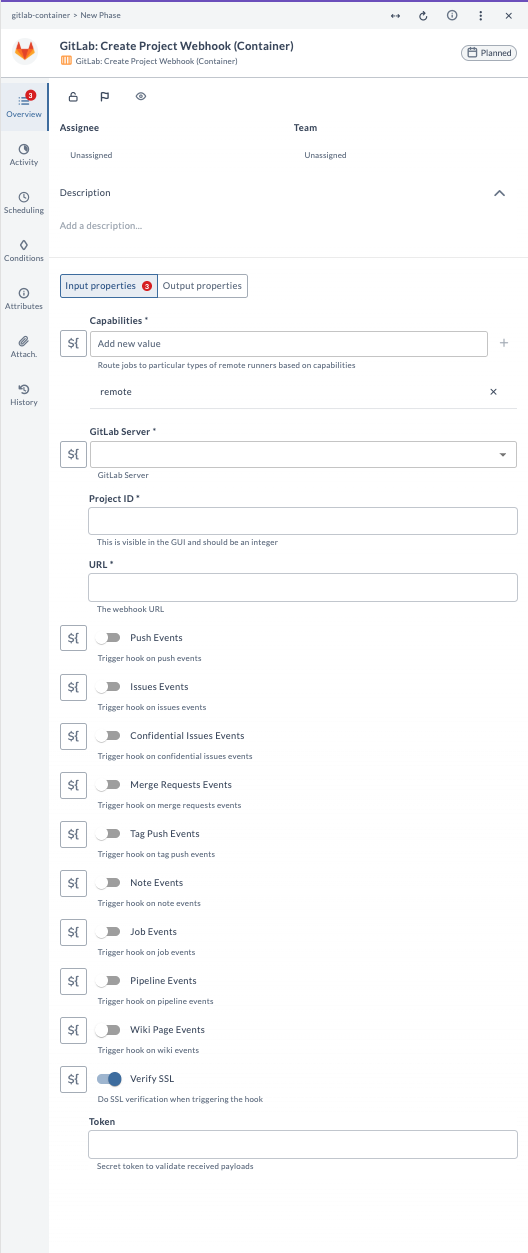
Create Project Webhook (Container)
This task creates a new project webhook in GitLab. Use it to set up notifications for specific events occurring in a project, such as commits, merges, issues, pipelines, and more, as part of your release workflow.
Input Field Descriptions
| Field Name | Description | Example |
|---|---|---|
| Capabilities | Route jobs to particular types of Release runners based on capabilities. | remote |
| GitLab Server | The configured GitLab server connection to use. | gitlab.example.com |
| Project ID | Numeric ID of the GitLab project. Do not use the project name. | 12345 |
| URL | The webhook URL to receive event notifications. | https://.../webhook |
| Push Events | Trigger hook on push events. | true |
| Issue Events | Trigger hook on issue events. | false |
| Confidential Issues Events | Trigger hook on confidential issue events. | false |
| Merge Requests Events | Trigger hook on merge request events. | true |
| Tag Push Events | Trigger hook on tag push events. | false |
| Note Events | Trigger hook on note events. | false |
| Job Events | Trigger hook on job events. | false |
| Pipeline Events | Trigger hook on pipeline events. | true |
| Wiki Page Events | Trigger hook on wiki events. | false |
| Verify SSL | Do SSL verification when triggering the hook. | true |
| Token | (Optional) Secret token to validate received payloads. | my-secret-token |
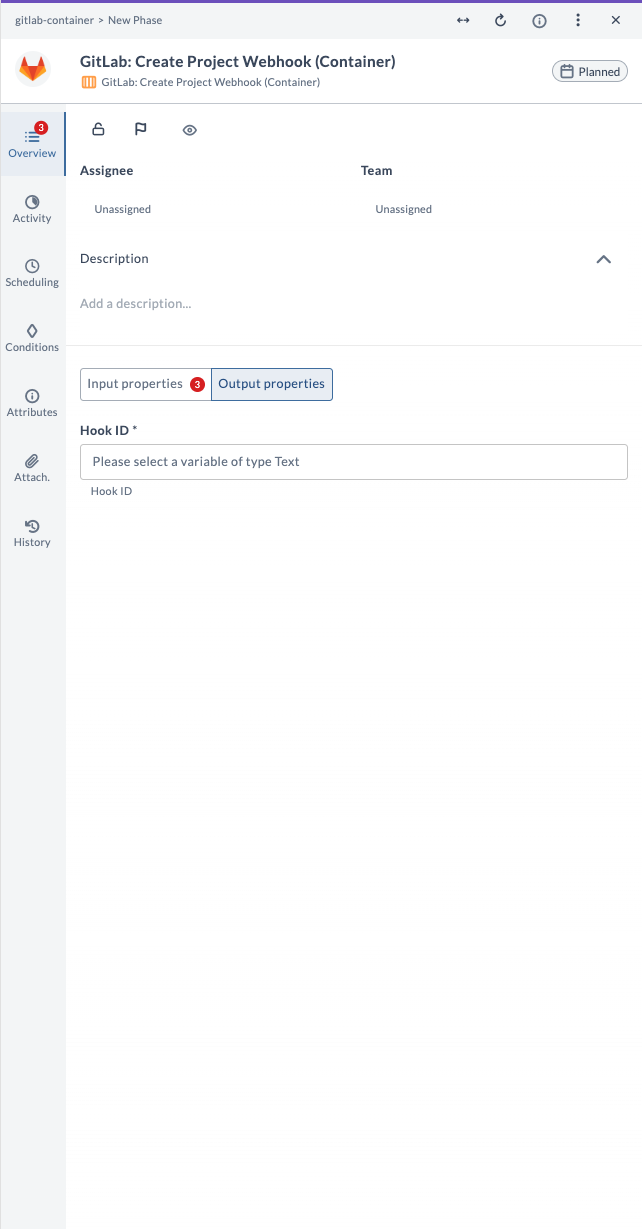
Output Field Descriptions
| Field Name | Description | Example |
|---|---|---|
| Hook ID | Numeric ID of the created webhook (Text). | 2468 |
Example Usage
Suppose you want to create a webhook for project ID 12345 that triggers on push, merge request, and pipeline events, with SSL verification enabled:
| Field | Value |
|---|---|
| Capabilities | remote |
| GitLab Server | gitlab.example.com |
| Project ID | 12345 |
| URL | https://.../webhook |
| Push Events | true |
| Merge Requests Events | true |
| Pipeline Events | true |
| Verify SSL | true |
| Token | my-secret-token |
The output field Hook ID will contain the numeric ID of the created webhook.
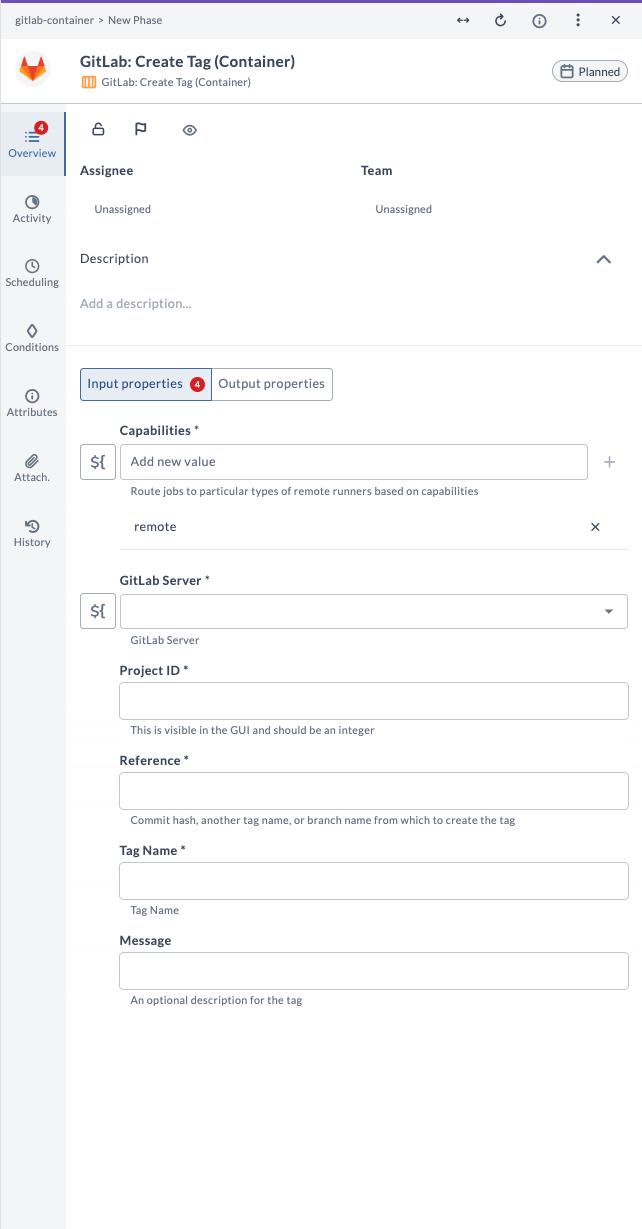
Create Tag (Container)
This task creates a new tag in a GitLab project. Use it to mark a specific point in the repository history, such as for releases or significant milestones, as part of your release workflow.
Input Field Descriptions
| Field Name | Description | Example |
|---|---|---|
| Capabilities | Route jobs to particular types of Release runners based on capabilities. | remote |
| GitLab Server | The configured GitLab server connection to use. | gitlab.example.com |
| Project ID | Numeric ID of the GitLab project. Do not use the project name. | 12345 |
| Reference | Commit hash, another tag name, or branch name from which to create the tag. | main |
| Tag Name | Name of the tag to create. | v1.0.0 |
| Message | (Optional) Description for the tag. | Release v1.0.0 |
Output Field Descriptions
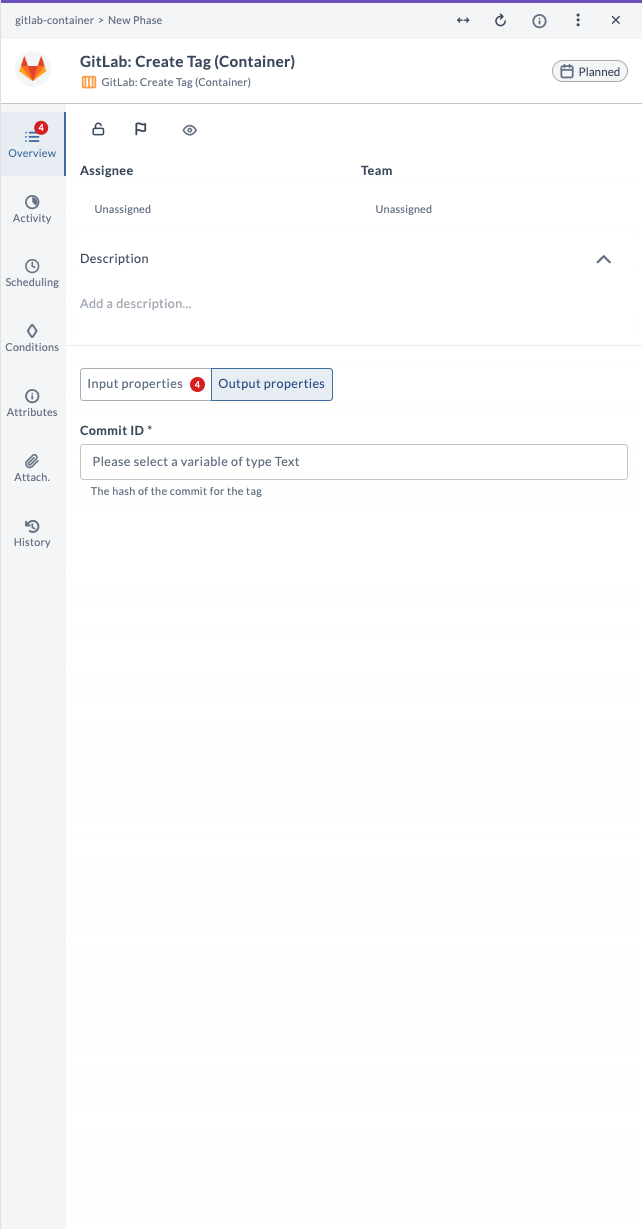
| Field Name | Description | Example |
|---|---|---|
| Commit ID | The hash of the commit for the tag (Text). | 1a2b3c4d5e6f... |
Example Usage
Suppose you want to create a tag called v1.0.0 from the main branch in project ID 12345 with the message Release v1.0.0:
| Field | Value |
|---|---|
| Capabilities | remote |
| GitLab Server | gitlab.example.com |
| Project ID | 12345 |
| Reference | main |
| Tag Name | v1.0.0 |
| Message | Release v1.0.0 |
The output field Commit ID will contain the hash of the commit for the tag.
Delete Tag (Container)
This task deletes a tag from a GitLab project. Use it to remove a tag from the repository, often when it is no longer relevant or was created by mistake, as part of your release workflow.
Input Field Descriptions
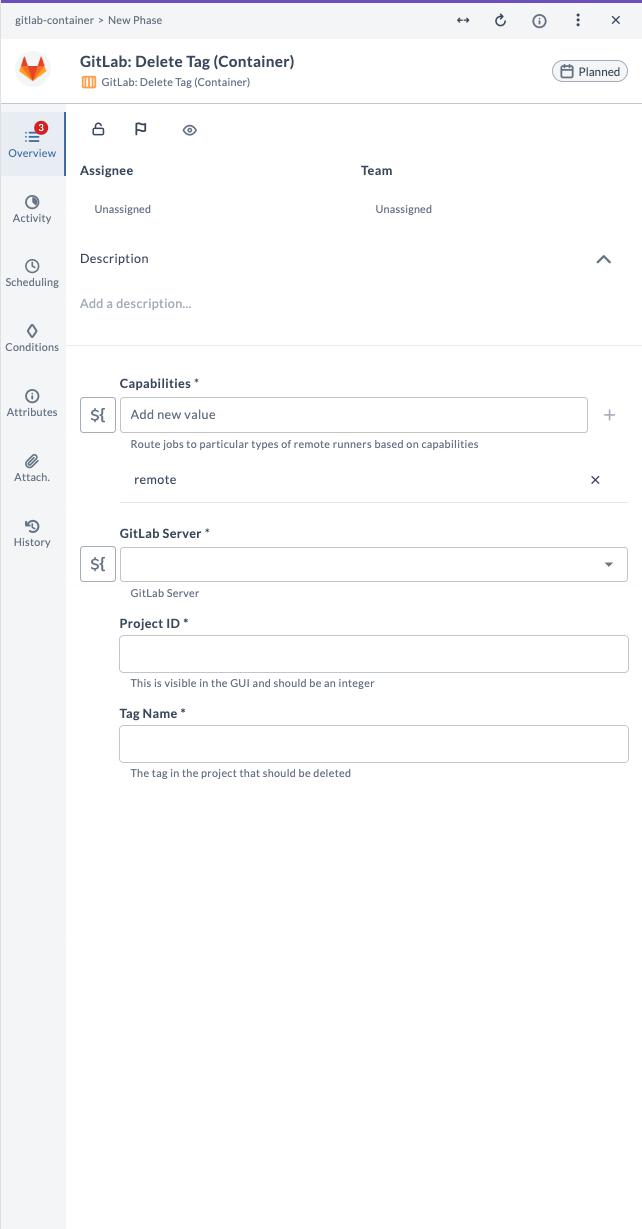
| Field Name | Description | Example |
|---|---|---|
| Capabilities | Route jobs to particular types of Release runners based on capabilities. | remote |
| GitLab Server | The configured GitLab server connection to use. | gitlab.example.com |
| Project ID | Numeric ID of the GitLab project. Do not use the project name. | 12345 |
| Tag Name | The tag in the project that should be deleted. | v1.0.0 |
Example Usage
Suppose you want to delete the tag v1.0.0 from project ID 12345:
| Field | Value |
|---|---|
| Capabilities | remote |
| GitLab Server | gitlab.example.com |
| Project ID | 12345 |
| Tag Name | v1.0.0 |
This will delete the specified tag from the project repository.
Query Commits (Container)
This task queries the commit history within a GitLab project. Use it to retrieve a list of commits for a specific branch, with an optional limit on the number of results, as part of your release workflow.
Input Field Descriptions
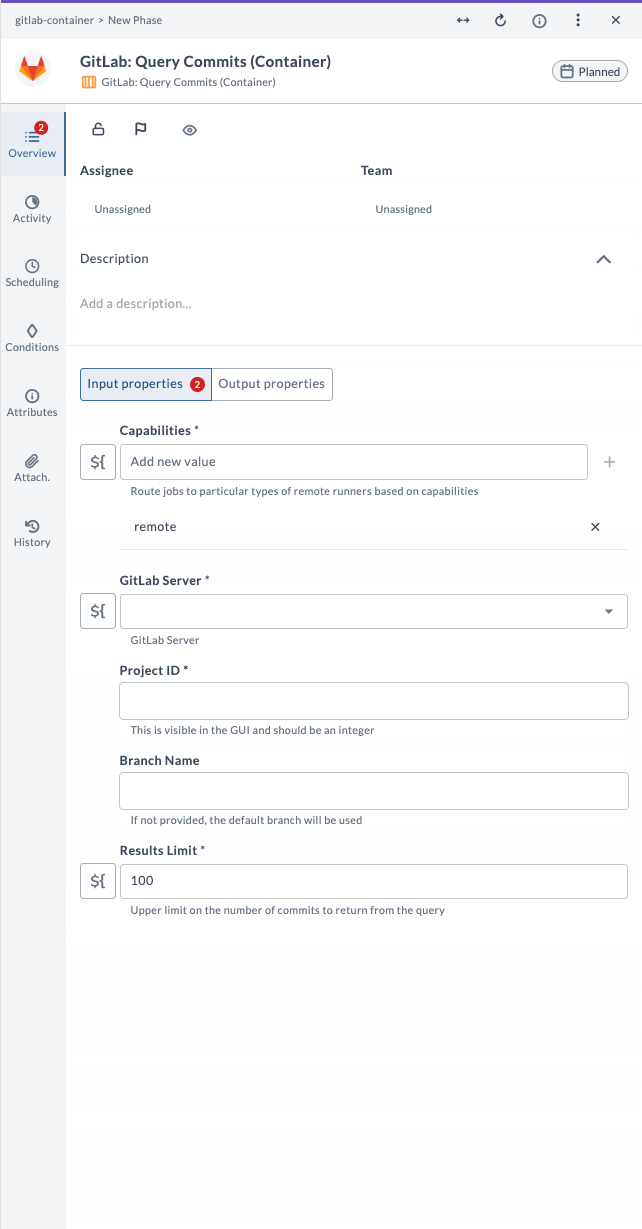
| Field Name | Description | Example |
|---|---|---|
| Capabilities | Route jobs to particular types of Release runners based on capabilities. | remote |
| GitLab Server | The configured GitLab server connection to use. | gitlab.example.com |
| Project ID | Numeric ID of the GitLab project. Do not use the project name. | 12345 |
| Branch Name | (Optional) Name of the branch to query commits from. Defaults to main branch. | main |
| Results Limit | Upper limit on the number of commits to return from the query. | 100 |
Output Field Descriptions
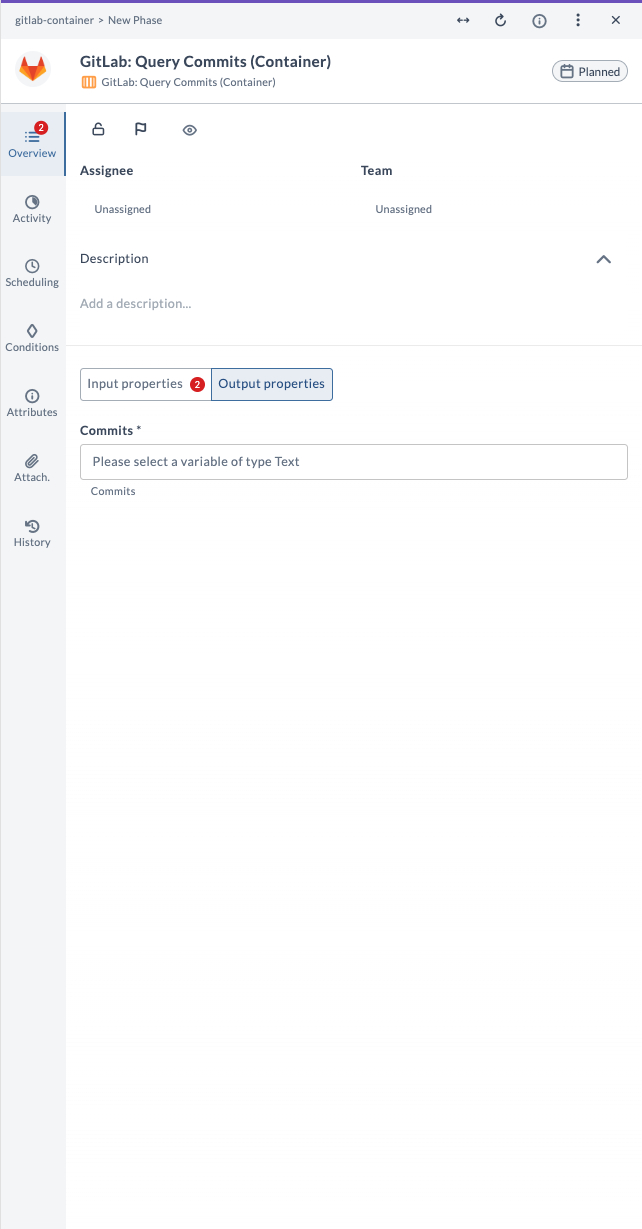
| Field Name | Description | Example |
|---|---|---|
| Commits | The list of commits returned by the query. | [commit data as text] |
Example Usage
Suppose you want to query the latest 100 commits from the main branch in project ID 12345:
| Field | Value |
|---|---|
| Capabilities | remote |
| GitLab Server | gitlab.example.com |
| Project ID | 12345 |
| Branch Name | main |
| Results Limit | 100 |
The output field Commits will contain the list of commits returned by the query.
Query Data (Container)
This task queries general data from a GitLab project or repository using a specified API endpoint and JSON path. Use it to fetch metrics, logs, or other data as part of your release workflow.
Input Field Descriptions
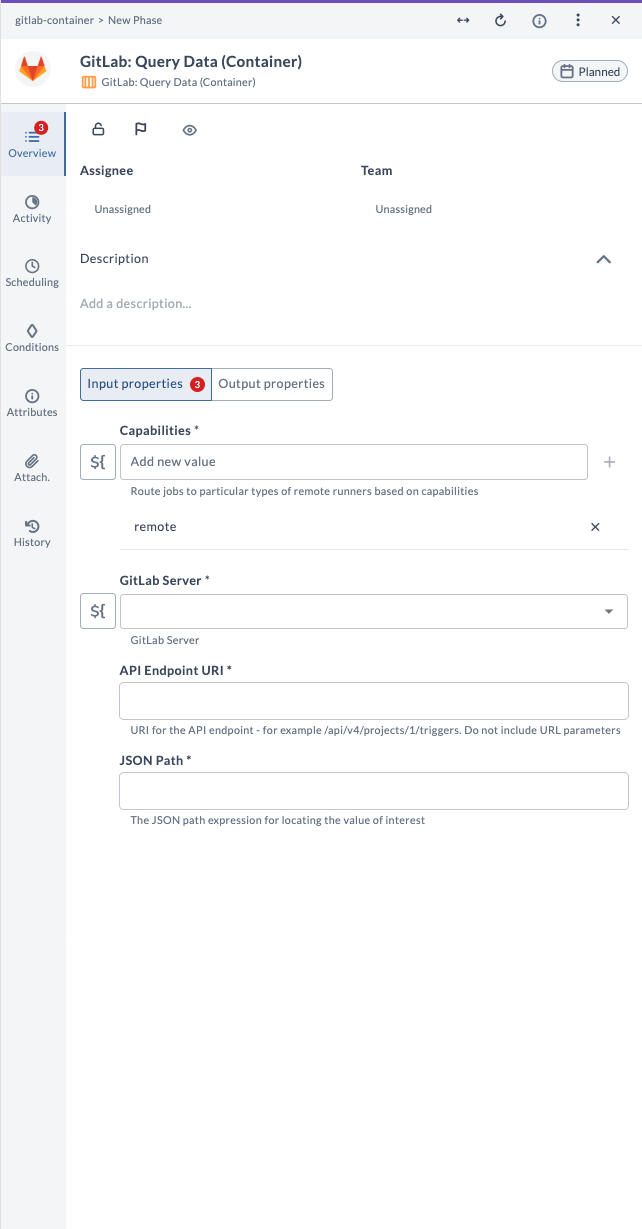
| Field Name | Description | Example |
|---|---|---|
| Capabilities | Route jobs to particular types of Release runners based on capabilities. | remote |
| GitLab Server | The configured GitLab server connection to use. | gitlab.example.com |
| API Endpoint URI | URI for the API endpoint (do not include URL parameters). | /api/v4/projects/1/triggers |
| JSON Path | The JSON path expression for locating the value of interest. | $.triggers[0].id |
Output Field Descriptions
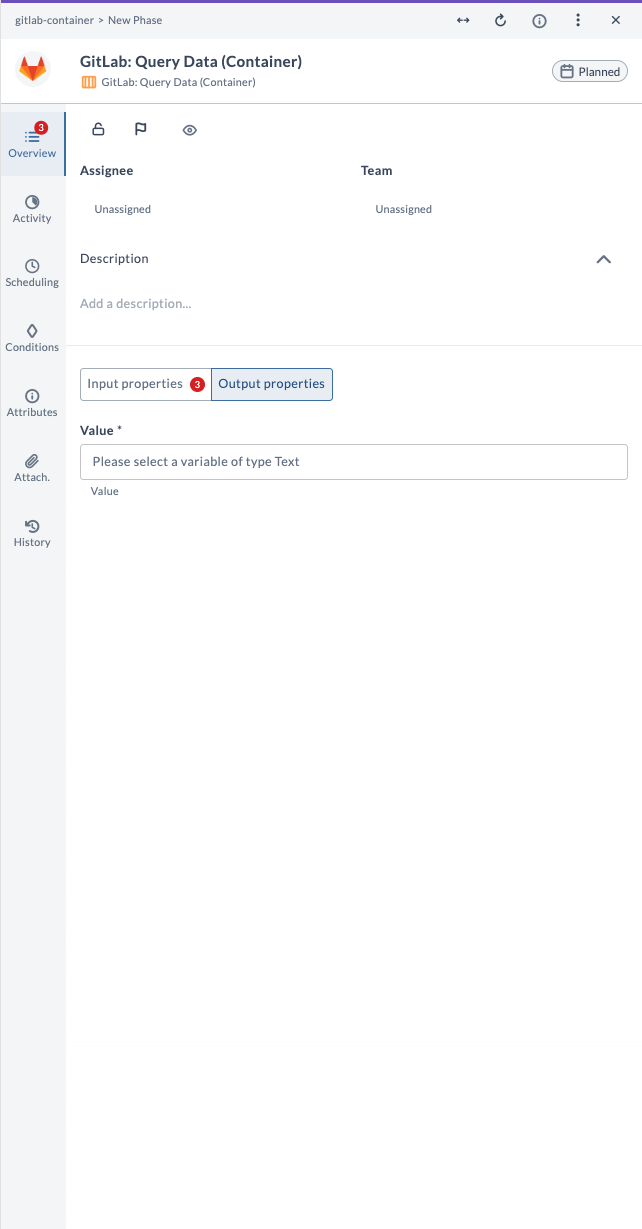
| Field Name | Description | Example |
|---|---|---|
| Value | The value extracted from the API response. | 12345 |
Example Usage
Suppose you want to query the first trigger ID from project ID 1:
| Field | Value |
|---|---|
| Capabilities | remote |
| GitLab Server | gitlab.example.com |
| API Endpoint URI | /api/v4/projects/1/triggers |
| JSON Path | $.triggers[0].id |
The output field Value will contain the value extracted from the API response using the specified JSON path.
Query Merge Requests (Container)
This task queries merge requests in a GitLab project. Use it to retrieve a list of merge requests, with options to filter, sort, and limit the results, as part of your release workflow.
Input Field Descriptions
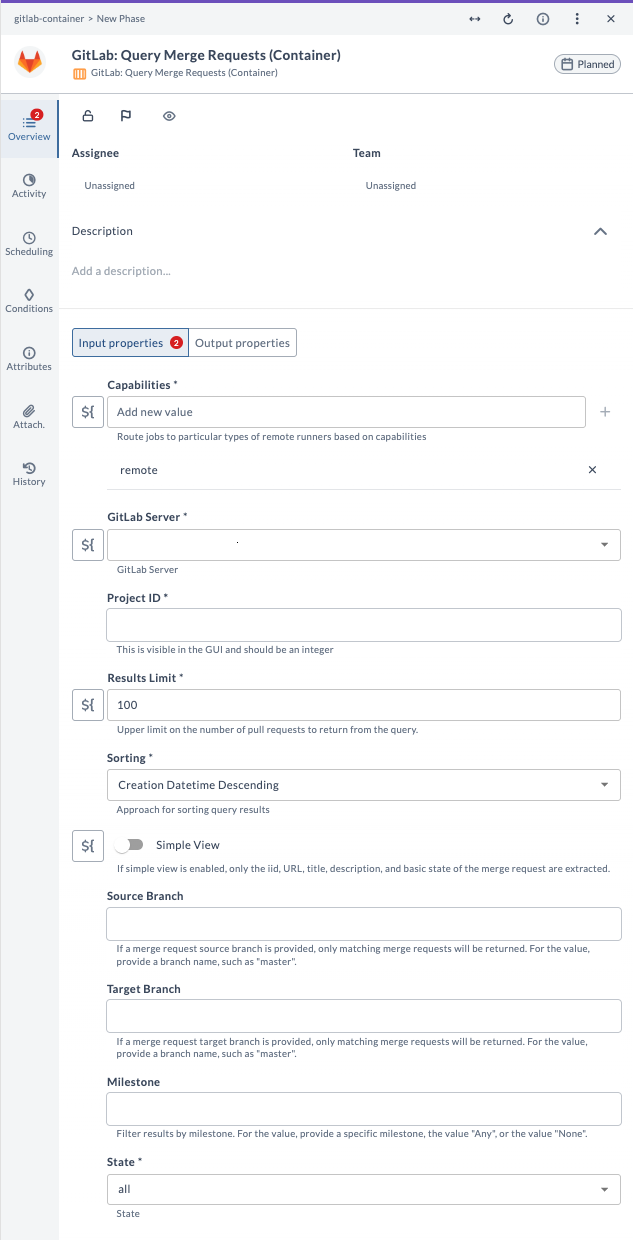
| Field Name | Description | Example |
|---|---|---|
| Capabilities | Route jobs to particular types of Release runners based on capabilities. | remote |
| GitLab Server | The configured GitLab server connection to use. | gitlab.example.com |
| Project ID | Numeric ID of the GitLab project. Do not use the project name. | 12345 |
| Results Limit | Upper limit on the number of merge requests to return from the query. | 100 |
| Sorting | Approach for sorting query results. | Creation Datetime Descending |
| Simple View | If enabled, only basic merge request info is extracted. | true |
| Source Branch | (Optional) Only merge requests from this source branch will be returned. | feature-branch |
| Target Branch | (Optional) Only merge requests to this target branch will be returned. | main |
| Milestone | (Optional) Filter results by milestone. | v1.0.0 |
| State | (Optional) Filter by merge request state (for example, opened, closed, merged). | all |
Output Field Descriptions
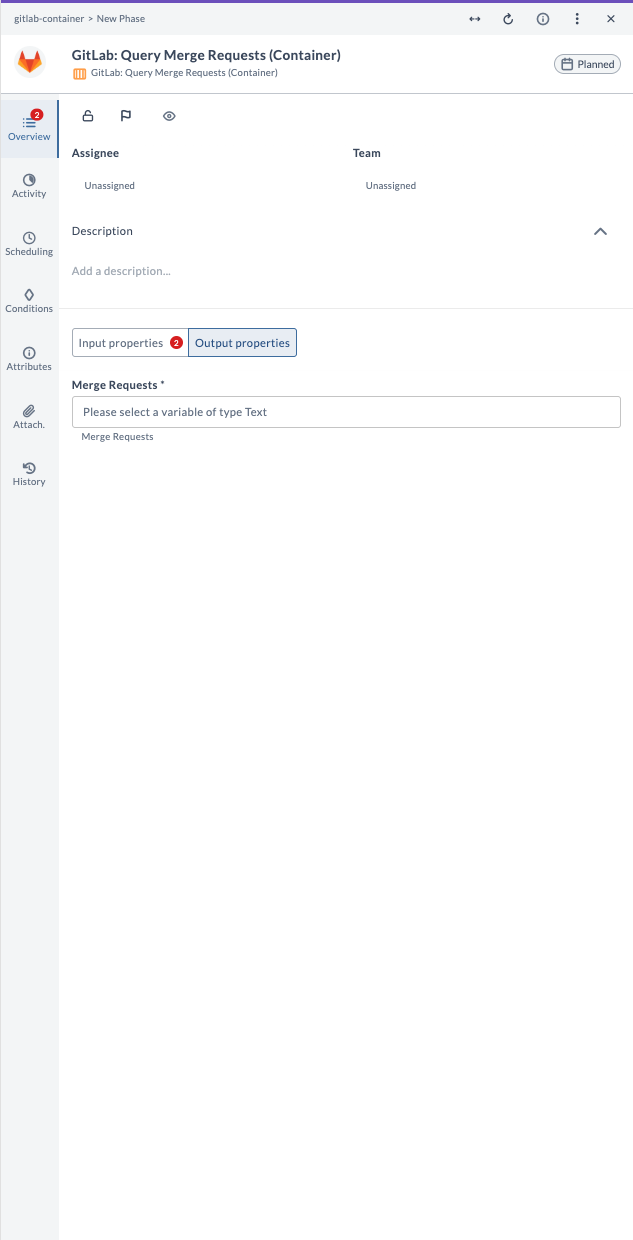
| Field Name | Description | Example |
|---|---|---|
| Merge Requests | The list of merge requests returned by the query. | [merge request data as text] |
Example Usage
Suppose you want to query the latest 100 merge requests from project ID 12345, sorted by creation date descending, and only those targeting the main branch:
| Field | Value |
|---|---|
| Capabilities | remote |
| GitLab Server | gitlab.example.com |
| Project ID | 12345 |
| Results Limit | 100 |
| Sorting | Creation Datetime Descending |
| Target Branch | main |
| State | all |
The output field Merge Requests will contain the list of merge requests returned by the query.
Query Pipelines (Container)
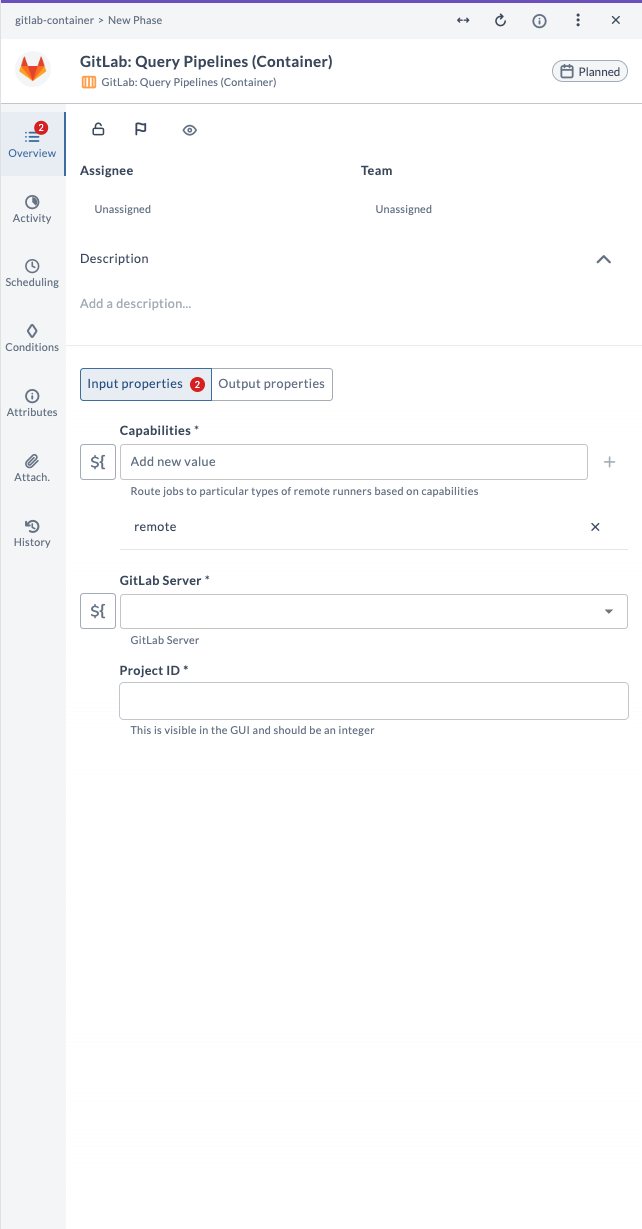
This task queries CI/CD pipelines in a GitLab project. Use it to fetch information about pipelines, including their statuses and results, as part of your release workflow.
Input Field Descriptions
| Field Name | Description | Example |
|---|---|---|
| Capabilities | Route jobs to particular types of Release runners based on capabilities. | remote |
| GitLab Server | The configured GitLab server connection to use. | gitlab.example.com |
| Project ID | Numeric ID of the GitLab project. Do not use the project name. | 12345 |
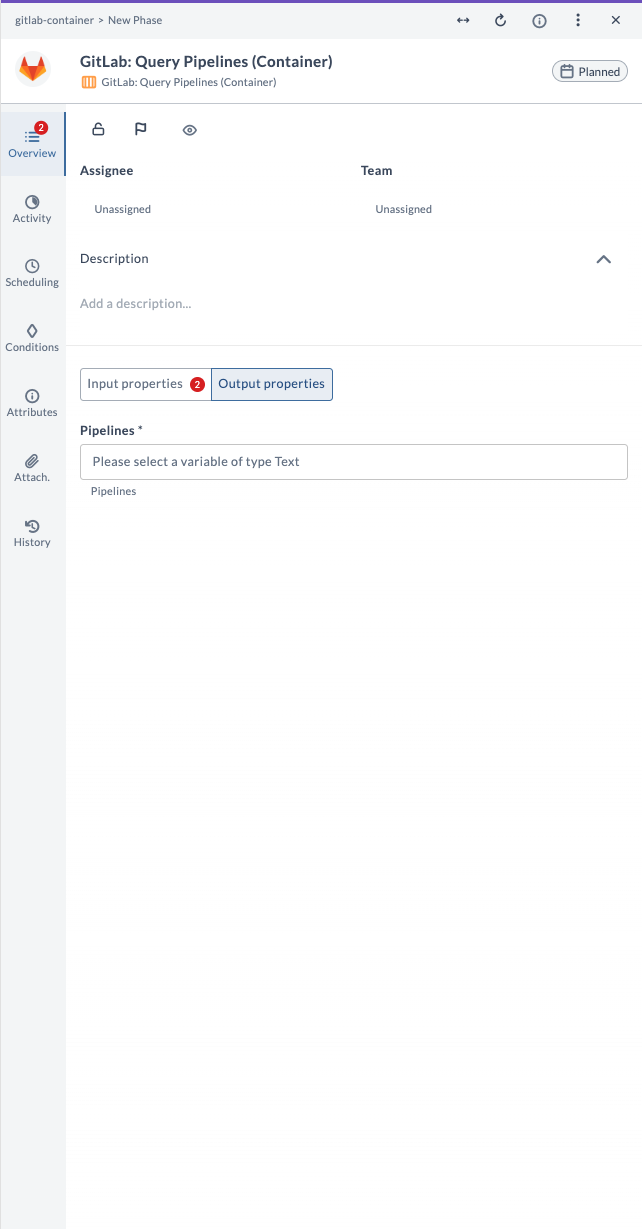
Output Field Descriptions
| Field Name | Description | Example |
|---|---|---|
| Pipelines | The list of pipelines returned by the query. | [pipeline data as text] |
Example Usage
Suppose you want to query all pipelines for project ID 12345:
| Field | Value |
|---|---|
| Capabilities | remote |
| GitLab Server | gitlab.example.com |
| Project ID | 12345 |
The output field Pipelines will contain the list of pipelines returned by the query.
Query Pipeline Status (Container)
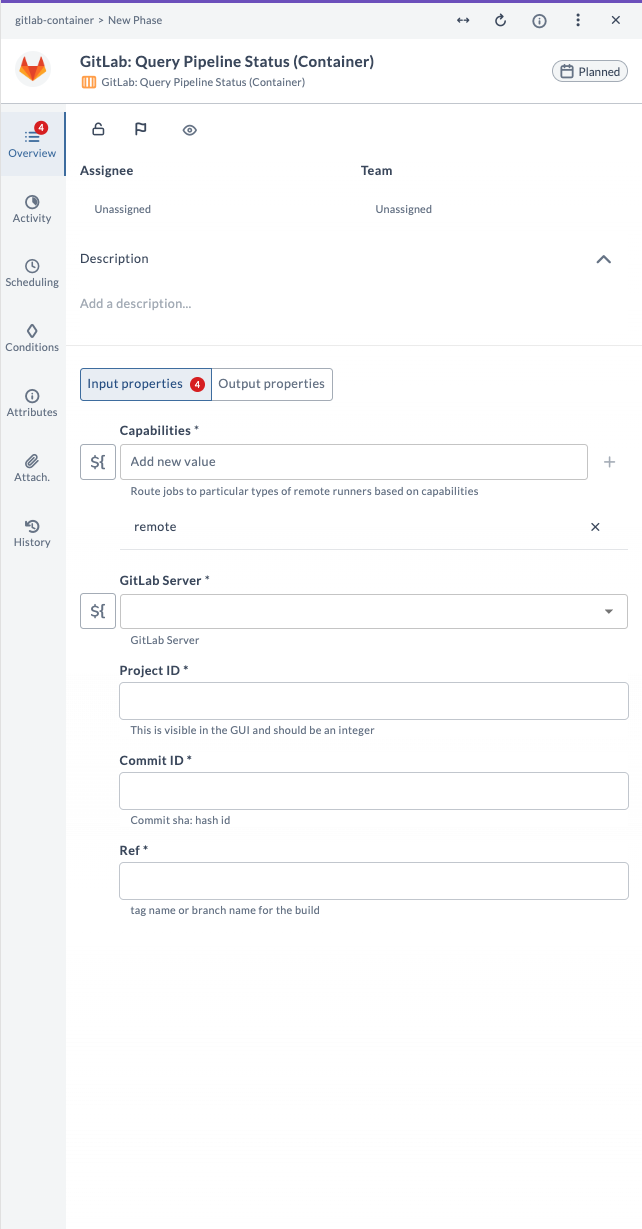
This task queries the status of a specific pipeline run in a GitLab project. Use it to check the current state and results of a pipeline, as part of your release workflow.
Input Field Descriptions
| Field Name | Description | Example |
|---|---|---|
| Capabilities | Route jobs to particular types of Release runners based on capabilities. | remote |
| GitLab Server | The configured GitLab server connection to use. | gitlab.example.com |
| Project ID | Numeric ID of the GitLab project. Do not use the project name. | 12345 |
| Commit ID | Commit SHA (hash id) for the pipeline. | 1a2b3c4d5e6f... |
| Ref | Tag name or branch name for the build. | main |
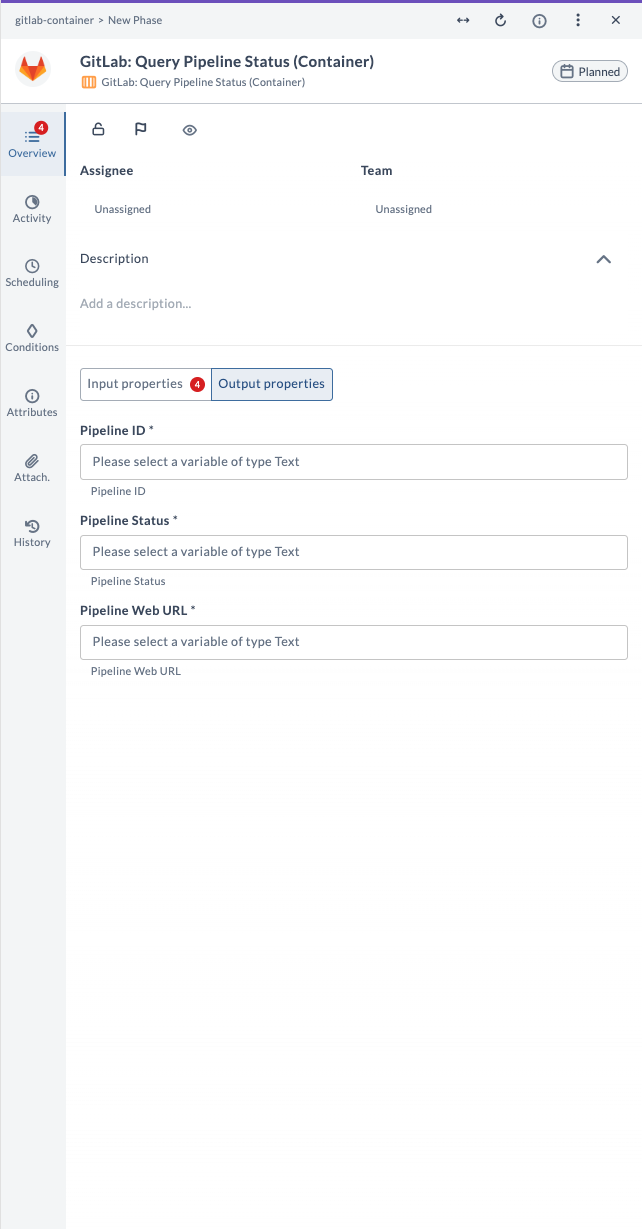
Output Field Descriptions
| Field Name | Description | Example |
|---|---|---|
| Pipeline ID | The numeric ID of the pipeline. | 7890 |
| Pipeline Status | The current status of the pipeline. | success |
| Pipeline Web URL | The web URL to view the pipeline in GitLab. | https://.../pipelines/7890 |
Example Usage
Suppose you want to check the status of a pipeline for commit 1a2b3c4d5e6f... on the main branch in project ID 12345:
| Field | Value |
|---|---|
| Capabilities | remote |
| GitLab Server | gitlab.example.com |
| Project ID | 12345 |
| Commit ID | 1a2b3c4d5e6f... |
| Ref | main |
The output fields will provide the pipeline ID, its current status, and a web URL to view the pipeline in GitLab.
Query Project (Container)
This task queries a GitLab project. Use it to retrieve details about a specific project, such as its settings, members, and activity, as part of your release workflow.
Input Field Descriptions
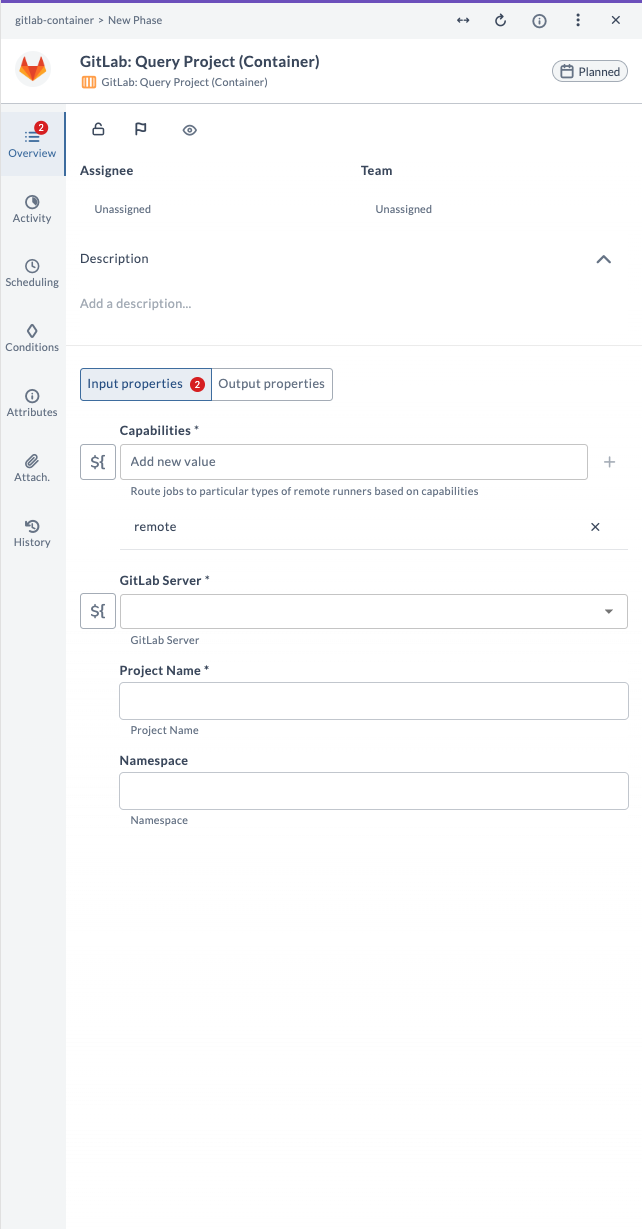
| Field Name | Description | Example |
|---|---|---|
| Capabilities | Route jobs to particular types of Release runners based on capabilities. | remote |
| GitLab Server | The configured GitLab server connection to use. | gitlab.example.com |
| Project Name | Name of the GitLab project to query. | my-project |
| Namespace | (Optional) Namespace of the project. | my-group |
Output Field Descriptions
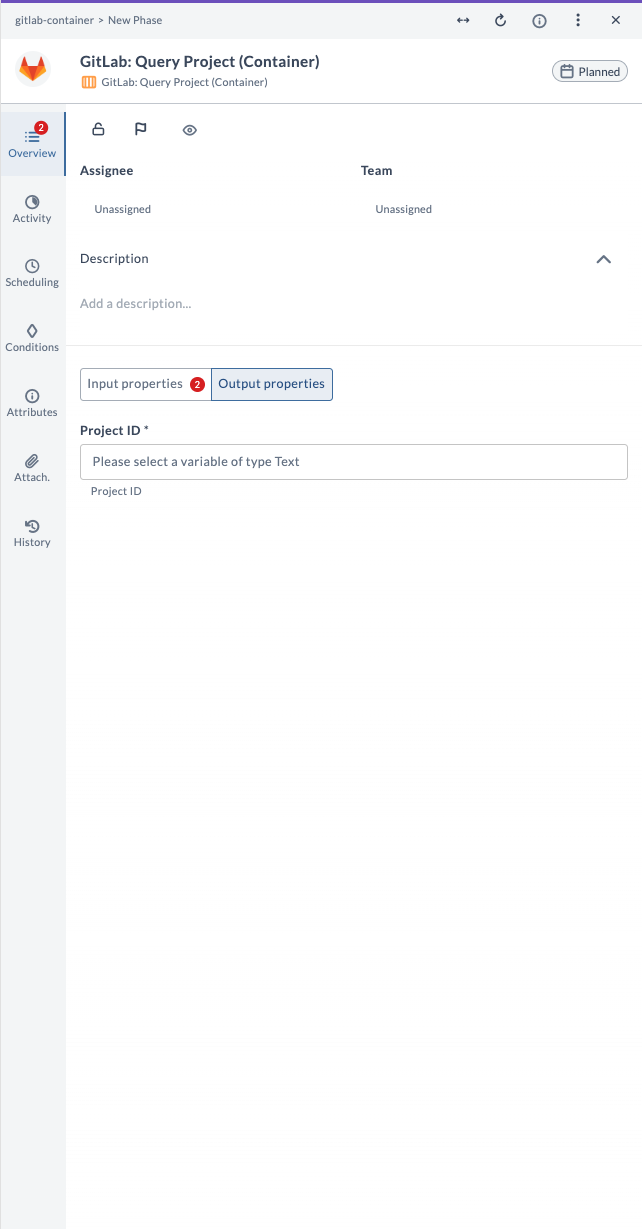
| Field Name | Description | Example |
|---|---|---|
| Project ID | The numeric ID of the queried project. | 12345 |
Example Usage
Suppose you want to query the project named my-project in the namespace my-group:
| Field | Value |
|---|---|
| Capabilities | remote |
| GitLab Server | gitlab.example.com |
| Project Name | my-project |
| Namespace | my-group |
The output field Project ID will contain the numeric ID of the queried project.
Query Secure Data (Container)
This task queries secure or protected data from a GitLab project using a specified API endpoint and JSON path. Use it to fetch sensitive information with appropriate access controls as part of your release workflow.
Input Field Descriptions
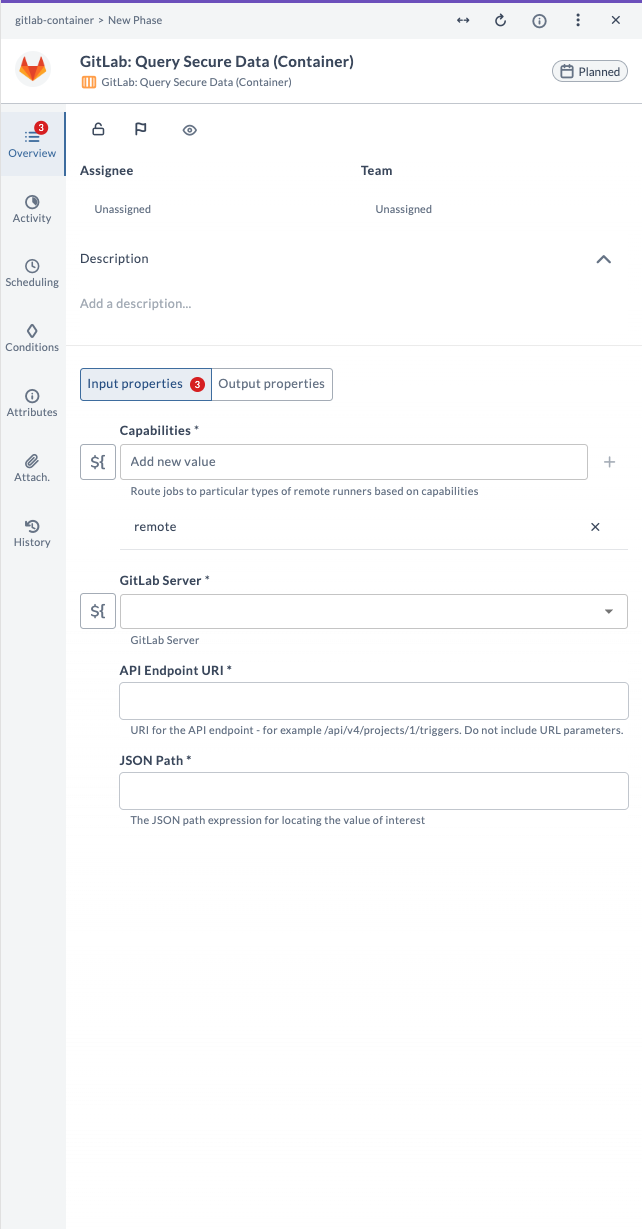
| Field Name | Description | Example |
|---|---|---|
| Capabilities | Route jobs to particular types of Release runners based on capabilities. | remote |
| GitLab Server | The configured GitLab server connection to use. | gitlab.example.com |
| API Endpoint URI | URI for the API endpoint (do not include URL parameters). | /api/v4/projects/1/variables |
| JSON Path | The JSON path expression for locating the value of interest. | $.variables[0].value |
Output Field Descriptions
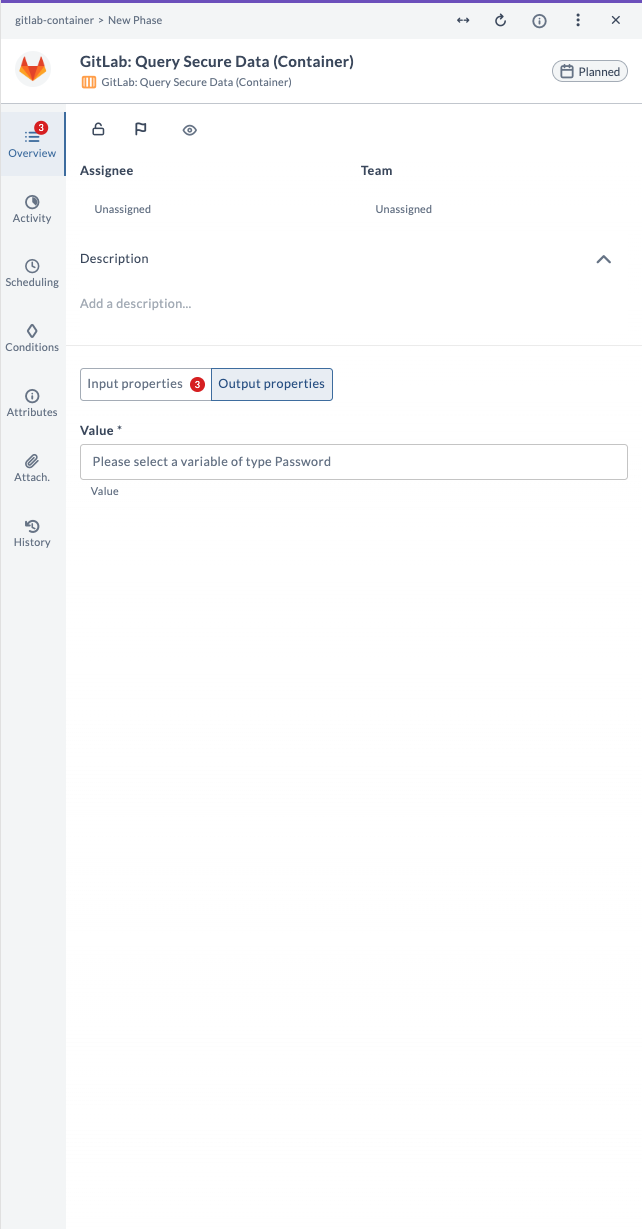
| Field Name | Description | Example |
|---|---|---|
| Value | The secure value extracted from the API response. | my-secret-value |
Example Usage
Suppose you want to query the first variable value from project ID 1:
| Field | Value |
|---|---|
| Capabilities | remote |
| GitLab Server | gitlab.example.com |
| API Endpoint URI | /api/v4/projects/1/variables |
| JSON Path | $.variables[0].value |
The output field Value will contain the secure value extracted from the API response using the specified JSON path.
Query Tags (Container)
This task queries tags in a GitLab project. Use it to list all tags in a repository, with options to filter, sort, and limit the results, as part of your release workflow.
Input Field Descriptions
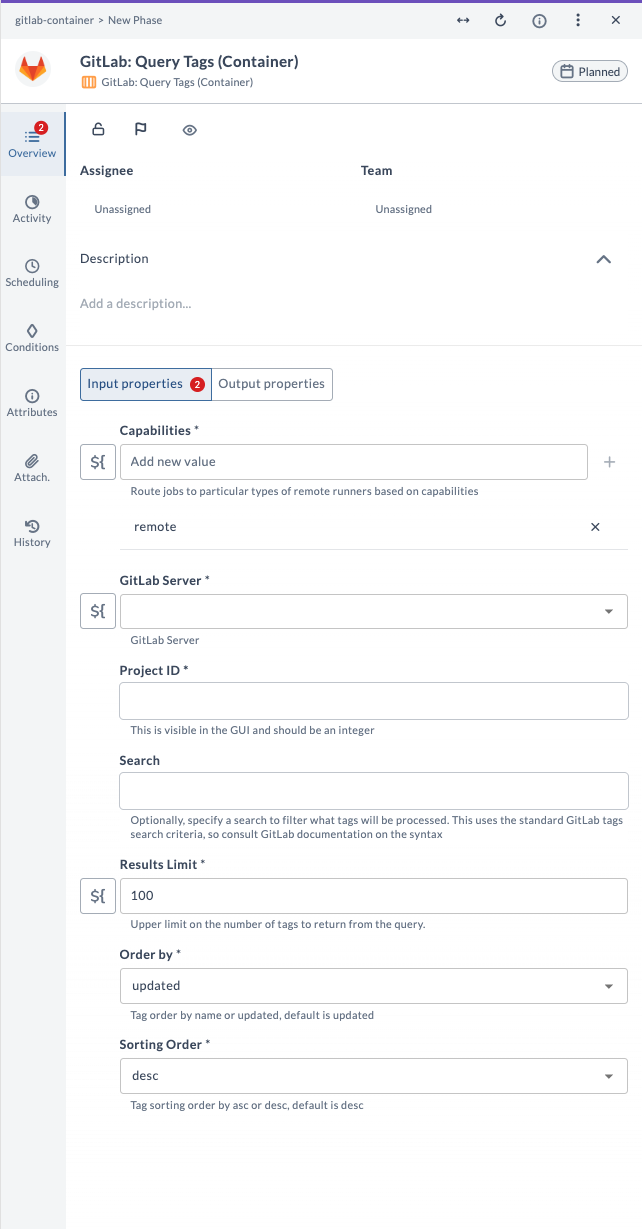
| Field Name | Description | Example |
|---|---|---|
| Capabilities | Route jobs to particular types of Release runners based on capabilities. | remote |
| GitLab Server | The configured GitLab server connection to use. | gitlab.example.com |
| Project ID | Numeric ID of the GitLab project. Do not use the project name. | 12345 |
| Search | (Optional) Search criteria to filter tags. | v1.0 |
| Results Limit | Upper limit on the number of tags to return from the query. | 100 |
| Order by | Tag order by name or updated. Default is updated. | updated |
| Sorting Order | Tag sorting order by asc or desc. Default is desc. | desc |
Output Field Descriptions
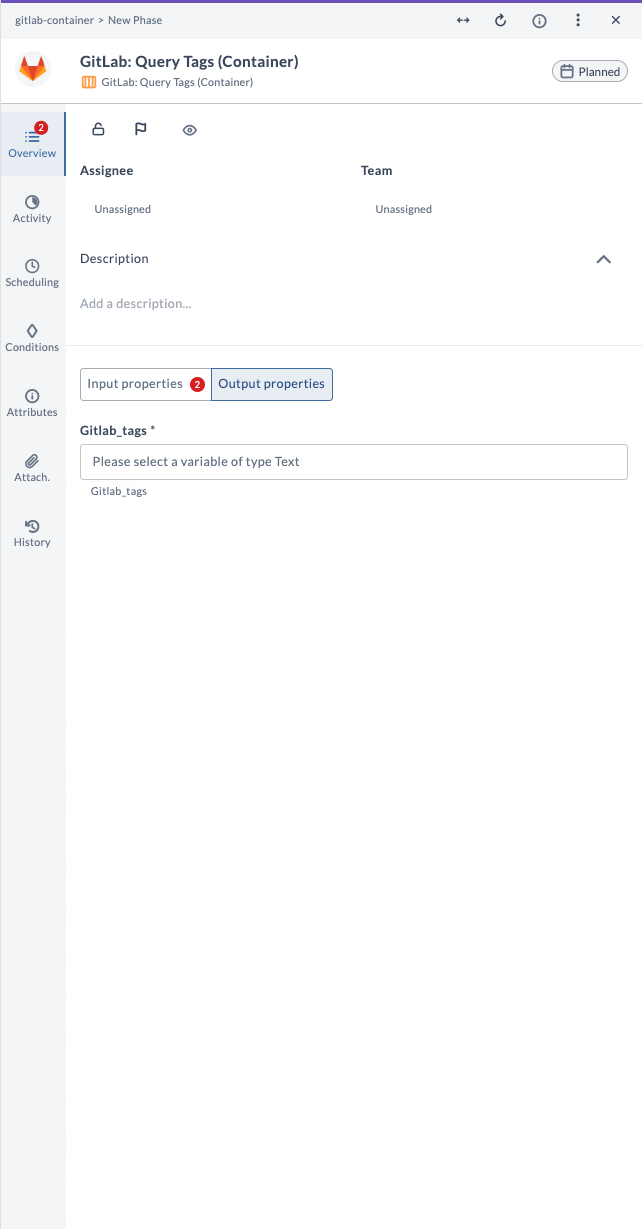
| Field Name | Description | Example |
|---|---|---|
| Gitlab_tags | The list of tags returned by the query. | [tag data as text] |
Example Usage
Suppose you want to query the latest 100 tags from project ID 12345, ordered by update time descending:
| Field | Value |
|---|---|
| Capabilities | remote |
| GitLab Server | gitlab.example.com |
| Project ID | 12345 |
| Results Limit | 100 |
| Order by | updated |
| Sorting Order | desc |
The output field Gitlab_tags will contain the list of tags returned by the query.
Trigger Pipeline (Container)
This task triggers a new CI/CD pipeline run for a GitLab project. Use it to start a pipeline after a commit, merge, or other event as part of your release workflow, using a Pipeline Trigger Token (not a Personal Access Token).
This task requires a GitLab Pipeline Trigger Token. Do not use a Personal Access Token – the task will fail.
To create a trigger token in GitLab:
- Go to your GitLab project
- Navigate to: Settings → CI/CD → Pipeline triggers
- Click Add trigger
- Copy the generated token and keep it handy
Input Field Descriptions
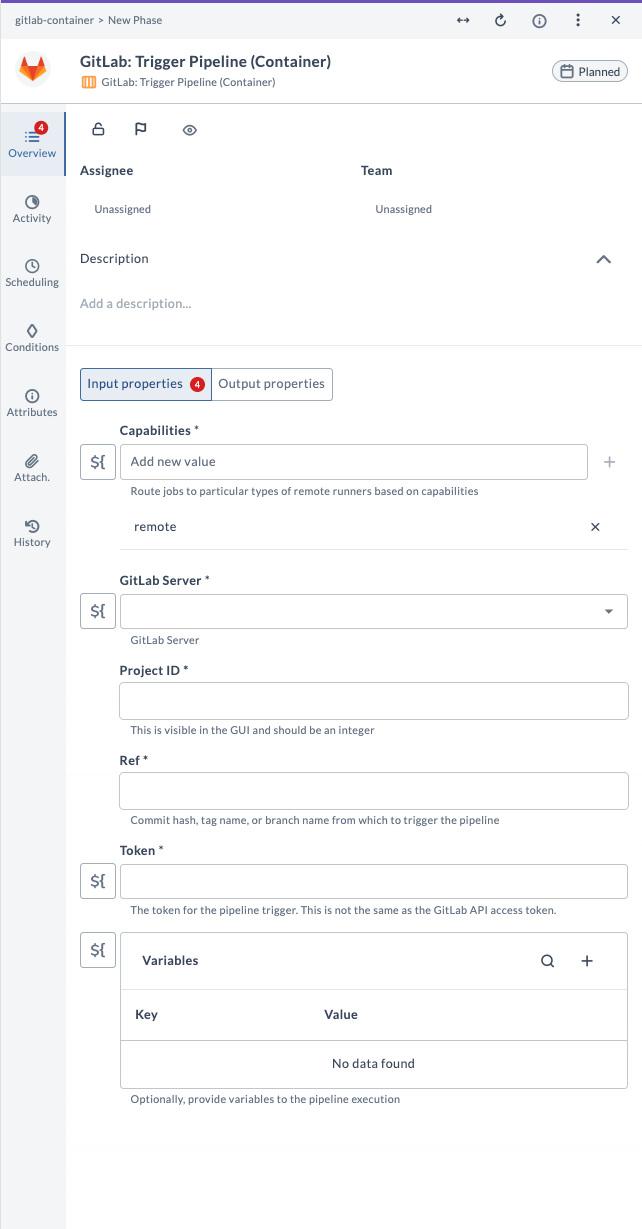
| Field Name | Description | Example |
|---|---|---|
| Capabilities | Route jobs to particular types of Release runners based on capabilities. | remote |
| GitLab Server | The configured GitLab server connection to use. | gitlab.example.com |
| Project ID | Numeric ID of the GitLab project. Do not use the project name. | 12345 |
| Ref | Commit hash, tag name, or branch name from which to trigger the pipeline. | main |
| Token | The token for the pipeline trigger (not the API access token). | my-trigger-token |
| Variables | (Optional) Key-value pairs to provide variables to the pipeline execution (for example, key1: value1, key2: value2). | key1: value1 |
Output Field Descriptions
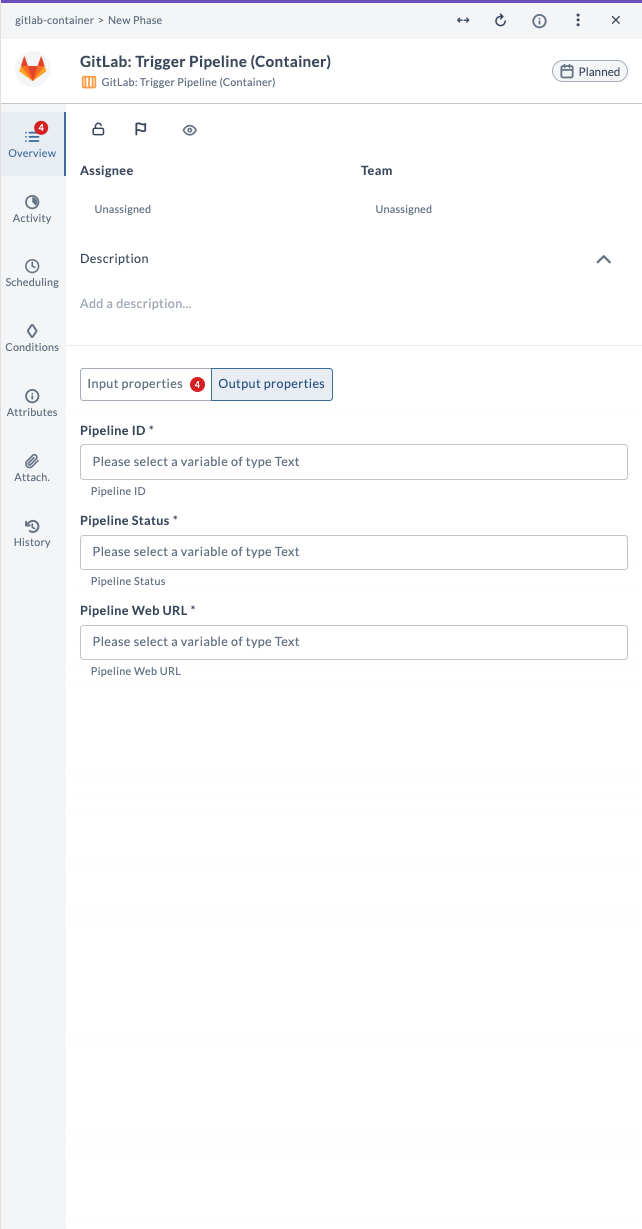
| Field Name | Description | Example |
|---|---|---|
| Pipeline ID | The numeric ID of the triggered pipeline. | 7890 |
| Pipeline Status | The current status of the triggered pipeline. | pending |
| Pipeline Web URL | The web URL to view the pipeline in GitLab. | https://.../pipelines/7890 |
Example Usage
Suppose you want to trigger a pipeline for the main branch in project ID 12345 with a trigger token and a variable:
| Field | Value |
|---|---|
| Capabilities | remote |
| GitLab Server | gitlab.example.com |
| Project ID | 12345 |
| Ref | main |
| Token | my-trigger-token |
| Variables | key1: value1 |
The output fields will provide the pipeline ID, its current status, and a web URL to view the pipeline in GitLab.