Argo CD Container Plugin
The Argo CD plugin allows you to seamlessly integrate Argo CD with your existing CI/CD pipelines, streamlining your Kubernetes continuous delivery workflow.
You must set up a connection to the AWS server before adding AWS tasks. For more information, see Set up Connection to Argo CD Server.
In the release flow editor, Container tasks have a blue border.
Argo CD plugin provides the following features:
- Check Application Status (Container)
- Create Application (Container)
- Create Project (Container)
- Create Repository (Container)
- Delete Application (Container)
- Delete Project (Container)
- Delete Repository (Container)
- Get Application Details (Container)
- Get Repository Details (Container)
- Get Version Command (Container)
- Get Project Details (Container)
- List Applications (Container)
- List Projects (Container)
- List Repositories (Container)
- Rollback Application (Container)
- Sync Application (Container)
- Update Application (Container)
- Update Repository (Container)
Prerequisites
For Argo CD integration, you need the following:
- Argo CD server running and accessible via HTTP(s)
- Digital.ai Release Runner setup to run the container tasks
Set up Connection to Argo CD Server
- From the navigation pane, under CONFIGURATION, click Connections.
- Under HTTP Server connections, next to ArgoCD API Server (Container), click
 .
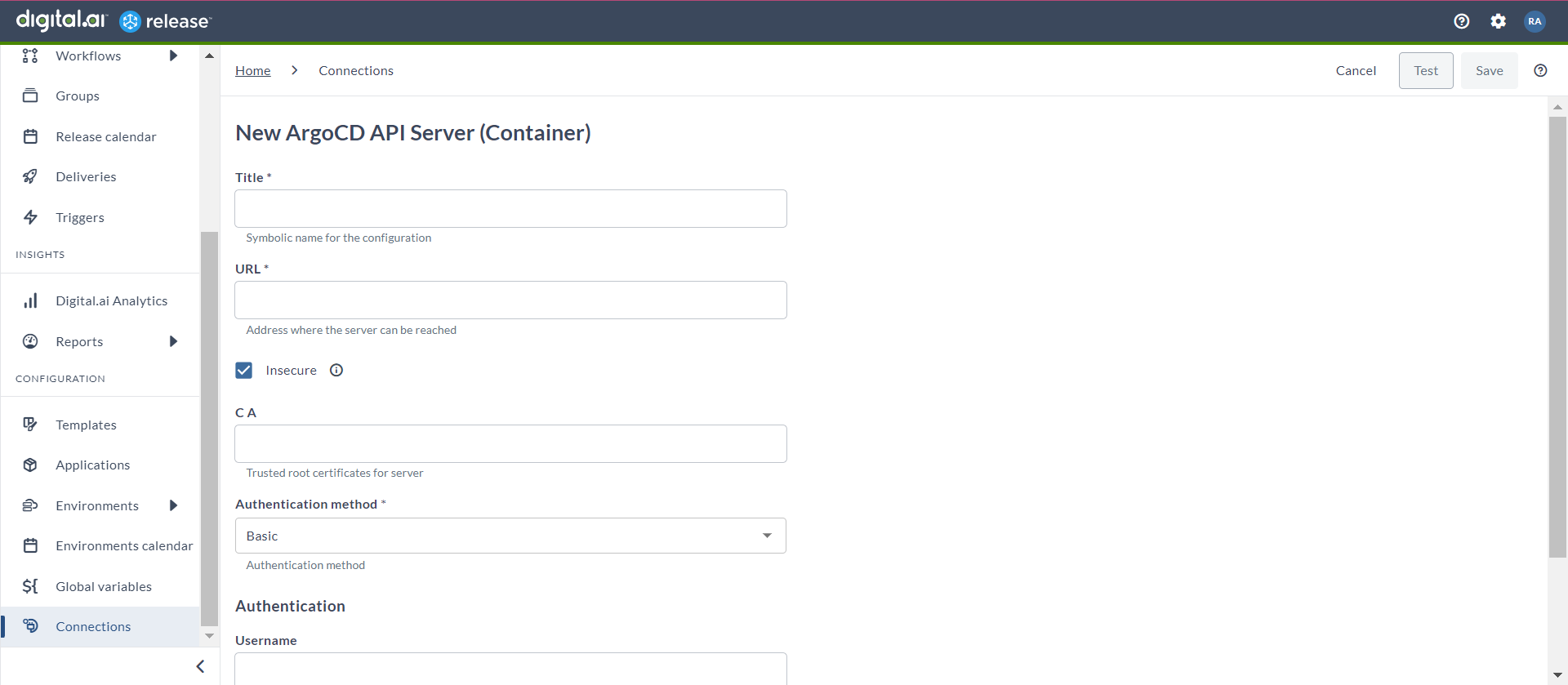
The New ArgoCD API Server (Container) page opens.
.
The New ArgoCD API Server (Container) page opens. - In the Title field, enter a name for the configuration.
- In the URL field, enter the server URL.
- If you want to connect to the server, without validating the TLS certificate, select the Insecure checkbox.
- In the CA field, enter the trusted root certificate for server in base64 format.
- In the Authentication Method field, select your relevant authentication type from the drop-down list.
- PAT
- Basic
- In the Capabilities field, enter a value that matches the capability set for your Runner.
- For Basic, you can enter Username and Password.
- For PAT, you can enter the Password.
- To test the connection, click Test.
- To save the configuration, click Save.
Check Application Status (Container)
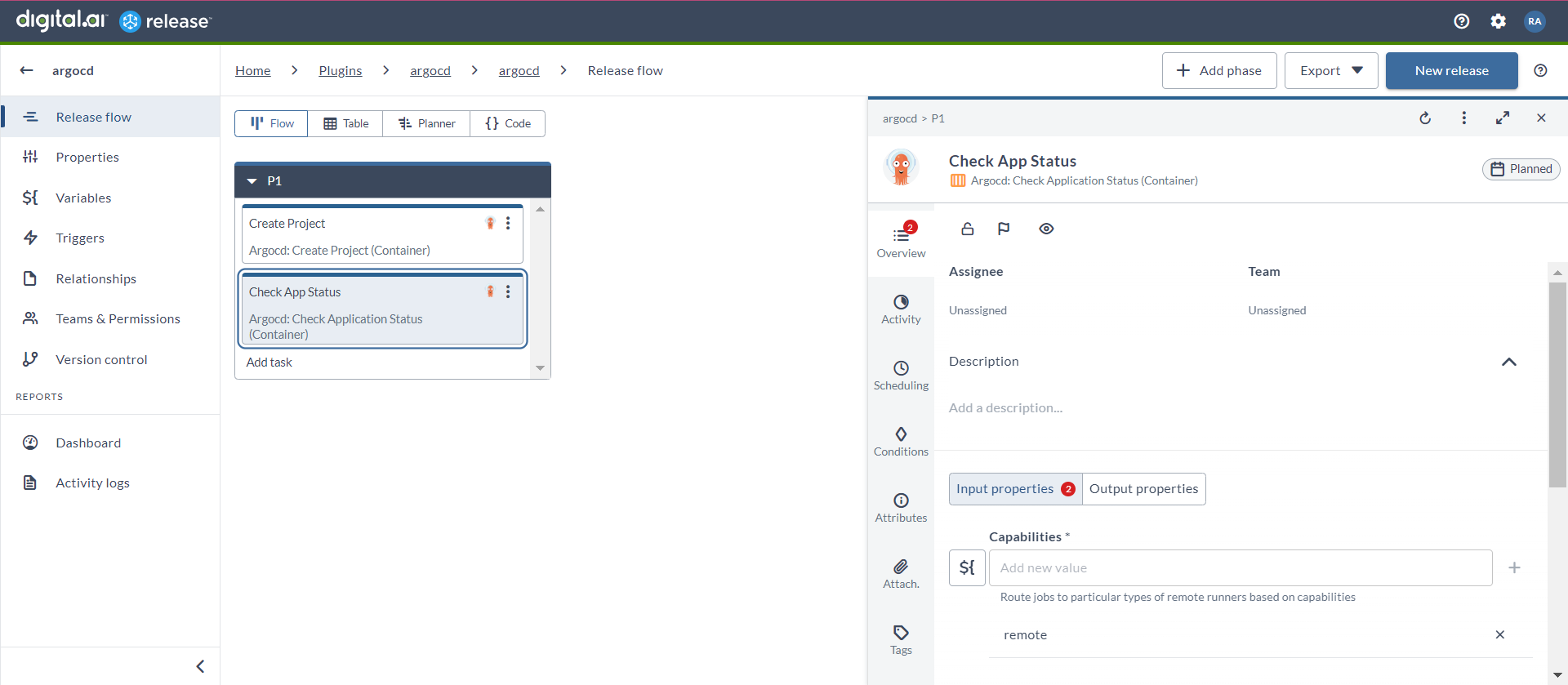
This task is used to retrieve the current status of a specified application, including its health, synchronization state, and recent activity. This task is essential for monitoring application performance and health.
- In the release flow tab of a Release template, add a task of type Argocd > Check Application Status (Container).
- Click the added task to open it.
- In the Capabilities field, enter a value that matches the capability set for your Runner. This will help you to route jobs to that particular Runner.
- In the Server field, select the configured Argo CD server.
- In the Application Name field, enter the name of the application.
- In the Retry field, enter a value to define the number of times you want to retry to check the status.
- In the Delay field, enter a value to define the duration between each retry attempt.
Check if ArgoCD Application Already Exists (Container)
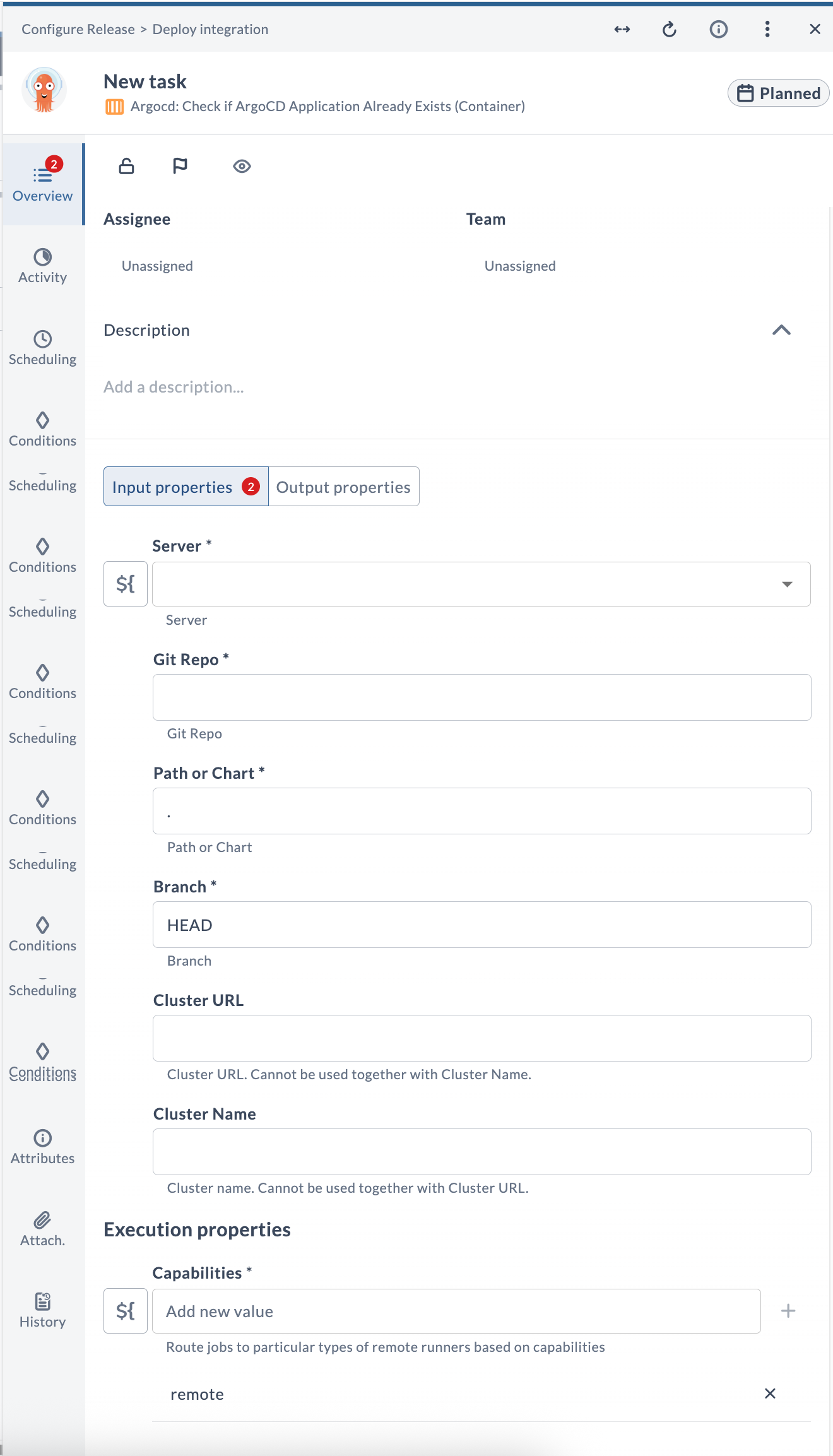
This task is used to check if an Argo CD application already exists, which involves querying the Argo CD instance to see if a specific application name is already in use. This task is needed to prevent conflicts and duplicate deployments, ensuring a clean and organized deployment environment.
Input Field Descriptions
| Field Name | Description | Example |
|---|---|---|
| Server | The configured Argo CD server connection to use. | argocd.example.com |
| Git Repo | URL of the source repository. | https://github.com/org/repo.git |
| Path or Chart | Path to the manifests within the Git repository, or the name of the Helm chart. | . |
| Branch | Git commit, tag, or branch to check. | HEAD |
| Cluster URL | URL of the destination Kubernetes cluster. Provide either Cluster URL or Cluster Name, not both. | https://kubernetes.default.svc |
| Cluster Name | Name of the destination Kubernetes cluster, used instead of Cluster URL. Provide either Cluster URL or Cluster Name, not both. | in-cluster |
| Capabilities | Route jobs to particular types of Release runners based on capabilities. | remote |
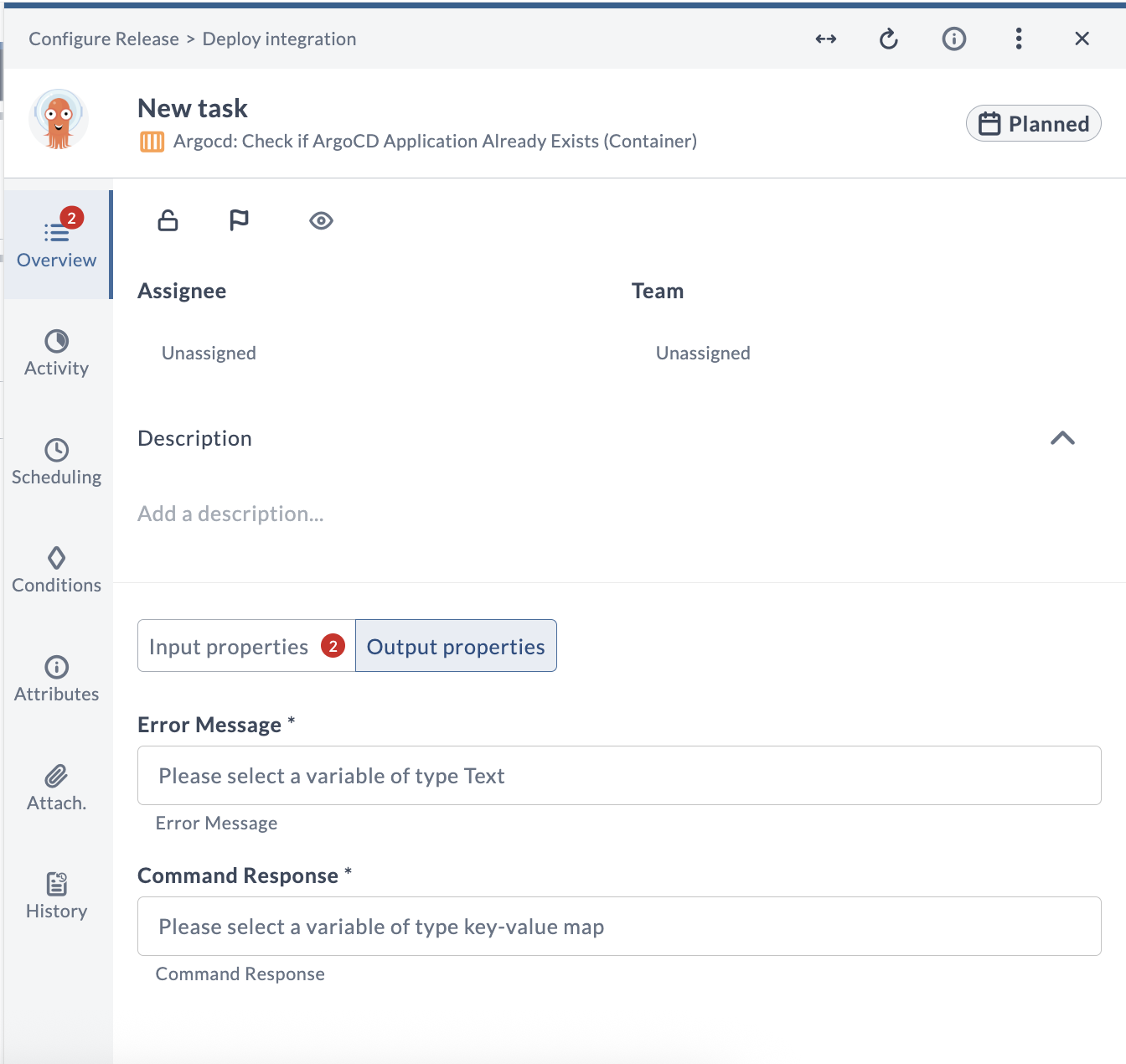
Output Field Descriptions
| Field Name | Description | Example |
|---|---|---|
| Error Message | Error message returned if the task fails (Text). | The field value is not valid |
| Command Response | Response returned by the Argo CD command (key-value map). | [response data as key-value map] |
Create Application (Container)
This task is used to set up a new application in the Argo CD instance by defining its source repository, destination cluster, and other configuration parameters. This task is needed to automate the deployment and management of applications, ensuring they are consistently deployed to the desired environments.
Input Field Descriptions

| Field Name | Description | Example |
|---|---|---|
| Capabilities | Route jobs to particular types of Release runners based on capabilities. | remote |
| Server | The configured Argo CD server connection to use. | argocd.example.com |
| Application Name | Name of the Argo CD application to create. | my-app |
| Project Name | Name of the Argo CD project that the application belongs to. | default |
| Repository type | Type of source repository: git or helm. | git |
| Repo Url | URL of the source repository. | https://github.com/org/repo.git |
| Path | Path to the manifests within the Git repository. | manifests |
| Revision | Git commit, tag, or branch to deploy. If omitted, defaults to HEAD. For Helm, this is the chart version. | HEAD |
| Cluster URL | URL of the destination Kubernetes cluster. Provide either Cluster URL or Cluster Name, not both. | https://kubernetes.default.svc |
| Cluster Name | Name of the destination Kubernetes cluster, used instead of Cluster URL. Provide either Cluster URL or Cluster Name, not both. | in-cluster |
| Namespace | Target namespace for the application resources. | default |
| Auto Sync | Automatically sync the application when the desired state changes. | true |
| Prune Resources | Delete resources that are no longer defined in Git. | false |
| Self Heal | Force the cluster state to match the state defined in Git. | false |
| Skip Schema Validation | Skip validation of the Kubernetes resource schema. | false |
| Prune Last | Prune resources during the final wave of a sync. | false |
| Auto Create Namespace | Create the target namespace automatically if it does not exist. | true |
| Apply Out Of Sync Only | Apply only the resources that are out of sync. | false |
| Prune Propagation Policy | Propagation policy used when pruning resources: foreground, background, or orphan. | foreground |
| Replace | Caution: Uses kubectl replace or create commands instead of apply. | false |
| Upsert | When enabled, Argo CD updates the application if it already exists. | true |
| Validate | Validate the application spec before applying. | true |
| App Annotations | Annotations to apply to the Argo CD application, defined as key-value pairs. | team: devops |
| App Labels | Labels to apply to the Argo CD application, defined as key-value pairs. | env: prod |
| Kustomize Common Annotations | Additional annotations that Kustomize applies to all resources, defined as key-value pairs. | managed-by: argocd |
| Kustomize Common Annotations Envsubst | Enable environment variable substitution for Kustomize annotation values. | false |
| Kustomize Common Labels | Additional labels that Kustomize applies to all resources, defined as key-value pairs. | app: my-app |
| Kustomize Force Common Annotations | Allow Kustomize to override existing annotations. | false |
| Kustomize Force Common Labels | Allow Kustomize to override existing labels. | false |
| Kustomize Images | List of Kustomize image overrides that specify which container images to use. | nginx:1.25 |
| Kustomize Name Prefix | Prefix that Kustomize prepends to all resources in the manifest. | prod- |
| Kustomize Name Suffix | Suffix that Kustomize appends to all resources in the manifest. | -v1 |
| Kustomize Namespace | Namespace where Kustomize deploys the resources. | default |
| Kustomize Replicas | Map defining the replica overrides for Kustomize, defined as key-value pairs. | deployment: 3 |
| Kustomize Version | Optional Kustomize version to use. | v5.0.0 |
| Sources (YAML) | YAML array of application sources for multi-source applications. When provided, this overrides the single source configuration above. | See the in-product field help for an example. |
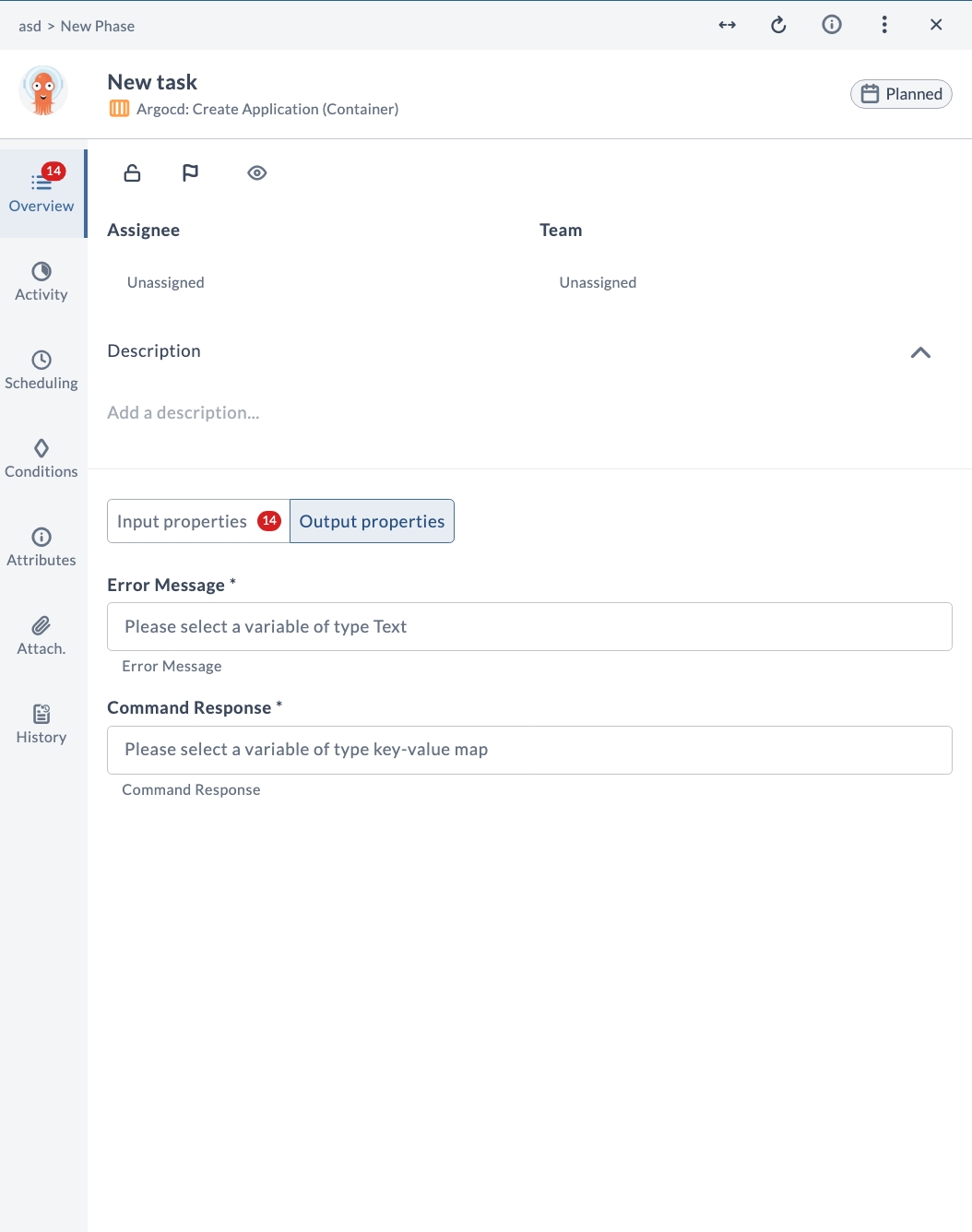
Output Field Descriptions
| Field Name | Description | Example |
|---|---|---|
| Error Message | Error message returned if the task fails (Text). | The field value is not valid |
| Command Response | Response returned by the Argo CD command (key-value map). | [response data as key-value map] |
Create Project (Container)
This task is used to set up a new project within the Argo CD instance. This task is necessary for organizing and managing applications and environments.
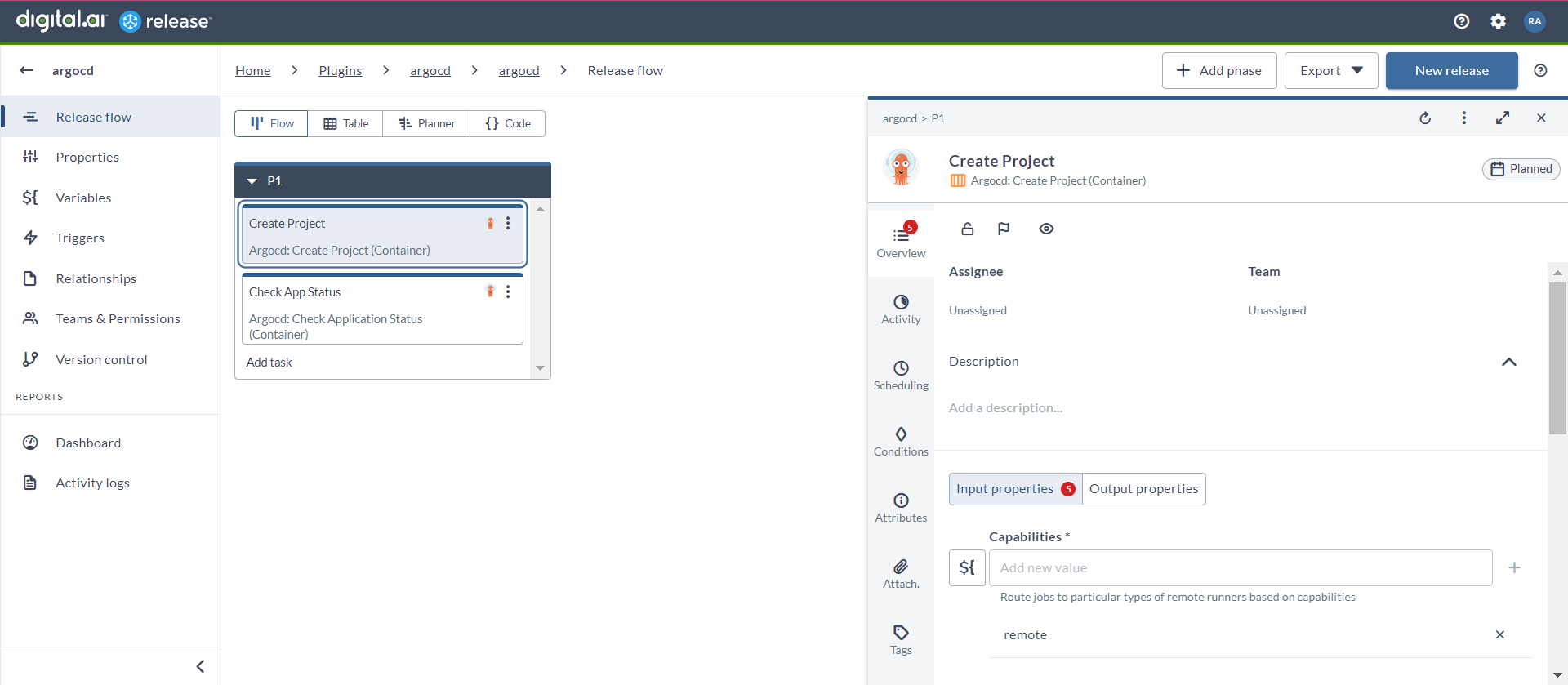
- In the release flow tab of a Release template, add a task of type Argocd > Create Project (Container).
- Click the added task to open it.
- In the Capabilities field, enter a value that matches the capability set for your Runner. This will help you to route jobs to that particular Runner.
- In the Server field, select the configured Argo CD server.
- In the Project Name field, enter the name of the project that you want to create in lowercase.
- In the Description field, enter the description of the project.
- In the Source Repositories field, you can add the URLs of the GIT repositories.
- If you select the Upsert toggle, ArgoCD will attempt to update the project if it already exists.
Create Repository (Container)
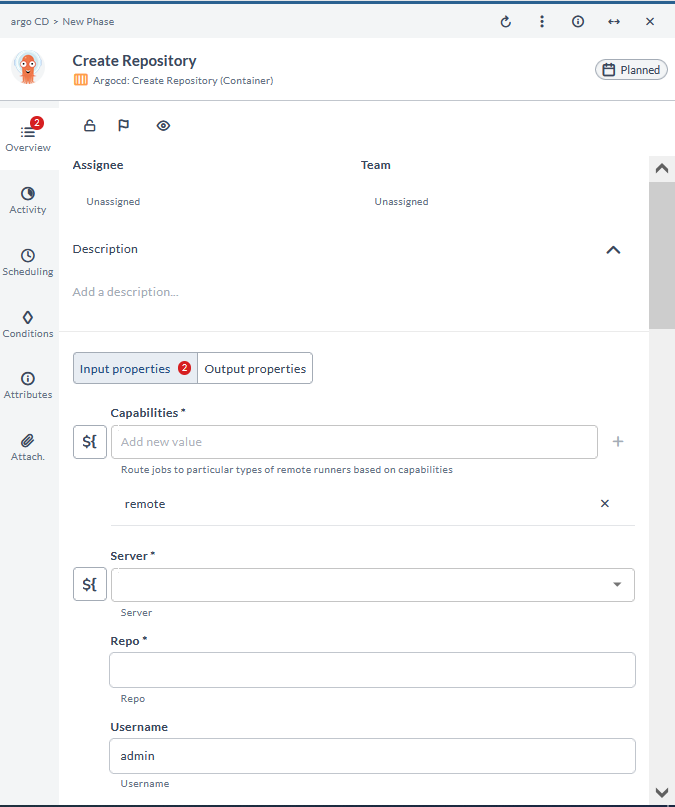
This task is used to add a new source code repository to the Argo CD instance by specifying its URL and access credentials. This task is needed to enable Argo CD to monitor and deploy applications from the specified repository, ensuring that the source code is integrated into the continuous delivery pipeline.
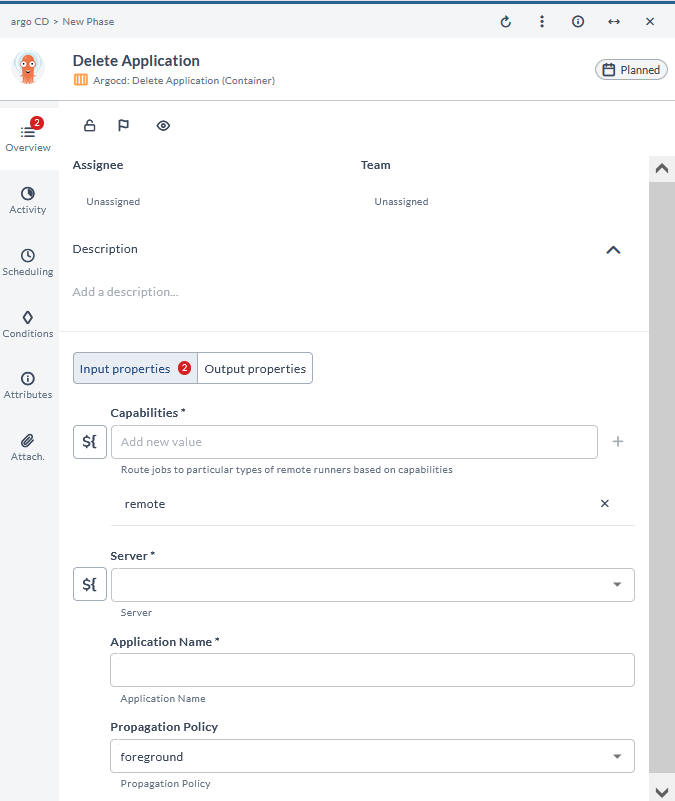
Delete Application (Container)
This task is used to remove an existing application from the Argo CD instance, including its configurations and deployment records. This task is needed to clean up and manage resources, ensuring that obsolete applications do not consume resources.
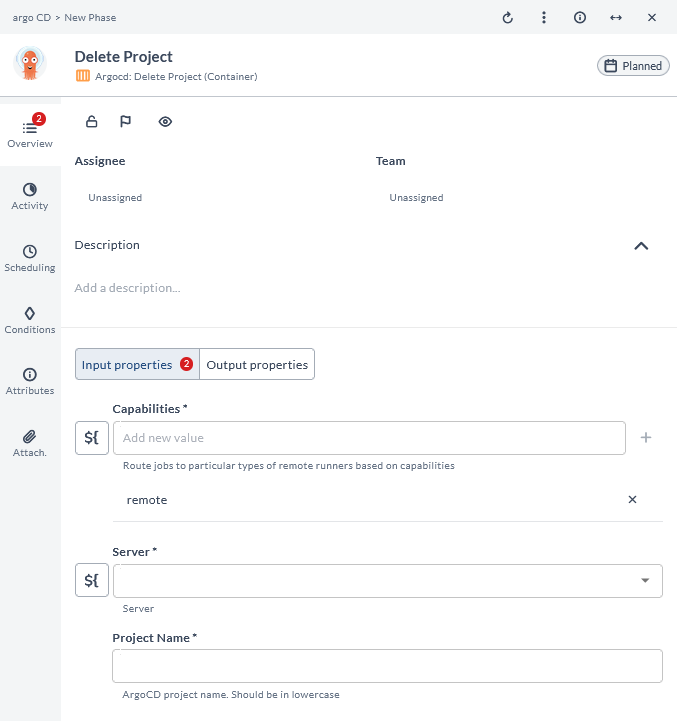
Delete Project (Container)
This task is used to remove an existing project from the Argo CD instance, along with its associated configurations and policies. This task is needed to manage and clean up resources, ensuring that outdated projects do not consume resources.
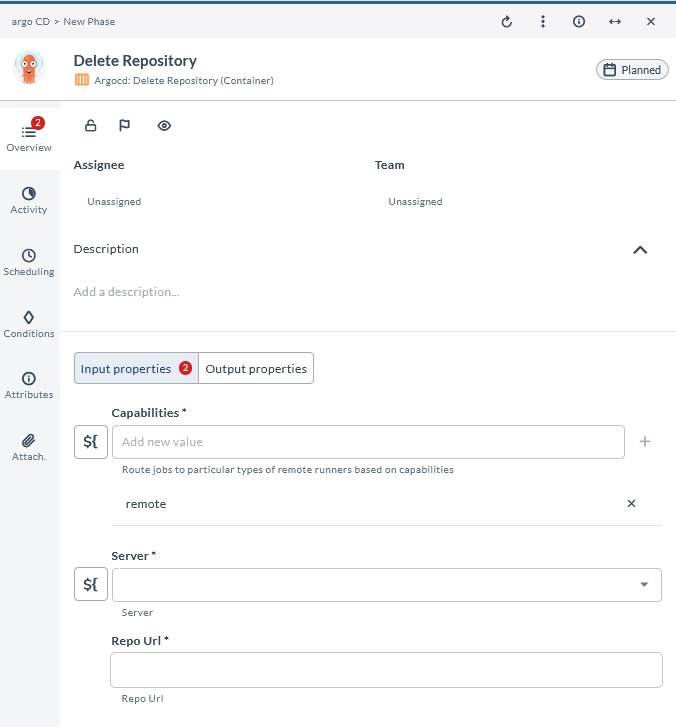
Delete Repository (Container)
This task is used to remove an existing Git repository from the Argo CD instance, including its access credentials and related configurations. This task is needed to clean up and manage repository integrations, ensuring that outdated repositories do not pose any security risks.
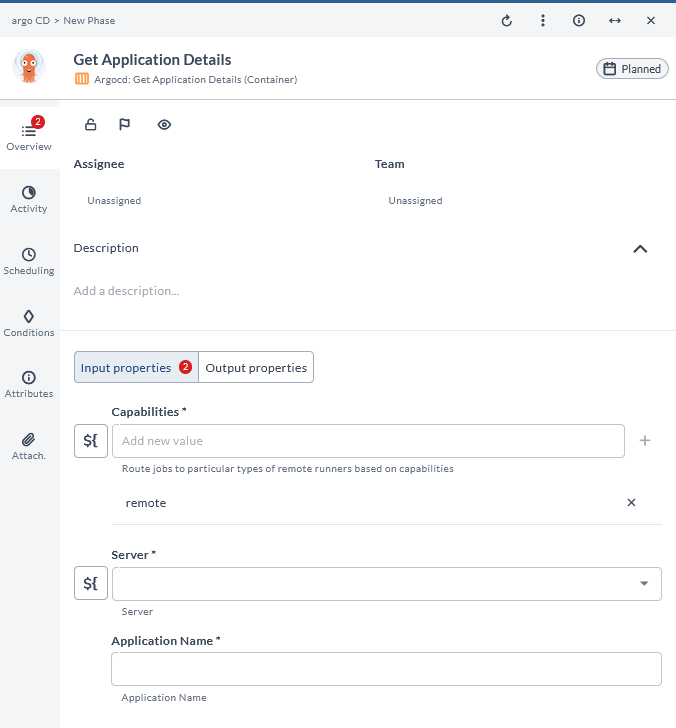
Get Application Details (Container)
This task is used to retrieve information about a specific application. This task is needed to provide insights and visibility into the application's current state and deployment history.
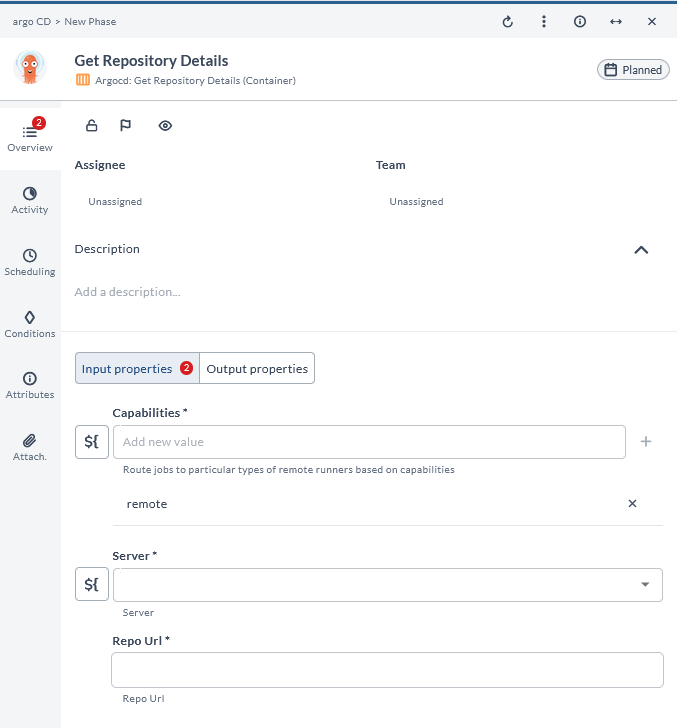
Get Repository Details (Container)
This task is used to retrieve detailed information about a specific Git repository, including its URL, access credentials, and associated applications. This task is needed to provide insights into the repository's configuration and usage, helping with management and troubleshooting.
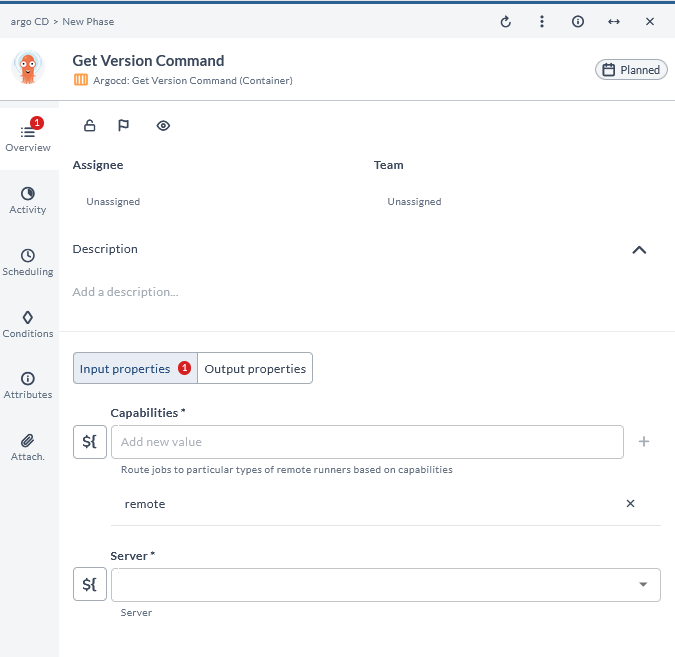
Get Version Command (Container)
This task is used to retrieve the version information of the Argo CD instance or plugin itself. This task is used to ascertain the current version of the software for maintenance, compatibility checks, and upgrade planning purposes.
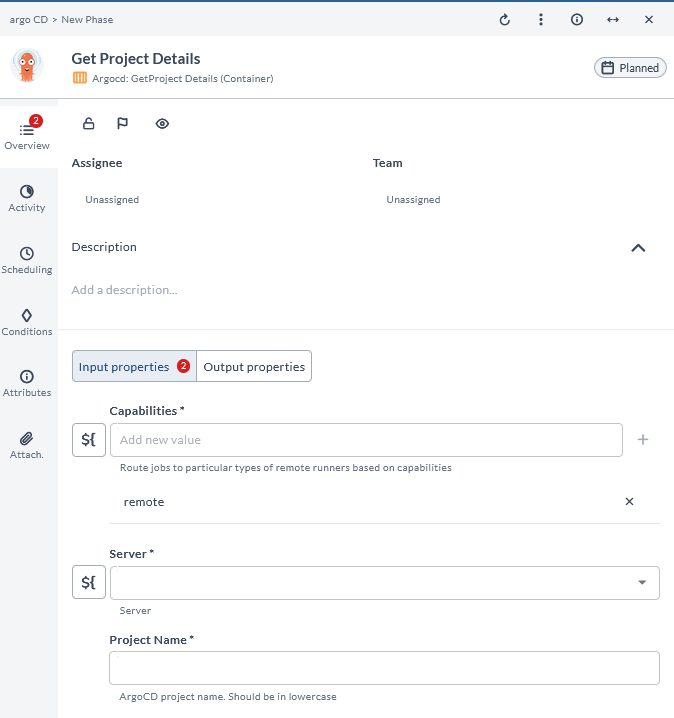
Get Project Details (Container)
This task is used to retrieve information about a specific project within the Argo CD instance. This task is essential for Administrators to gain visibility into project configurations, manage access control effectively, and ensure applications are deployed and managed properly.
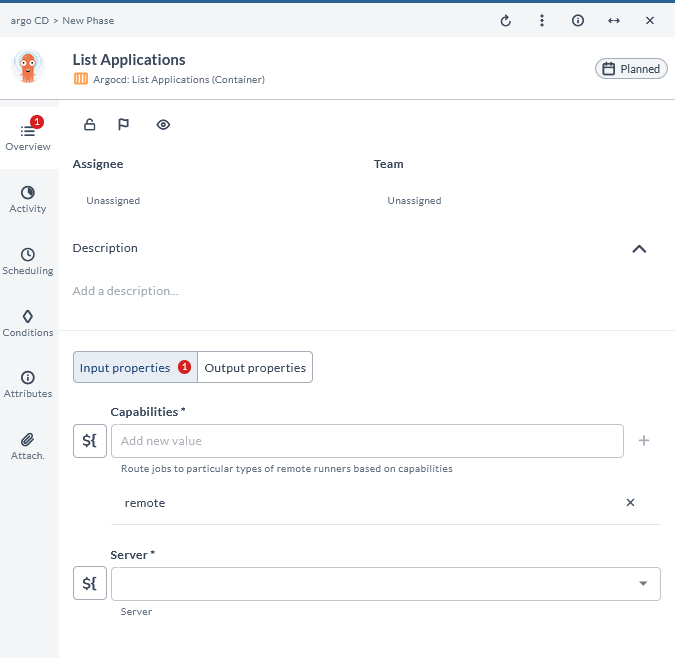
List Applications (Container)
This task is used to retrieve and display a list of all applications managed within the Argo CD instance. This task is essential for Administrators and users to view and manage the current state and configurations of all deployed applications.
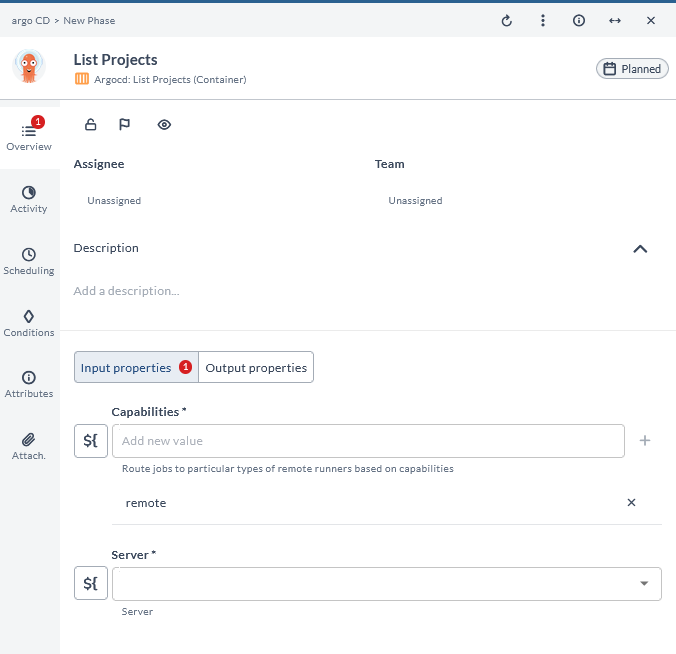
List Projects (Container)
This task is used to display a list of all the projects configured within the Argo CD instance. This task is crucial for Administrators and users to gain visibility into the organization of different environments or application groupings managed by Argo CD.
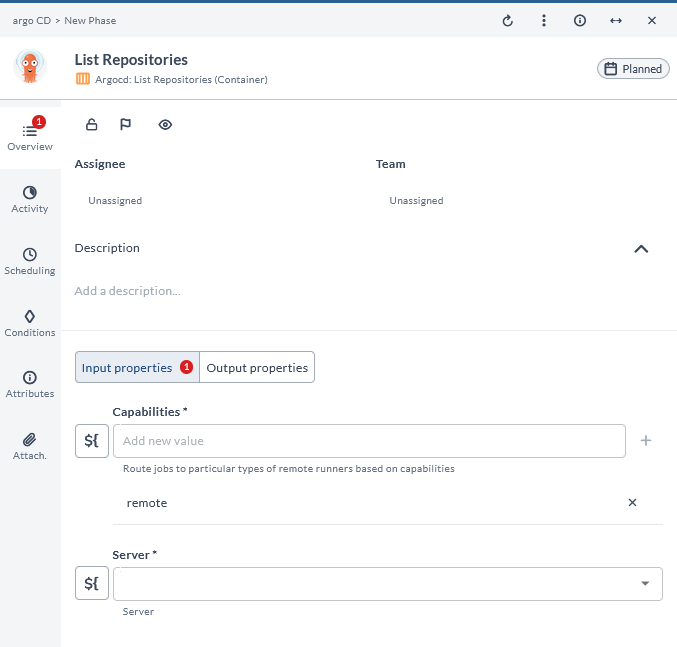
List Repositories (Container)
This task is used to display a list of all the Git repositories configured in the Argo CD instance. This task is essential for Administrators and users to manage and monitor the repositories used for deploying applications.
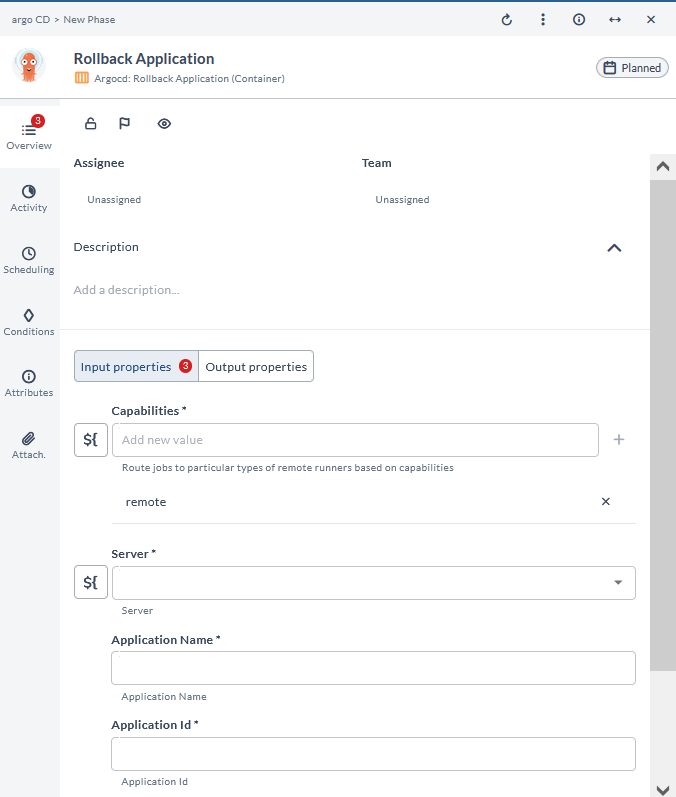
Rollback Application (Container)
This task is used to roll back an application to a previous version or state based on its deployment history. This task is crucial for quickly addressing issues or failures by restoring a known good state, ensuring application stability and minimizing downtime.
Sync Application (Container)
This task is used to match the desired state defined in the Git repository to the actual state of the application in the Kubernetes cluster. This task is essential for maintaining consistency between the declared configuration and the live environment.
Input Field Descriptions
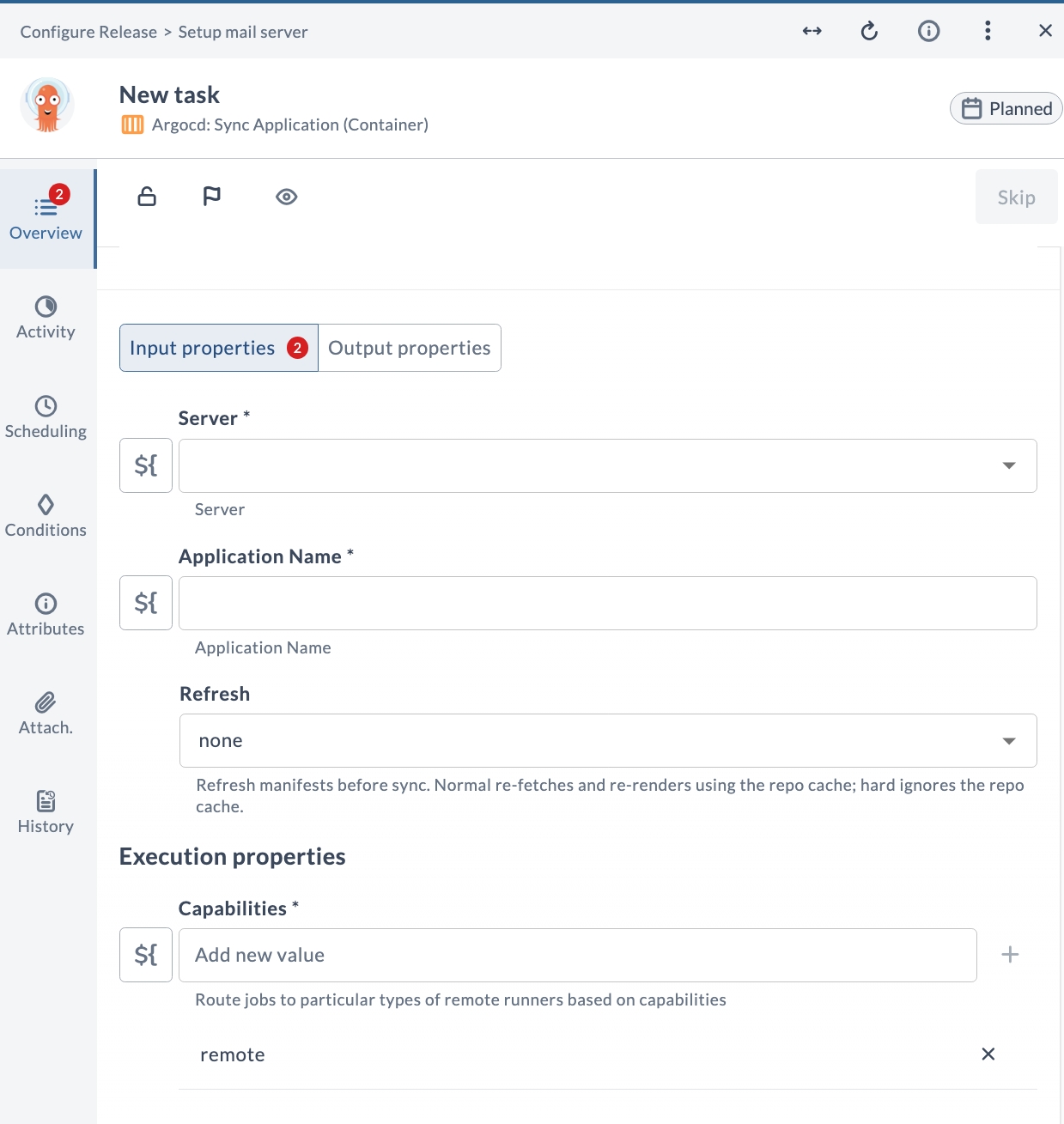
| Field Name | Description | Example |
|---|---|---|
| Server | The configured Argo CD server connection to use. | argocd.example.com |
| Application Name | Name of the Argo CD application to sync. | my-app |
| Refresh | Refresh manifests before sync. none performs no refresh; normal re-fetches and re-renders using the repo cache; hard ignores the repo cache. | none |
| Capabilities | Route jobs to particular types of Release runners based on capabilities. | remote |
Output Field Descriptions
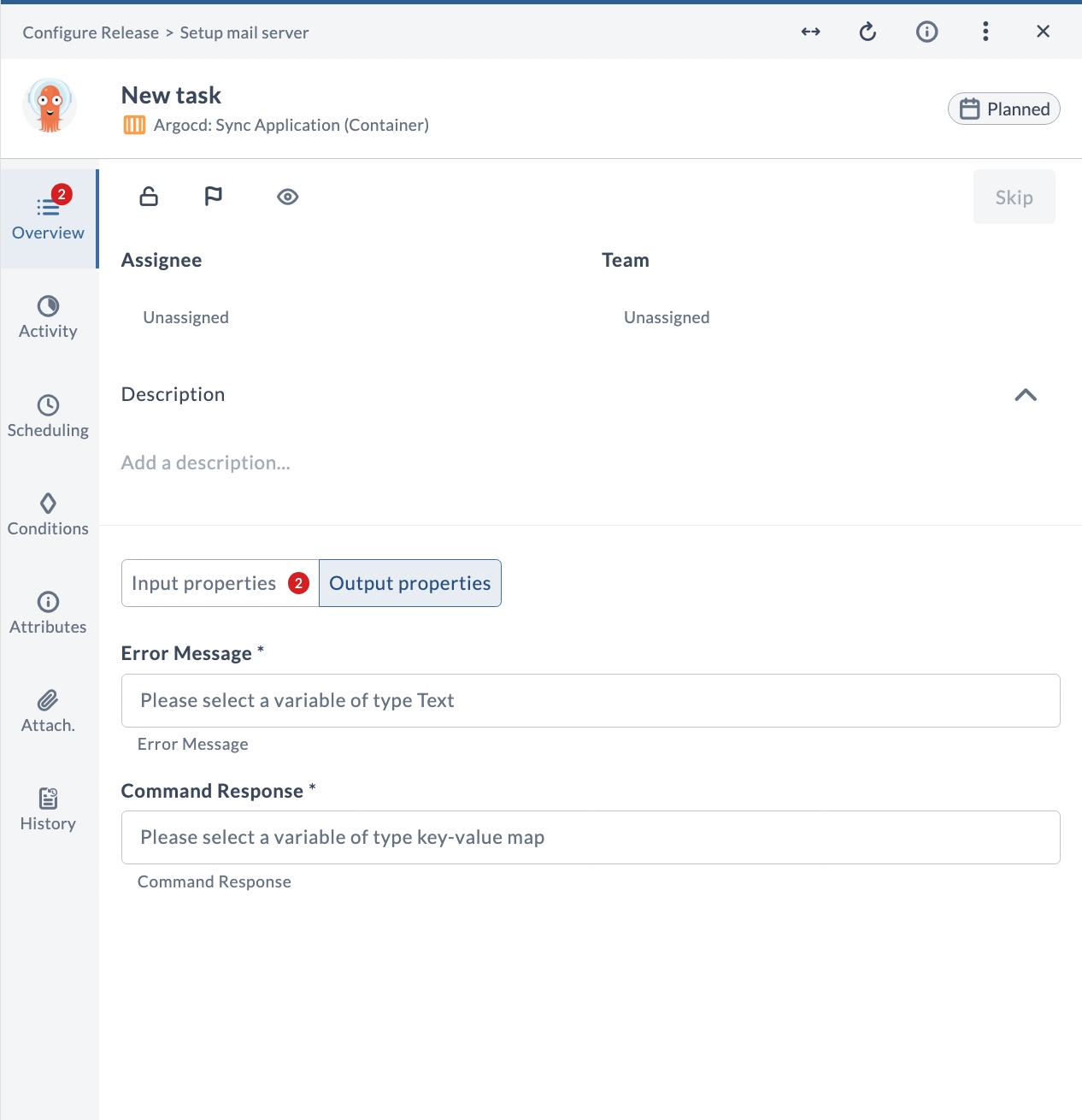
| Field Name | Description | Example |
|---|---|---|
| Error Message | Error message returned if the task fails (Text). | The field value is not valid |
| Command Response | Response returned by the Argo CD command (key-value map). | [response data as key-value map] |
Update Application (Container)
This task is used to modify the configuration of an existing application, including its source repository, destination cluster, and other deployment settings. This task is necessary for applying changes and improvements to applications, ensuring they remain current and properly configured.
Input Field Descriptions

| Field Name | Description | Example |
|---|---|---|
| Capabilities | Route jobs to particular types of Release runners based on capabilities. | remote |
| Server | The configured Argo CD server connection to use. | argocd.example.com |
| Application Name | Name of the Argo CD application to update. | my-app |
| Project Name | Name of the Argo CD project that the application belongs to. | default |
| Repository type | Type of source repository: git or helm. | git |
| Repo Url | URL of the source repository. | https://github.com/org/repo.git |
| Path | Path to the manifests within the Git repository. | manifests |
| Revision | Git commit, tag, or branch to deploy. If omitted, defaults to HEAD. For Helm, this is the chart version. | HEAD |
| Cluster URL | URL of the destination Kubernetes cluster. Provide either Cluster URL or Cluster Name, not both. | https://kubernetes.default.svc |
| Cluster Name | Name of the destination Kubernetes cluster, used instead of Cluster URL. Provide either Cluster URL or Cluster Name, not both. | in-cluster |
| Namespace | Target namespace for the application resources. | default |
| Auto Sync | Automatically sync the application when the desired state changes. | true |
| Prune Resources | Delete resources that are no longer defined in Git. | false |
| Self Heal | Force the cluster state to match the state defined in Git. | false |
| Skip Schema Validation | Skip validation of the Kubernetes resource schema. | false |
| Prune Last | Prune resources during the final wave of a sync. | false |
| Auto Create Namespace | Create the target namespace automatically if it does not exist. | true |
| Apply Out Of Sync Only | Apply only the resources that are out of sync. | false |
| Prune Propagation Policy | Propagation policy used when pruning resources: foreground, background, or orphan. | foreground |
| Replace | Caution: Uses kubectl replace or create commands instead of apply. | false |
| Upsert | When enabled, Argo CD updates the application if it already exists. | true |
| Validate | Validate the application spec before applying. | true |
| App Annotations | Annotations to apply to the Argo CD application, defined as key-value pairs. | team: devops |
| App Labels | Labels to apply to the Argo CD application, defined as key-value pairs. | env: prod |
| Kustomize Common Annotations | Additional annotations that Kustomize applies to all resources, defined as key-value pairs. | managed-by: argocd |
| Kustomize Common Annotations Envsubst | Enable environment variable substitution for Kustomize annotation values. | false |
| Kustomize Common Labels | Additional labels that Kustomize applies to all resources, defined as key-value pairs. | app: my-app |
| Kustomize Force Common Annotations | Allow Kustomize to override existing annotations. | false |
| Kustomize Force Common Labels | Allow Kustomize to override existing labels. | false |
| Kustomize Images | List of Kustomize image overrides that specify which container images to use. | nginx:1.25 |
| Kustomize Name Prefix | Prefix that Kustomize prepends to all resources in the manifest. | prod- |
| Kustomize Name Suffix | Suffix that Kustomize appends to all resources in the manifest. | -v1 |
| Kustomize Namespace | Namespace where Kustomize deploys the resources. | default |
| Kustomize Replicas | Map defining the replica overrides for Kustomize, defined as key-value pairs. | deployment: 3 |
| Kustomize Version | Optional Kustomize version to use. | v5.0.0 |
| Sources (YAML) | YAML array of application sources for multi-source applications. When provided, this overrides the single source configuration above. | See the in-product field help for an example. |
Output Field Descriptions
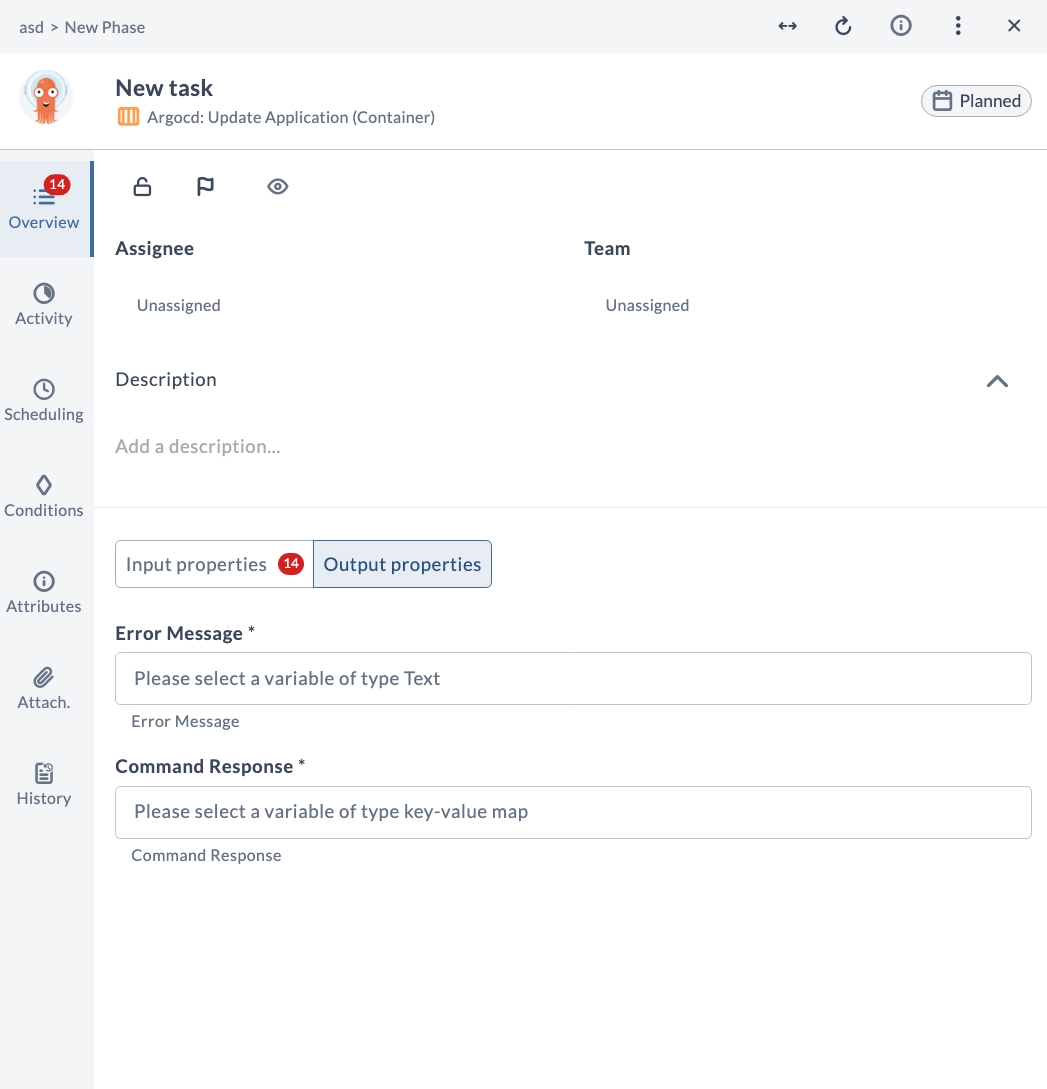
| Field Name | Description | Example |
|---|---|---|
| Error Message | Error message returned if the task fails (Text). | The field value is not valid |
| Command Response | Response returned by the Argo CD command (key-value map). | [response data as key-value map] |
Update Repository (Container)
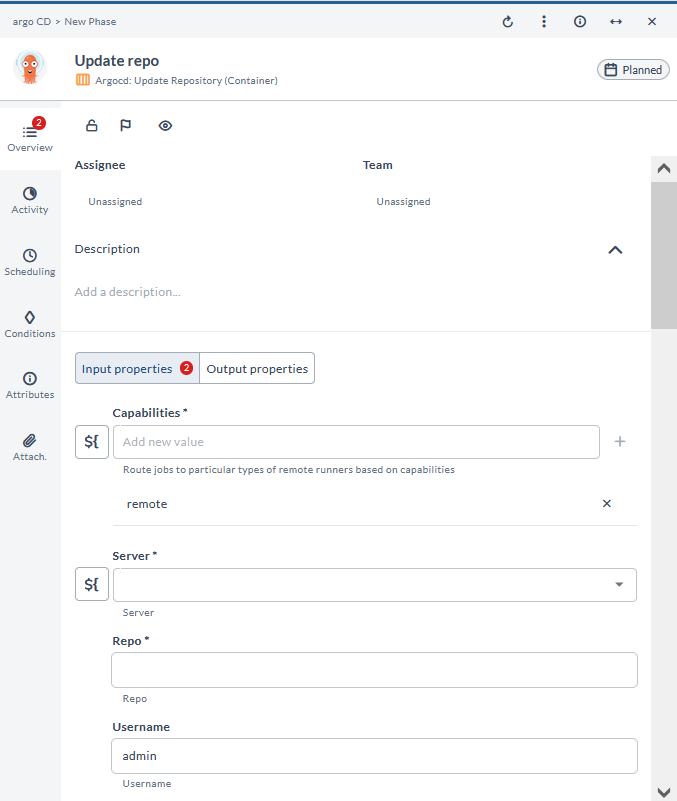
This task is used to modify the configuration of an existing source code repository. This task is essential for maintaining accurate and up-to-date repository settings, ensuring seamless integration and security in the continuous delivery pipeline.