How to Use the API Console
This topic explains how to use the API Console, a user interface for interacting with the Agility REST API.
Overview
This tutorial was designed to get you started on using the Digital.ai Agility API. The lessons are small, digestible sections so that you can see the results quickly.
Prerequisites
-
Access to a Digital.ai Agility or greater.
-
For the entire walkthrough, you will use this Agility example instance:
- https://www16.v1host.com/api-examples/
Username: admin, Password: admin
- https://www16.v1host.com/api-examples/
General
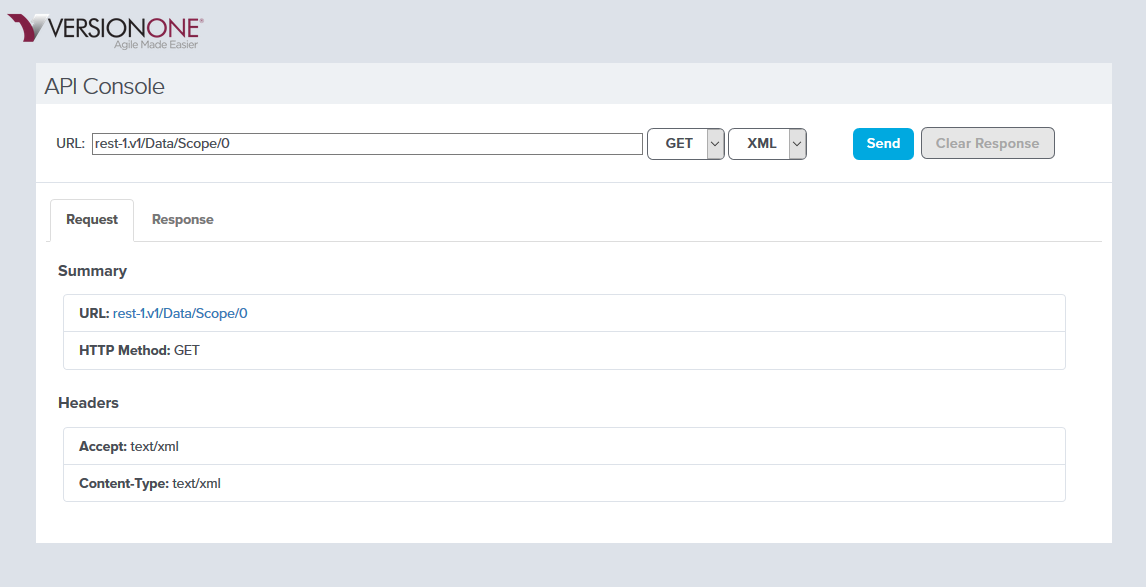
The API Console allows you to make changes to assets and query and examine the state of the Agility instance.
Below is a screenshot of what API Console looks like.
Exercises
Below are a series of brief exercises that walk you through the basics of the Rest API using the API Console. Each exercise builds upon the knowledge gained in the previous one.