Change Your System Preferences
Customize your Agility experience by configuring navigation display, email notifications, alerts, report defaults, and theme settings.
Change preferences
- Click the profile icon on the header and select Agility Preferences.
- Select or clear each option to enable or disable it.
- Your changes are saved automatically.
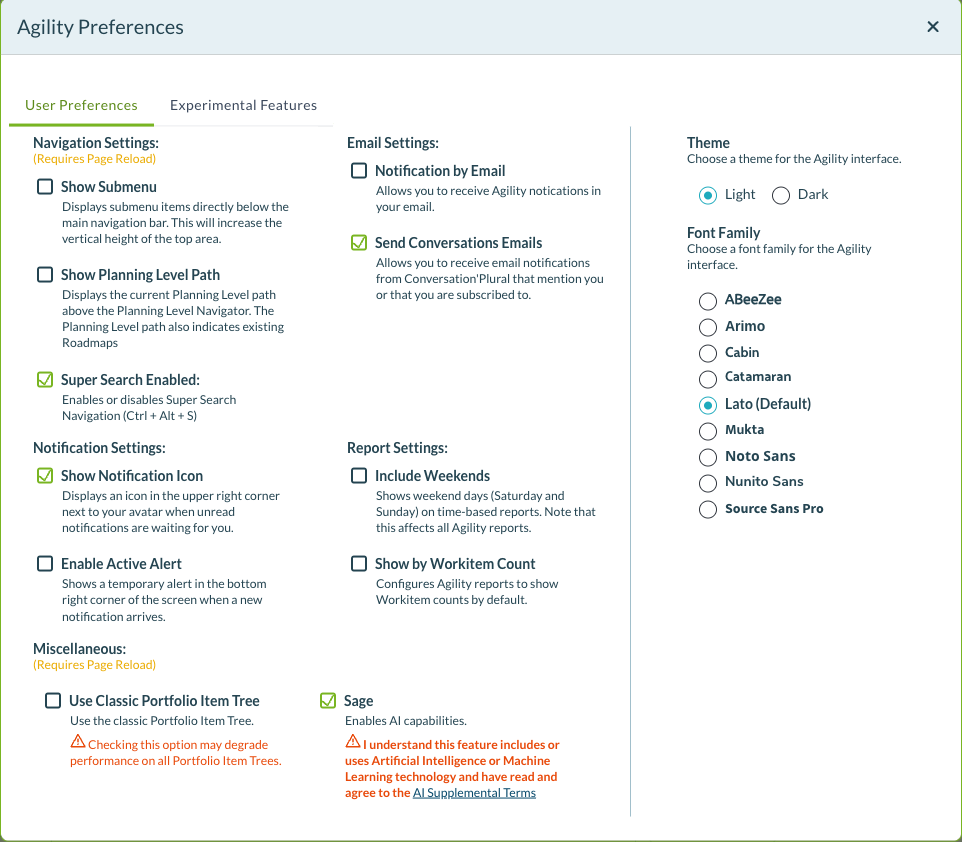
Preference options
| Option | Description |
|---|---|
| Navigation Settings | Show Submenu Displays submenu items directly below the main navigation bar. This will increase the vertical height of the top area. Show Planning Level Path Displays the current planning level path above the Planning Level Navigator. The path also indicates existing Roadmaps. Super Search Enabled Enables or disables Super Search navigation (Ctrl + Alt + S) |
| Email Settings | Notification by Email Allows you to receive Agility notifications in your email. Send Conversations Emails Allows you to receive email notifications from Conversation Plural that mention you or that you are subscribed to. |
| Notification Settings | Show Notification Icon Displays an icon in the upper right corner next to your avatar when unread notifications are waiting for you. Enable Active Alert Shows a temporary toaster alert in the bottom right corner of the screen when new notifications arrive. |
| Report Settings | Include Weekends Shows weekend days (Saturday and Sunday) on time-based reports. Note that this affects all Agility reports. Show by Workitem Count Configures Agility reports to show Workitem counts by default. |
| Miscellaneous | Use Classic Portfolio Item Tree Use the classic Portfolio Item Tree. Checking this option may degrade performance on all Portfolio Item Trees. Sage Enables AI capabilities. This feature includes or uses Artificial Intelligence or Machine Learning technology. After enabling Sage, you can configure model settings and acceptance criteria preferences. For details, see Sage Customizations. |
| Theme and Font Family | Theme Choose a theme for the Agility interface. Options: Light or Dark. Font Family Choose a font family for the Agility interface. Options: ABeeZee, Arimo, Cabin, Catamaran, Lato (Default), Mukta, Noto Sans, Nunto Sans, Source Sans Pro. |
Related Topics
- Sage Customizations - Configure AI model and acceptance criteria field settings
- Your profile - Overview of account settings
- View and edit your profile - View and update account information
- Change or remove your avatar - Update your profile picture