Atlassian Bamboo Plugin
The Bamboo Deploy plugin enables seamless deployment of build artifacts from Bamboo to target environments by orchestrating deployment workflows, managing environment-specific configurations, and integrating with external systems involved in release and deployment processes. It helps teams automate, standardize, and scale deployments while ensuring consistency, traceability, and reliability across environments.
About the plugin
The Deploy plugin for Atlassian Bamboo is available on the Atlassian Marketplace and enables two tasks:
- Publish to Deploy - Import a DAR (Deployment Archive) file into Deploy
- Deploy with Deploy - Trigger a deployment to a target environment
These tasks can be executed separately or combined sequentially in your Bamboo build plans. Once installed, the plugin appears in the Manage apps page in Bamboo administration:
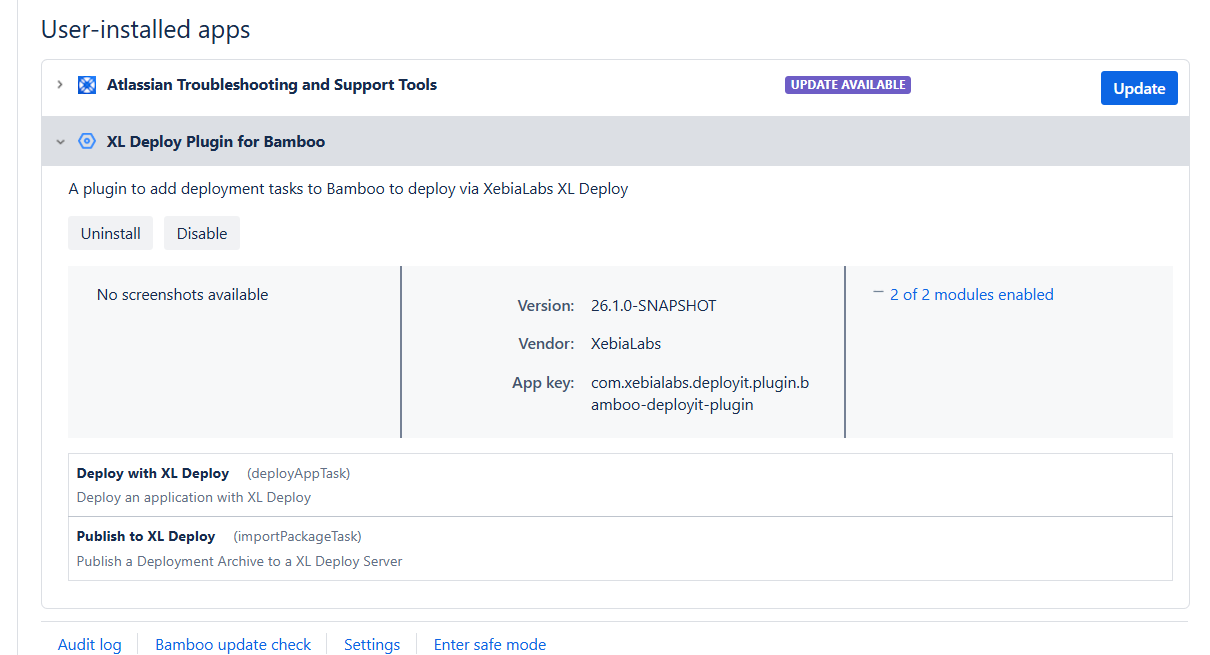
For information about Bamboo requirements and the configuration items (CIs) that the plugin supports, see the Bamboo Plugin Reference. To download the plugin, go to the Atlassian Marketplace.
To ensure that the Bamboo server is in sync with the Deploy server, restart the Bamboo server after each upgrade of the Deploy server.
The Bamboo Deploy plugin cannot set values for hidden CI properties.
Configuring the tasks
To configure the plugin tasks in Bamboo:
- Navigate to your Bamboo plugin.
- Go to Configure plan.
- Inside your job, add the Deploy with XL Deploy or Publish to XL Deploy tasks.
Publish to Deploy
You can use the publish task to publish a deployment package (DAR file) to Deploy. The DAR file from your specified path will be imported into the Deploy applications repository.
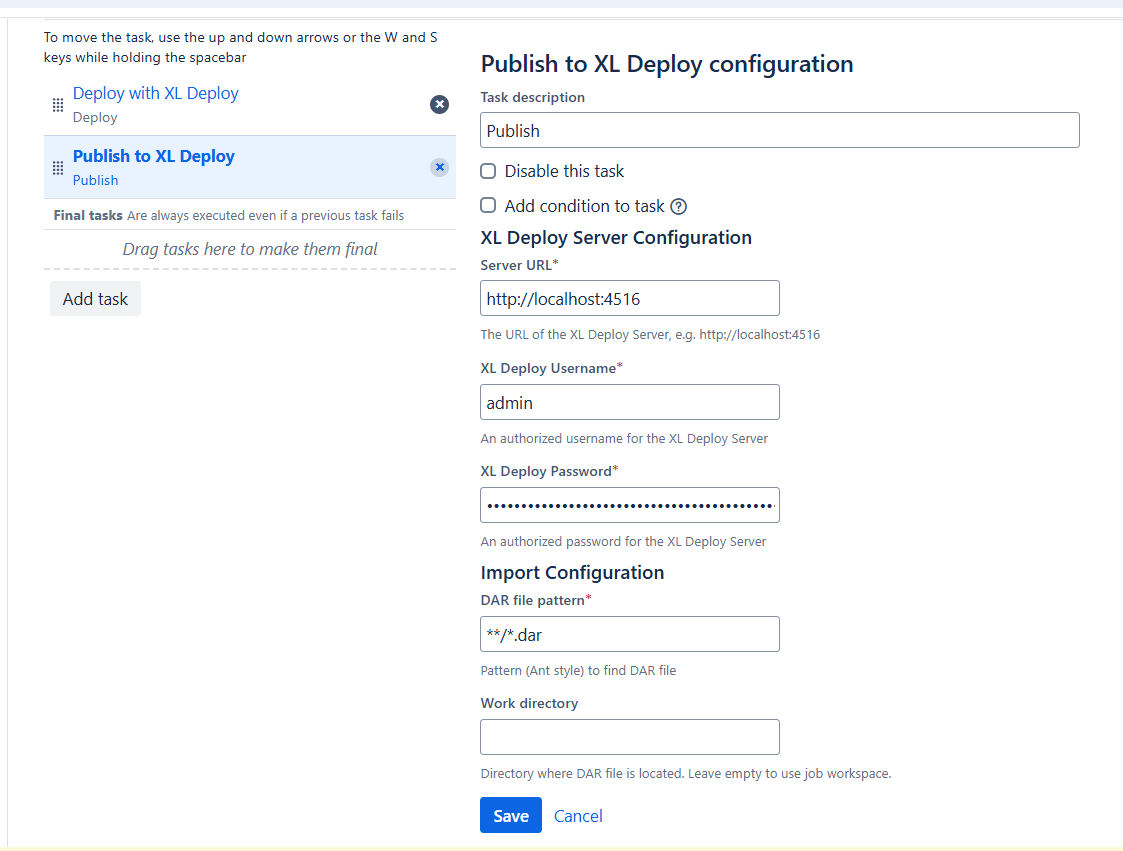
The following properties can be configured:
| Property | Required | Description |
|---|---|---|
| Server URL | Yes | Address of the Deploy server |
| XL Deploy Username | Yes | An authorized username for the XL Deploy server |
| XL Deploy Password | Yes | An authorized password for the XL Deploy server |
| DAR file pattern | Yes | File pattern where the DAR file can be found. The result should be exactly one file. Example: **/*.dar searches for any file in any subfolder that has the .dar extension |
| Work directory | No | Changes the work directory location. The default is the work directory of the job |
| Application | Yes | The ID of the Deployment Package |
| Version | Yes | Version of the Deployed application |
Trigger Deployment
You can use the deploy task to deploy an application with Deploy. The application must already be published to Deploy (you can do this with the Publish to Deploy task).
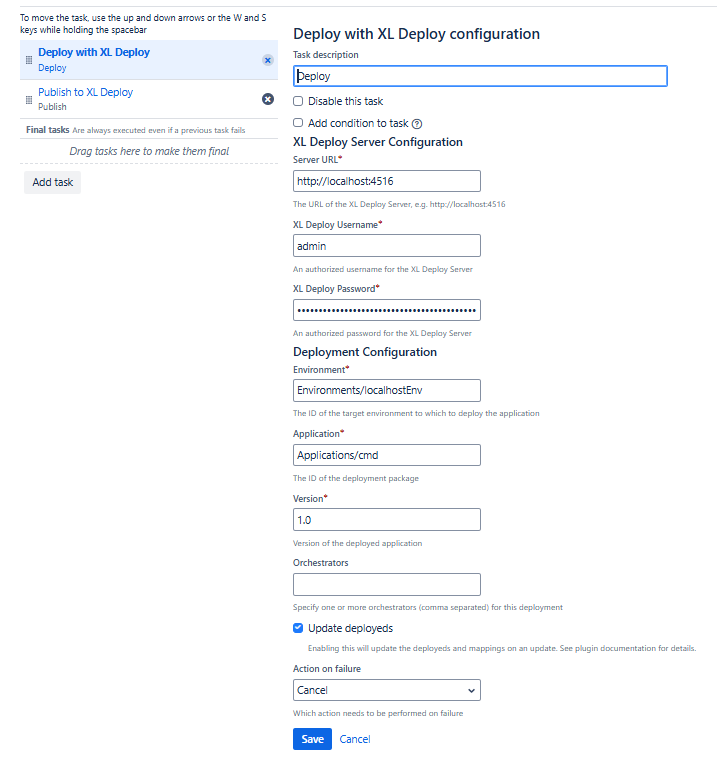
The following properties can be configured:
| Property | Required | Description |
|---|---|---|
| Server URL | Yes | Address of the Deploy server |
| XL Deploy Username | Yes | An authorized username for the XL Deploy server |
| XL Deploy Password | Yes | An authorized password for the XL Deploy server |
| Environment | Yes | The target environment to which the application will be deployed |
| Application | Yes | The ID of the Deployment Package |
| Version | Yes | Version of the Deployed application |
| Orchestrators | No | Orchestrator to use. The default is Deploy's default orchestrator. Use a comma (,) as a separator when specifying multiple orchestrators |
| Update deployeds | No | Update the deployeds and mappings on an update. This keeps any previous deployeds present in the deployment object, unless they cannot be deployed due to their tags. It will add all deployeds that are still missing |
| Action on failure | No | The action to perform on failure: Cancel (default), Rollback, or Do nothing. If you do nothing, the task will stay in Deploy for manual review |