SeeTest Client - HybridClearCache
Please note that this tool is classified as a Legacy tool. We recommend transitioning to our updated solutions to maintain optimal performance and security in your workflows. For more information on this matter, please reach out to technical support .
HybridClearCache(ClearCookies, ClearCache)
Description
Clears the browser's cache.
- Chrome: On non-iOS only. Chrome's cache, cookies and users history data will be cleared.
- Safari: On iOS only. For this browser both the cookies and the cache will be cleared.
Note: This command is not supported for iOS simulators.
Parameters
Parameters are no longer effective on Chrome nor on Safari. Cookies and Cache will always be deleted.
Starting from the next version of seeTest, this command's signature will be deprecated, and the new method's signature will not receive any input parameters.
Scenario
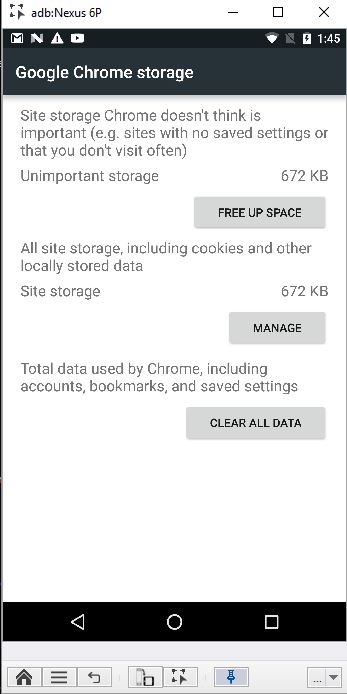
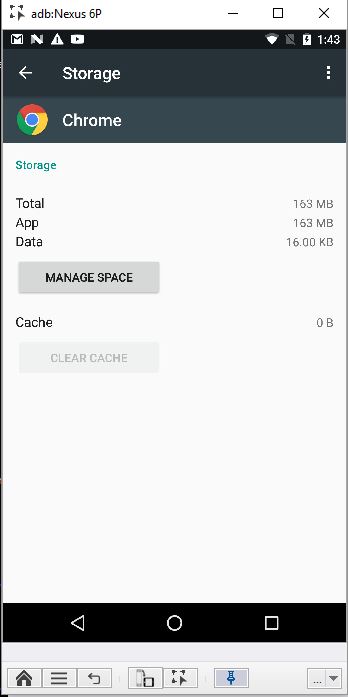
In this example we will demonstrate how this command clears the chrome browser history cache and stored data .
- Go to Settings->Apps ->Chrome, and see the app cache before performing the cache clear command:

and, under Manage Space you can see the app data:
- Run :
client.hybridClearCache(true, true);
- The result:

Code Examples
Java Example
client.setDevice("adb:Nexus7");
client.hybridClearCache(true, true);
C# Example Expand source
client.SetDevice("adb:Nexus7");
client.HybridClearCache(true, true);
VBScript Example Expand source
client.SetDevice "adb:Nexus7"
Report
client.HybridClearCache true, true
Report
Python Example Expand source
self.client.setDevice("adb:Nexus7")
self.client.hybridClearCache(True, True)
Perl Example Expand source
$client->setDevice("adb:Nexus7");
$client->hybridClearCache(1, 1);