Configure and Register Release Runners
This guide explains how to configure, register, and manage Release Runners in Digital.ai Release.
In the Release SaaS Edition, your Release instance includes a cloud-based Release Runner managed by Digital.ai. You can also install and connect your own on-prem runners using Docker or the xl kube install command. For more information, see Release SaaS - Limitations.
Before You Begin
- Create a personal access token (PAT) with the required permissions and store it securely. See Personal access tokens.
Once installed and registered, runners appear on the Runners page under System settings > Runners, where you can monitor their status and availability.
Associated Permissions
- View runner – Allows users to access the Runners page in Settings > Runners. Without this permission, users will not see the Runners option in the settings menu.
- Edit runner – Allows users to edit and delete runner configurations. When granted, this permission enables the Edit and Delete options for runners in the runner list.
- Runner registration – Allows users to register runners. This permission is a subset of Edit runner and provides the user access only for registering release runner.
For more information, see Configure Global Permissions.
View Runner Configurations
If no Runners are configured, you will see the following screen.

If the Runners are already configured, you can view the configurations of Runner, by clicking System settings > Runners.
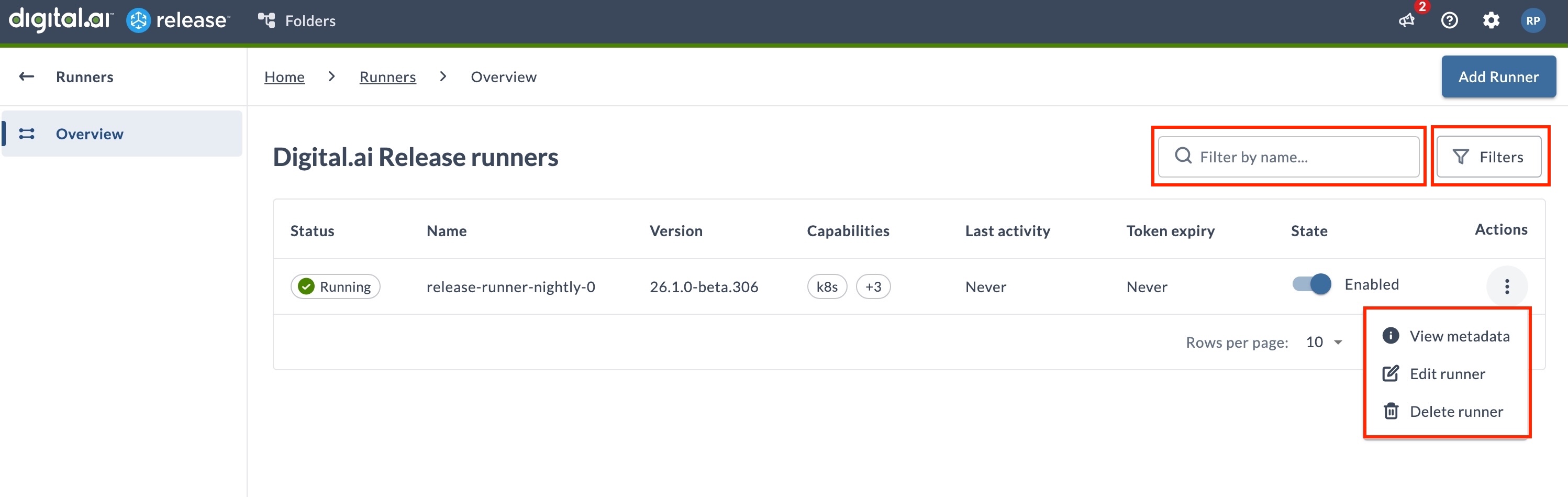
The Runners page displays the following columns:
- Status – Indicates whether the runner is Running or Stopped.
- Name – The name of the registered runner.
- Version – The version of the runner software.
- Capabilities – Tags that define which tasks the runner can execute. Shows the first capability and a count of additional capabilities (for example,
k8s, +3). - Last activity – The time when the runner last performed an activity.
- Token expiry – When the runner's authentication token will expire.
- State – Toggle to enable or disable the runner.
- Actions – Three-dot menu with options to View metadata, Edit runner and Delete runner.
For more information on searching and filtering runners, see Search & Filter Runners.
View Runner Metadata
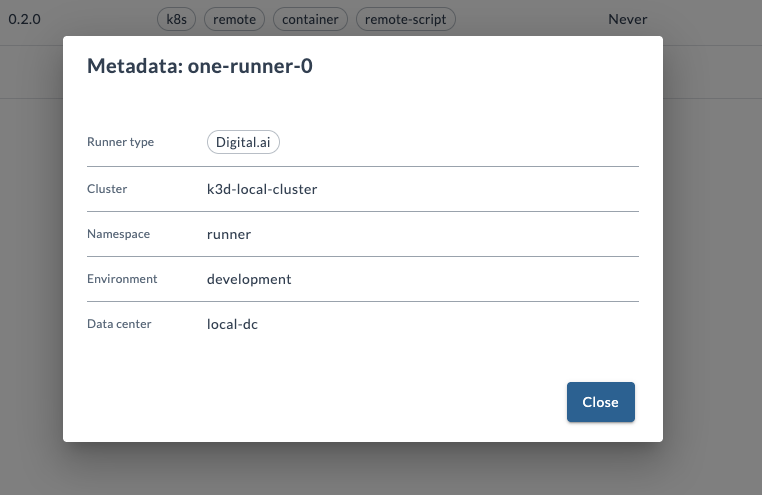
To view the infrastructure metadata associated with a runner:
- Locate the runner in the list.
- Click the ellipsis icon (
 ) in the Actions column.
 - Select View metadata.
- A dialog opens showing the runner's metadata including Runner Type, Cluster, Namespace, Environment, and Data Center.
Edit Runner
Clicking Edit opens up the Release Runner configuration page.
You can review or modify runner configuration:
- A title for the configuration in the Title field.
- The Runner name and version are auto-populated at a point the runner is registered. Fields Runner Name and Version are read-only.
- Select Enabled checkbox, to enable or disable the Release Runner. By disabling Release Runner, all processing on runner is paused until runner is enabled again.
- Enter the tags in the Capabilities field to tag the runners. This field is auto-populated. You can control which tasks a runner can run by defining specific tags. To add tags, enter the tag name and click the Add button.
note
- When a capability is added to a container task, that specific task is only sent to the Runner with the matching capability. For example, if the Runner has a capability called
remote, then the similar capability calledremoteshould be added in the container task for the task to be executed by the runner. - Capability
remote-scriptis one that enables Runner to run scripts besides Release tasks. - A capability name can contain only letters, numbers, and hyphens (
-). Release trims leading and trailing spaces when you add a tag, and rejects names that contain any other character.
- When a capability is added to a container task, that specific task is only sent to the Runner with the matching capability. For example, if the Runner has a capability called
- The value in the Capacity field indicated the number of parallel job executors the remote- runner can run.
- Eviction Time indicates number of seconds after a idle job container will be evicted and slot would be emptied for a new executor. In case you don't want to plugin runners to be reused but only run once you should use eviction time set to 0. In case eviction time is greater than 0, plugin runner will wait for amount of seconds for next task (adequate for execution depending on capabilities and defined tasks on plugin).
- Select Encrypt Job Data checkbox, to encrypt the job data between the Digital.ai Release instance and the Runner. This is used to encrypt sensitive information.
- Public Key field is auto-populated during Runner registration. Public key is used for encryption of the runner task and script data.
- Idle TTL in field Idle Time To Live is number of seconds before runner is removed from the Release configuration if it doesn't confirm aliveness (using SSE Ping). If you enter 0 runner will never be removed
note
If Runner is removed from release configuration and it re-registers no data is lost and processing would continue normally, because Runner instance hold the reference to the original configuration (like name, version, key...)
- Available switch is automatic switch which indicates if the runner is sending alive confirmations or not.
- Click Save to save the changes.
Delete Runner
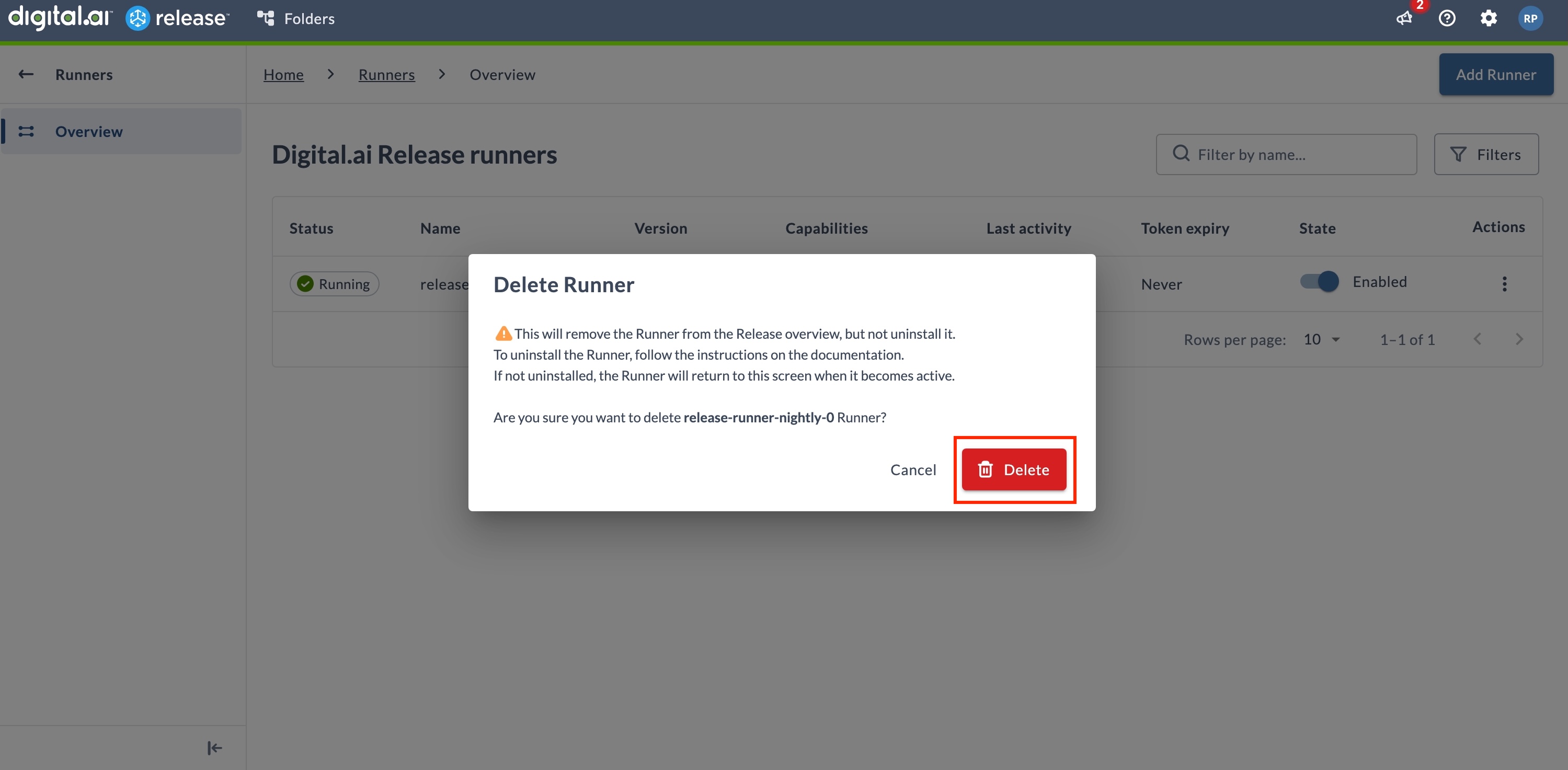
Deleting a runner removes it from the Runners overview but does not uninstall it. If the runner is still running, it will reappear in the list when it becomes active again.
- Locate the runner in the list.
- Click the three-dot menu in the Actions column.
- Select Delete runner.
- Confirm by clicking Delete in the dialog.
Runner Configuration Templates
You can define runner configuration templates that Digital.ai Release applies automatically to newly registered runners, so runners register with the correct capabilities, capacity, eviction time, idle time to live, and registry settings without manual editing.
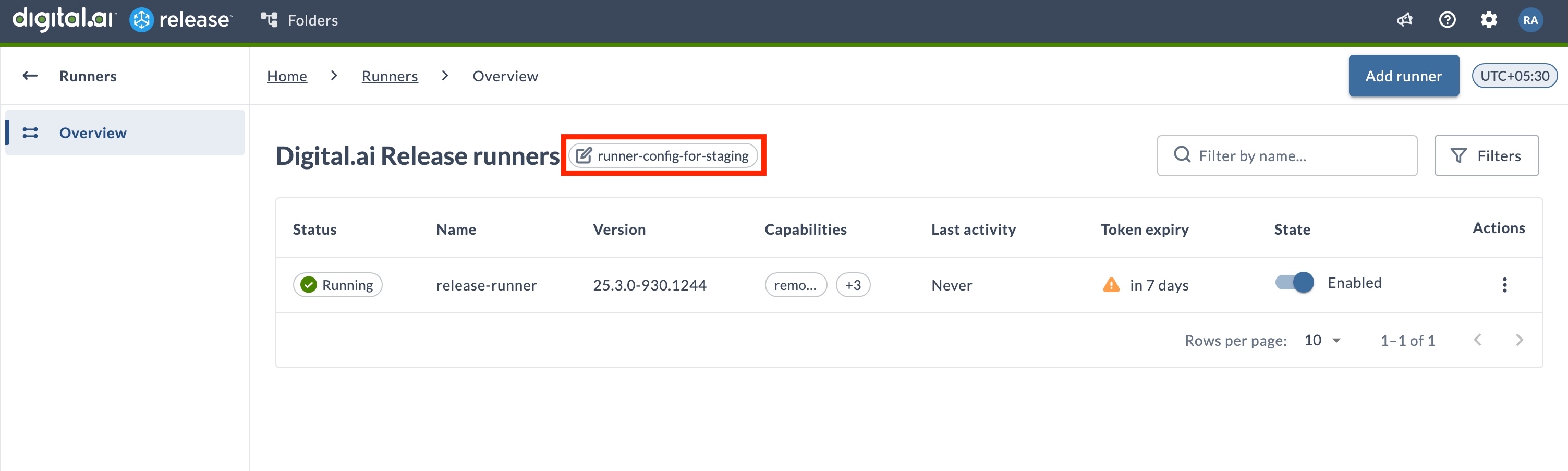
For more information, see Runner Configuration Templates.
Search & Filter Runners
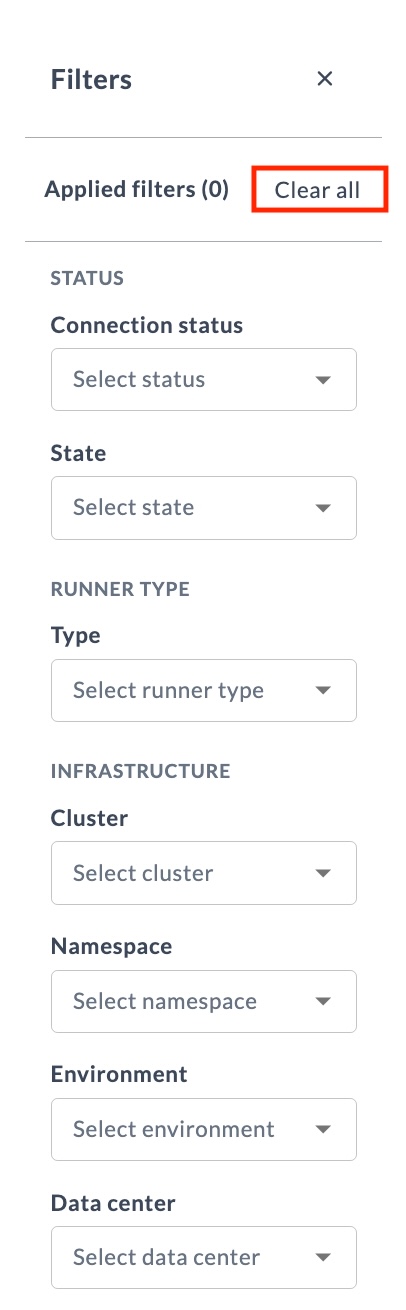
Use search and filters to find runners by name, status, and infrastructure metadata.
- Search: Use the search box to find runners by name.
- Filters: Click Filters to open the filter panel.
Filtering Release Runners
You can filter runners using the following attributes:
| Attribute | Available options |
|---|---|
| Connection status | - Running - Disconnected |
| State | - Enabled - Disabled |
| Type | - Digital.ai - Customer |
| Cluster | Populated from runner properties |
| Namespace | Populated from runner properties |
| Environment | Populated from runner properties |
Click Clear all to remove all applied filters.