Overview of Release Runner
Release Runners are introduced with Digital.ai Release 23.1 to efficiently and effectively manage the execution of container-based tasks within a Kubernetes cluster. These isolate the task and script execution process and provides greater stability and scalability for executing tasks.
In the Release SaaS Edition, your Release instance includes a cloud-based Release Runner managed by Digital.ai. You can also install and connect your own on-prem runners using Docker or the xl kube install command. For more information, see Release SaaS - Limitations.
Important: The container-based task functionality is not compatible with DB2.
What are Runners
Release Runner is a standalone application that runs in a container, which can be deployed either on a cluster or inside Docker. It serves the purpose of executing tasks and scripts for container-based plugins. When you use Release Runner for execution, you detach the execution from the Digital.ai Release server. This enables you to run your executions closer to the applications running in your cloud or on-premises environment.
Runner Capabilities
Runner Capabilities are labels you assign to a Release Runner to define what kinds of tasks it can execute. They’re a core part of routing container plugin tasks to the right execution environment.
Capabilities are simple labels (or tags) you configure during Runner setup. Each capability is a single value that describes the environment, tools, or purpose of that runner. For example, you might use labels like gitlab, docker, kubernetes, aws, prod, or dev. A runner can have multiple capabilities.
gitlab
dev, qa, prod
gitlab, terraform, helm
k8s, aws, onprem
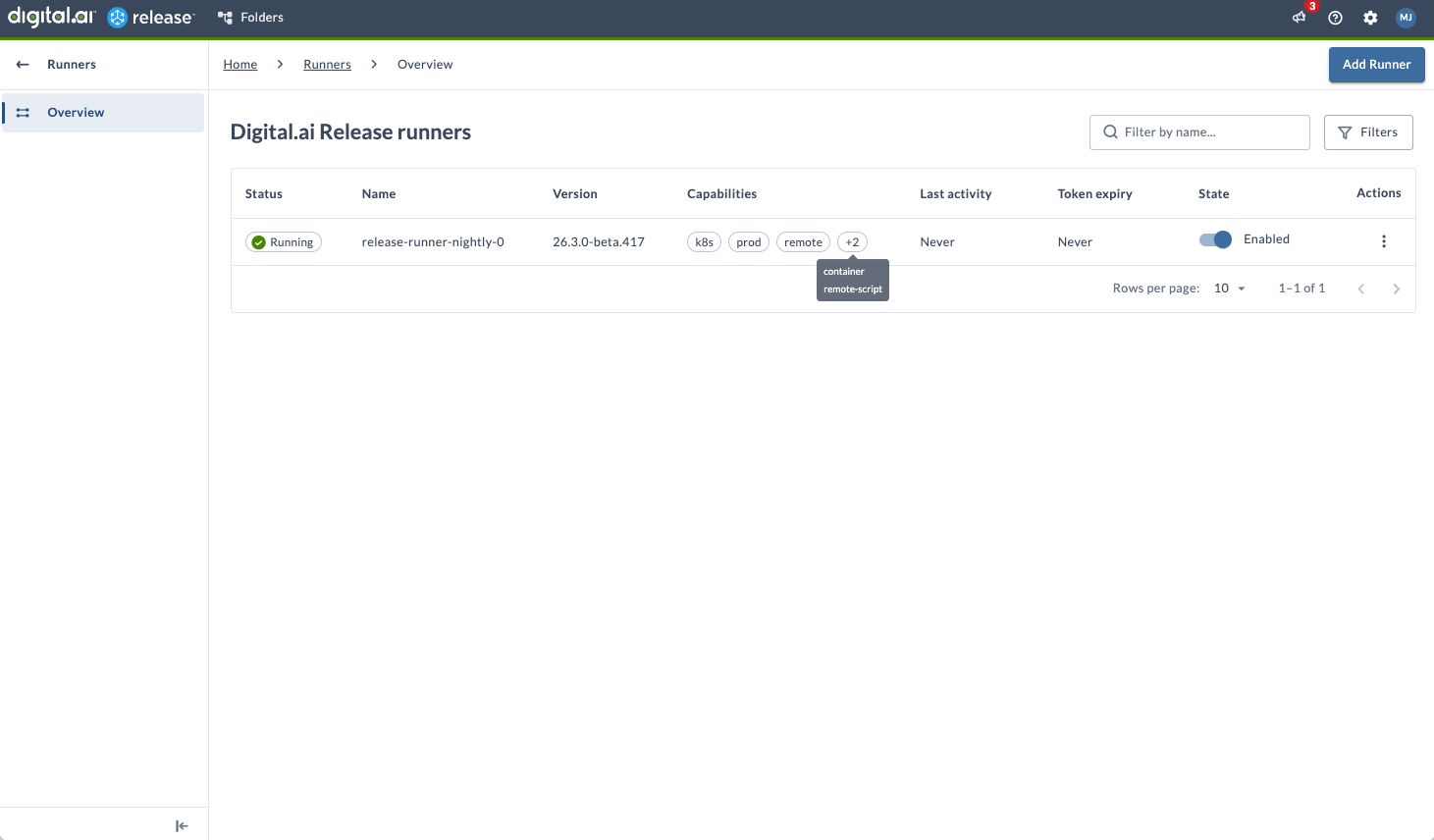
Here’s how it works: you assign capabilities to runners, tasks declare which capabilities they require, and Release matches tasks to runners based on these labels. This approach enables controlled, scalable, and environment-aware execution.
Why Capabilities Matter
Capabilities let Release route tasks to the right runner, separate environments (like dev vs prod), and ensure the required tools or connectivity are available. You can control where tasks run for security and compliance, and enable scalable, distributed execution.
When you configure a container plugin task, you specify one or more capabilities. These act as requirements for execution. A task will only run on a runner whose capabilities match the specified values.
How Matching Works
Suppose a task requires the prod capability. Release looks for available runners, and only those with the prod label are eligible. For example, if Runner A has gitlab and prod, and Runner B has gitlab and dev, only Runner A is eligible for a task that requires prod.
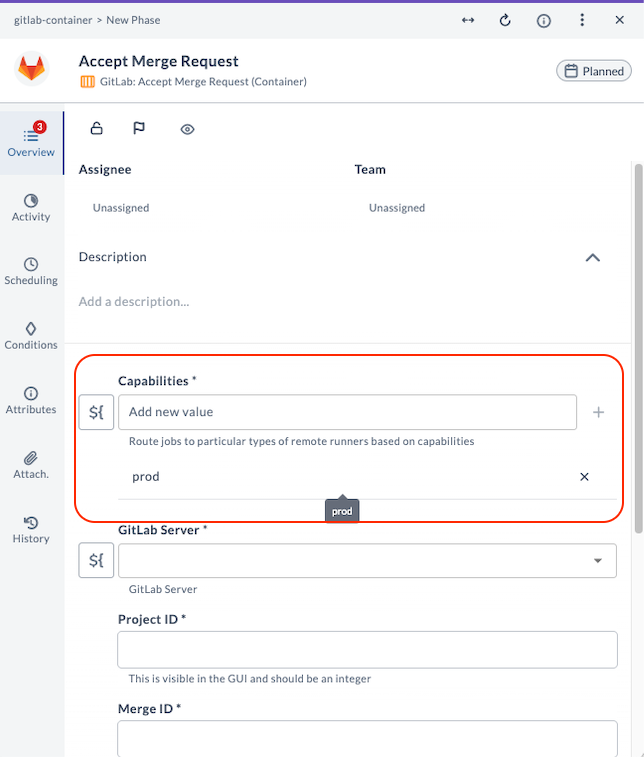
You can also define multiple capabilities to refine routing. For instance, if a task requires both gitlab and prod, it will only run on runners that have both labels.
Practical Usage Patterns
You might use capabilities for environment routing (like dev, qa, prod), tool-based routing (gitlab, terraform, helm), infrastructure-specific routing (k8s, aws, onprem), or to restrict sensitive tasks to specific runners for security isolation.
A capability name can contain only letters, numbers, and hyphens (-), such as prod, k8s, or remote-script. Release trims leading and trailing spaces when you add a capability, and rejects names that contain any other character.
Aborting Container-based Tasks
If you abort a container-based task, it stops running. While the abort is in progress, the task status shows as Aborting. Once the task is stopped, the status changes to Failed. You can set an abortTimeout to wait for the container to exit normally; by default, this is 30 seconds.