Configure Task Access
Configure who can view or execute specific tasks within a release by managing task access settings.
About Tasks
Tasks are activities performed in a release that combine to form Phases. Tasks can be:
- Manual: User-performed actions (Manual tasks, Gates, User Input)
- Automated: System-executed scripts (Deploy tasks, Script tasks, Webhooks, Notifications)
- Container: Tasks containing subtasks (like parallel groups)
- Custom: User-created task types
For more information, see Task types.
Configure Task Access
Access the task settings page at Settings > Users and permissions > Task access.
important
The Task access page is now visible only to users with the Admin global permission. User with Edit security permission do not have access to this page.
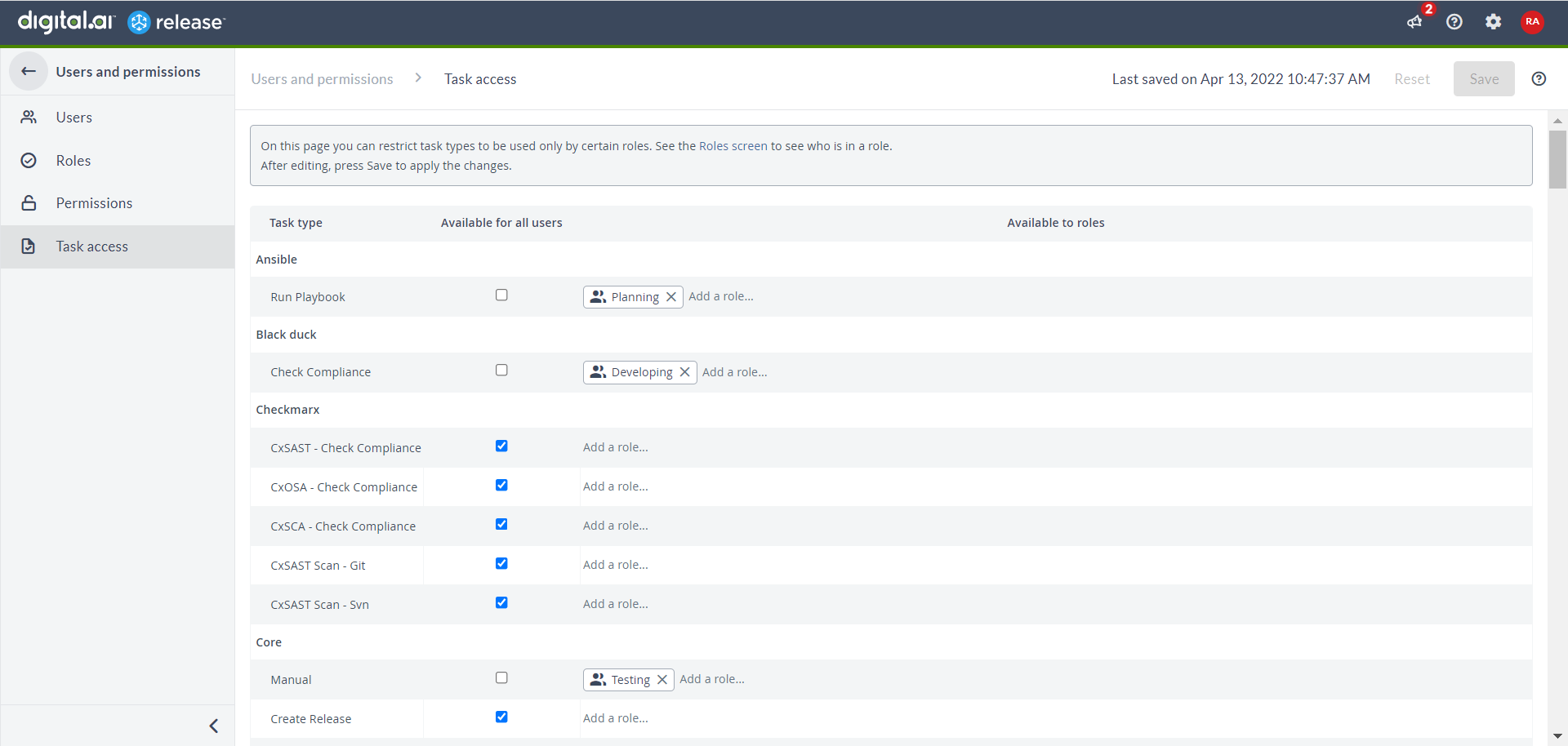
Manage Task Type Access
-
For All Users:
- Select Available for all users check box next to a task type to grant universal access
- Clear the check box to remove universal access
-
For Specific Roles:
- Enter role name in Available to roles column
- Select role(s) from autocomplete list
- Click
 to remove a role
 - Click Save to apply changes or Reset to revert
note
- A task type can be available to either all users OR specific roles - not both
- Without any access settings, task types are only available to Admin users
Access Restrictions — Impact on Users
When a task type is unavailable to a user, they:
- Cannot see it in the Add Task menu
- Cannot add it to templates/releases
However, they can still:
- Run releases with existing restricted tasks
- View task details
- Skip/fail/retry tasks
- Move tasks within templates/releases
- Rerun phases with restricted tasks
- Perform standard release actions