Webhook event tasks
Webhook event tasks are extensible automated tasks that wait for events from both webhooks endpoints and deployment provider webhook sources, and complete when the incoming event matches the specified condition.
Using the Wait For Json Event Task
In Digital.ai Release there is a supplied generic webhook task Webhook: Wait for Json event.
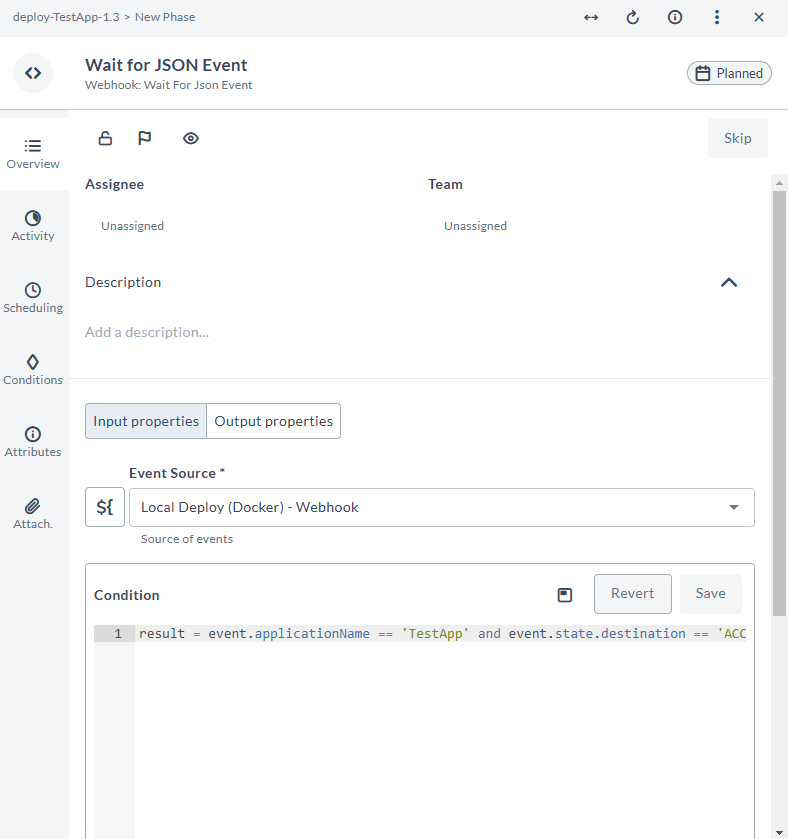
The input options for the Webhook: Wait for Json event task are:
| Option | Description |
|---|---|
| Event Source | Configured HTTP Endpoint for webhooks or webhook sources to listen on. |
| Condition | The condition that must be satisfied to transition the task from in-progress to complete. |
| Received event | Output property bound to a text variable that will store the JSON of the webhook event (optional). |
Note: The task will listen for incoming events only while it is in the In progress state.
See Deployment Provider Event Source Properties to learn more about the properties you can use to build your condition for deployment provider event sources.
Condition Script
The webhook task condition is a script that determines when the task completes:
If you navigate away from the Task Drawer without saving the condition script, your changes are retained within your session and an Unsaved changes label appears next to the script field. For more information, see Unsaved Changes in Script Fields.
If the script returns True, the task will complete.
If the script returns False, the task will stay in progress.
If there is an error with the script, the task will fail.
In the script, you can access the following properties: event, headers, parameters.
event is the parsed JSON body of the webhook event, while headers and parameters are the HTTP request headers and parameters.
The event, headers, parameters data is also accessible using dot access, for example, event.commits[0].author, but the regular dict access is still available.
Using the Wait for Deployment Event Task
Use the generic Webhook: Wait for Deployment Event task to listen to deployment events from deployment provider event sources.
The input options for the Webhook: Wait for Deployment Event task are:
| Option | Description |
|---|---|
| Event Source | Configured deployment provider event sources to listen to. |
| Application Title | The title of the application to wait for. |
| Environment Title | The title of the environment (the application will be deployed to) to wait for. |
| Application Version | The version of the application to wait for. |
| Deployment Statuses | The deployment status to wait for. Default is success. |
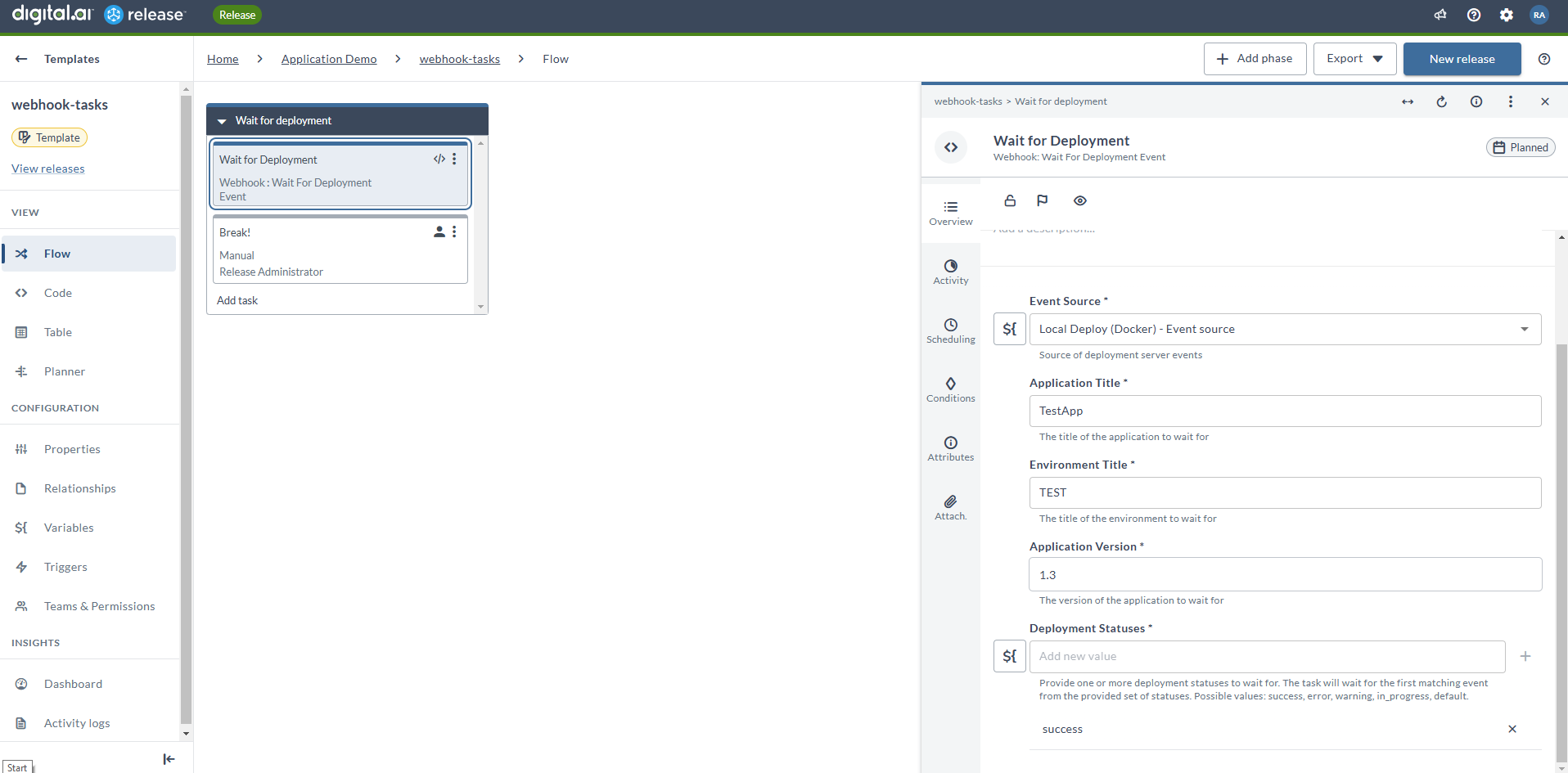
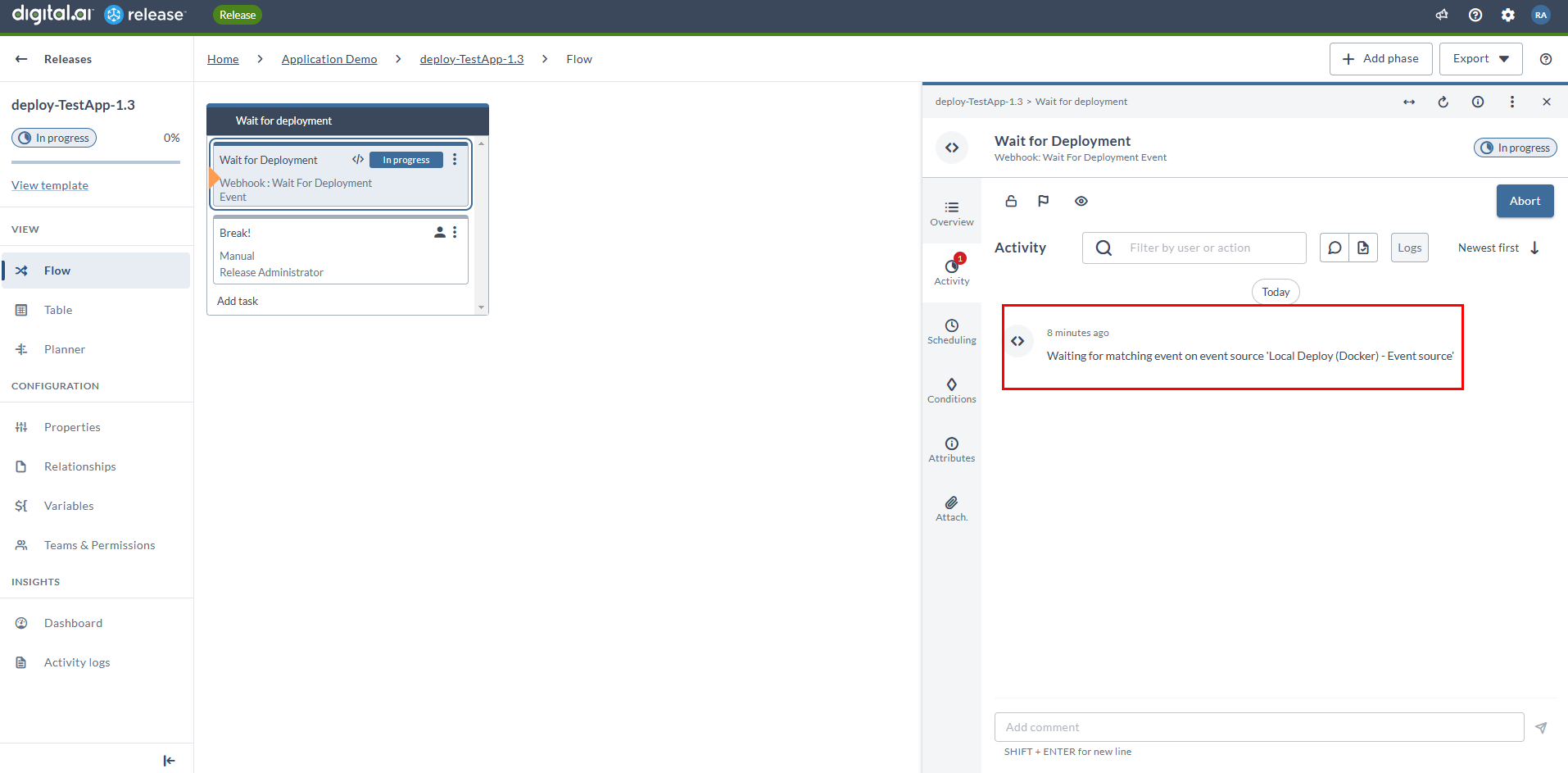
This task, if configured, waits for the matching event on the deployment provider event source and completes when the event occurs.
There are no output properties for this task.