Argo CD Plugin
This topic describes the tasks available with the Argo CD plugin.
About Argo CD
Argo CD is a GitOps continuous delivery tool for Kubernetes, which continuously monitors all the running applications and compares the live state with the desired state specified in the Git repo. Argo CD automates the deployment of the desired application states in the specified target environments. Application deployments can track updates to branches, tags, or pinned to a specific version of manifests at a Git commit.
A deployed application is considered OutOfSync when its live state deviates from the target state.
Prerequisites
- Digital.ai Release 22.0.x or later
- A running Argo CD server
Setup Connection to Argo CD Server
-
Log on to Digital.ai Release as an Administrator.
-
Navigate to CONFIGURATION > Connections.
-
Click the + icon next to ArgoCD: Server.
-
Fill in the required information:
Field Description Title A name for the Argo CD server connection. URL The base URL where the Argo CD server can be reached. Username Login username for the Argo CD server. Password Login password for the Argo CD server. Auth Token Authentication token for connecting to the Argo CD server. Use this instead of username/password when token-based authentication is enabled. Proxy Fill in the proxy details if needed. Capabilities Defines routing rules for Release Runners. Add one or more capability labels to direct tasks to appropriate runners. 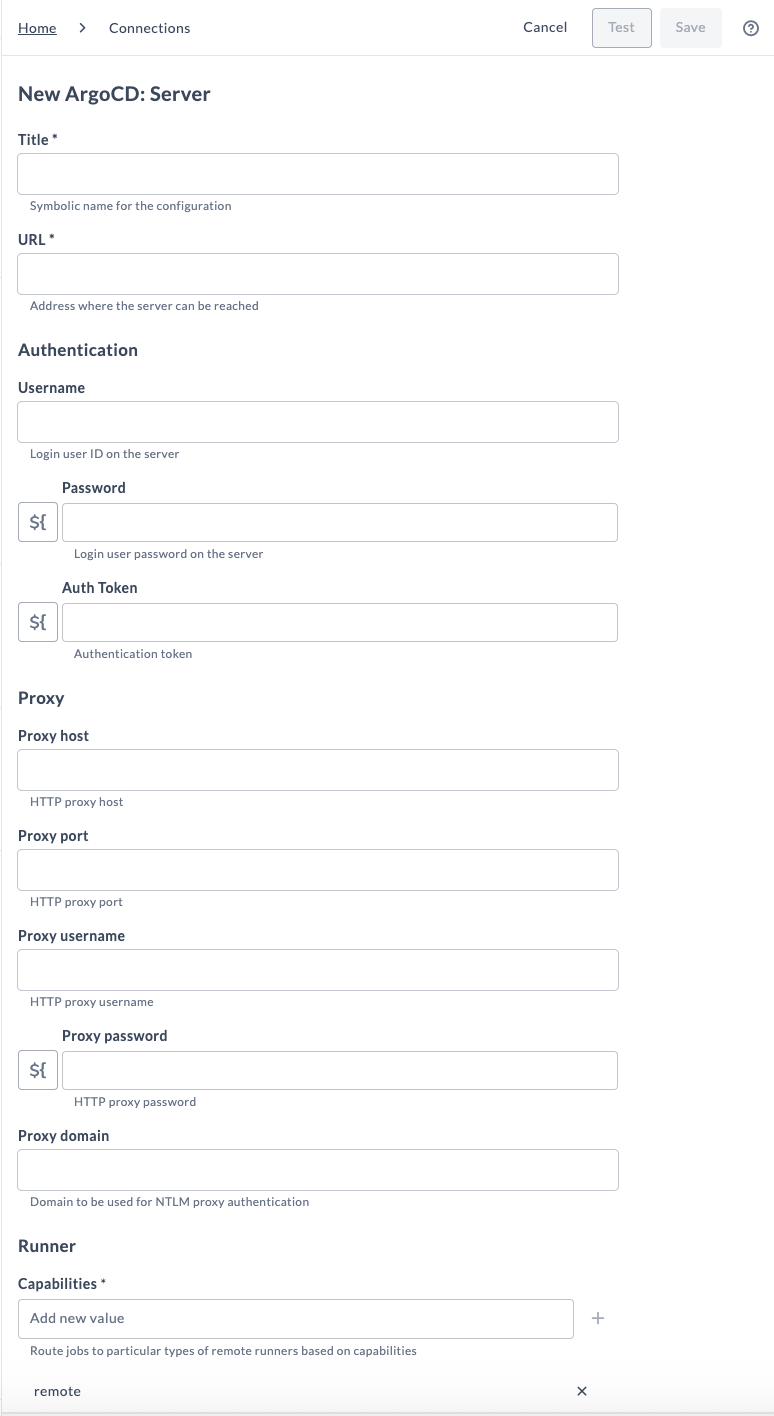
-
Click Test to verify your connection to the Argo CD server.
-
Click Save if the connection is successful.
Available Tasks
The following tasks are available with the Argo CD plugin:
- Add Or Update Repository
- Create Or Update Application
- Create Project
- Delete Application
- Get Manifest
- Get Revision Metadata
- Get Sync Status
- List Projects
- List Repositories
- Rollback Application
- Sync Application
- Terminate ArgoCD Operation
- Wait For Status
Each task in the Argo CD plugin includes a set of input properties and output properties. Input properties pass in parameters required for execution, while output properties capture the results returned by Argo CD.
The task output properties can be mapped to Release variables for later use.
For more information, see Mapping Task Output Properties to Variables.
Add Or Update Repository
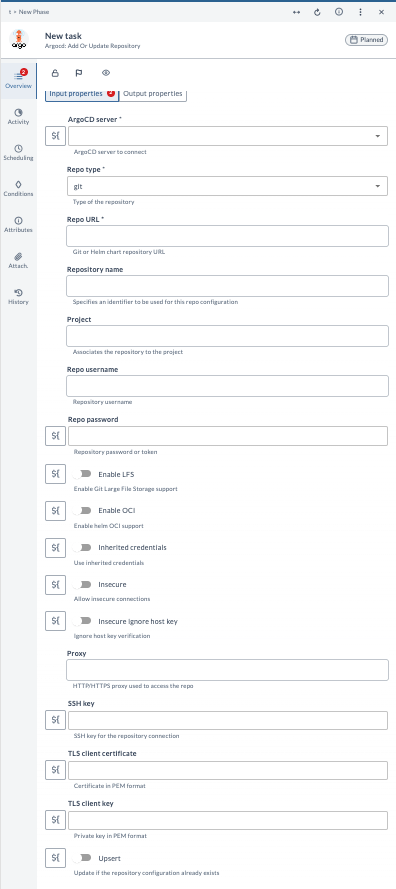
Adds a new repository configuration in the ArgoCD instance or updates the configuration if it already exists.
Input Properties
| Field | Description |
|---|---|
| ArgoCD server | The ArgoCD server connection to use for this operation. |
| Repo type | Specifies the type of repository being added or updated (git and helm). |
| Repo URL | URL to the Git or Helm chart repository. |
| Repository name | Optional unique identifier for this repository configuration within ArgoCD. |
| Project | Name of the ArgoCD project to which the repository will be associated. |
| Repo username | Username used for authenticating to the repository. |
| Repo password | Password or token used for repository authentication. |
| Enable LFS | Enables Git Large File Storage (LFS) support for the repository. |
| Enable OCI | Enables OCI support when configuring an OCI-based Helm repository. |
| Inherited credentials | Uses credentials defined at the ArgoCD server level instead of providing task-level credentials. |
| Insecure | Allows insecure connections (e.g., skipping certificate validation). |
| Insecure Ignore host key | Disables SSH host key verification when connecting via SSH. |
| Proxy | HTTP/HTTPS proxy URL used when accessing the repository. |
| SSH key | SSH private key (in plain text) for authenticating to an SSH-based Git repository. |
| TLS client certificate | TLS certificate (PEM format) for repository connections requiring client-side certificates. |
| TLS client key | TLS private key (PEM format) paired with the client certificate. |
| Upsert | Updates the repository configuration if it already exists instead of failing. |
Output Properties
| Field | Description |
|---|---|
| Repository URL | The final repository URL configured in ArgoCD. |
| Response | Key-value map containing the response returned by ArgoCD for the operation. |
Create Or Update Application
Creates a new application in the ArgoCD instance or updates the configuration if it already exists.
Input Properties
| Field | Description |
|---|---|
| ArgoCD server | The ArgoCD server connection to use for this operation. |
| App name | Name of the ArgoCD application. |
| Project name | ArgoCD project under which this application will be created. |
| Cluster URL | Destination cluster URL for deploying the application. |
| Namespace | Namespace in the target cluster where the application will be deployed. |
| Repo URL | Source repository URL containing the manifests, Helm chart, or Kustomize configuration. |
| Path | Repository path where the application manifests or chart are located. |
| Helm chart name | Name of the Helm chart (when using Helm). |
| Target revision | Git/Helm reference to sync (commit, tag, branch, semver expression). |
| Labels | Key-value labels to attach to the application. These labels can be used to organize, search, and filter applications in the Argo CD UI. |
| Sources YAML | YAML array of sources for multi-source applications. Overrides single source configuration when provided. |
| Value files | List of Helm value files to use during rendering. |
| Values | Inline Helm values in YAML/JSON format. |
| Helm parameters | Key-value parameters to override Helm chart defaults. |
| Helm file parameters | File-based Helm parameters. |
| Helm missing values | Whether to ignore missing Helm values during rendering. |
| Pass credentials | Passes credentials (username/password or SSH private key) to submodules. |
| Release name | Helm release name. If not provided, ArgoCD uses the application name. |
| Skip CRDs | Skips installing CRDs when deploying Helm charts. |
| Helm template version | Helm version to use for templating. |
| Force Helm parameters | Forces Helm parameters to take precedence. |
| Kustomize common annotations | Key-value annotations added to all Kustomize resources. |
| Common annotations override | Allows overriding Kustomize annotations at resource level. |
| Kustomize common labels | Key-value labels added to all Kustomize resources. |
| Force common annotations | Forces Kustomize common annotations to override resource annotations. |
| Force common labels | Forces Kustomize common labels to override resource labels. |
| Kustomize images | List of Kustomize image transformations for deployment. |
| Kustomize name prefix | Prefix added to Kustomize-managed resources. |
| Kustomize name suffix | Suffix added to Kustomize-managed resources. |
| Kustomize namespace | Namespace applied to all Kustomize-managed resources. |
| Kustomize version | Version of Kustomize to use for templating. |
| Ignore Differences YAML | YAML array of ignoreDifferences rules written to the application manifest (spec.ignoreDifferences). Argo CD excludes the specified fields from drift detection, so intentional changes (such as scaling a deployment to 0 replicas during maintenance) are not reported as OutOfSync. |
| Upsert | Updates the application configuration if it already exists. |
| Validate | Validates application manifests before deploying. |
| Auto sync | Enables automatic syncing of the application. |
| Prune resources | Deletes resources that are no longer defined in Git. |
| Self heal | Automatically corrects drift between live and desired state. |
| Skip dry run | Ignores dry-run validation before making modifications. |
| Skip cluster validation | Bypasses cluster-side validation when deploying resources. |
| Prune last | Deletes resources only after successful sync of new objects. |
| Auto create namespace | Automatically creates the namespace if it does not exist. |
| Apply out of sync only | Only applies resources that are out of sync. |
| Prune propagation policy | Defines pruning strategy (foreground, background, and orphan). |
| Revision | Git revision or Helm chart version to deploy. |
Output Properties
| Field | Description |
|---|---|
| App name | Returns the configured application name. |
| Response | Key-value map containing the response returned by ArgoCD for the operation. |

Create Project
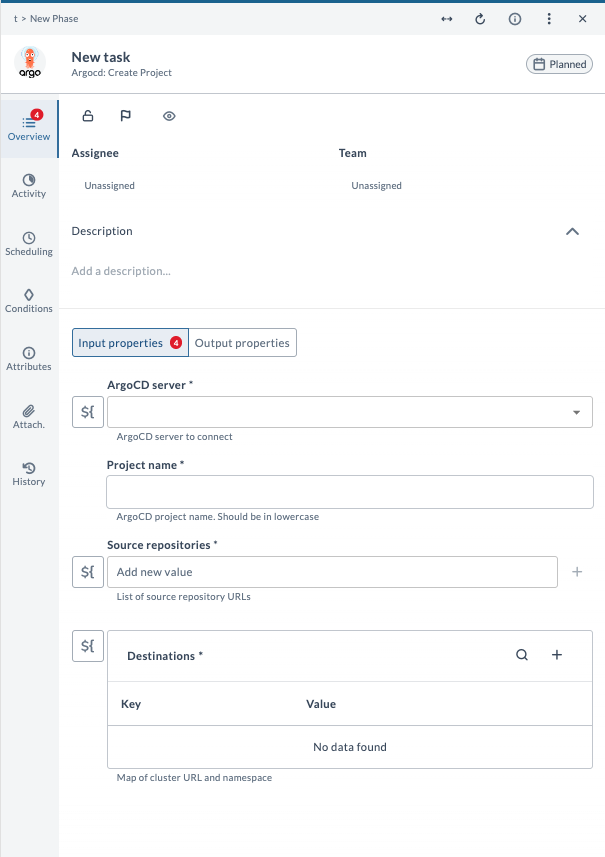
Creates a new project in the ArgoCD instance.
Input Properties
| Field | Description |
|---|---|
| ArgoCD server | The ArgoCD server connection to use for this operation. |
| Project name | Name of the ArgoCD project. Must be lowercase. |
| Source repositories | List of repository URLs that the project is allowed to reference. |
| Destinations | Key-value map specifying allowed deployment destinations (cluster URL and namespace). |
Output Properties
| Field | Description |
|---|---|
| Project name | Returns the created project name. |
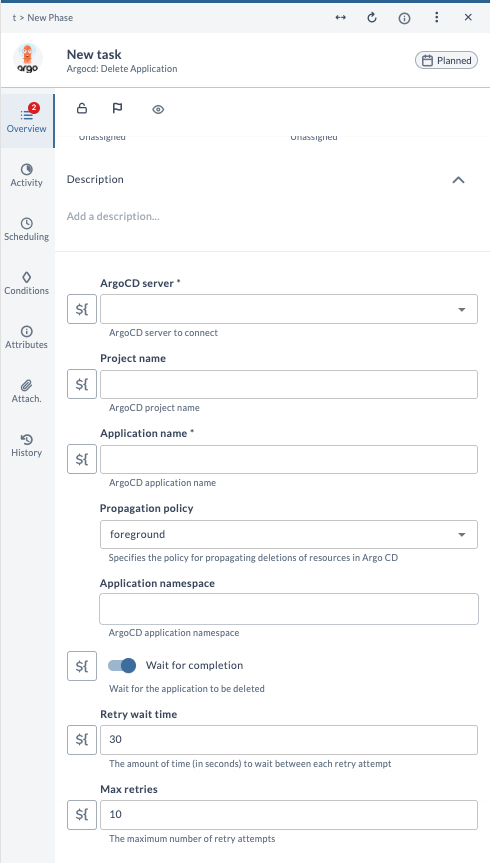
Delete Application
This task deletes an application from Argo CD.
Deletes an existing ArgoCD application along with its managed resources.
Input Properties
| Field | Description |
|---|---|
| ArgoCD server | The ArgoCD server connection to use for this operation. |
| Project name | Name of the ArgoCD project. |
| Application name | Name of the ArgoCD application. |
| Propagation policy | Specifies the policy for propagating deletions of resource (foreground, background, non-cascading). |
| Application namespace | Namespace where the application is deployed. |
| Wait for completion | Waits until the operation completes. |
| Retry wait time | Time in seconds to wait between retry attempts. |
| Max retries | Maximum number of retry attempts. |
Get Manifest
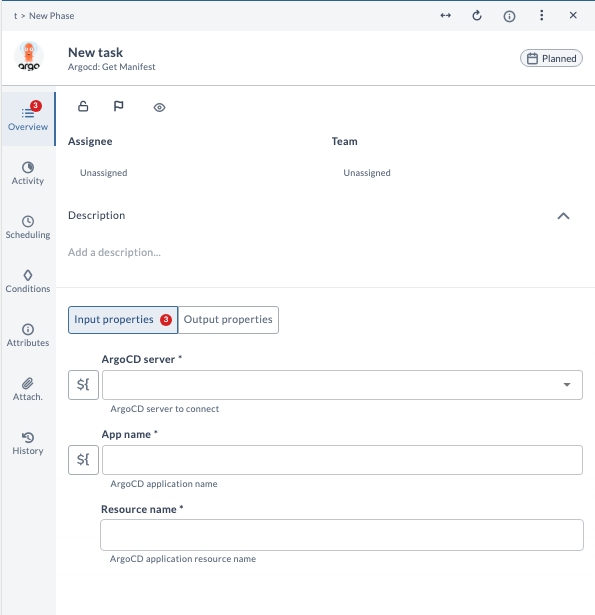
Retrieves the manifest of a specific resource within an ArgoCD application.
Input Properties
| Field | Description |
|---|---|
| ArgoCD Server | The ArgoCD server connection to use for this operation. |
| App Name | Name of the ArgoCD application. |
| Resource Name | Name of the resource inside the application whose manifest is requested. |
Output Properties
| Field | Description |
|---|---|
| Live manifest | The live manifest of the resource as observed in the cluster. |
| Desired manifest | The desired manifest of the resource as defined in Git. |
Get Revision Metadata
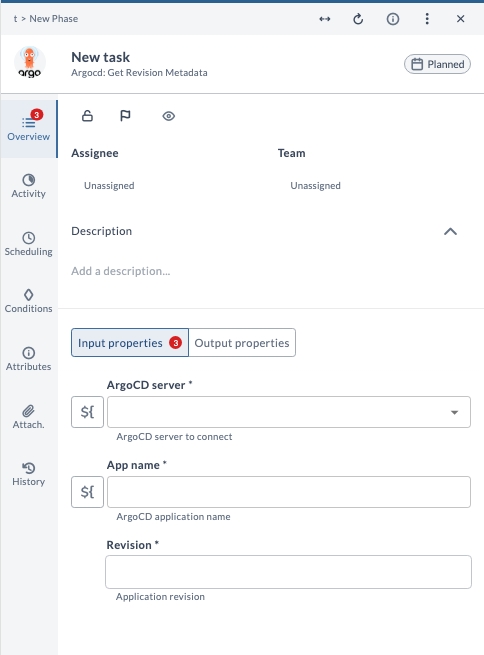
This task is used to retrieve the application revision metadata based on the revision ID.
Input Properties
| Field | Description |
|---|---|
| ArgoCD server | The ArgoCD server connection to use for this operation. |
| App name | Name of the ArgoCD application. |
| Revision | The specific application revision whose metadata is requested. This Revision field is added as an output field in SyncApplication and SyncStatus tasks. You can use these revision values in a complete flow context. |
Output Properties
| Field | Description |
|---|---|
| Metadata | Metadata details for the specified application revision. |
Get Sync Status
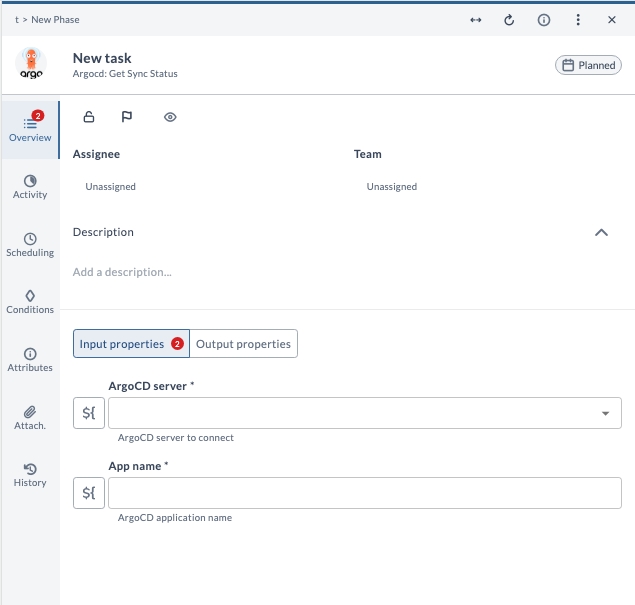
Retrieves the sync status of an existing ArgoCD application.
Input Properties
| Field | Description |
|---|---|
| ArgoCD server | The ArgoCD server connection to use for this operation. |
| App name | Name of the ArgoCD application. |
Output Properties
| Field | Description |
|---|---|
| Sync status | Current sync status of the application. |
| Revision | Git revision or chart version currently applied by the application. |
List Projects
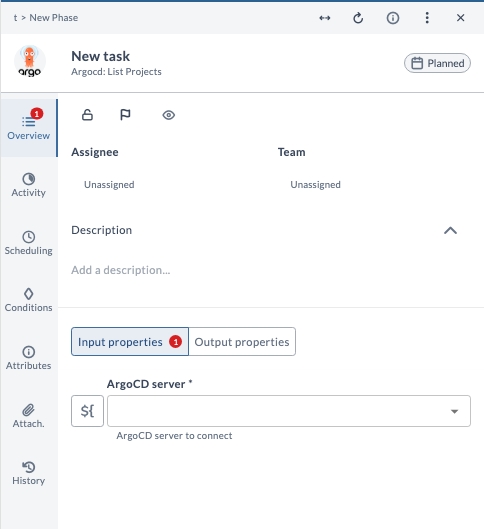
Retrieves the list of all projects configured in the ArgoCD instance.
Input Properties
| Field | Description |
|---|---|
| ArgoCD server | The ArgoCD server connection to use for this operation. |
Output Properties
| Field | Description |
|---|---|
| Project list | List of all ArgoCD projects. |
List Repositories
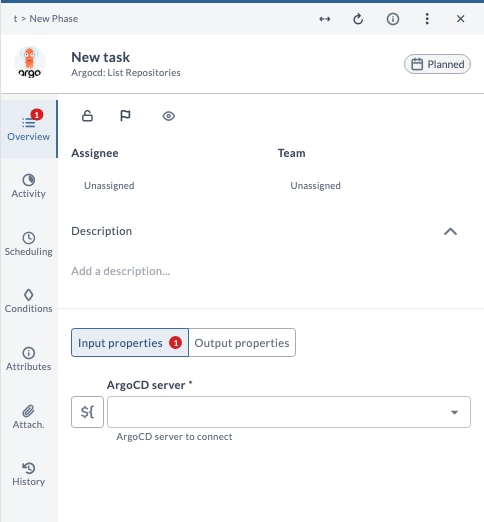
Retrieves and displays information about all the GIT repositories configured in the Argo CD instance.
Input Properties
| Field | Description |
|---|---|
| ArgoCD server | The ArgoCD server connection to use for this operation. |
Output Properties
| Field | Description |
|---|---|
| Repositories | List of added repositories. |
Rollback Application
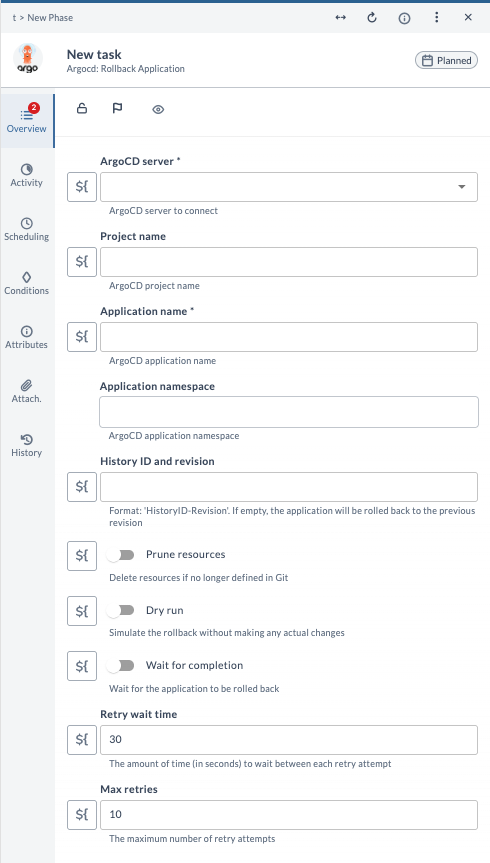
Rolls back an ArgoCD application to a previous revision.
Input Properties
| Field | Description |
|---|---|
| ArgoCD server | The ArgoCD server connection to use for this operation. |
| Project name | Name of the ArgoCD project. |
| Application name | Name of the ArgoCD application. |
| Application namespace | Namespace where the application is deployed. |
| History ID and revision | Revision identifier to roll back to. Format: HistoryID-Revision. If left empty, the application rolls back to the previous revision. |
| Prune resources | Deletes resources that are no longer defined in Git. |
| Dry run | Simulates the rollback without applying any actual changes. |
| Wait for completion | Waits until the operation completes. |
| Retry wait time | Time in seconds to wait between retry attempts. |
| Max retries | Maximum number of retry attempts. |
Output Properties
| Field | Description |
|---|---|
| Application sync status | Sync status of the application after the rollback. |
| Current revision | The application revision after rollback completion. |
Sync Application
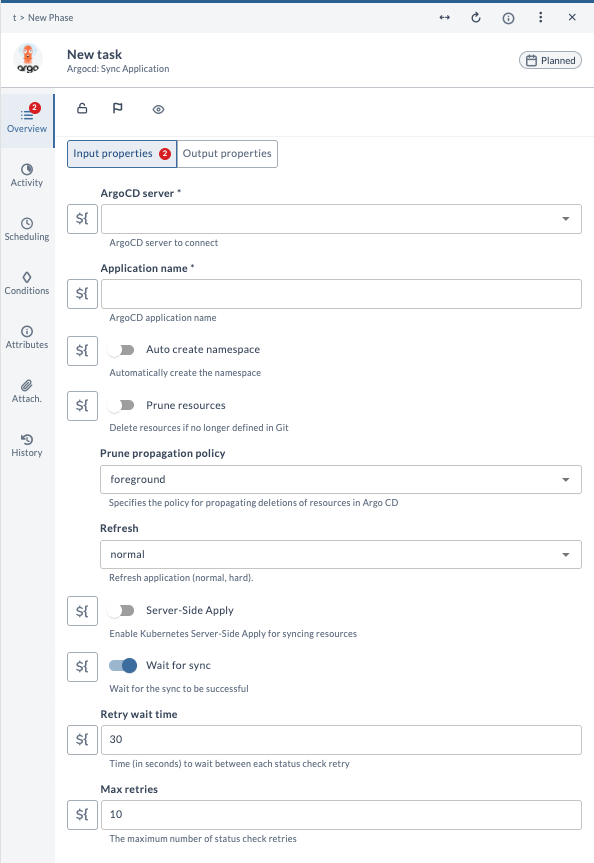
This task lets you sync an Argo CD application to the Kubernetes cluster provided.
Input Properties
| Field | Description |
|---|---|
| ArgoCD server | The ArgoCD server connection to use for this operation. |
| Application name | Name of the ArgoCD application. |
| Auto create namespace | Automatically creates the namespace if it does not exist. |
| Prune resources | Deletes resources that are no longer defined in Git. |
| Prune propagation policy | Defines the deletion propagation strategy (foreground, background, orphan). |
| Refresh | Refresh mode for the application (normal or hard). |
| Server-Side Apply | Enables Kubernetes Server-Side Apply when syncing resources. |
| Wait for sync | Waits until the sync operation completes successfully. |
| Retry wait time | Time in seconds to wait between retry attempts. |
| Max retries | Maximum number of retry attempts. |
Output Properties
| Field | Description |
|---|---|
| Status | Result of the application sync operation. |
| Revision | The application revision that was synced. |
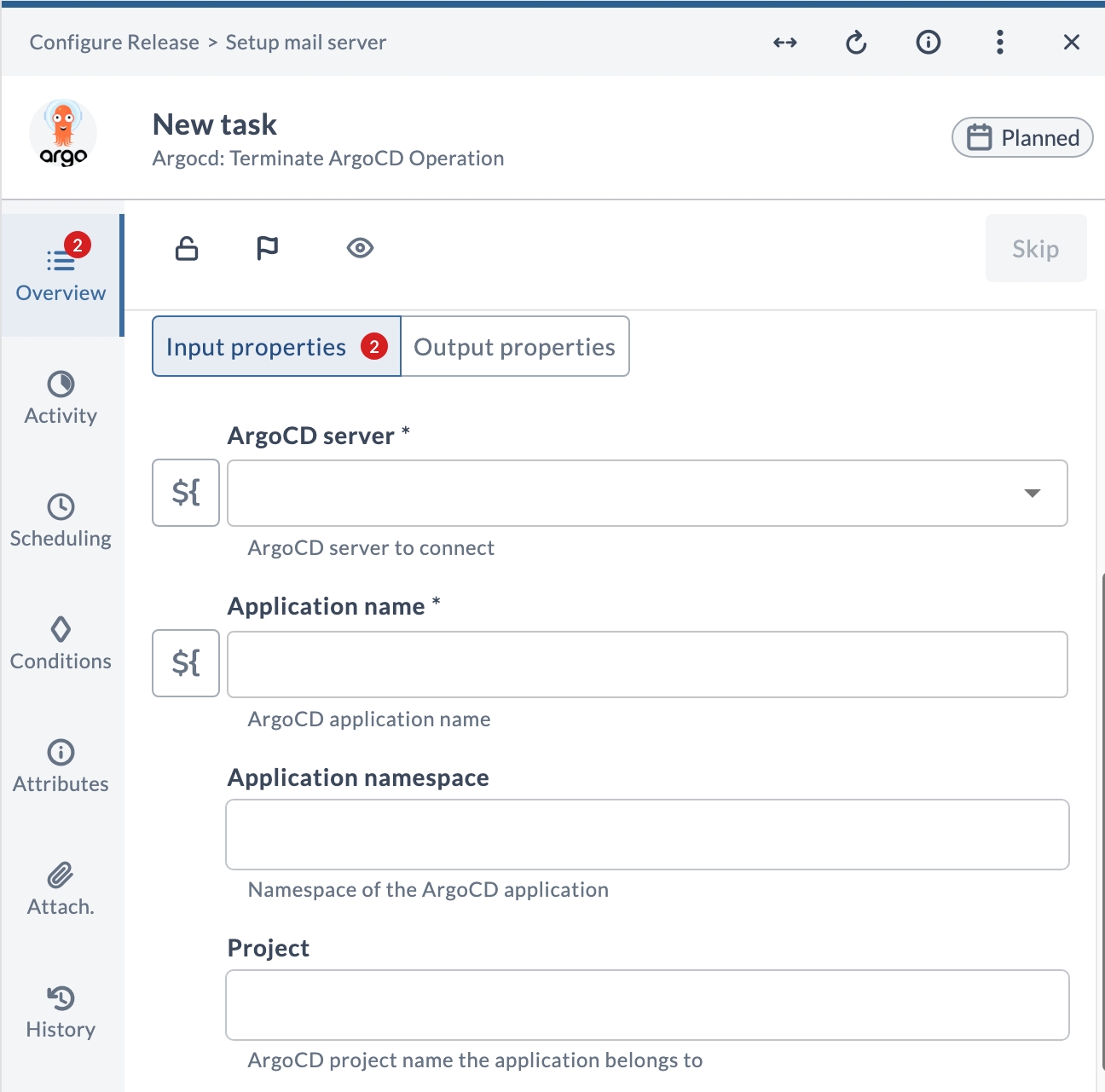
Terminate ArgoCD Operation
This task force-stops a currently running operation (such as a sync, pre-hook, post-hook, or rollback) on an Argo CD application. Use this task when a synchronization stalls and you need to unblock the workflow without waiting for the operation to time out.
Input Properties
| Field | Description |
|---|---|
| ArgoCD server | The ArgoCD server connection to use for this operation. |
| Application name | Name of the ArgoCD application whose running operation should be terminated. |
| Application namespace | Namespace of the ArgoCD application. Optional — required only when the application is in a non-default namespace. |
| Project | ArgoCD project the application belongs to. Optional. |
Output Properties
| Field | Description |
|---|---|
| Operation Terminated | Indicates whether the operation was terminated successfully (true or false). |
| Reason | Describes the result of the termination attempt. For example: Operation terminated successfully or Unable to terminate operation. No operation is in progress. |
Wait For Status
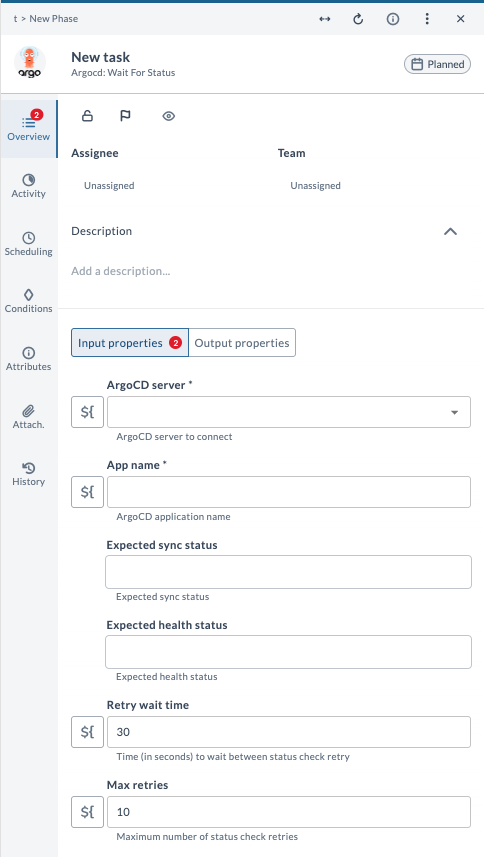
This task is used to wait for the Argo application to move to the expected sync and health status.
Input Properties
| Field | Description |
|---|---|
| ArgoCD server | The ArgoCD server connection to use for this operation. |
| App name | Name of the ArgoCD application. |
| Expected sync status | Sync status the task waits for. |
| Expected health status | Health status the task waits for. |
| Retry wait time | Time in seconds to wait between retry attempts. |
| Max retries | Maximum number of retry attempts. |
Output Properties
| Field | Description |
|---|---|
| Sync status | Final sync status of the application. |
| Health status | Final health status of the application. |
| Revision | Current revision of the application at the time of completion. |