Mapping Task Output Properties to Variables
Learn how to capture task output properties in Digital.ai Release, map them to variables, and reuse those variables in subsequent tasks. This technique helps you pass values such as build numbers, artifact versions, or dynamic data across tasks within a release pipeline.
Prerequisites
- Digital.ai Release
- A release template with multiple tasks in a phase or pipeline
- Familiarity with task configuration and variable usage in Release
Step 1: Identify the Task Output Properties
Most tasks in Digital.ai Release (script tasks, plugin tasks, etc.) expose Output properties.
Syntax:
${TaskName/Output/PropertyName}
For example:
${Jira: GetVersions/Output/Versions}
${Jenkins: Build/Output/Build number}
You can confirm the exact output property names in the task configuration.
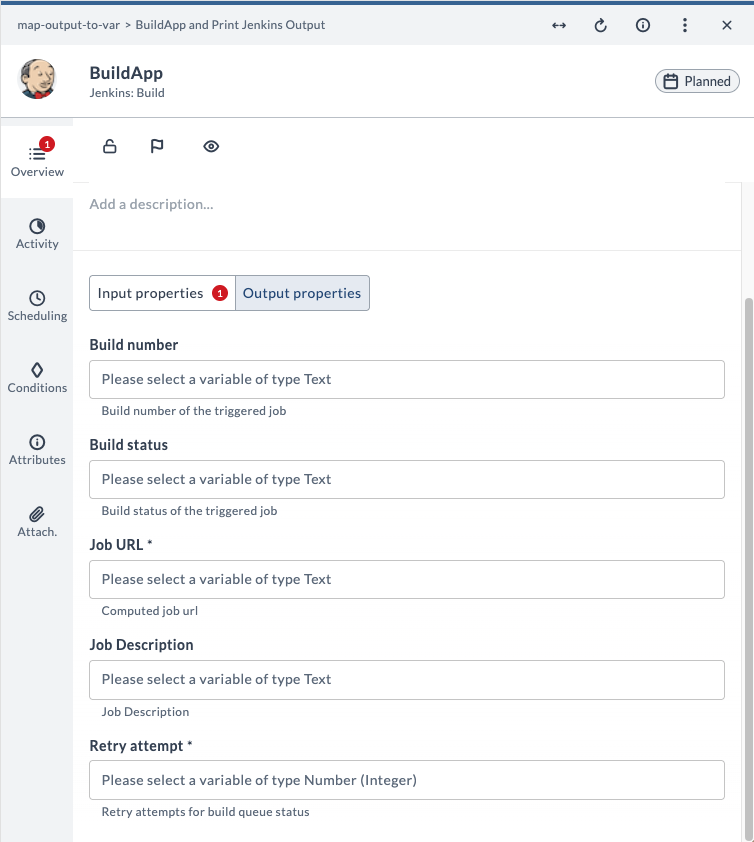
Here's the output properties for the Jenkins: Build task:
Step 2: Create Variables to Map the Output Properties
Mapping the output property to a variable improves readability and reusability.
- Select Variables from the sidebar (at release, phase, or template level).
- Click New variable.
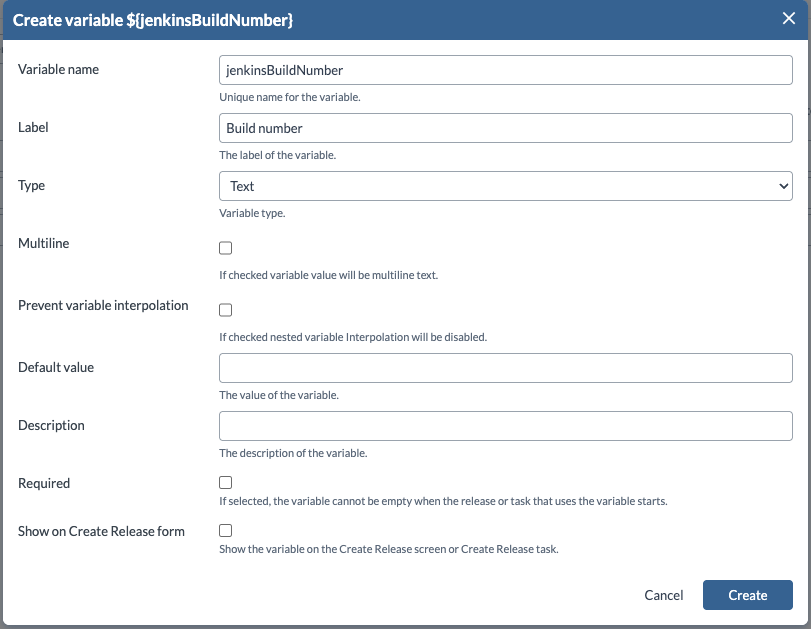
- Set:
- Variable name:
jenkinsBuildNumber - Label:
Build number - Type Select the variable type, for example,
Text
- Variable name:
You can now use ${JenkinsBuildNumber} throughout the release pipeline. Clear the Required and Show on Create Release form check boxes if the variable is not user input. For more information, see Create Variables.
Step 3: Map the Output Properties to Variables
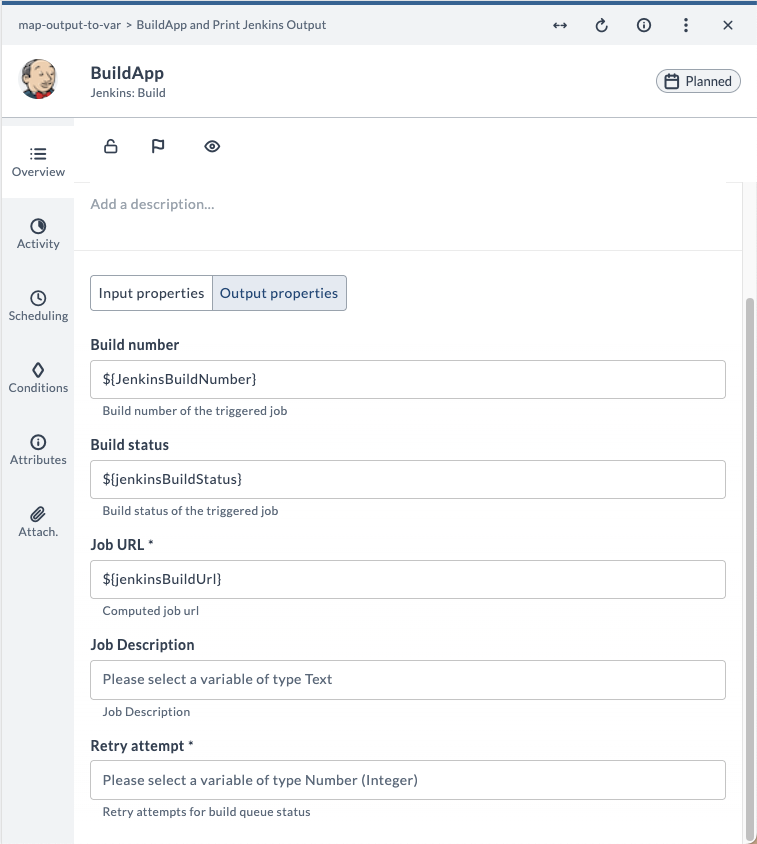
Mapping a task's output property to a variable lets you reuse those variables in subsequent tasks. For example, you can map a Jenkins: Build task's Build number output property to a variable and use the variable in a subsequent script task.
Here's an example mapping:
Step 4: Use the Variable in a Subsequent Task
Use the variables in a downstream task, for example, a Jython Script task. Here's an example.
print("The Jenkins Build Number is: " + str(releaseVariables['JenkinsBuildNumber']))
print("The Jenkins Build Job Status is: " + str(releaseVariables['jenkinsBuildStatus']))
print("The Jenkins Build Job URL is: " + str(releaseVariables['jenkinsBuildUrl']))
Troubleshooting Tips
| Problem | Possible Cause | Suggested Fix |
|---|---|---|
| Variable is empty or null | Task ran after variable was evaluated | Ensure task order is correct |
| Output property not found | Typo in task or property name | Verify names and case sensitivity |
| Variable doesn't update | Defined too early in the flow | Move variable to a later phase |
Example: Mapping Jenkins Build Output to Variables
The following example demonstrates how to capture output properties from a Jenkins build task, map them to variables, and use those variables in subsequent tasks within a Digital.ai Release pipeline. This step-by-step guide will help you implement the mapping process and verify the results.
Prerequisites
-
Ensure Digital.ai Release and Jenkins are installed and connected.
-
Create a Freestyle Jenkins build job named
BuildAppthat exports build details.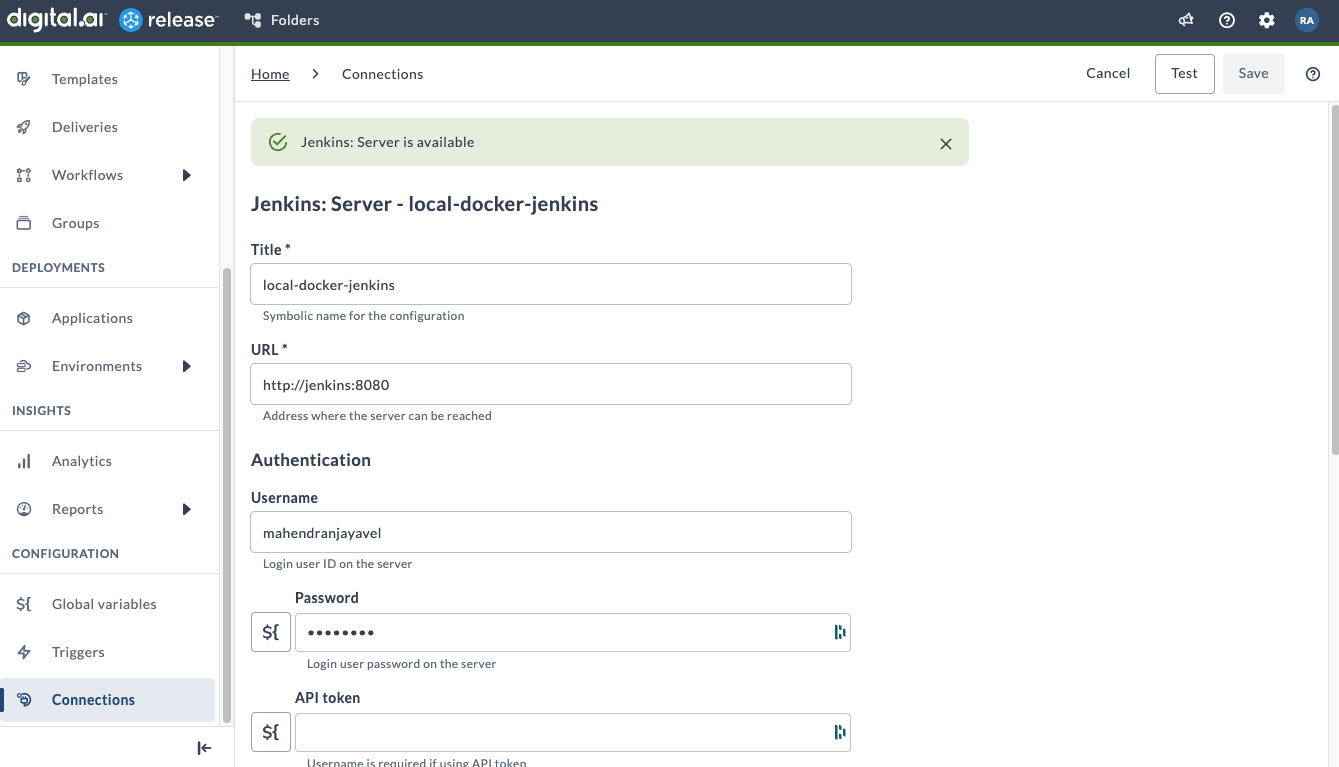
Step 1: Create Output Variables
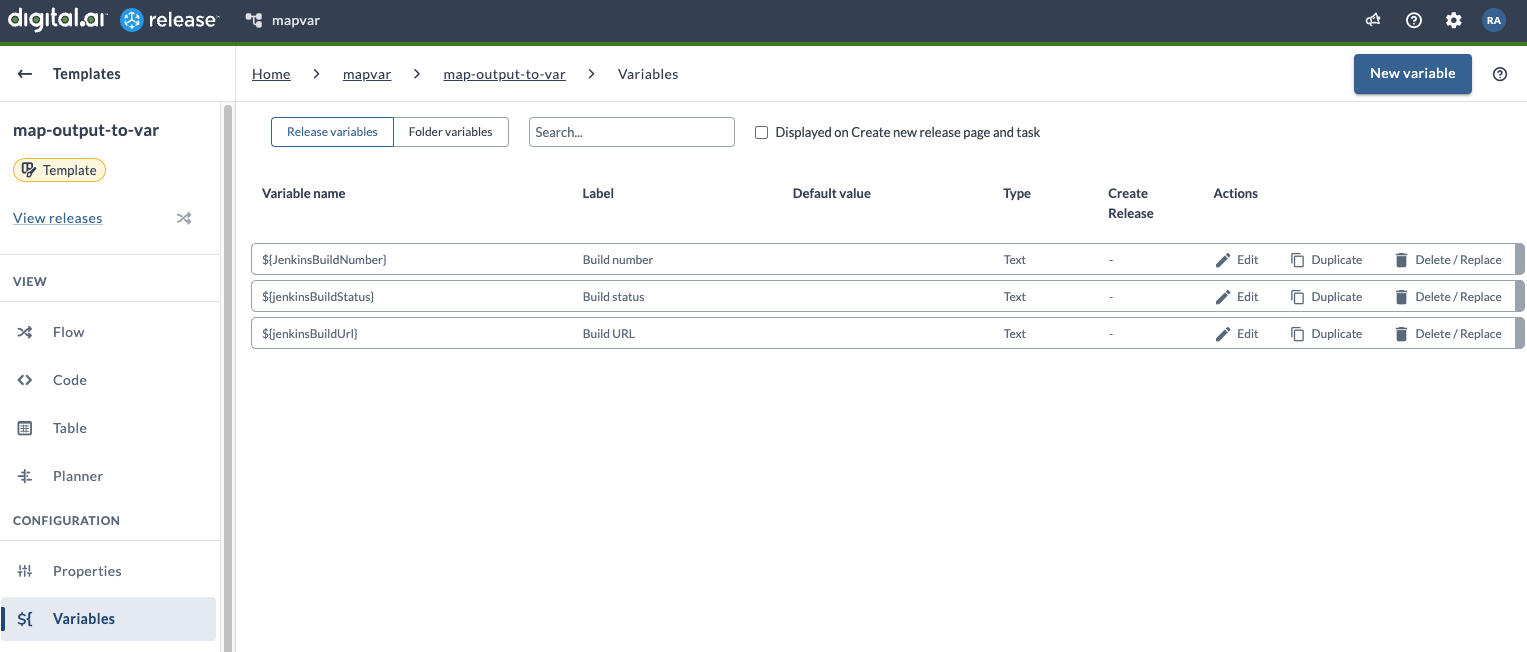
Create the following variables to capture the Jenkins build output:
JenkinsBuildNumberjenkinsBuildStatusjenkinsBuildUrl
Step 2: Set up the Release Template
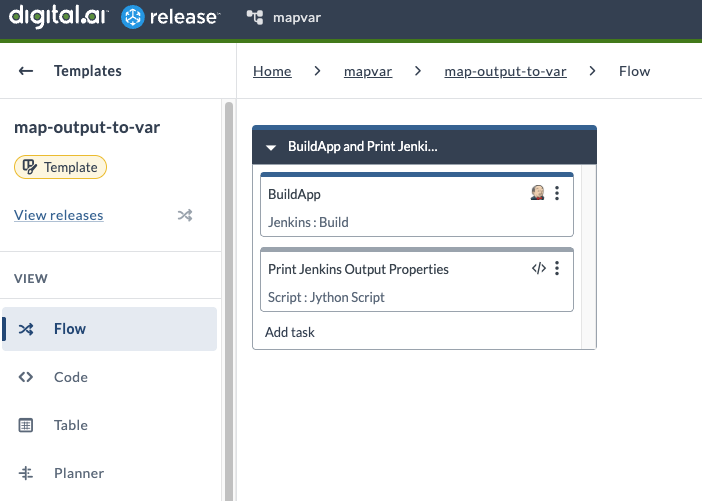
Create a release template (for example, map-output-to-var) with two tasks:
-
Jenkins: Build
-
Script: Jython Script
Step 3: Configure the Jenkins Build Task
Input Properties:
-
Select the Jenkins server from the drop-down list.
-
Enter the Jenkins job name (
BuildApp).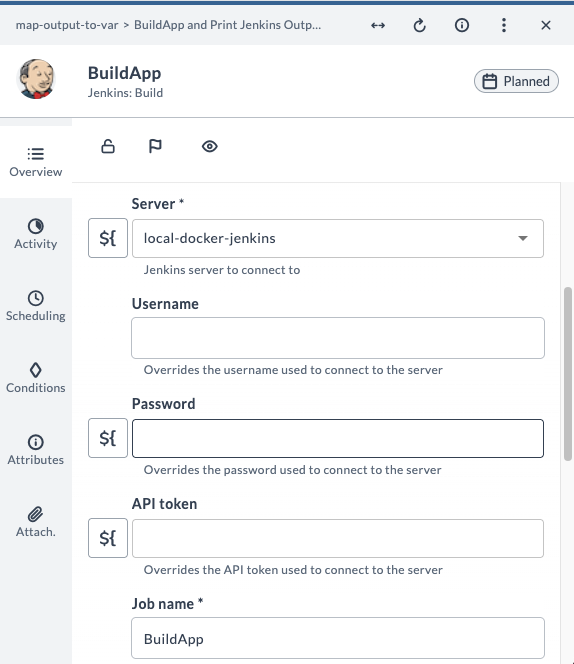
Output Properties:
-
Go to the Output Properties tab.
-
Map the
BuildApptask's output properties to the three variables created earlier.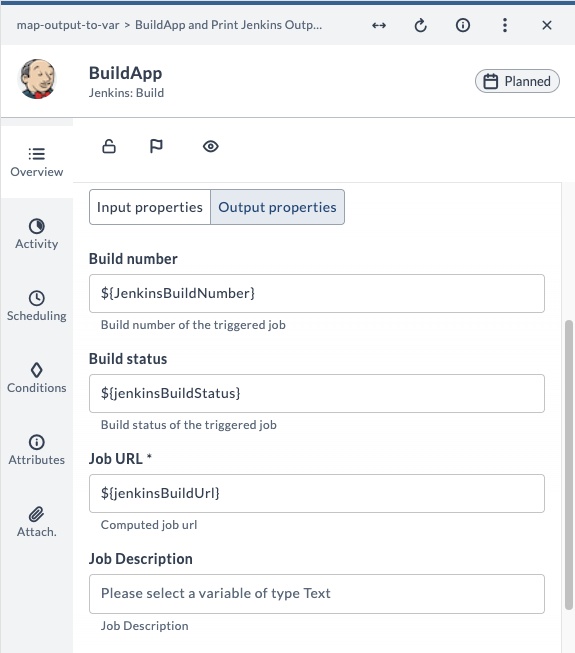
Step 4: Configure the Jython Script Task
Add the following script to the Jython Script task named Print Jenkins Output Properties:
print("The Jenkins Build Number is: " + str(releaseVariables['JenkinsBuildNumber']))
print("The Jenkins Build Job Status is: " + str(releaseVariables['jenkinsBuildStatus']))
print("The Jenkins Build Job URL is: " + str(releaseVariables['jenkinsBuildUrl']))
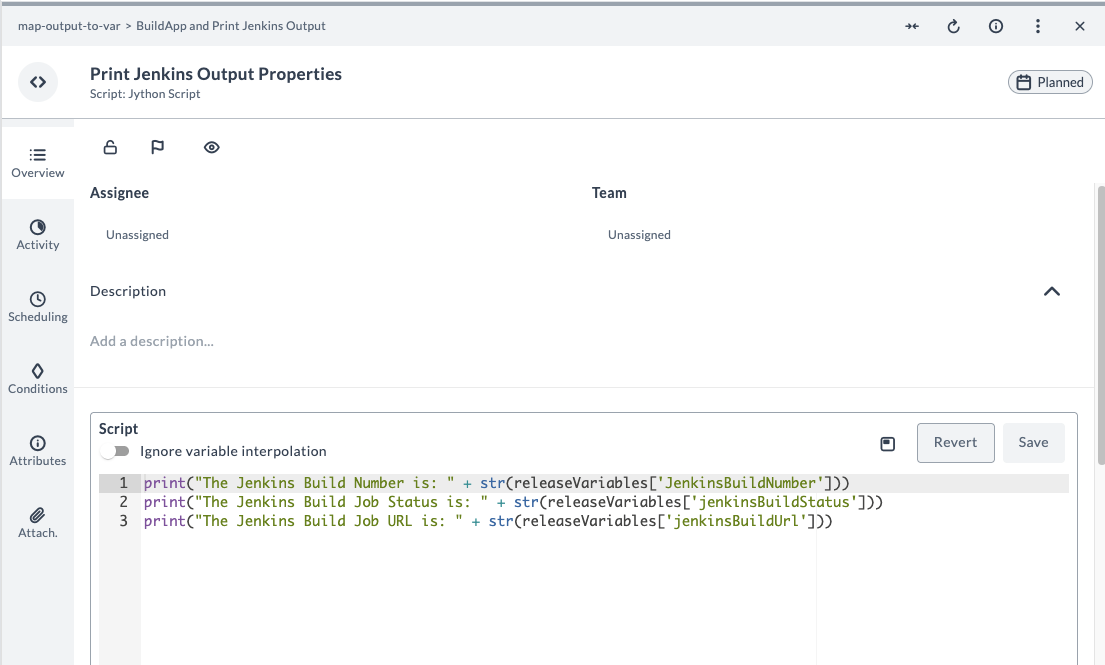
Explanation:
- Each print statement accesses a value from the
releaseVariablesdictionary, which contains variables mapped from Jenkins build output properties. - The value (such as
JenkinsBuildNumber) is converted to a string usingstr()to ensure proper formatting. - The message and value are concatenated and printed, making it easy to display Jenkins build details in the Jython Script task log.
Step 5: Run and Verify the Release
-
Create a new release from the template and run it.
-
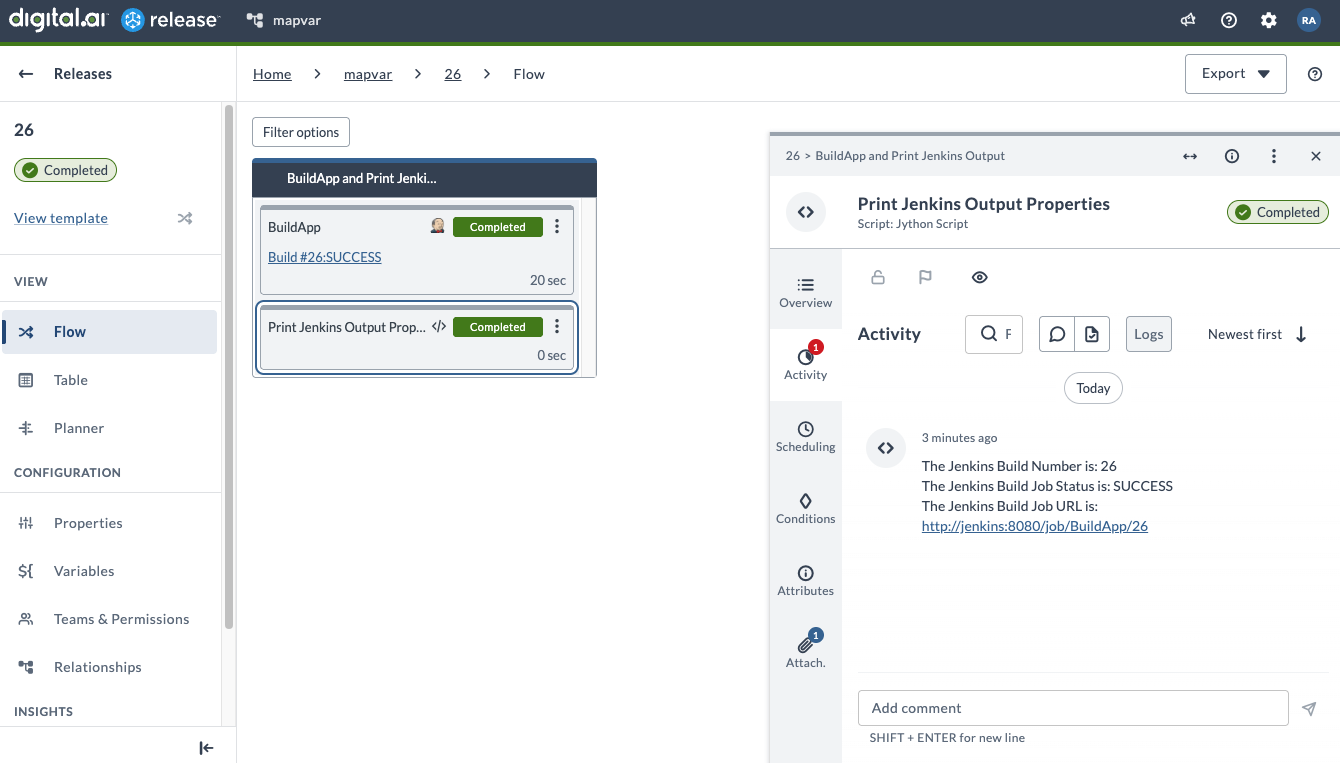
After successful completion, go to the Activity tab of the Jython Script task to view the Jenkins build output.