Hashicorp Vault Plugin
This plugin may appear to fail the JDK 17 compatibility test that runs as part of the Plugin Manager.
This result can be safely ignored: it does not impact the plugin's functionality or the supported runtime environments.
This topic describes the HashiCorp Vault plugin for Digital.ai Release, which integrates Vault for secret management within release pipelines.
About HashiCorp Vault
The HashiCorp Vault plugin retrieves secrets from a Vault server for use in your tasks and automation. These secrets include static and dynamic username and password fields from the Secrets Engine of your choice. After a server connection is set up, you can map Vault secrets to internal Release variables.
Prerequisites
The plugin requires the following:
- A running HashiCorp Vault server accessible over HTTP(S) on your network.
- Credentials to authenticate with the Vault server (an API token, or a username and password, depending on the authentication method).
- An optional namespace value if you use the Enterprise edition of the Vault server.
Set up a Connection to the HashiCorp Vault Server
You must set up a connection to a Vault server before external secrets can be configured.
- In the navigation pane, click Configuration.
- Click Connections.
- Click the + icon next to Vault Server.
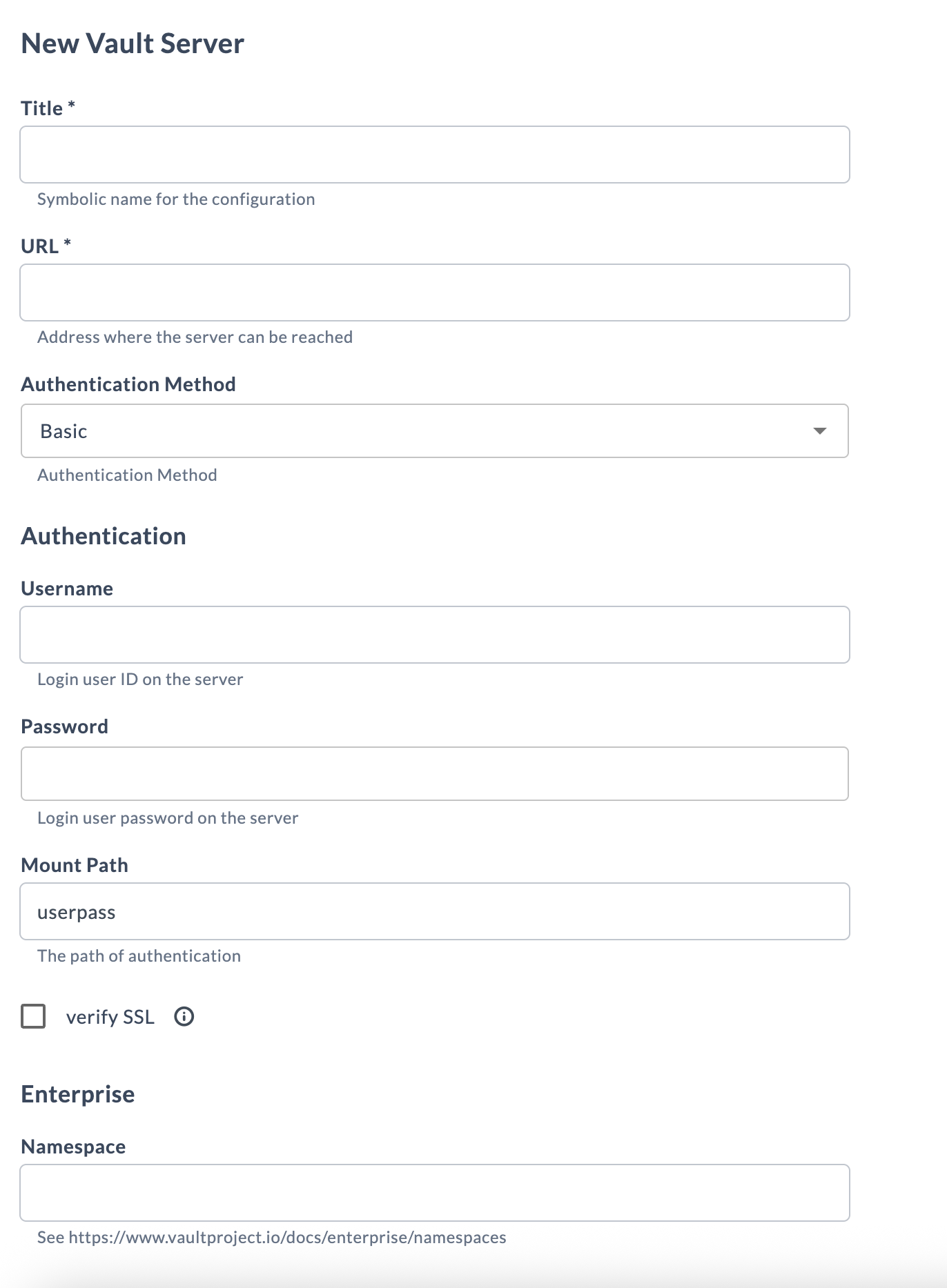
- Fill in the required information:
Field Description Title * Symbolic name for the configuration. This name displays in HashiCorp Vault tasks. URL * The address where the server can be reached, in the form http(s)://address:port.Authentication Method The authentication method to use. See Authentication methods. Mount Path The path of authentication (for example, userpass).verify SSL Select to verify the server's SSL certificate. Namespace Under Enterprise. The Vault namespace to use. Requires Vault Enterprise. See the Vault namespaces documentation. - To test the connection, click Test.
- To save the configuration, click Save.
Authentication Methods
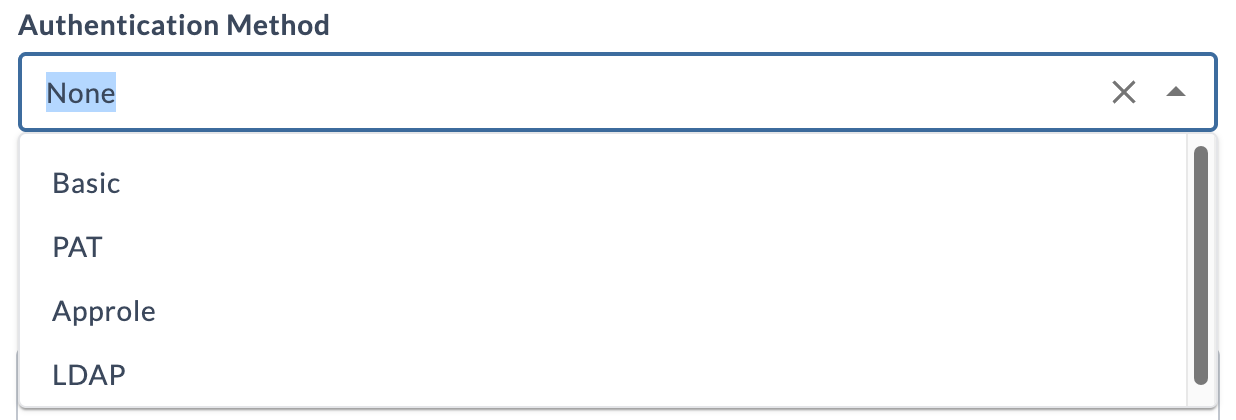
Vault permits several types of authentication, as outlined in the HashiCorp Vault authentication documentation. Select the method from the Authentication Method drop-down list, and enter the fields for that method:
- For Basic and LDAP, enter Username and Password.
- For AppRole, enter RoleId and SecretId.
- For PAT, enter the Api Token.
Available Tasks
The HashiCorp Vault plugin provides the following tasks, grouped by secrets engine version. Every task uses a Server and an optional Token, listed at the top of each task's input properties. Fields marked with an asterisk (*) are required.
Version 1 Tasks
- SecretsV1-ReadDynamicSecret
- SecretsV1-CreateSecret
- SecretsV1-ReadSecret
- SecretsV1-ListSecrets
- SecretsV1-DeleteSecret
- SecretsV1-EnableEngine
Version 2 Tasks
- SecretsV2-ReadSecret
- SecretsV2-EnableEngine
- SecretsV2-Configure
- SecretsV2-ReadConfiguration
- SecretsV2-ReadSecretVersions
- SecretsV2-CreateSecret
- SecretsV2-PatchExistingSecret
- SecretsV2-DeleteVersion
- SecretsV2-UndeleteVersion
- SecretsV2-DestroyVersion
- SecretsV2-ListSecrets
- SecretsV2-ReadSecretMetadata
- SecretsV2-UpdateMetadata
- SecretsV2-DeleteMetaDataAndAllVersions
Version 1 Tasks
The following tasks operate on a version 1 (KV v1) secrets engine.
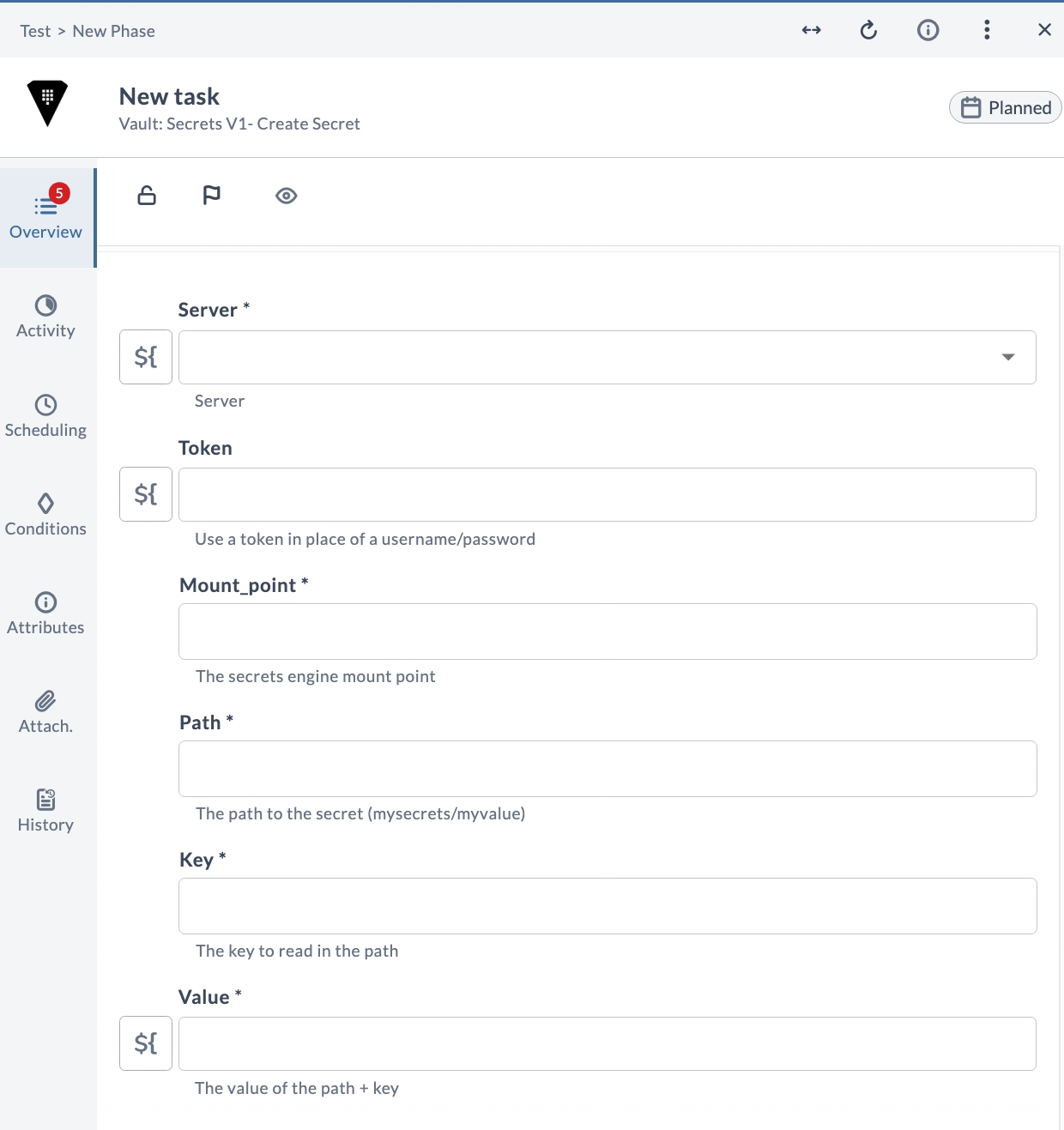
V1 Create secret
Creates a secret in a version 1 secrets engine. The secret is written at the given path under the specified mount point, storing the provided key and value.
Input Properties
| Field | Description |
|---|---|
| Server * | The Vault server connection to use. |
| Token | Use a token in place of a username and password. |
| Mount_point * | The secrets engine mount point. |
| Path * | The path to the secret (mysecrets/myvalue). |
| Key * | The key to read in the path. |
| Value * | The value of the path + key. |
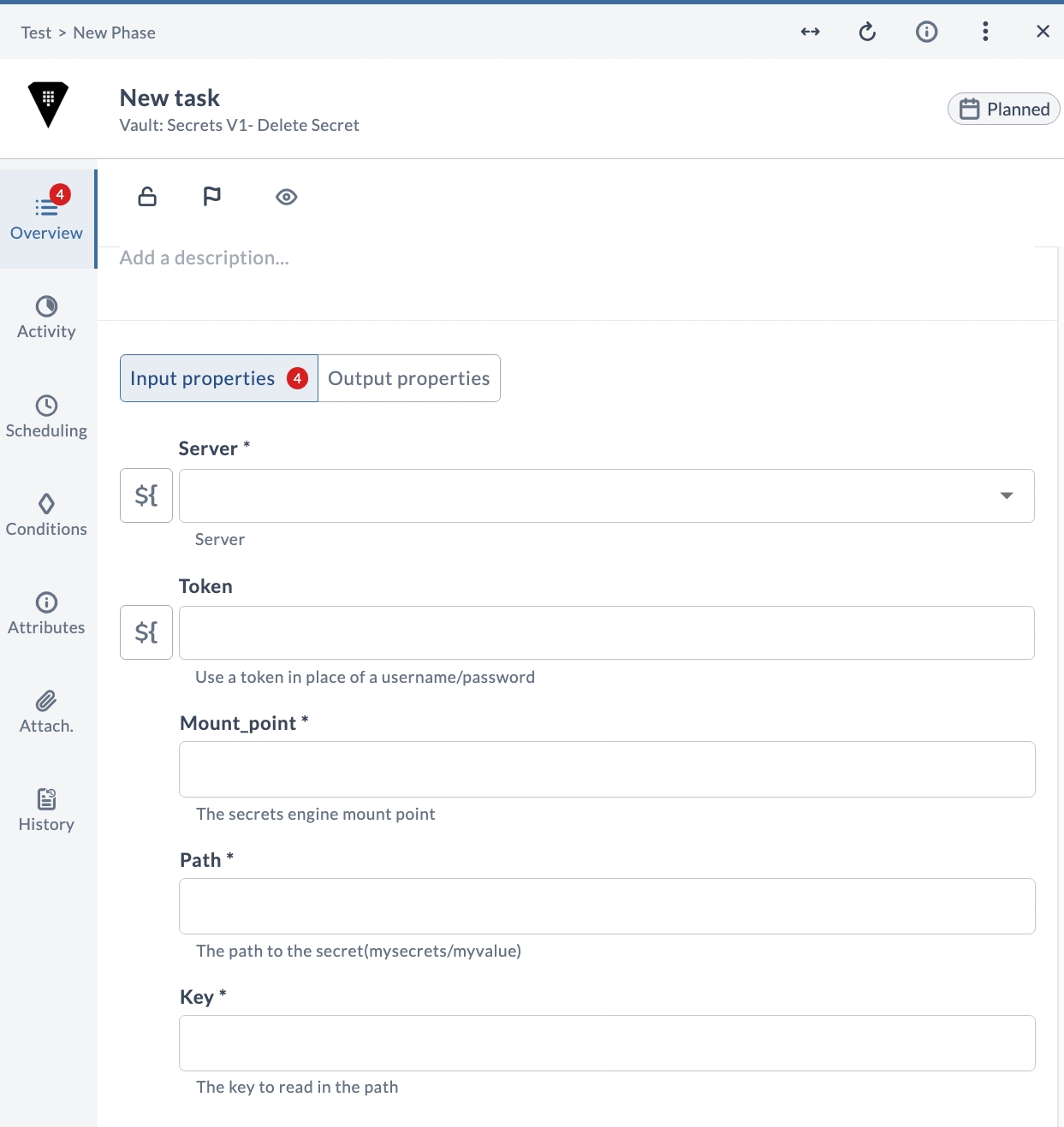
V1 Delete secret
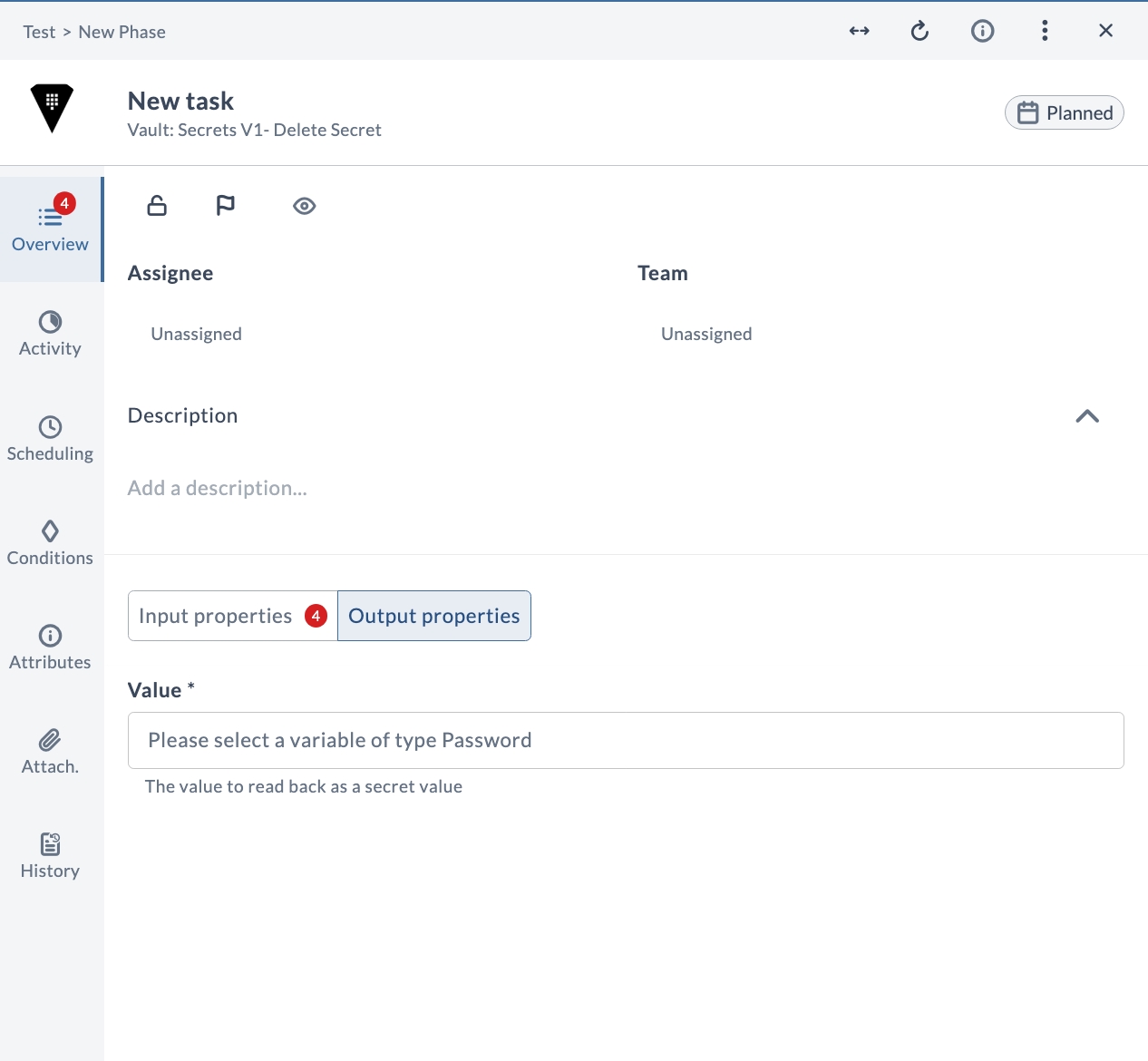
Deletes the secret at the given path under the specified mount point in a version 1 secrets engine. The deleted secret's value is returned as an output.
Input Properties
| Field | Description |
|---|---|
| Server * | The Vault server connection to use. |
| Token | Use a token in place of a username and password. |
| Mount_point * | The secrets engine mount point. |
| Path * | The path to the secret (mysecrets/myvalue). |
| Key * | The key to read in the path. |
Output Properties
| Field | Description |
|---|---|
| Value * | The value read back as a secret value. |
V1 Enable engine
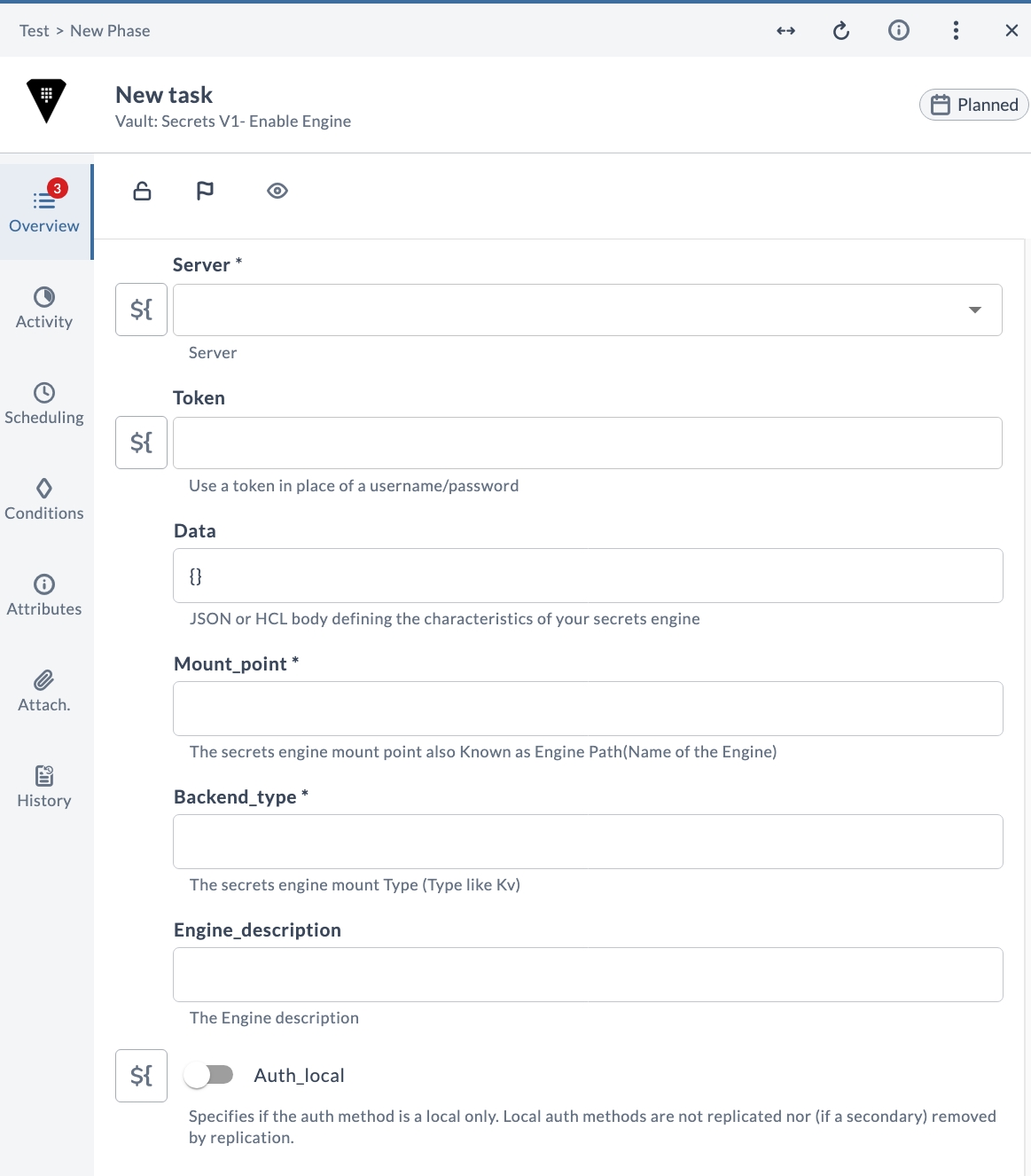
Enables a secrets engine of the specified backend type at the given mount point. You can pass engine configuration as a JSON or HCL body and optionally mark the auth method as local only.
Input Properties
| Field | Description |
|---|---|
| Server * | The Vault server connection to use. |
| Token | Use a token in place of a username and password. |
| Data | JSON or HCL body defining the characteristics of your secrets engine. Defaults to {}. |
| Mount_point * | The secrets engine mount point, also known as the Engine Path (name of the engine). |
| Backend_type * | The secrets engine mount type (a type such as Kv). |
| Engine_description | The engine description. |
| Auth_local | Specifies whether the auth method is local only. Local auth methods are not replicated, nor (if a secondary) removed by replication. |
Output Properties
| Field | Description |
|---|---|
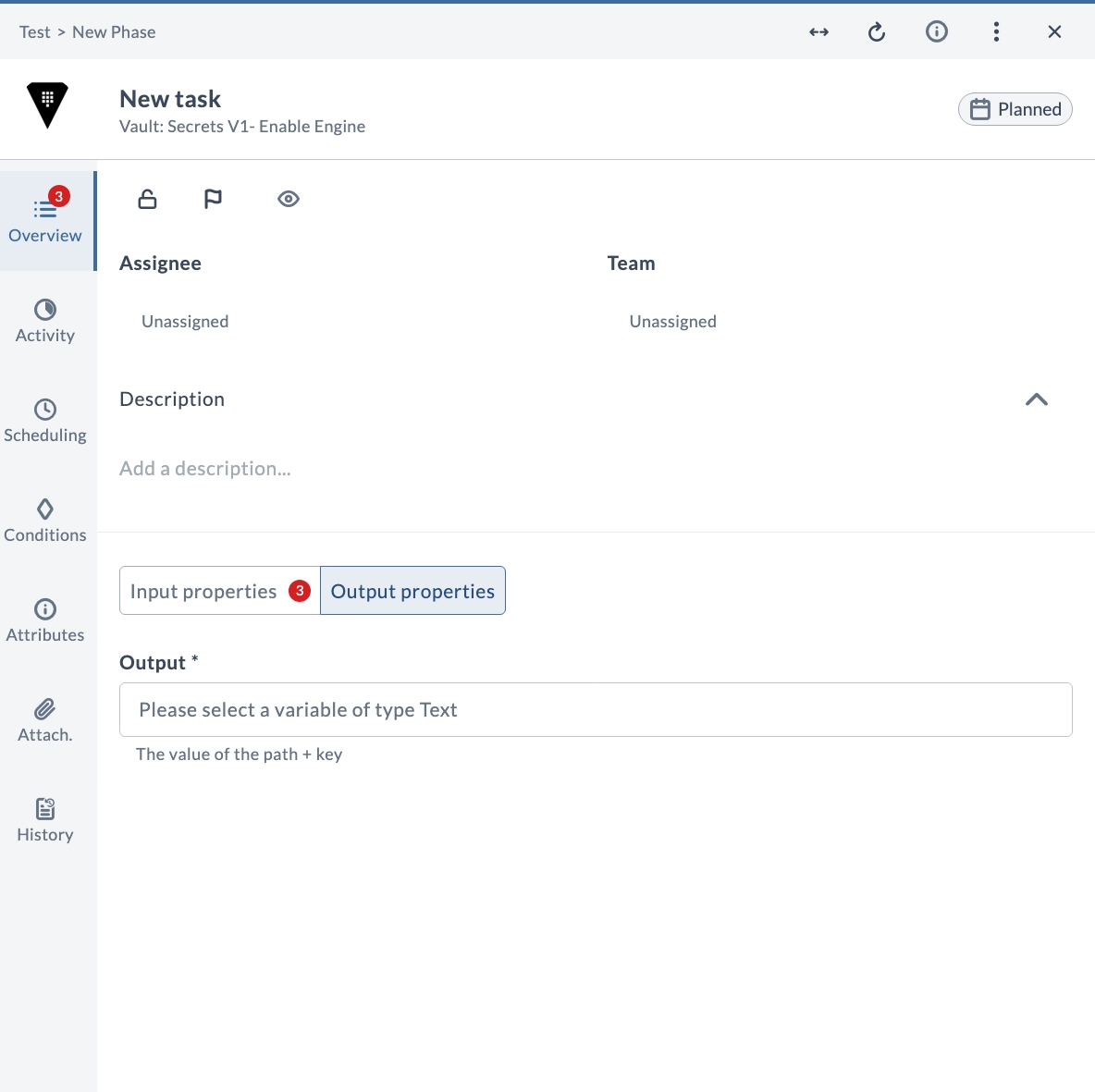
| Output * | The value of the path + key. |
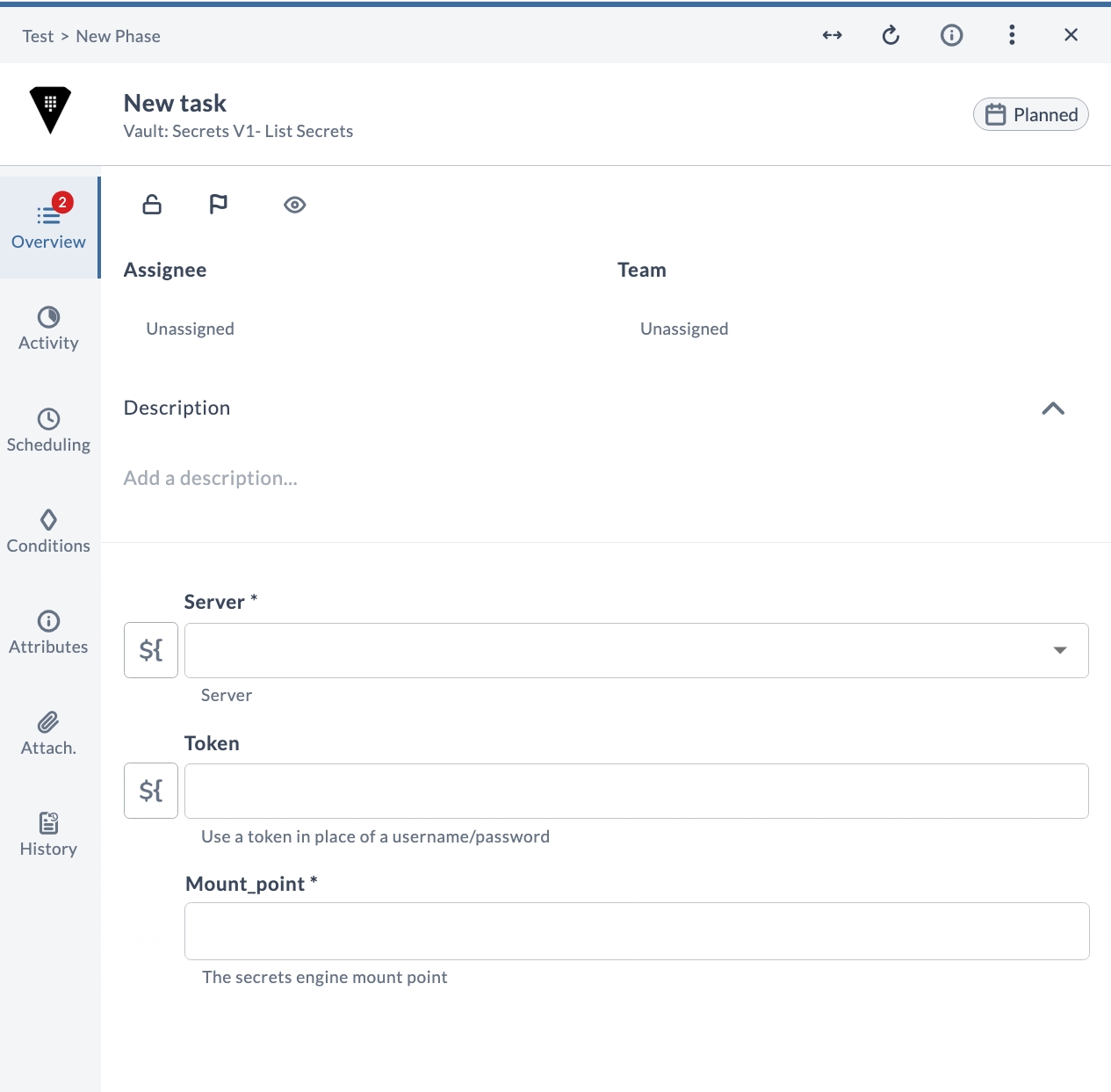
V1 List secrets
Lists the secrets available under the specified mount point in a version 1 secrets engine.
Input Properties
| Field | Description |
|---|---|
| Server * | The Vault server connection to use. |
| Token | Use a token in place of a username and password. |
| Mount_point * | The secrets engine mount point. |
V1 Read dynamic secret
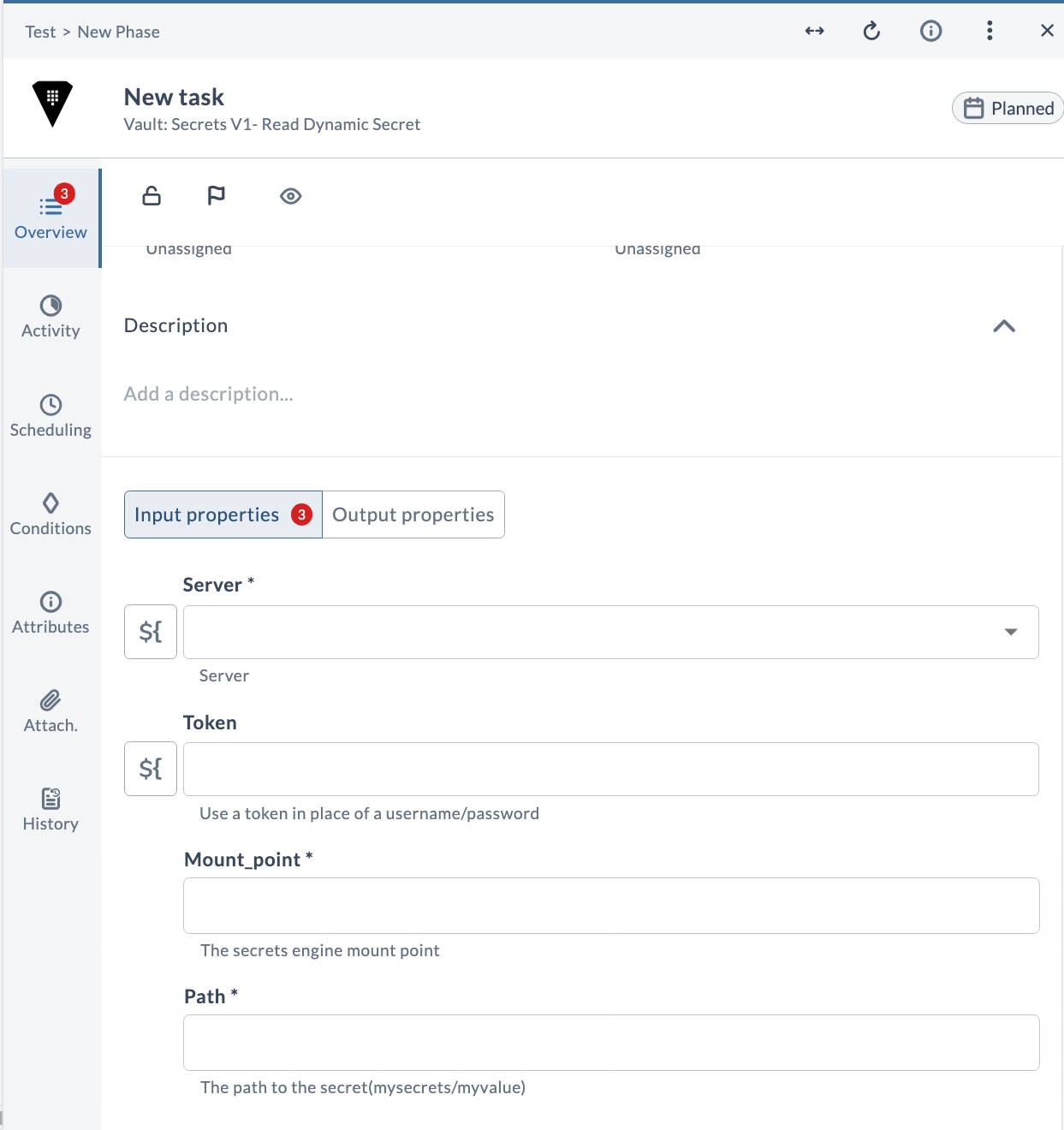
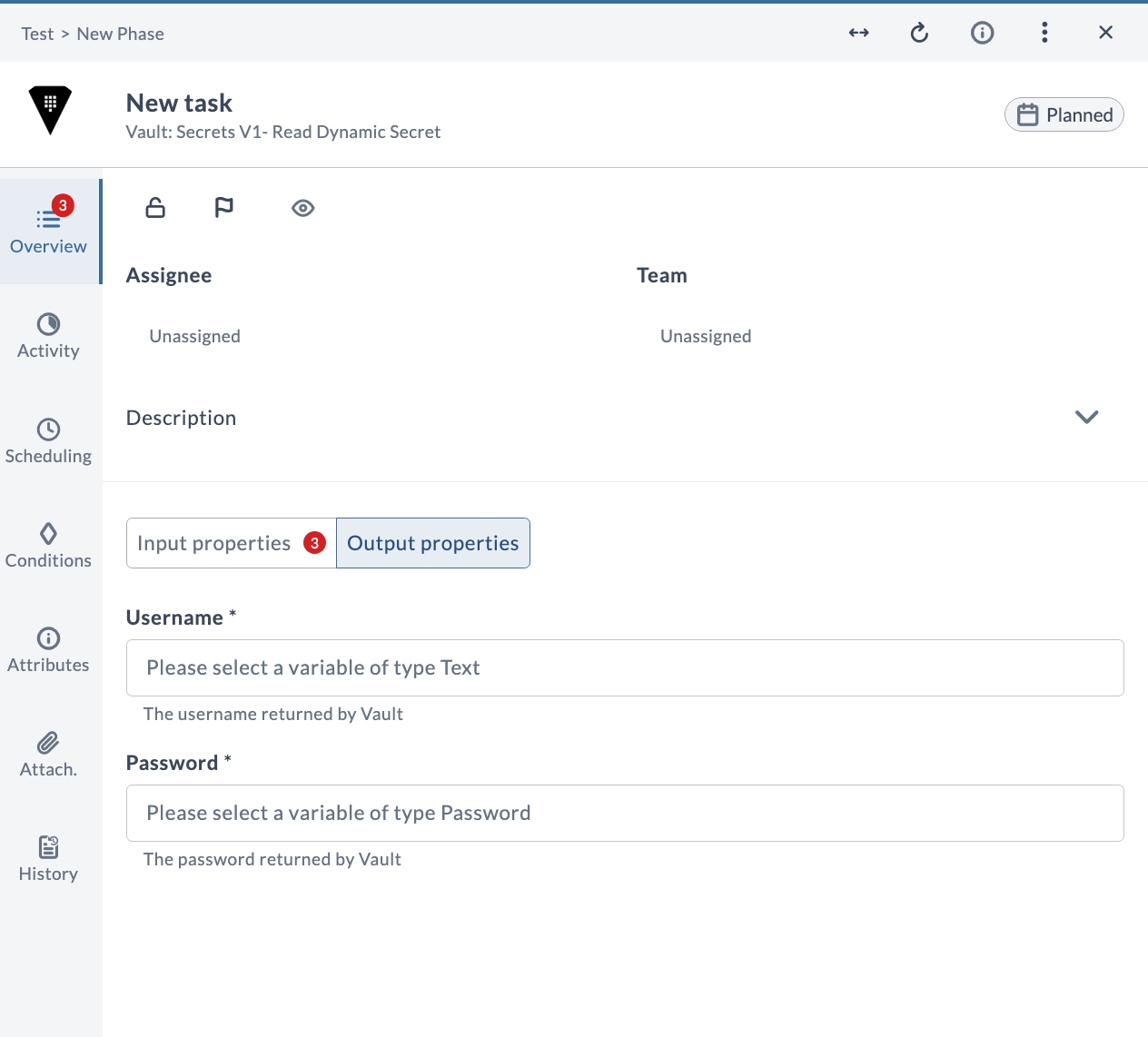
Reads a dynamic secret from a version 1 secrets engine at the given path under the specified mount point. The generated username and password are returned as outputs.
Input Properties
| Field | Description |
|---|---|
| Server * | The Vault server connection to use. |
| Token | Use a token in place of a username and password. |
| Mount_point * | The secrets engine mount point. |
| Path * | The path to the secret (mysecrets/myvalue). |
Output Properties
| Field | Description |
|---|---|
| Username * | The username returned by Vault. |
| Password * | The password returned by Vault. |
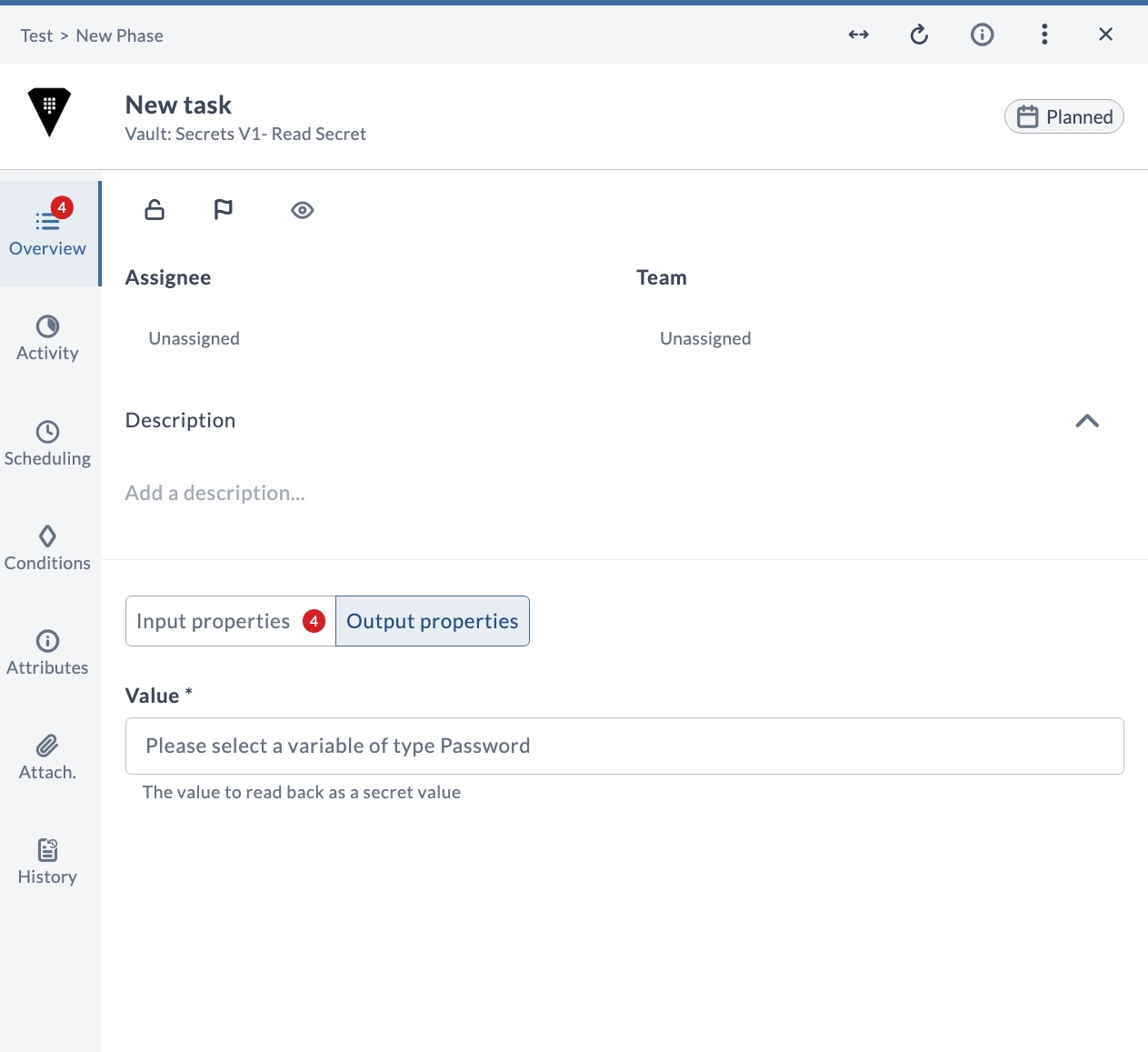
V1 Read secret
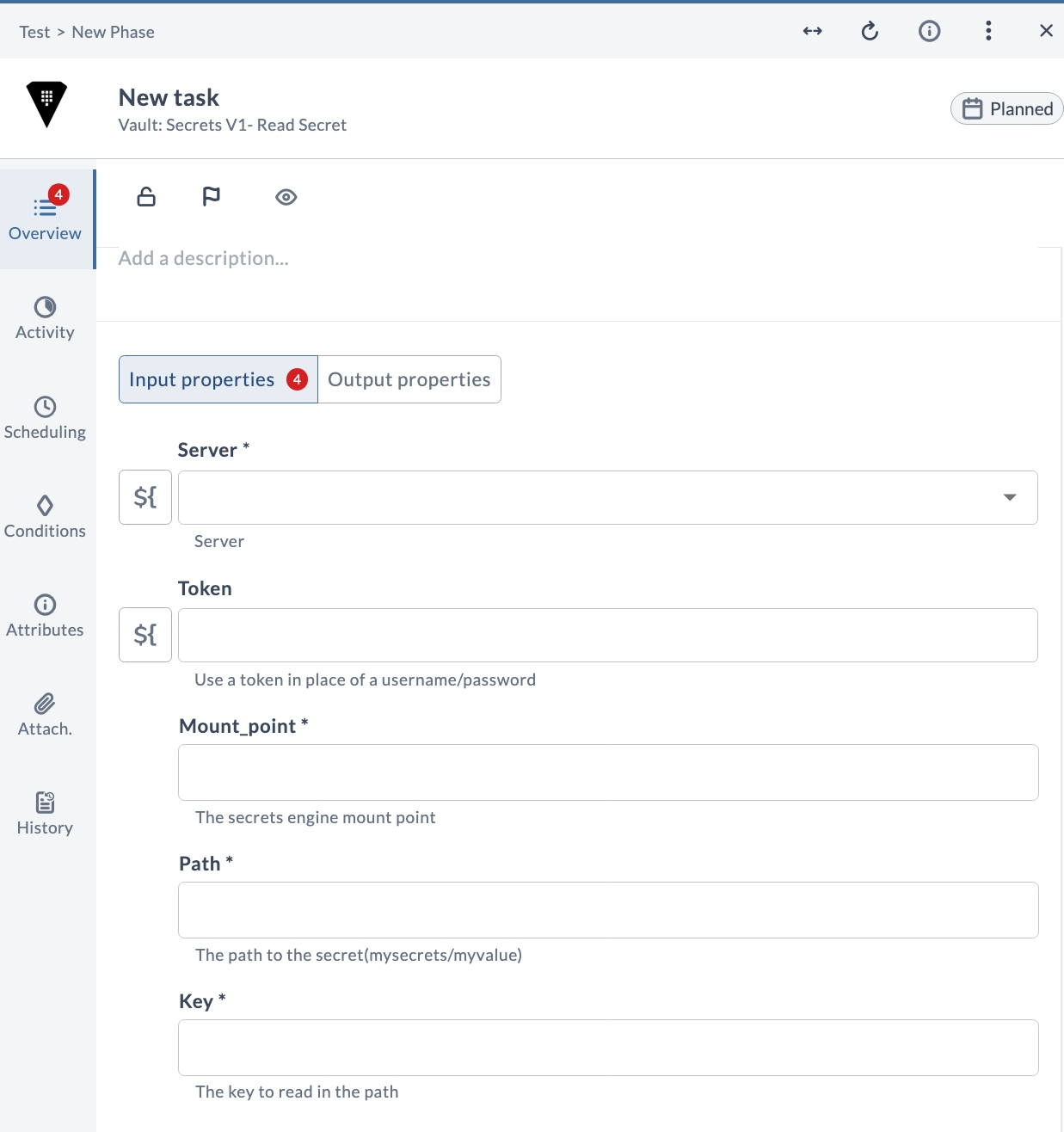
Reads a secret from a version 1 secrets engine at the given path and key under the specified mount point. The secret value is returned as an output.
Input Properties
| Field | Description |
|---|---|
| Server * | The Vault server connection to use. |
| Token | Use a token in place of a username and password. |
| Mount_point * | The secrets engine mount point. |
| Path * | The path to the secret (mysecrets/myvalue). |
| Key * | The key to read in the path. |
Output Properties
| Field | Description |
|---|---|
| Value * | The value read back as a secret value. |
Version 2 Tasks
The following tasks operate on a version 2 (KV v2) secrets engine, which supports secret versioning.
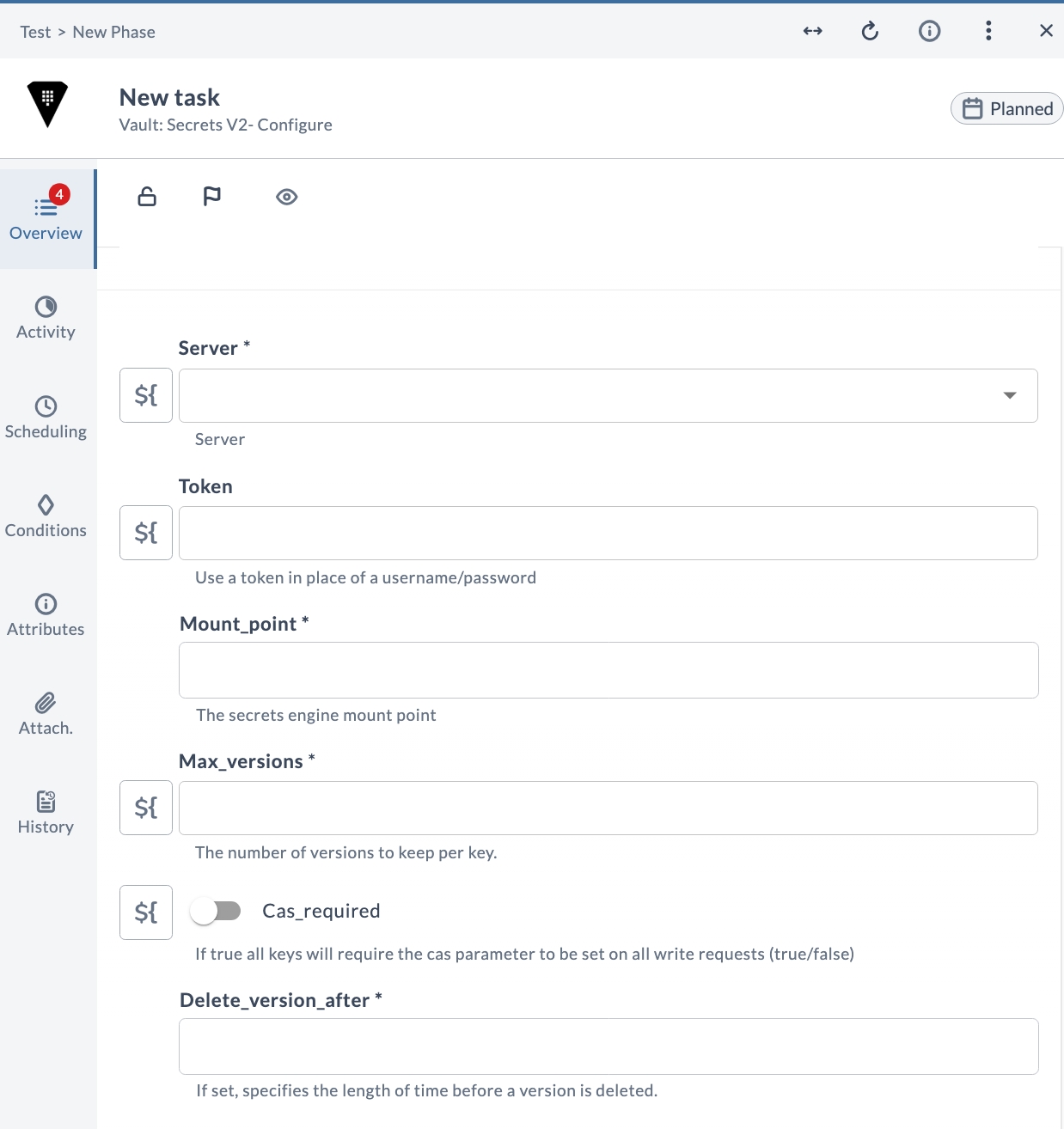
V2 Configure
Configures a version 2 secrets engine at the specified mount point, setting the maximum number of versions to keep, whether Check-and-Set is required, and how long before a version is deleted.
Input Properties
| Field | Description |
|---|---|
| Server * | The Vault server connection to use. |
| Token | Use a token in place of a username and password. |
| Mount_point * | The secrets engine mount point. |
| Max_versions * | The number of versions to keep per key. |
| Cas_required * | If true, all keys require the cas parameter to be set on all write requests (true/false). |
| Delete_version_after * | If set, specifies the length of time before a version is deleted. |
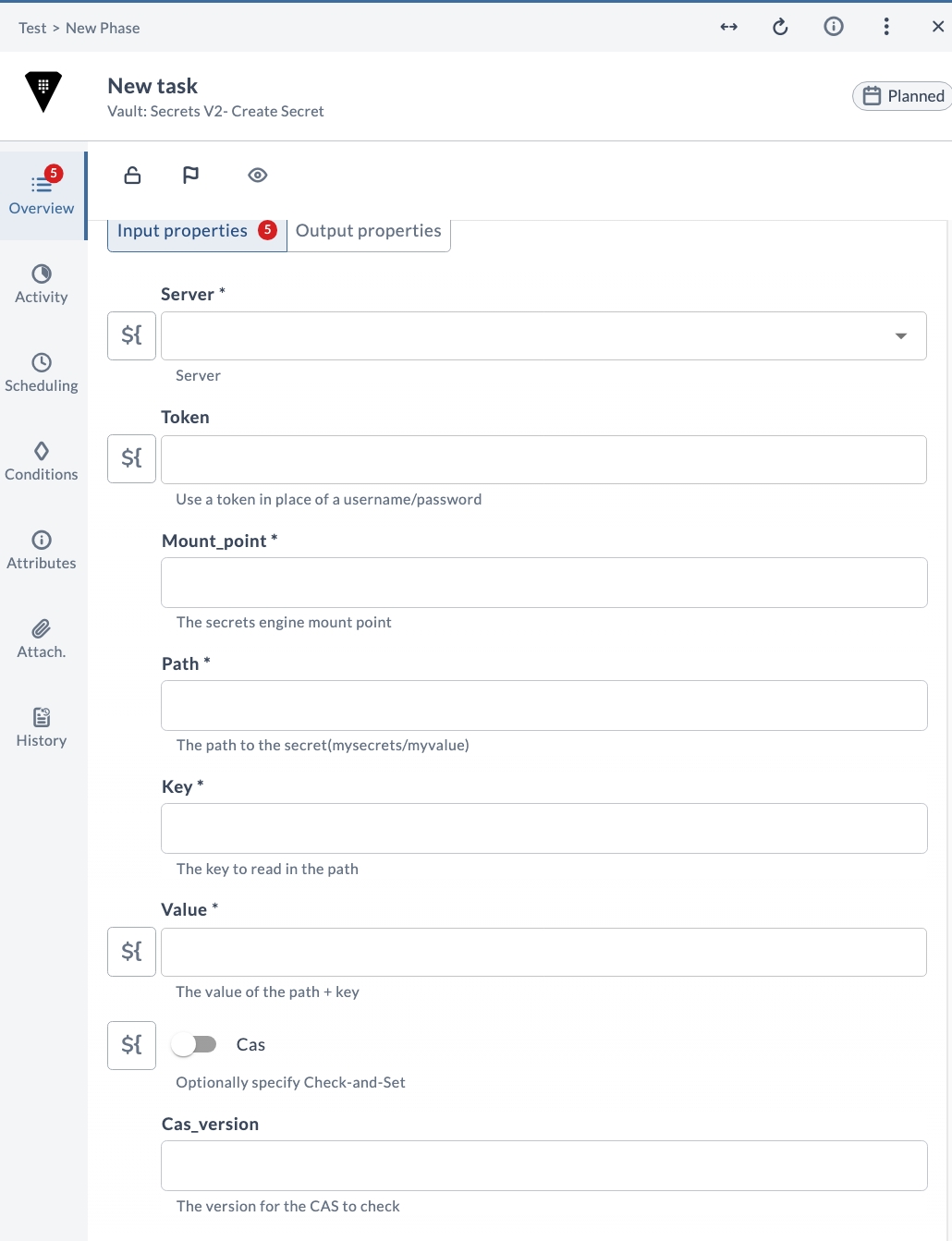
V2 Create secret
Creates a secret in a version 2 secrets engine at the given path under the specified mount point, storing the provided key and value. Supports Check-and-Set (CAS) to guard against concurrent writes. The created version is returned as an output.
Input Properties
| Field | Description |
|---|---|
| Server * | The Vault server connection to use. |
| Token | Use a token in place of a username and password. |
| Mount_point * | The secrets engine mount point. |
| Path * | The path to the secret (mysecrets/myvalue). |
| Key * | The key to read in the path. |
| Value * | The value of the path + key. |
| Cas | Optionally specify Check-and-Set. |
| Cas_version | The version for the CAS to check. |
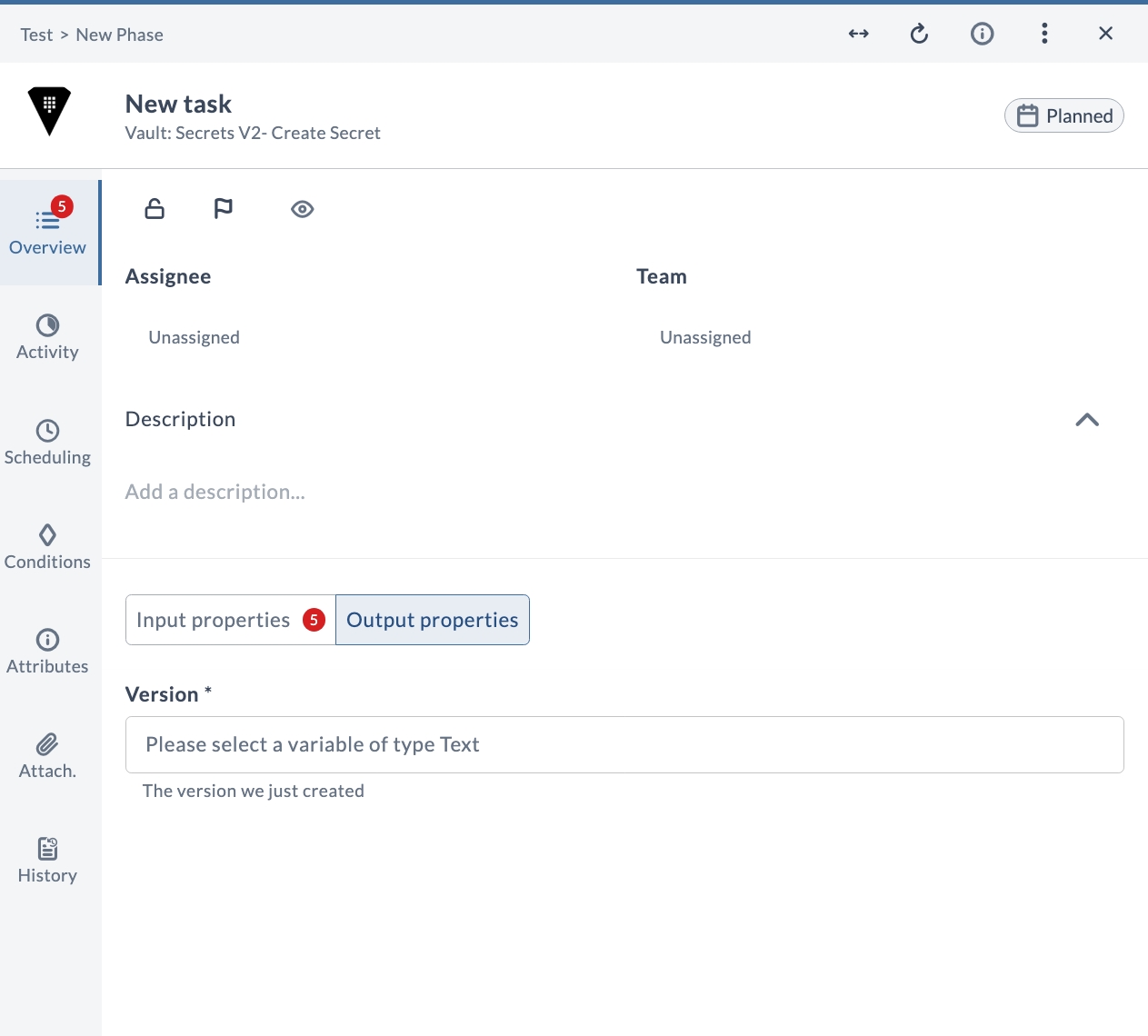
Output Properties
| Field | Description |
|---|---|
| Version * | The version that was just created. |
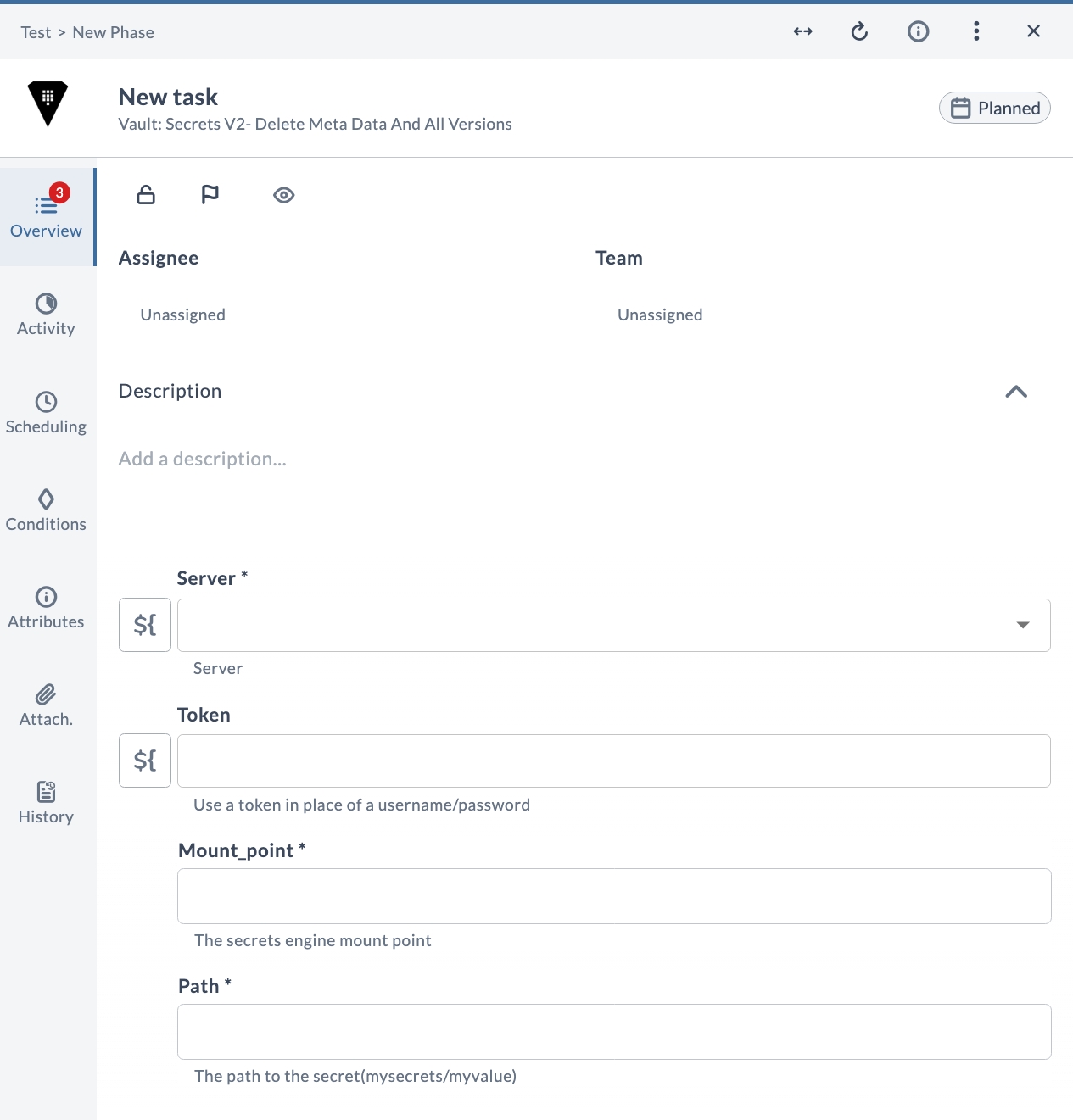
V2 Delete metadata and all versions
Deletes the metadata and all versions of the secret at the given path under the specified mount point.
Input Properties
| Field | Description |
|---|---|
| Server * | The Vault server connection to use. |
| Token | Use a token in place of a username and password. |
| Mount_point * | The secrets engine mount point. |
| Path * | The path to the secret (mysecrets/myvalue). |
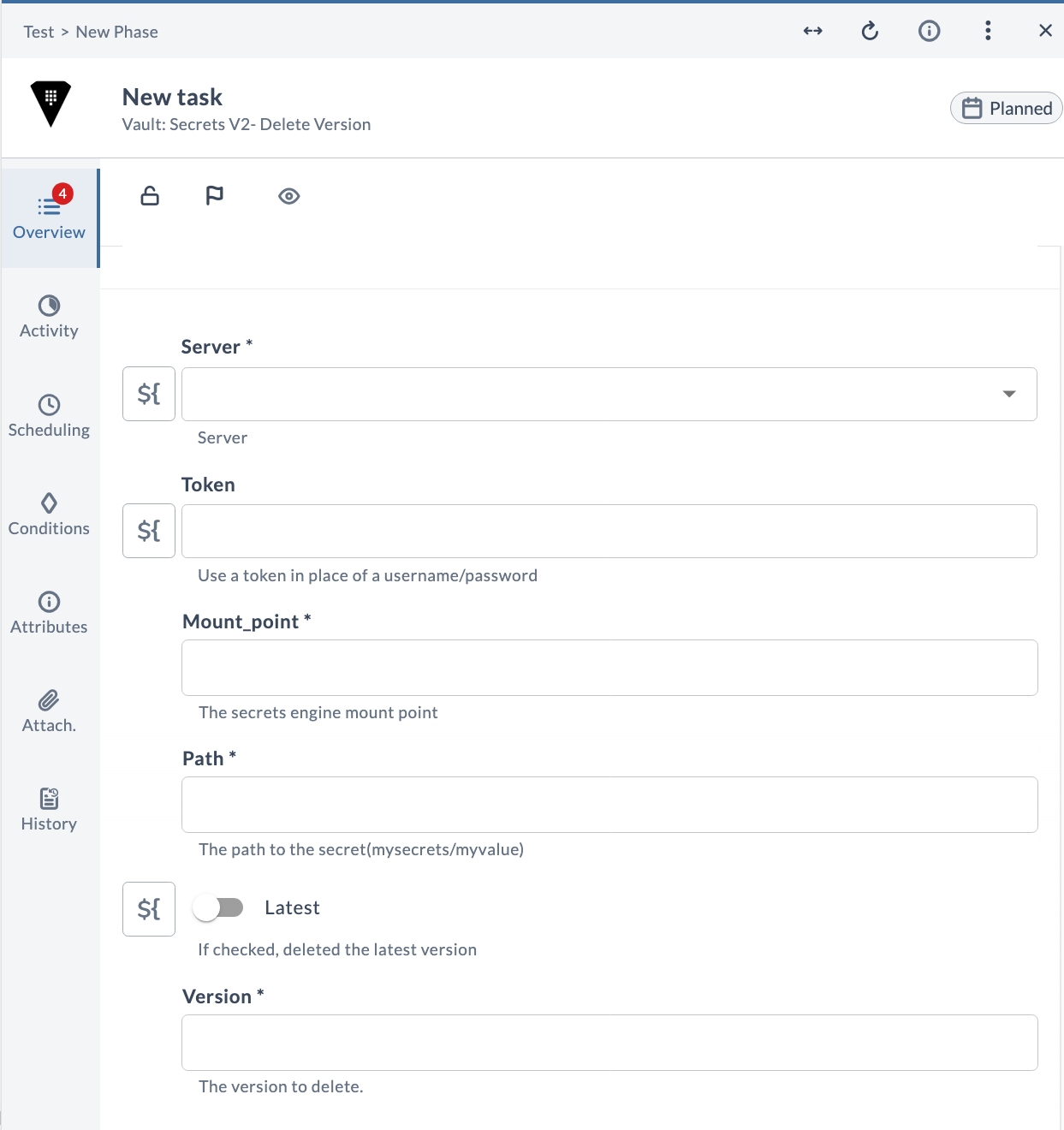
V2 Delete version
Deletes a specific version (or the latest version) of the secret at the given path under the specified mount point.
Input Properties
| Field | Description |
|---|---|
| Server * | The Vault server connection to use. |
| Token | Use a token in place of a username and password. |
| Mount_point * | The secrets engine mount point. |
| Path * | The path to the secret (mysecrets/myvalue). |
| Latest * | If checked, deletes the latest version. |
| Version * | The version to delete. |
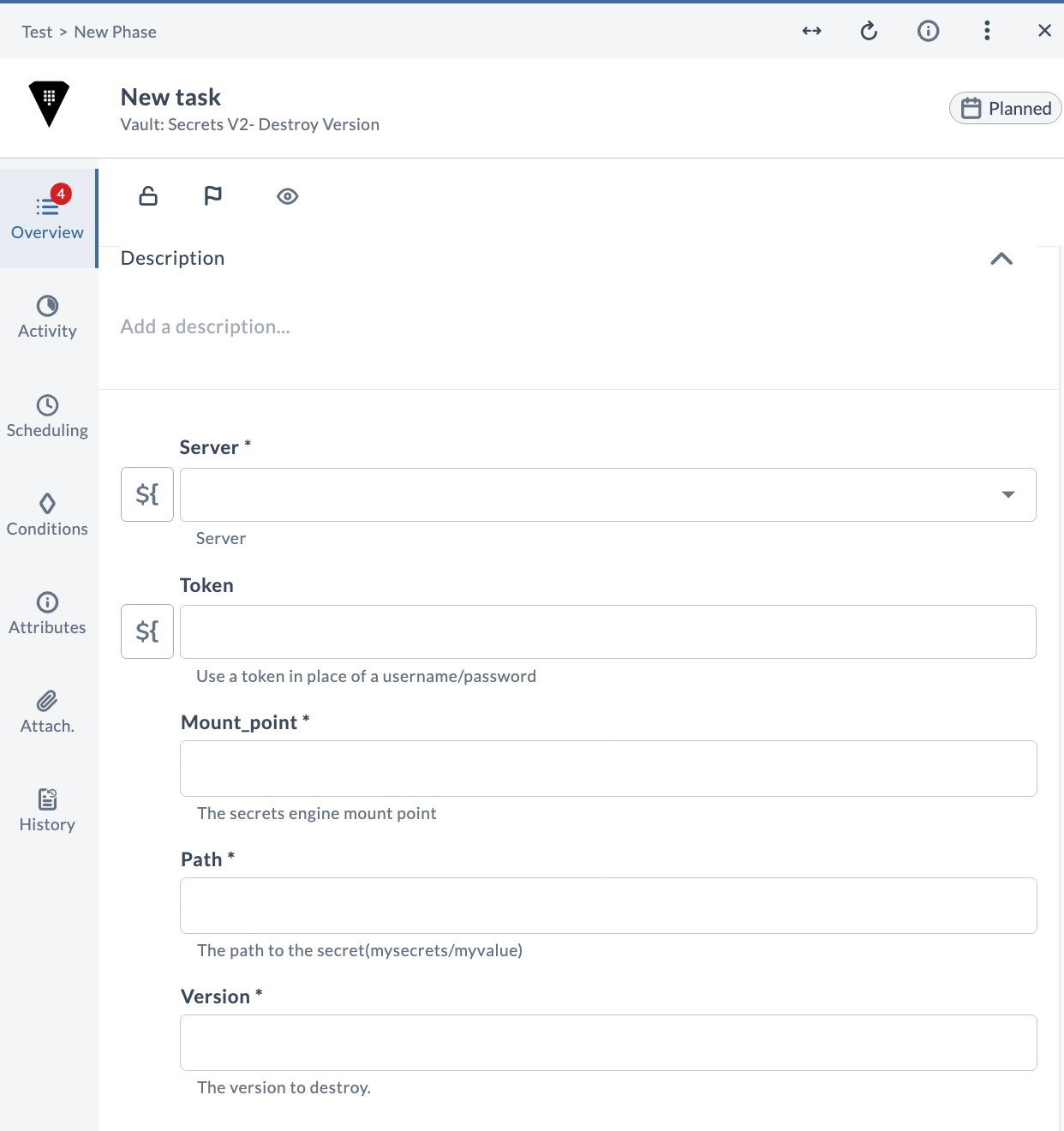
V2 Destroy version
Permanently destroys a specific version of the secret at the given path under the specified mount point.
Input Properties
| Field | Description |
|---|---|
| Server * | The Vault server connection to use. |
| Token | Use a token in place of a username and password. |
| Mount_point * | The secrets engine mount point. |
| Path * | The path to the secret (mysecrets/myvalue). |
| Version * | The version to destroy. |
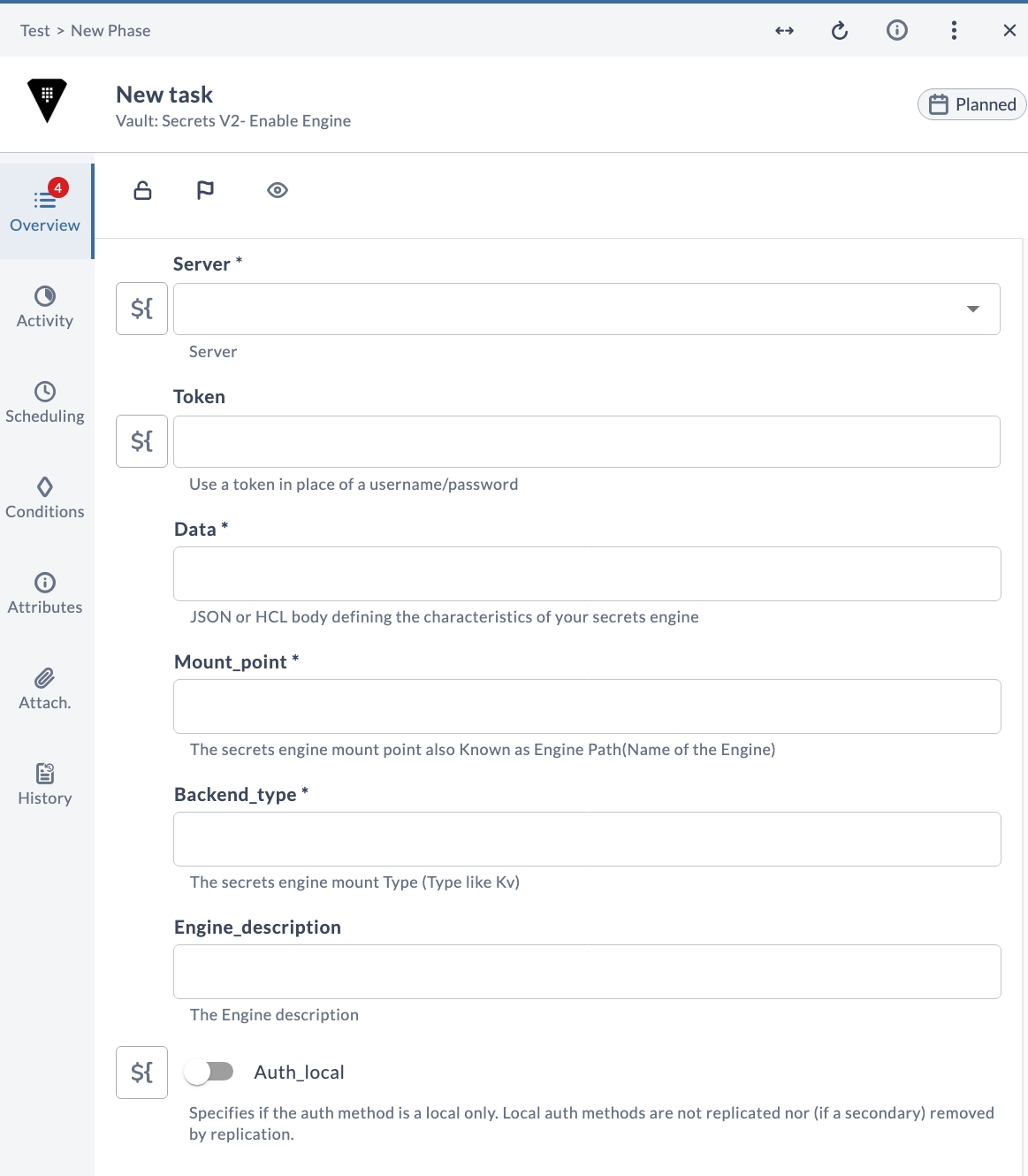
V2 Enable engine
Enables a version 2 secrets engine of the specified backend type at the given mount point. Engine configuration is passed as a JSON or HCL body, and the auth method can optionally be marked as local only.
Input Properties
| Field | Description |
|---|---|
| Server * | The Vault server connection to use. |
| Token | Use a token in place of a username and password. |
| Data * | JSON or HCL body defining the characteristics of your secrets engine. |
| Mount_point * | The secrets engine mount point, also known as the Engine Path (name of the engine). |
| Backend_type * | The secrets engine mount type (a type such as Kv). |
| Engine_description | The engine description. |
| Auth_local | Specifies whether the auth method is local only. Local auth methods are not replicated, nor (if a secondary) removed by replication. |
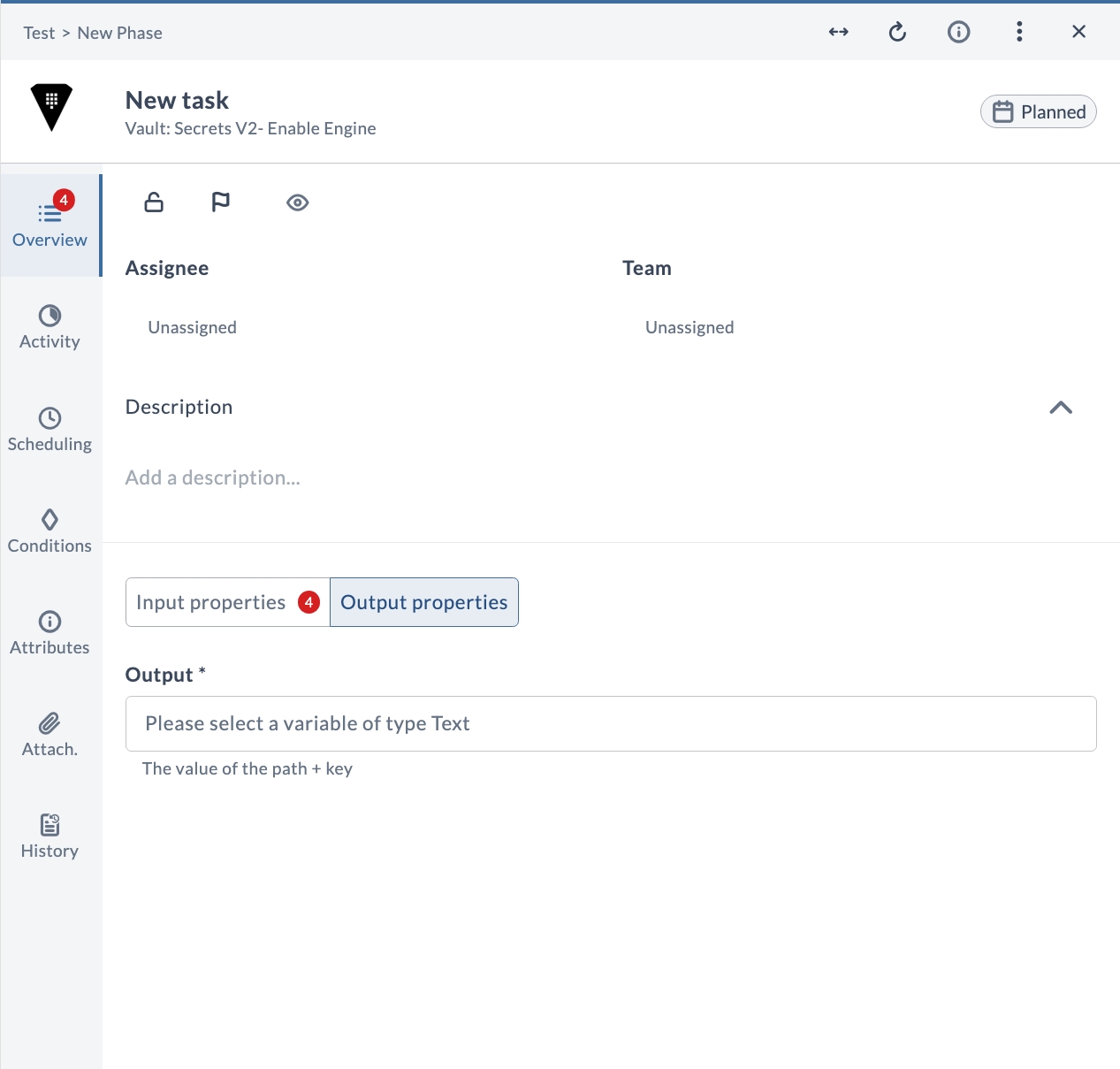
Output Properties
| Field | Description |
|---|---|
| Output * | The value of the path + key. |
V2 List secrets
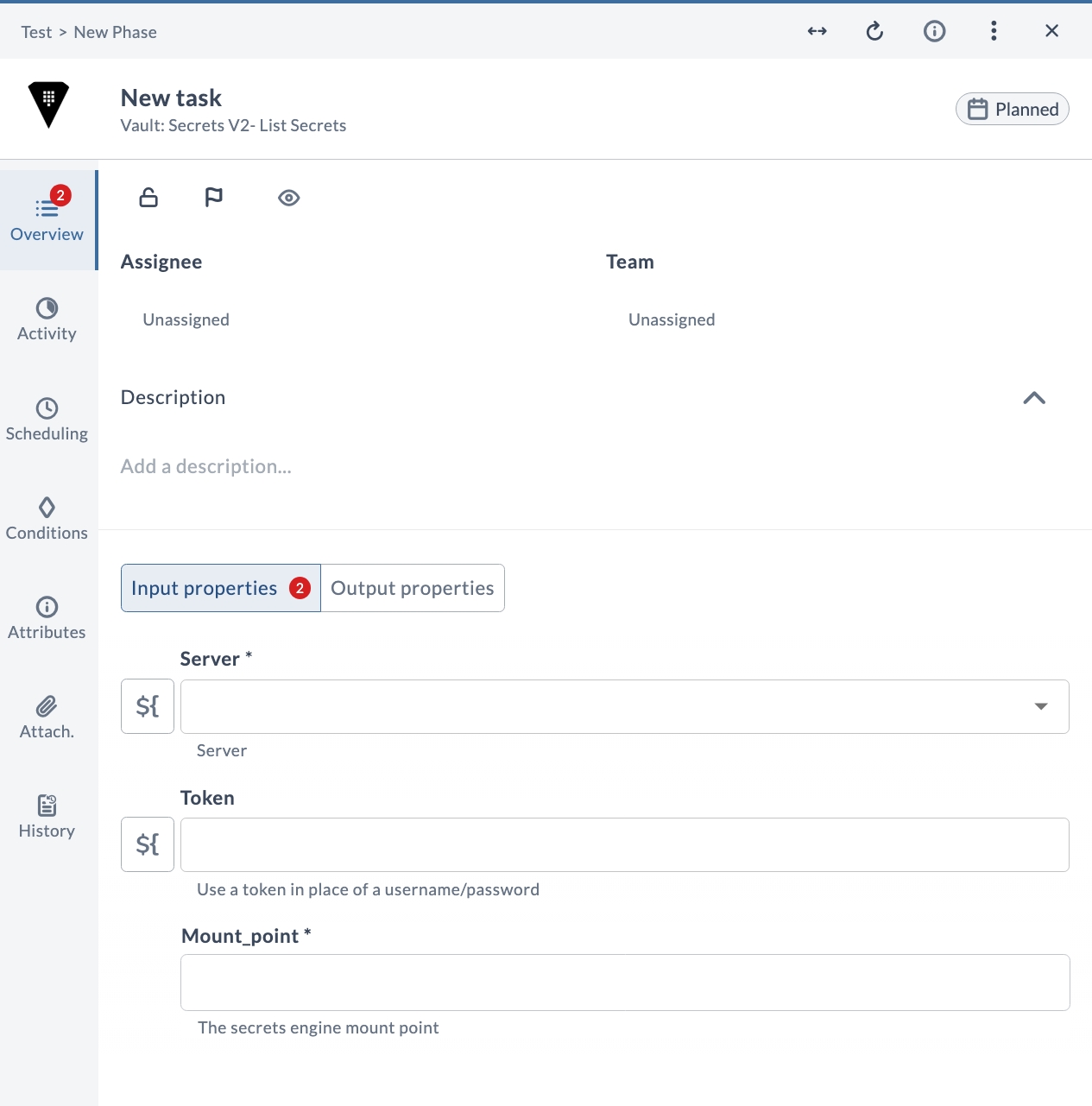
Lists the secrets available under the specified mount point in a version 2 secrets engine. The list of secrets is returned as an output.
Input Properties
| Field | Description |
|---|---|
| Server * | The Vault server connection to use. |
| Token | Use a token in place of a username and password. |
| Mount_point * | The secrets engine mount point. |
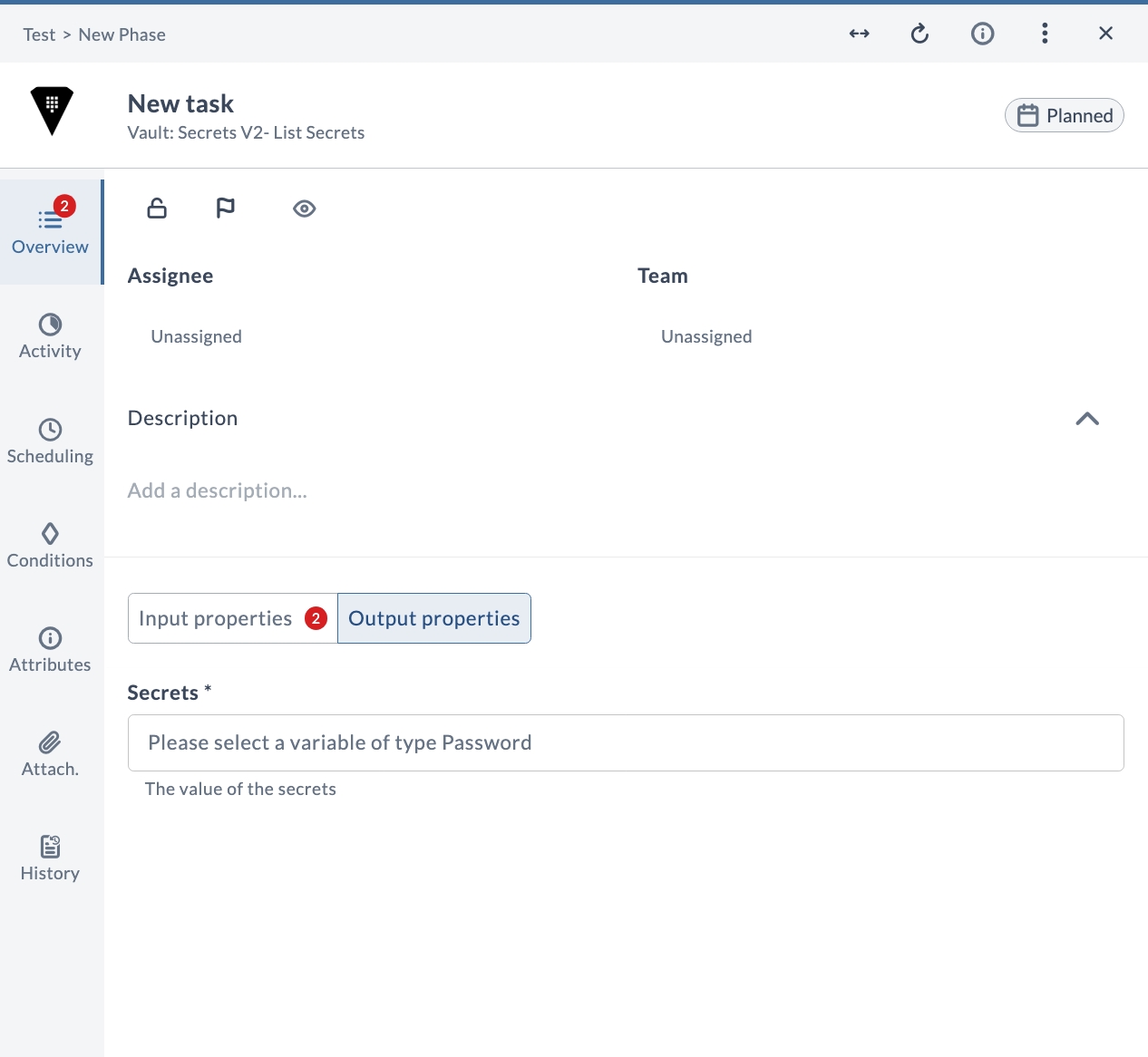
Output Properties
| Field | Description |
|---|---|
| Secrets * | The value of the secrets. |
V2 Patch existing secret
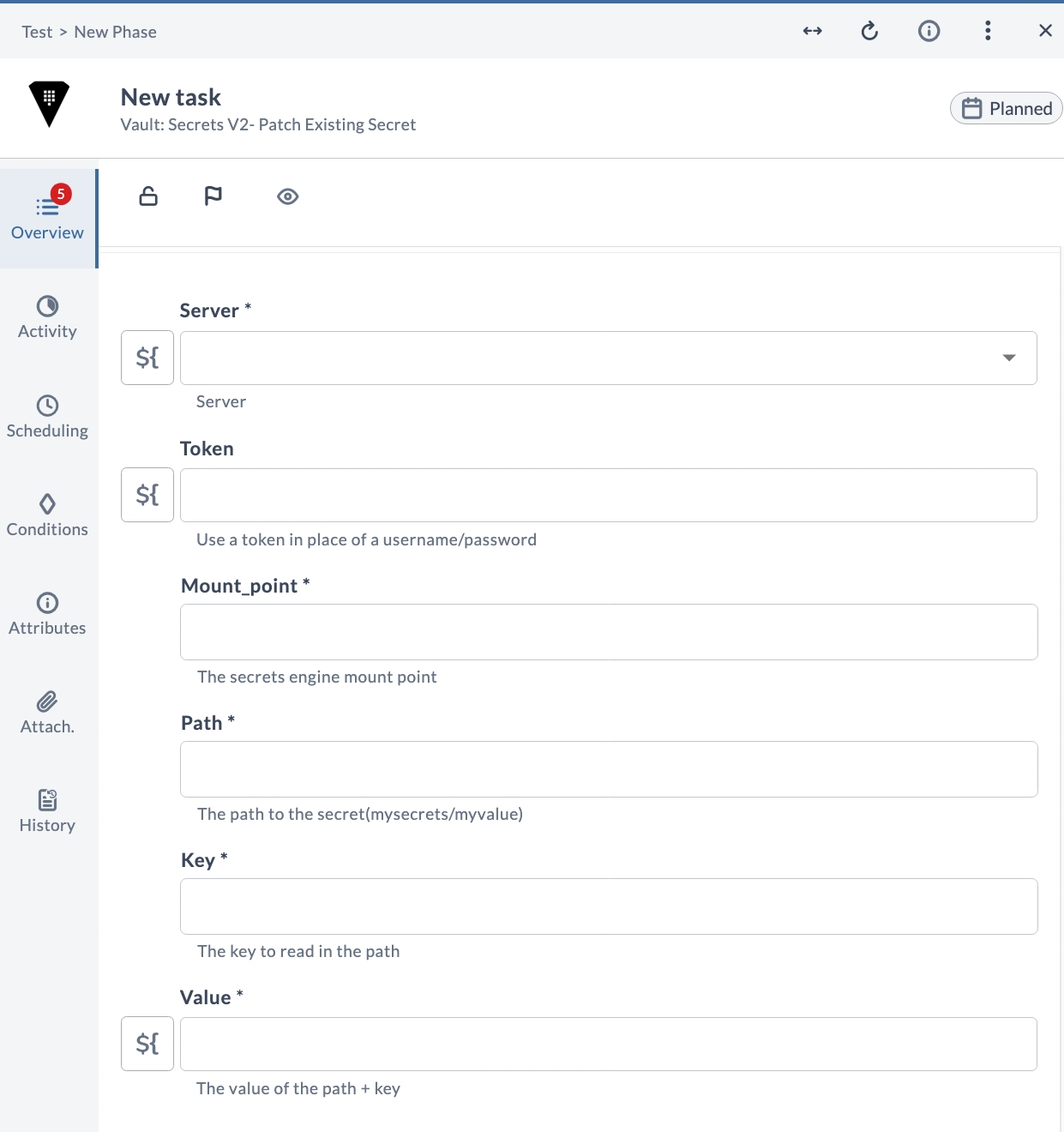
Patches an existing secret in a version 2 secrets engine, updating the given key and value at the specified path and mount point.
Input Properties
| Field | Description |
|---|---|
| Server * | The Vault server connection to use. |
| Token | Use a token in place of a username and password. |
| Mount_point * | The secrets engine mount point. |
| Path * | The path to the secret (mysecrets/myvalue). |
| Key * | The key to read in the path. |
| Value * | The value of the path + key. |
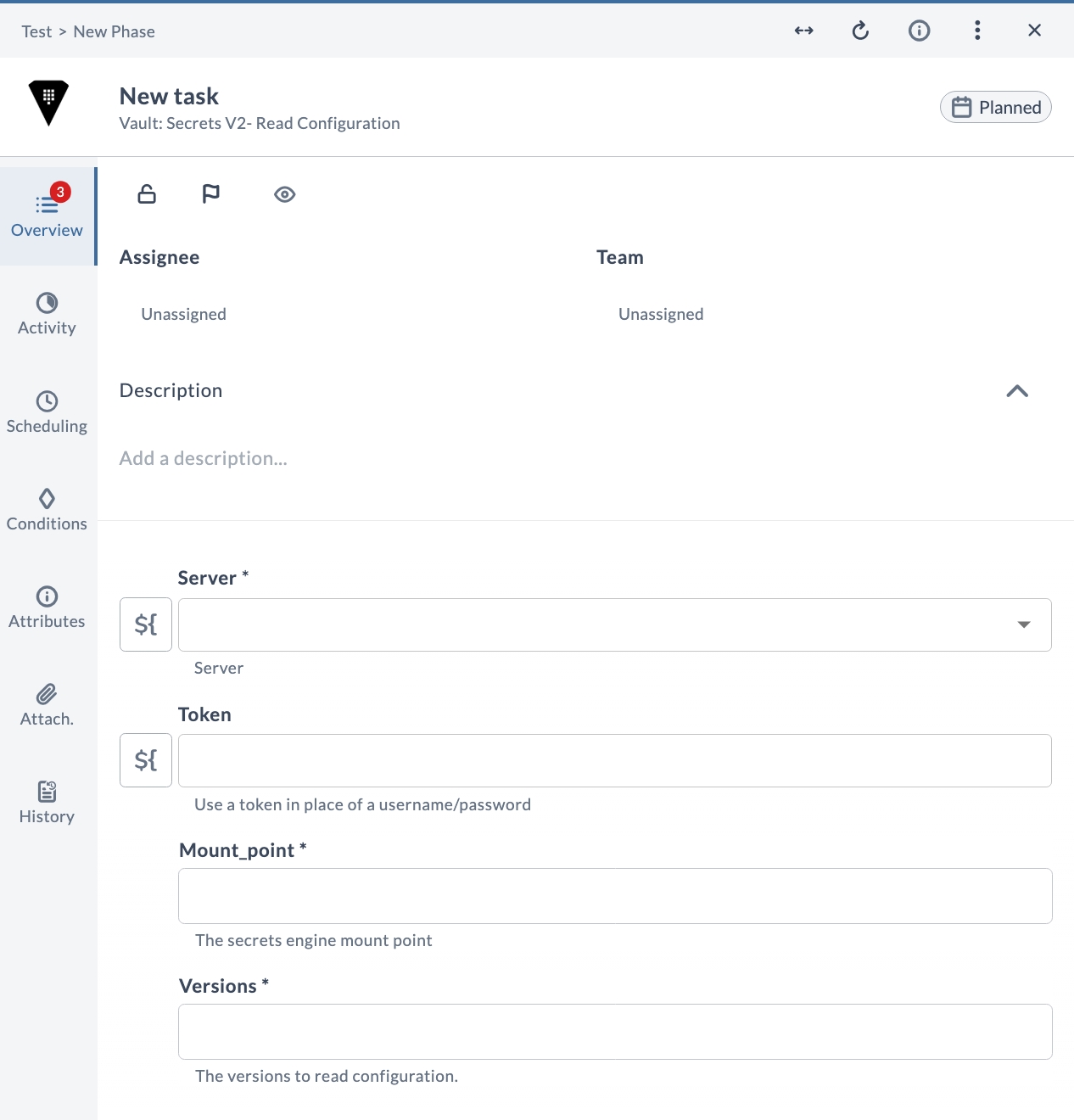
V2 Read configuration
Reads the configuration of a version 2 secrets engine at the specified mount point for the requested versions.
Input Properties
| Field | Description |
|---|---|
| Server * | The Vault server connection to use. |
| Token | Use a token in place of a username and password. |
| Mount_point * | The secrets engine mount point. |
| Versions * | The versions to read configuration. |
V2 Read secret
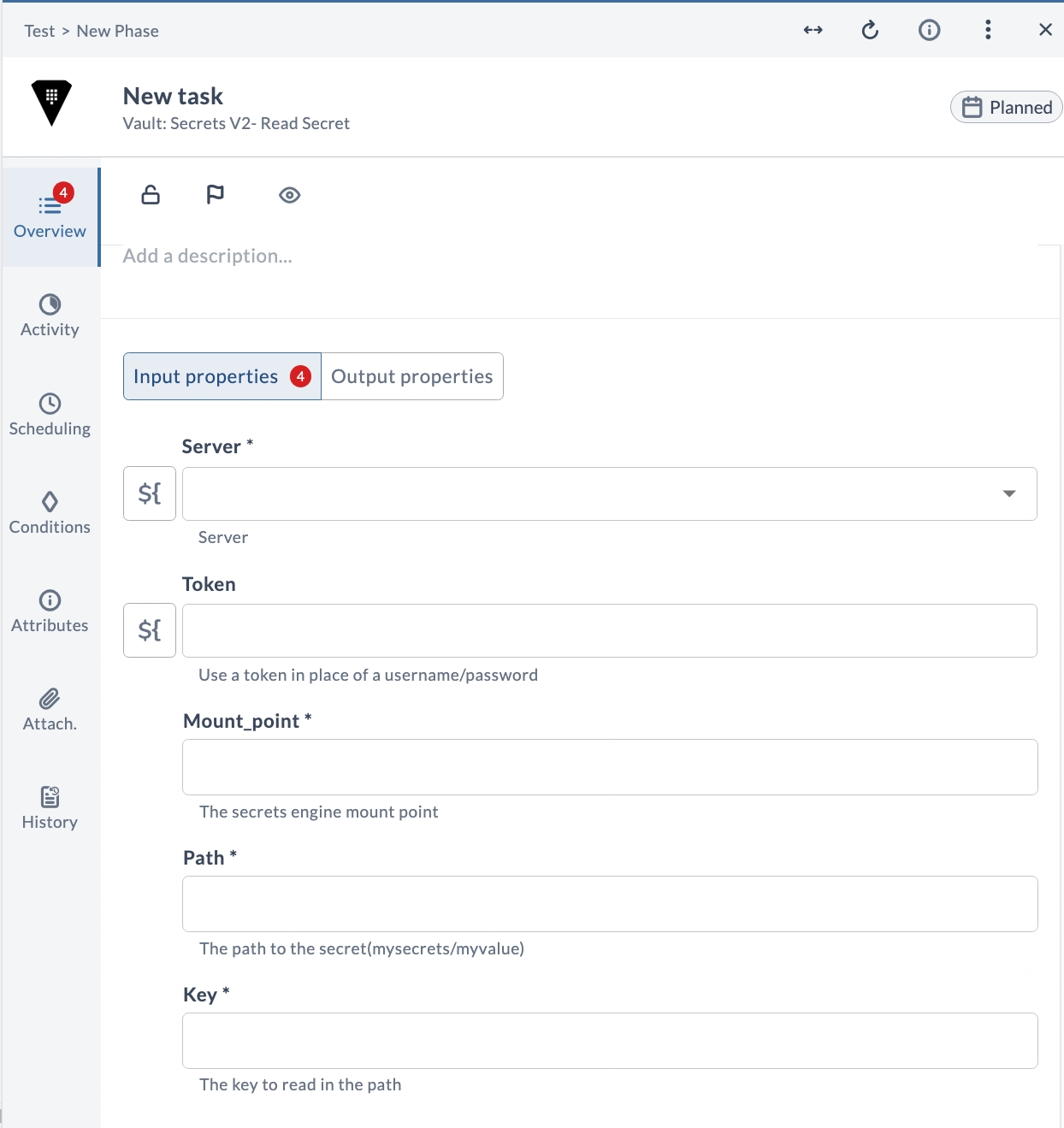
Reads a secret from a version 2 secrets engine at the given path and key under the specified mount point. The secret value is returned as an output and can be stored in a release variable.
Input Properties
| Field | Description |
|---|---|
| Server * | The Vault server connection to use. |
| Token | Use a token in place of a username and password. |
| Mount_point * | The secrets engine mount point. |
| Path * | The path to the secret (mysecrets/myvalue). |
| Key * | The key to read in the path. |
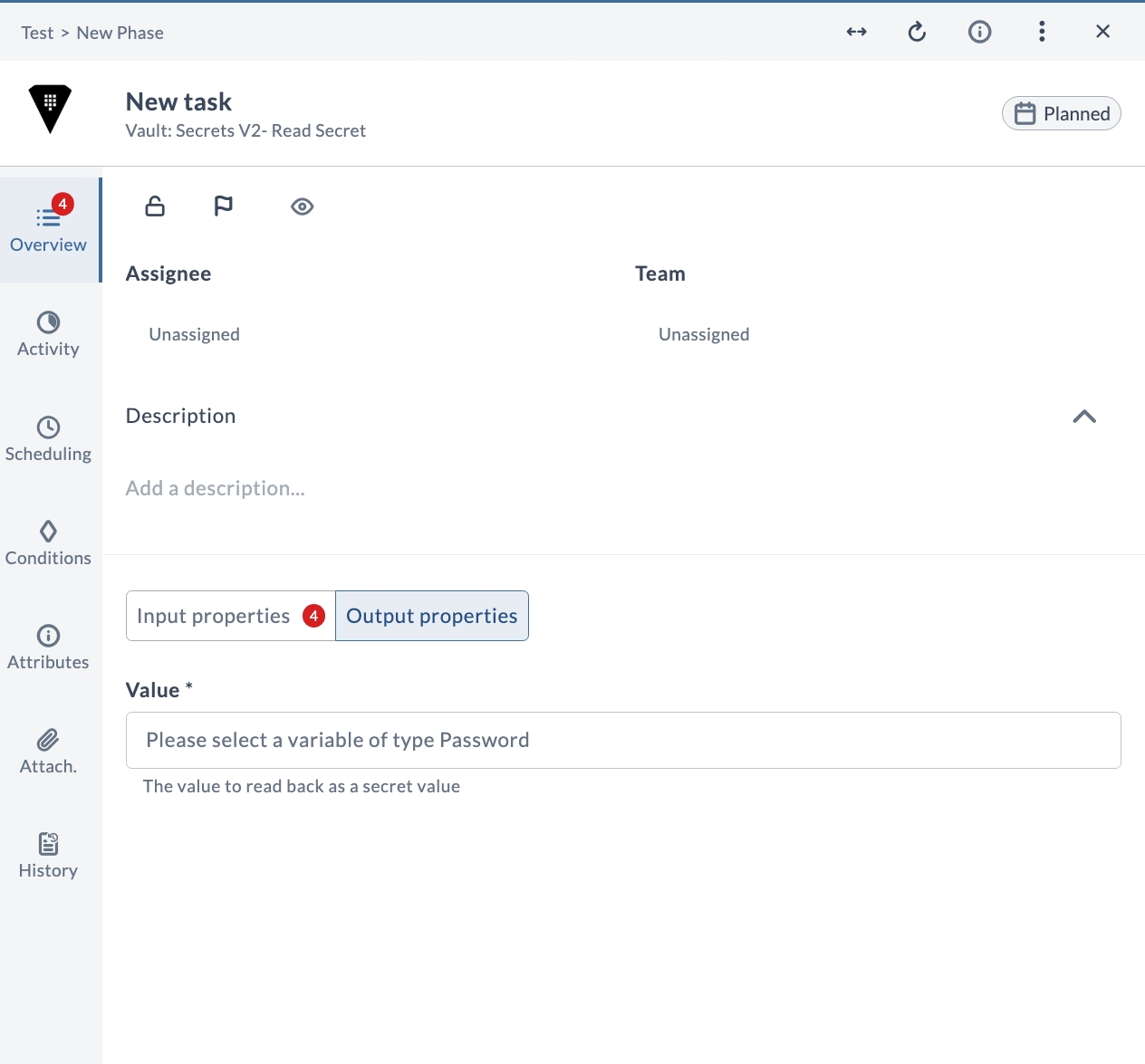
Output Properties
| Field | Description |
|---|---|
| Value * | The value read back as a secret value. |
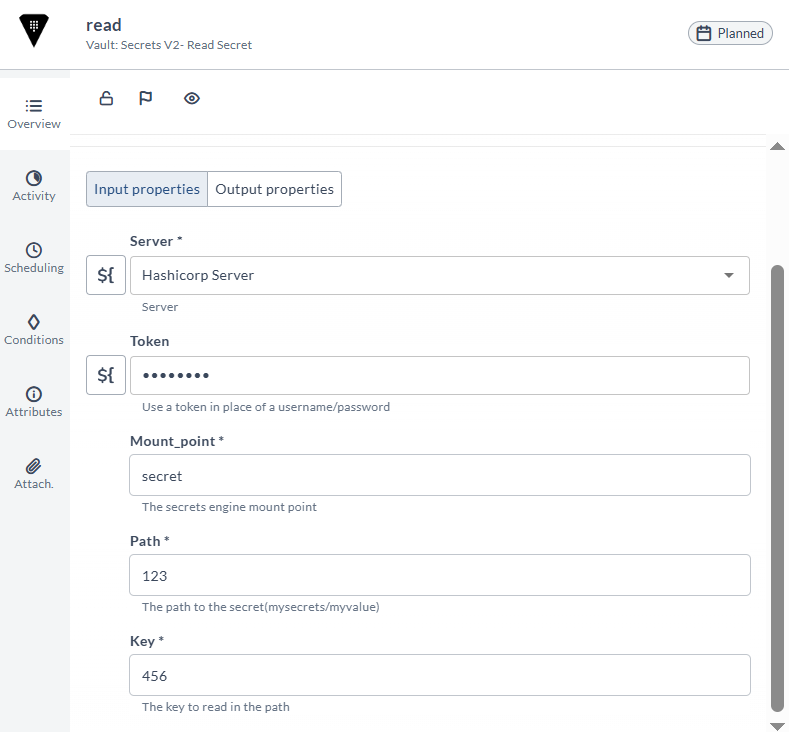
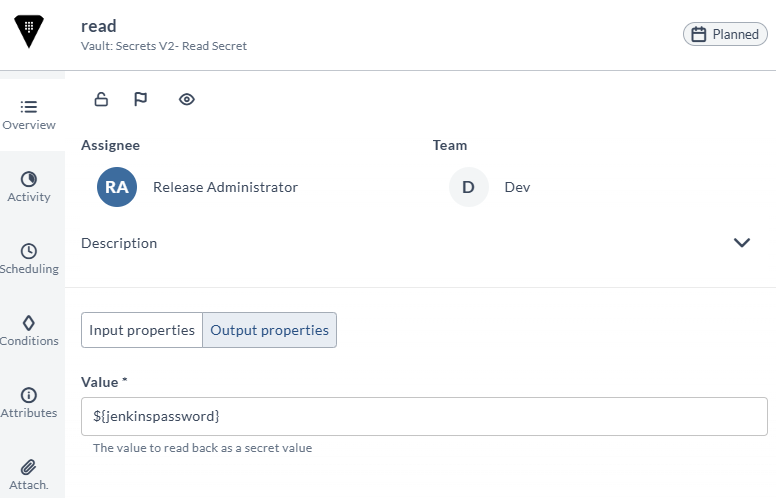
Use the secret as part of another task:
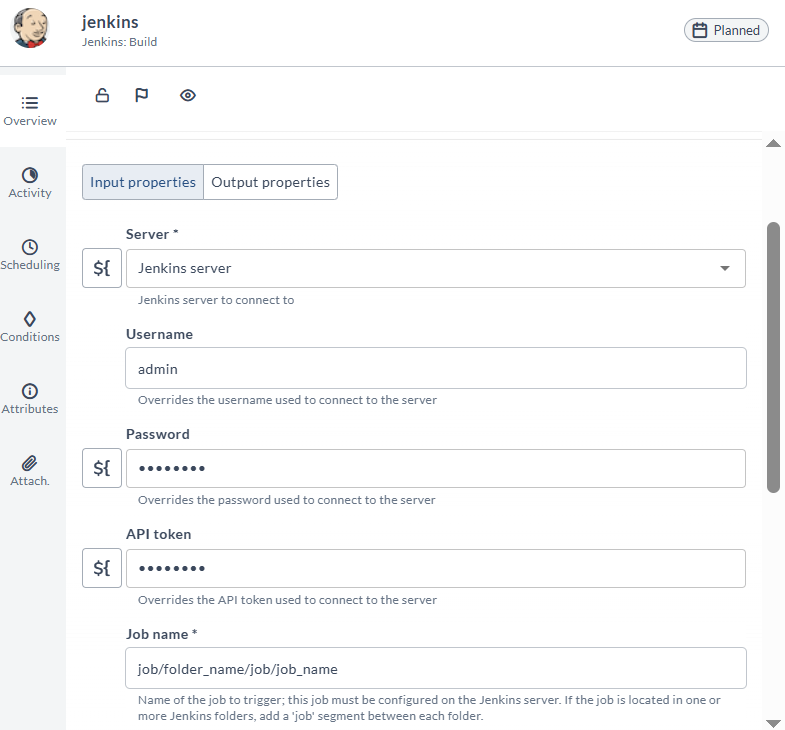
In this example, the HashiCorp Vault Get Secret V2 task is followed by a Jenkins Build task. The Jenkins task uses the release variable jenkpassword (previously populated by Vault) as the Jenkins password, overriding the password configured for the Jenkins server.
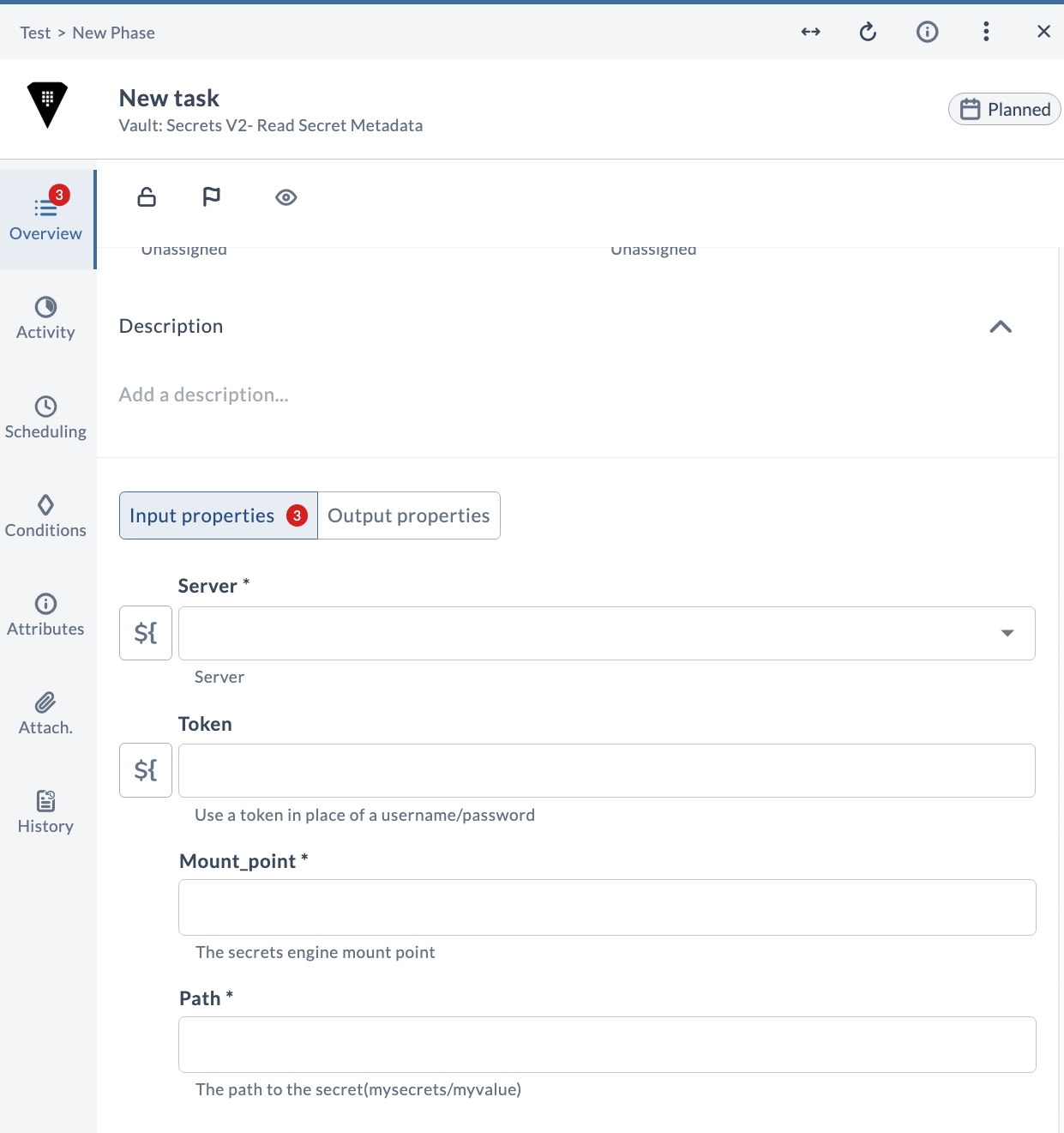
V2 Read secret metadata
Reads the metadata of the secret at the given path under the specified mount point. The metadata is returned as an output.
Input Properties
| Field | Description |
|---|---|
| Server * | The Vault server connection to use. |
| Token | Use a token in place of a username and password. |
| Mount_point * | The secrets engine mount point. |
| Path * | The path to the secret (mysecrets/myvalue). |
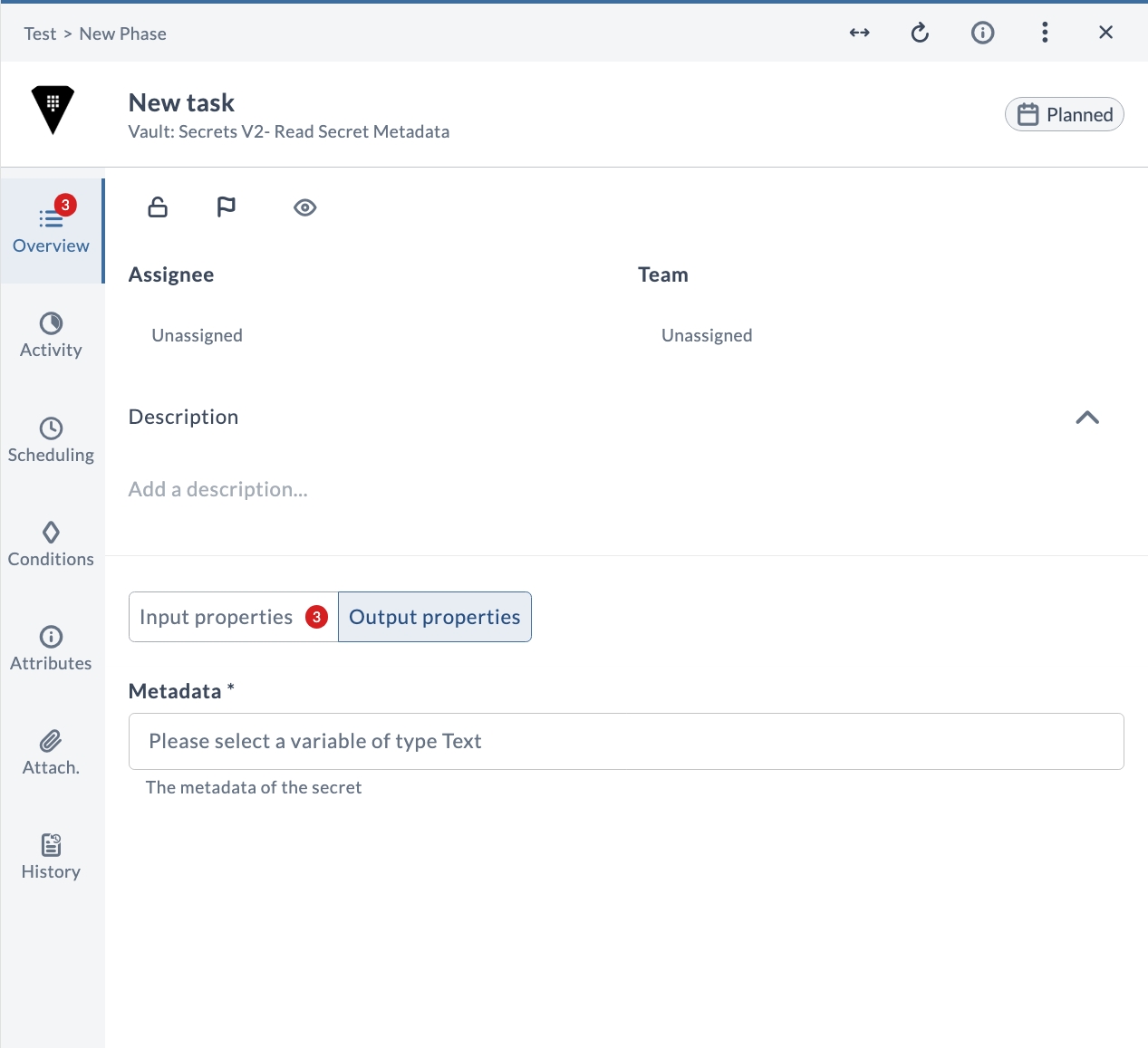
Output Properties
| Field | Description |
|---|---|
| Metadata * | The metadata of the secret. |
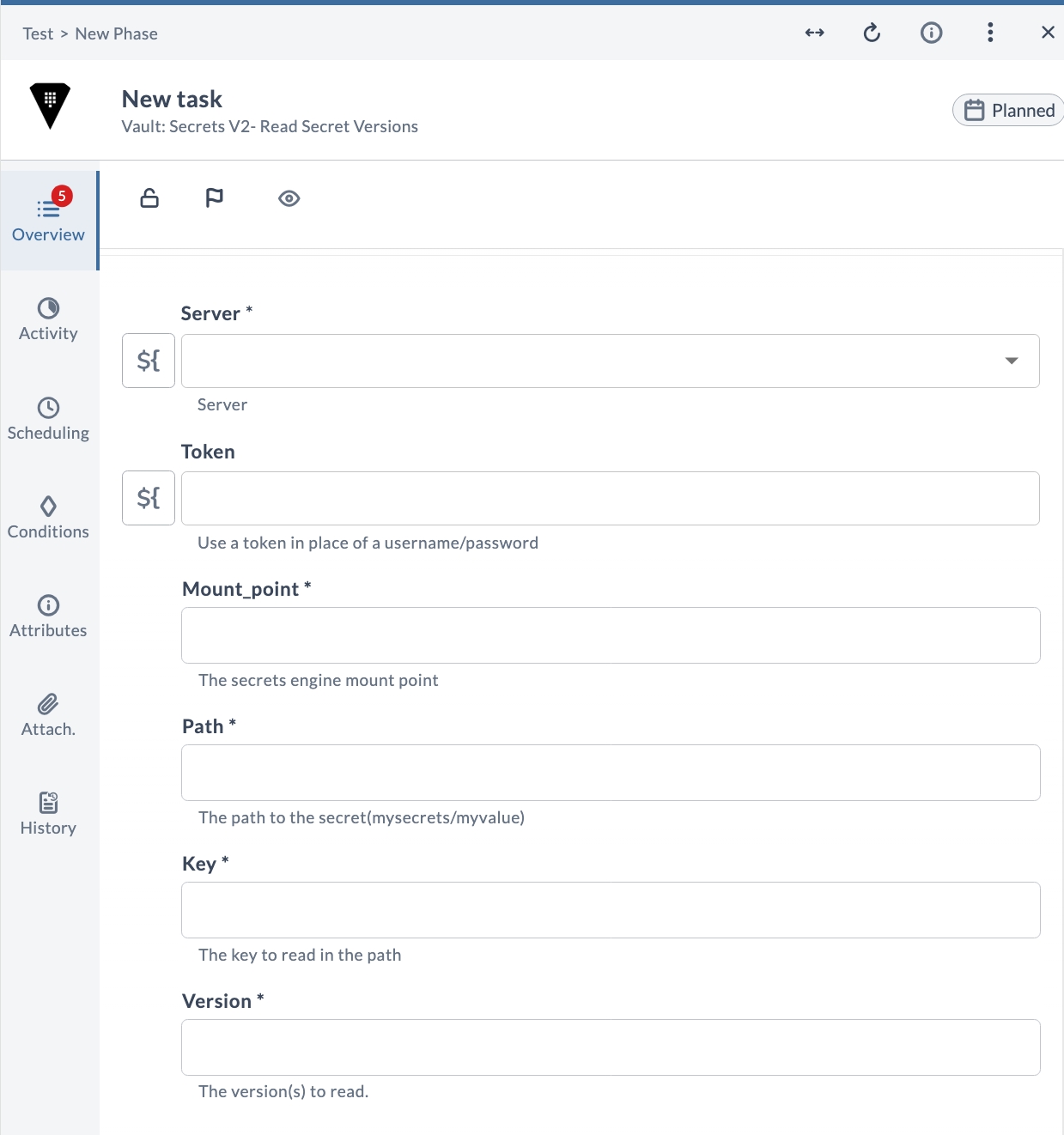
V2 Read secret versions
Reads the requested version(s) of the secret at the given path and key under the specified mount point.
Input Properties
| Field | Description |
|---|---|
| Server * | The Vault server connection to use. |
| Token | Use a token in place of a username and password. |
| Mount_point * | The secrets engine mount point. |
| Path * | The path to the secret (mysecrets/myvalue). |
| Key * | The key to read in the path. |
| Version * | The version(s) to read. |
V2 Undelete version
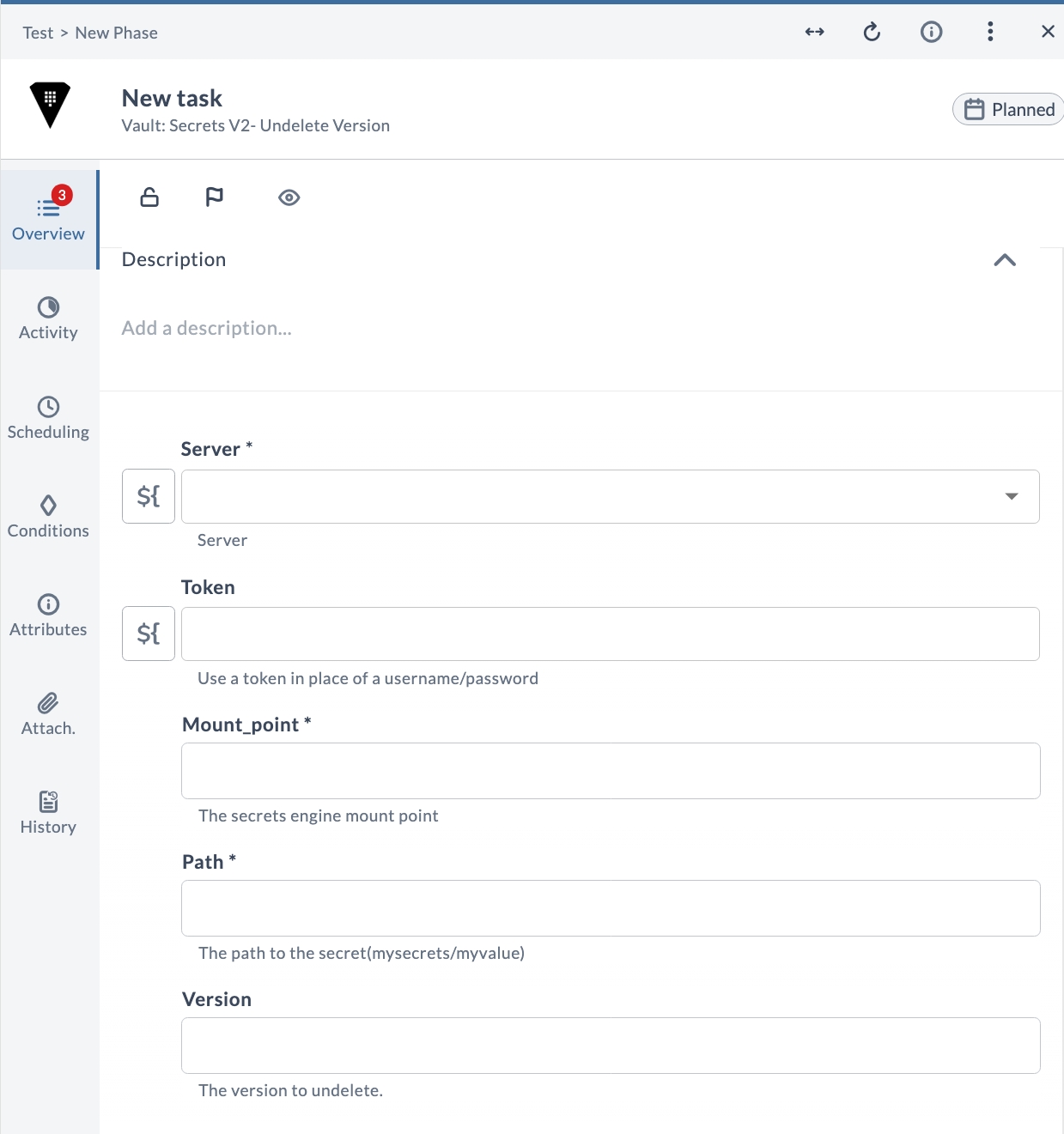
Restores a previously deleted version of the secret at the given path under the specified mount point.
Input Properties
| Field | Description |
|---|---|
| Server * | The Vault server connection to use. |
| Token | Use a token in place of a username and password. |
| Mount_point * | The secrets engine mount point. |
| Path * | The path to the secret (mysecrets/myvalue). |
| Version | The version to undelete. |
V2 Update metadata
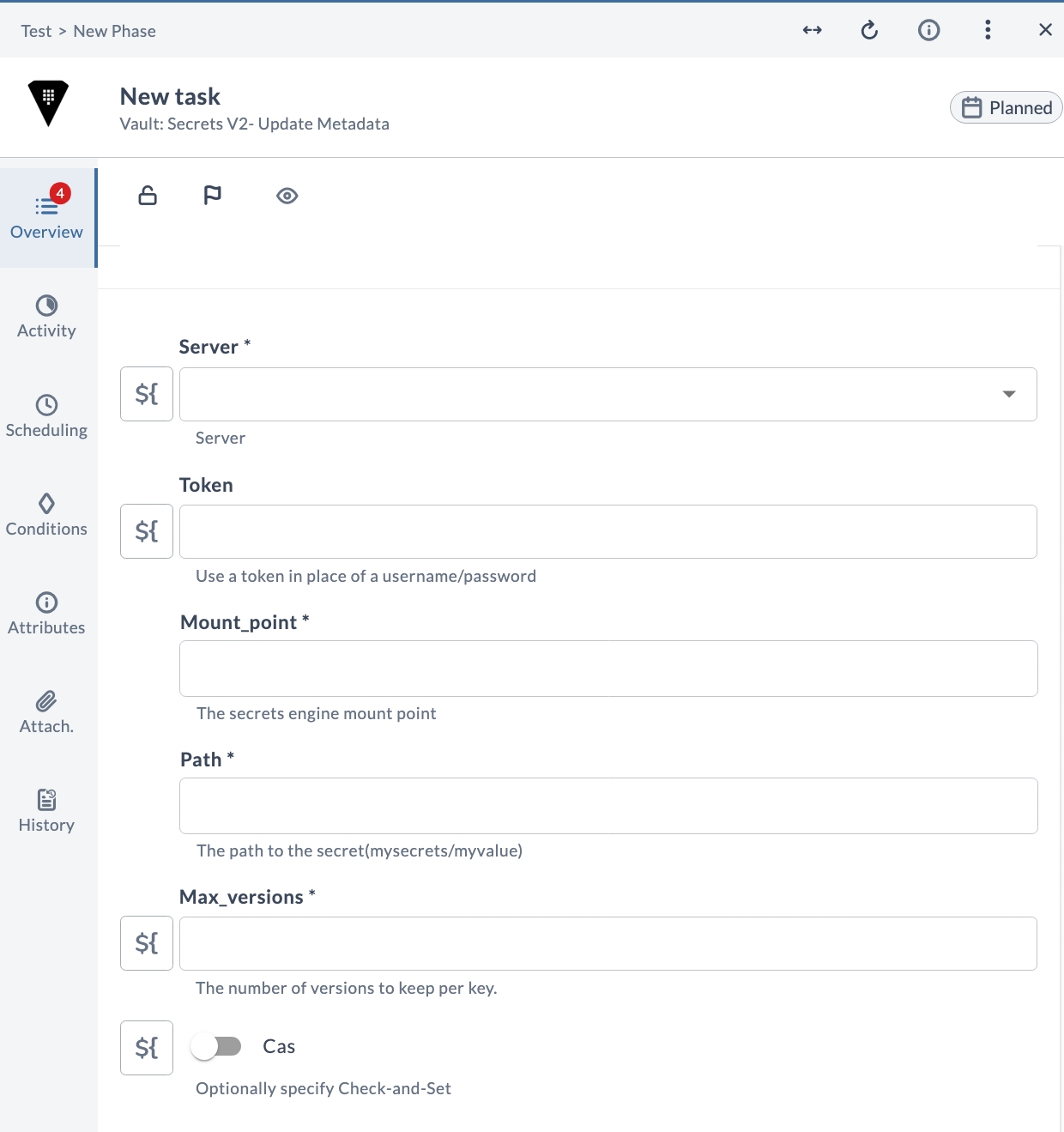
Updates the metadata of the secret at the given path under the specified mount point, setting the maximum number of versions to keep and whether Check-and-Set is required.
Input Properties
| Field | Description |
|---|---|
| Server * | The Vault server connection to use. |
| Token | Use a token in place of a username and password. |
| Mount_point * | The secrets engine mount point. |
| Path * | The path to the secret (mysecrets/myvalue). |
| Max_versions * | The number of versions to keep per key. |
| Cas * | Optionally specify Check-and-Set. |