Python 3 Script (Container) Task
The Python 3 Script (Container) task runs a Python 3 script in a container through the Release Runner. Scripts have direct access to the Release API and to current-context helpers, so you can read and update releases, phases, tasks, and variables without writing boilerplate.
In the release flow editor, Container tasks have a blue border.
Prerequisites
- A configured Digital.ai Release Runner to run container tasks.
- Run-as credentials on the release or template. Every API call and helper runs as this user, so API calls fail if the credentials are not set. Set the Run automated tasks as user and Password properties. Enter a username and password, or leave the username empty and enter a personal access token as the password.
Availability
In Release SaaS, the Python3 Script (Container) plugin is part of the Digital.ai-managed plugin set and is available by default. No manual installation is required.
Add a Python 3 Script Task
- In the release flow tab of a template, add a task of type Script > Python3 Script (Container).
- Click the added task to open it.
- In the Capabilities field, enter a value that matches the capability set for your Runner. This will help you to route jobs to that particular Runner.
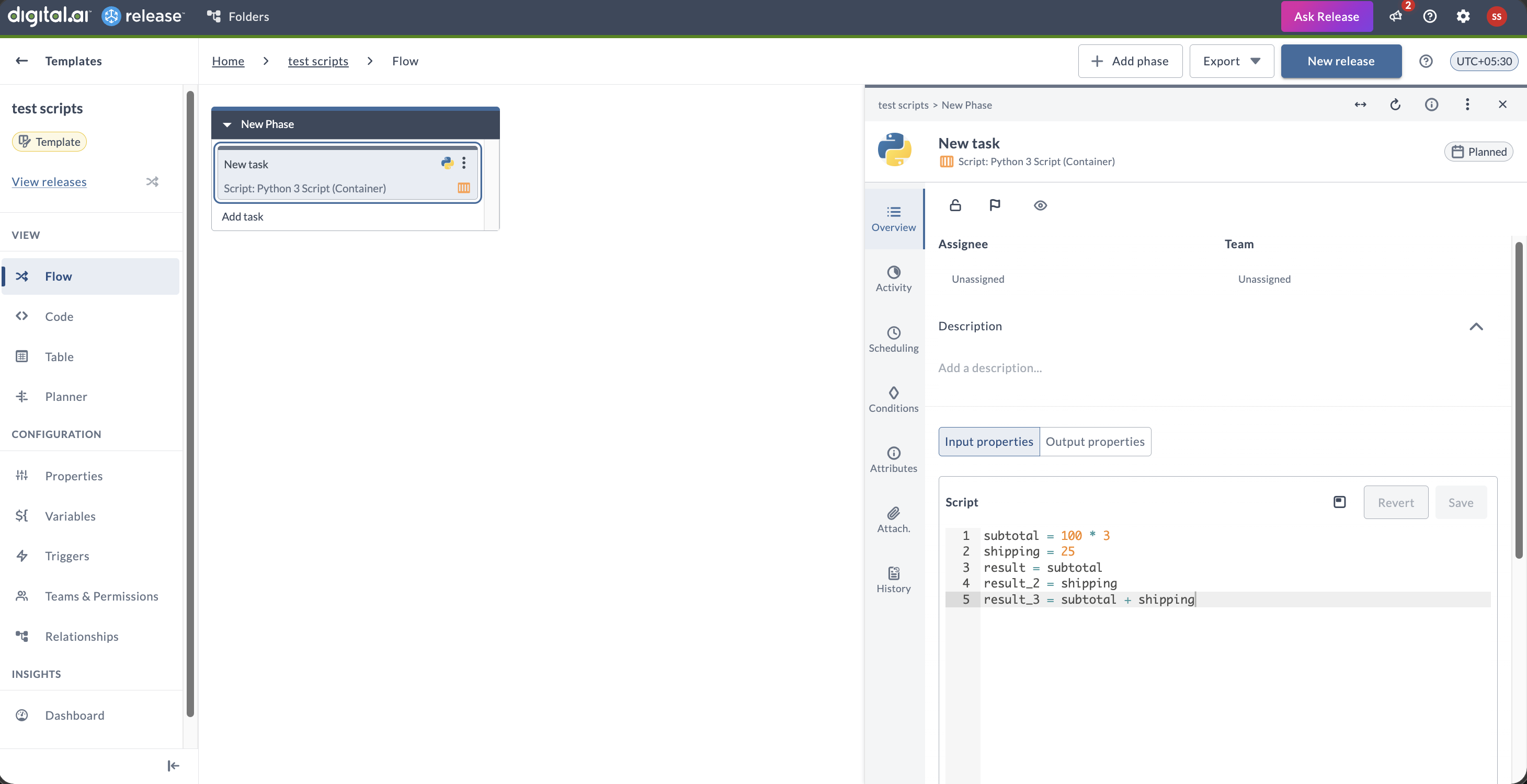
- In the Script field, type or paste the Python 3 script that you want to execute. This field uses the same script editor as Jython Script tasks.
The following script calculates subtotal, shipping, and total order cost:
subtotal = 100 * 3
shipping = 25
result = subtotal
result_2 = shipping
result_3 = subtotal + shipping
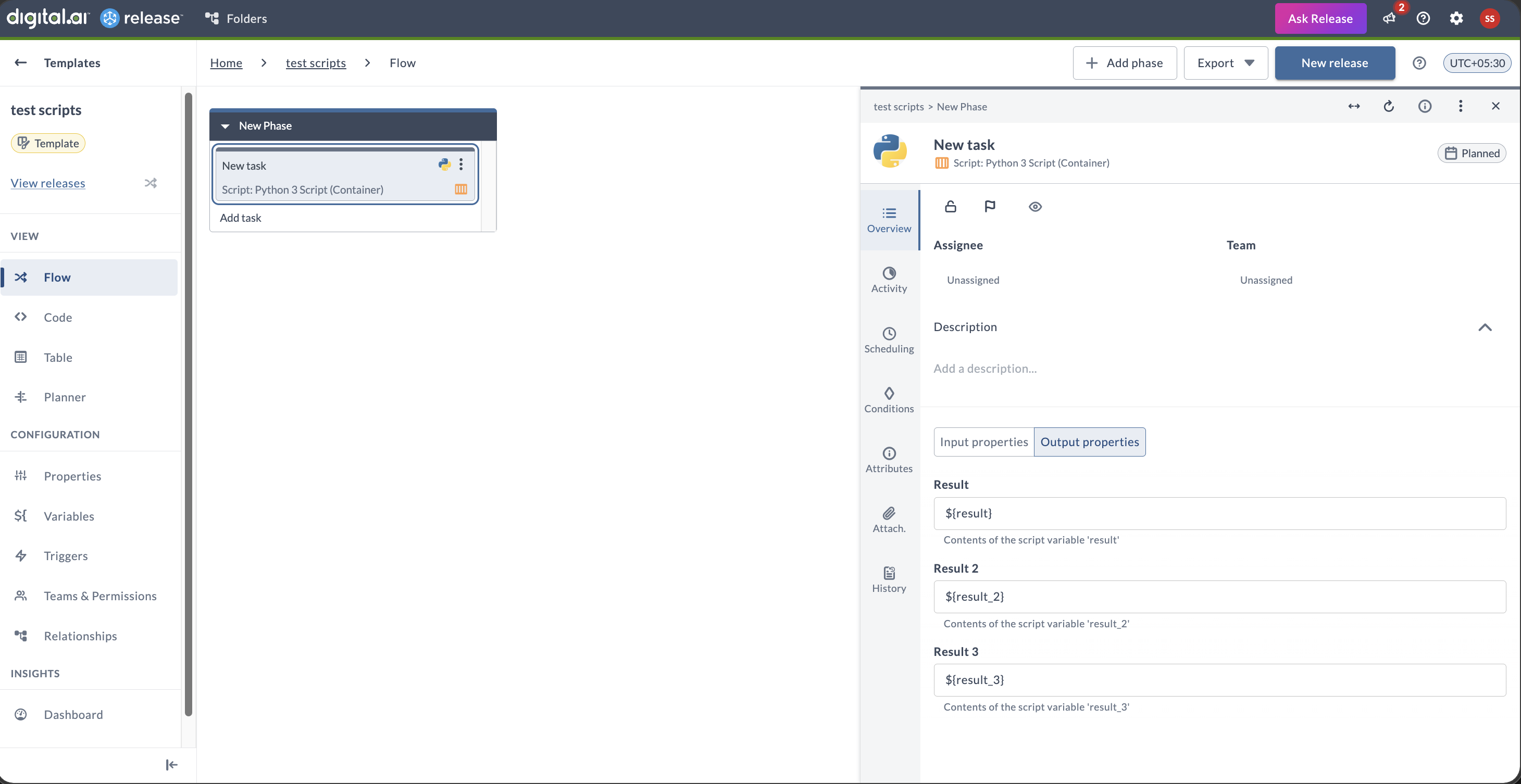
All three values (result, result_2, result_3) are available as output properties in the task result.
Runtime and Packages
The container image includes the Python 3 standard library and transitive dependencies of the bundled Python SDK, such as requests and pydantic. Additional packages not in the image (such as numpy or pandas) are not importable unless added to the container image.
Predefined Objects and Methods
The Python 3 Script task provides access to predefined API objects and helper methods. These are available directly in your script without importing:
| Object / Method | Purpose |
|---|---|
releaseApi | Access Release API methods (create, retrieve, update releases) |
phaseApi | Access Phase API methods |
taskApi | Access Task API methods |
folderApi | Access Folder API methods |
templateApi | Access Template API methods |
configurationApi | Access shared configurations and global variables |
variableApi | Access variable operations |
getCurrentRelease() | Get the current release context |
getCurrentPhase() | Get the current phase context |
getCurrentTask() | Get the current task context |
getCurrentFolder() | Get the current folder context |
getReleaseVariable(name) | Get a release variable by name |
setReleaseVariable(name, value) | Set a release variable |
getGlobalVariable(name) | Get a global variable |
setGlobalVariable(name, value) | Set a global variable |
Example script accessing predefined objects:
from com.xebialabs.xlrelease.domain.release import Release

# Get current release and add a comment
release = getCurrentRelease()
result = f"Working on release: {release.title}"

# Retrieve a release variable
build_number = getReleaseVariable("buildNumber")
result_2 = f"Build: {build_number}"

# Update a release variable
setReleaseVariable("deployTarget", "production")
result_3 = "Deployment target set to production"
Sample Scripts
This example creates a release from a template, renames its first phase, and starts the release:
from datetime import datetime, timedelta, timezone
from com.xebialabs.xlrelease.domain.forms import CreateRelease
from com.xebialabs.xlrelease.domain.release import Release

release_title = "Automated Release (sample)"
phase_title = "Build"

# Create a template with a start date
start = datetime.now(timezone.utc)
template = templateApi.createTemplate(
    Release(
        title=f"{release_title} - Template",
        scheduledStartDate=start,
        dueDate=start + timedelta(days=7),
    )
)
print(f"Template created -> id={template.id}")

# Create a release from the template
release = templateApi.create(
    template.id,
    CreateRelease(releaseTitle=release_title),
)
print(f"Release created -> id={release.id}, status={release.status}")

# Rename the default phase
created = releaseApi.getRelease(release.id)
phase = created.phases[0]
phase.title = phase_title
phase = phaseApi.updatePhase(phase.id, phase)
print(f"Phase renamed -> title='{phase.title}'")

# Start the release
started = releaseApi.start(release.id)
print(f"Release started -> status={started.status}")

# Return results
result = started.id
result_2 = phase.id
result_3 = f"status={started.status}"