Troubleshooting Agent
The Troubleshooting Agent is an agent in AI Assistant that investigates failed releases and tasks. Ask it why a release failed, which tasks failed and with what errors, or whether the same failure repeats across releases. The agent answers from the failure details recorded in Release.
To explain a single failed task from the task itself, use the Explain error button instead. For more information, see Task Troubleshooting. For how agents work in general, see AI Assistant Agents.
Availability and Requirements
The Troubleshooting Agent is ready to use out of the box, with no setup required.
Results follow Release permissions (RBAC), so the agent analyzes only the releases and tasks you are authorized to view.
Start a Troubleshooting Conversation
-
In the top navigation bar, click the AI Assistant icon.
-
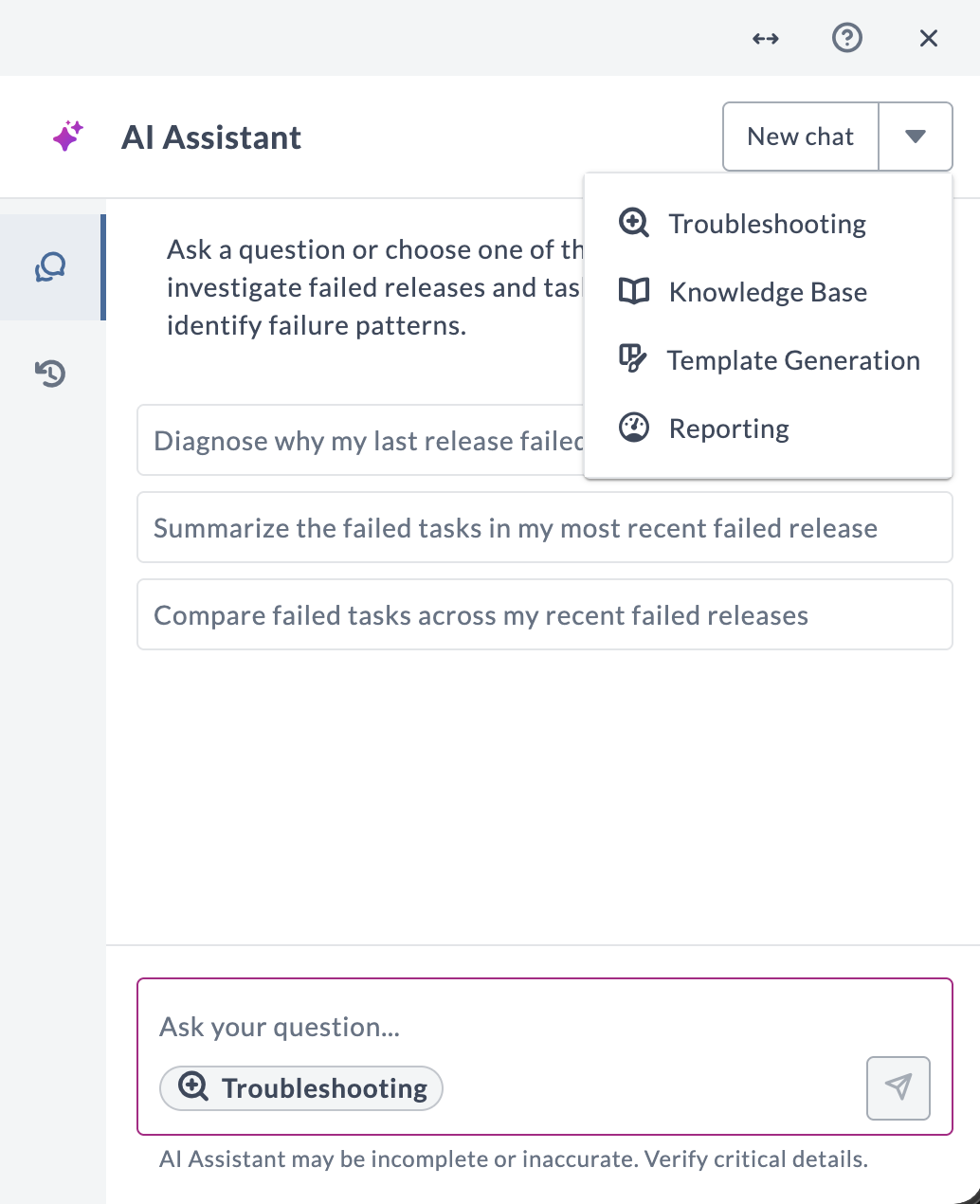
Click the drop-down arrow next to New chat.
-
Select Troubleshooting.
-
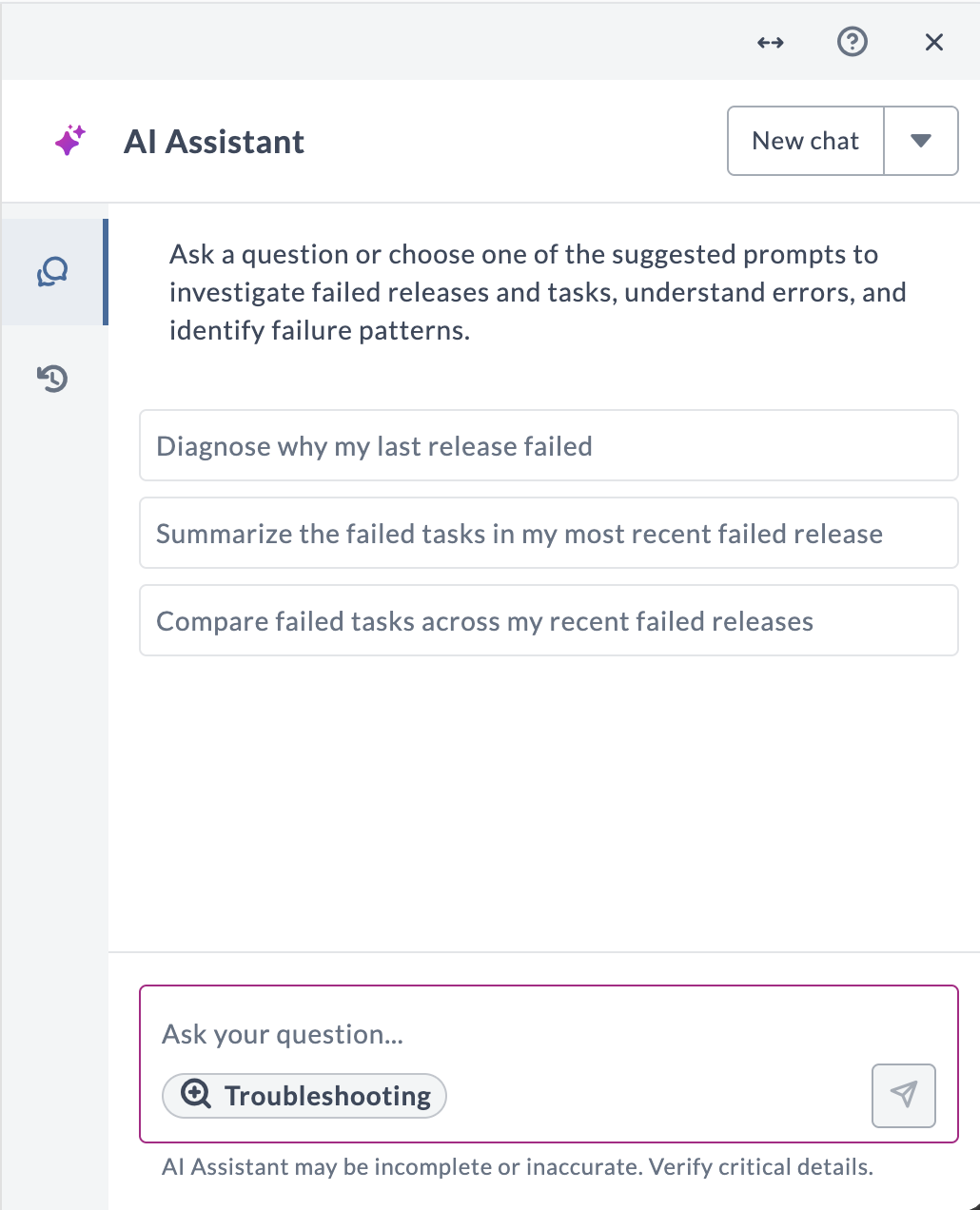
Type a question about a failed release or task, or click one of the prompt starters.
The agent's welcome message appears, and the Troubleshooting label in the message input shows that the agent is selected.
The conversation stays with the Troubleshooting Agent for its life. See Domain is locked per conversation.
Prompt Starters
The Troubleshooting Agent offers prompt starters that you can click instead of typing a question:
- Diagnose why my last release failed
- Summarize the failed tasks in my most recent failed release
- Compare failed tasks across my recent failed releases
What You Can Ask About
The Troubleshooting Agent answers questions about failures in your Release data, such as:
- Why a release failed and which of its tasks caused the failure.
- Which tasks failed in a release and the errors they reported.
- Whether the same tasks or errors repeat across your recent failed releases.
Example questions:
- "Why did [release name] fail?"
- "Which tasks failed in [release name]?"
- "Do the same tasks fail across my recent failed releases?"
When a question covers more than one release, the agent analyzes up to five of the most recent failed releases that match it.
Troubleshooting Agent vs. Task Troubleshooting
AI Assistant offers two ways to troubleshoot a failure. They differ in where you start and what the conversation covers:
| Troubleshooting Agent | Task troubleshooting | |
|---|---|---|
| Where you start | Agent selector in the AI Assistant panel | Explain error on a failed task |
| What it covers | Failed releases and their tasks, including failures across recent failed releases | The failure of one task |
Questions Outside Troubleshooting
The Troubleshooting Agent answers questions about failures. If you ask about something unrelated, such as a reporting question or a how-to question about Release, the agent states that it is limited to troubleshooting and does not answer the question. To ask about other topics, start a new chat with a different agent, as described in Switch to a different agent.
Known Limitations
- When a question covers more than one release, the agent analyzes up to five of the most recent matching failed releases.
- The agent reads failure details recorded in Release. It does not connect to external systems such as Jenkins, Jira, or Git to retrieve their logs.
- The agent is read-only. It cannot retry a task, restart a release, or change any configuration in Release.