Terraform Enterprise Plugin
The Digital.ai Release Terraform Enterprise plugin integrates Release with Terraform Enterprise (TFE) and Terraform Cloud. It lets you provision and update infrastructure as part of a release pipeline by managing workspaces, configuration versions, variables, and runs directly from a release flow.
A typical workflow is to create a workspace, upload a Terraform configuration, trigger a run, wait for it to complete, and read the resulting workspace state.
Prerequisites
Before using this plugin, ensure the following:
- Digital.ai Release 25.1 or later.
- A running Terraform Enterprise or Terraform Cloud instance.
- A TFE API token with sufficient permissions for the target organization.
- The Terraform Enterprise plugin installed in Release. For more information, see Install the Plugin.
Install the Plugin
To install the plugin:
- Open Release.
- Click the
 on the top right.
 - Select Manage Plugins.
- Search for
Terraform Enterprise. - Click Install Now next to the Terraform Enterprise plugin.
For more information on plugin installation, see Plugin Manager.
Set up Connection to Terraform Enterprise Server
- Log in to Digital.ai Release.
- From the navigation pane, under CONFIGURATION, click Connections.
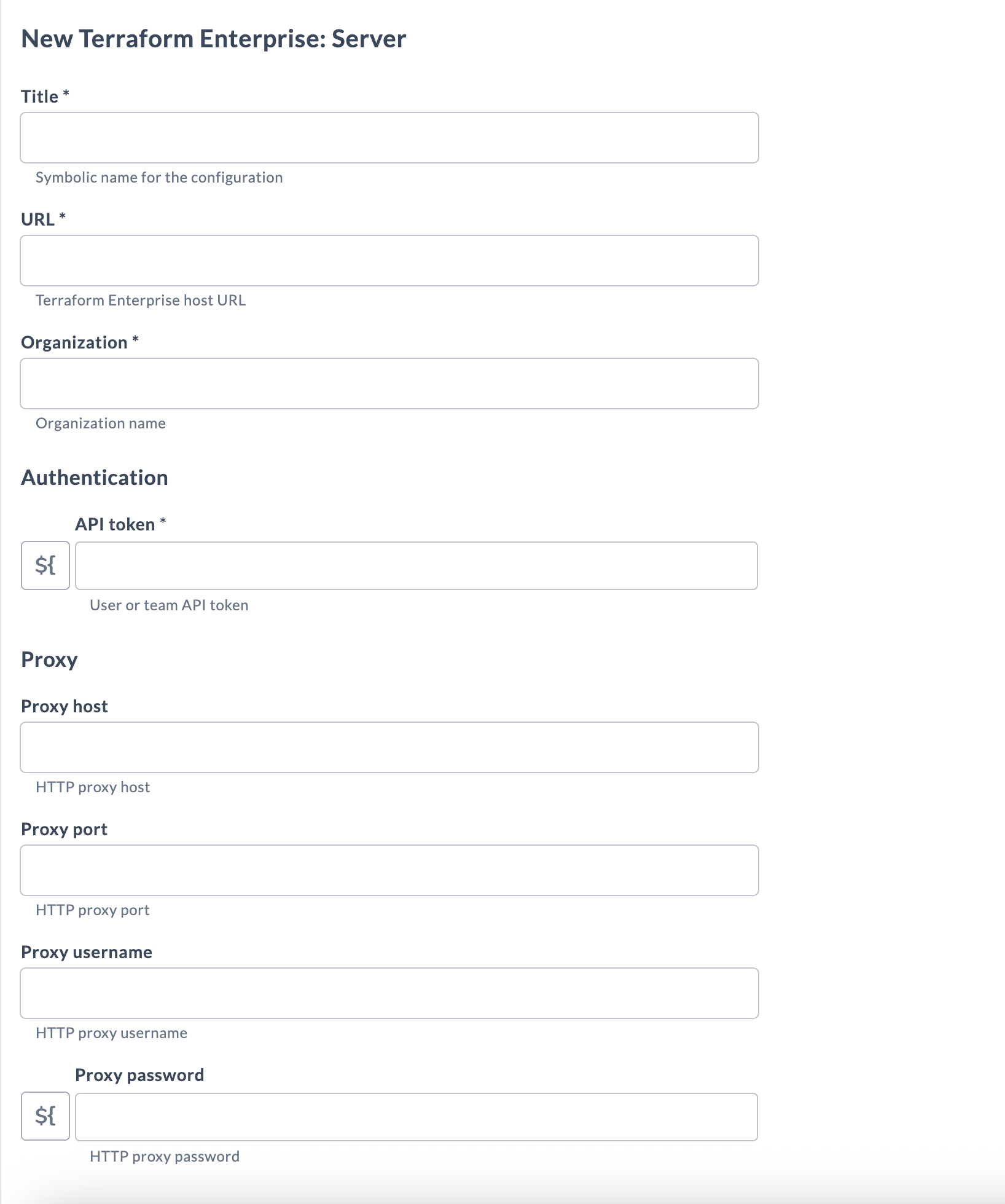
- Next to Terraform Enterprise: Server, click
 .
. - Enter the required details:
| Field | Description |
|---|---|
| Title (*) | Symbolic name for the configuration. |
| URL (*) | Terraform Enterprise host URL (for example, https://app.terraform.io). |
| Organization (*) | Organization name. |
| API token (*) | User or team API token. |
- If your Digital.ai Release server is behind a proxy, complete the Proxy fields: Proxy host, Proxy port, Proxy username, and Proxy password.
- To verify connectivity, click Test.
- To save the configuration, click Save.
Available Tasks
The following tasks are available for the Terraform Enterprise plugin:
- Terraform Enterprise: Apply Run
- Terraform Enterprise: Create Config Version
- Terraform Enterprise: Create Run
- Terraform Enterprise: Create Variable
- Terraform Enterprise: Create Workspace
- Terraform Enterprise: Delete Workspace
- Terraform Enterprise: Get Run
- Terraform Enterprise: Get Workspace State
Tasks in the Terraform Enterprise plugin include input properties and output properties. Input properties pass in the parameters required for execution, while output properties capture the results returned by Terraform Enterprise.
Output properties can be mapped to Release variables for later use. For more information, see Mapping Task Output Properties to Variables.
Fields marked with (*) are mandatory.
Apply Run
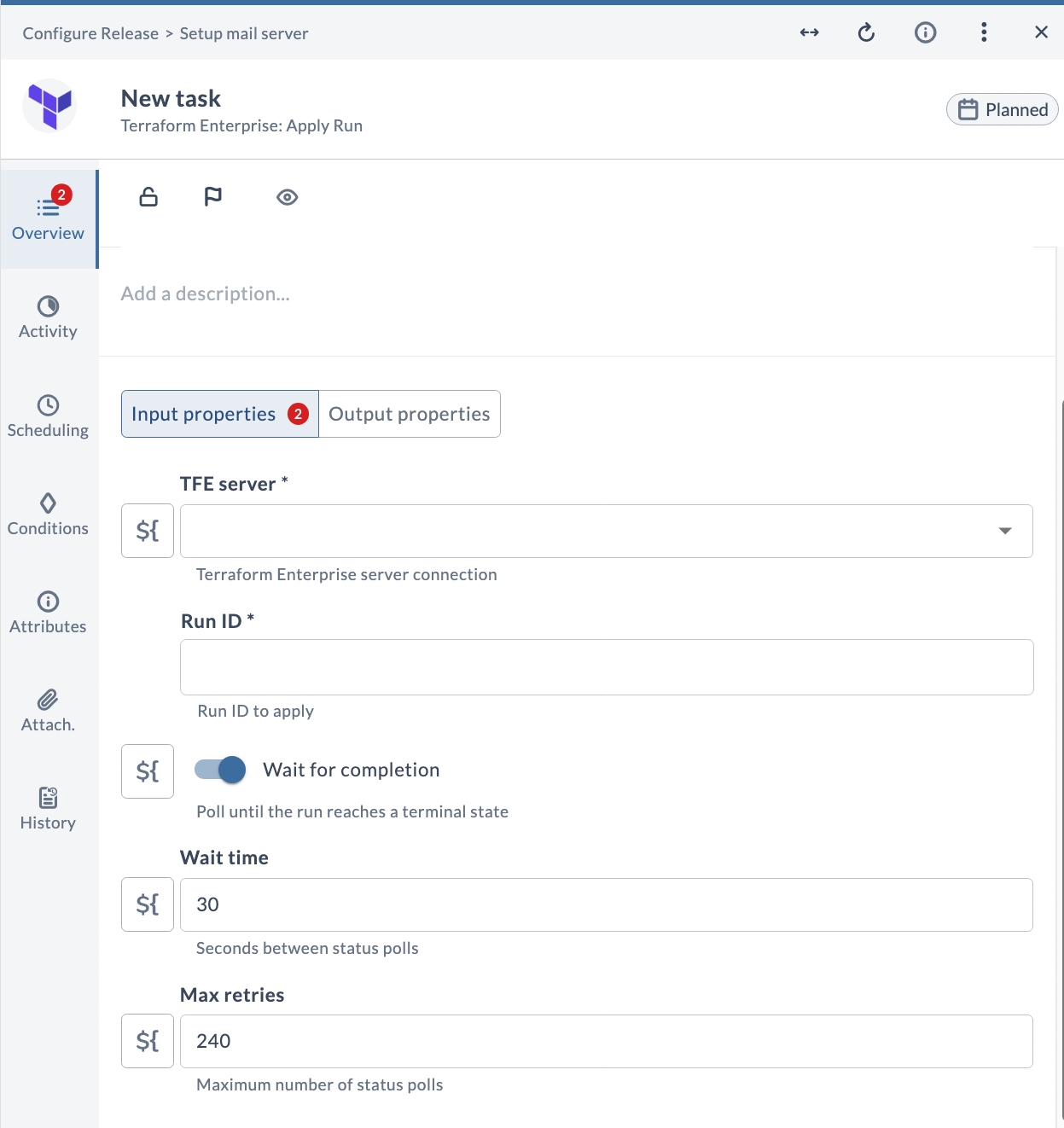
This task applies an existing Terraform run, identified by its run ID.
Input Properties
| Field | Description |
|---|---|
| TFE server (*) | Terraform Enterprise server connection. |
| Run ID (*) | Run ID to apply. |
| Wait for completion | Poll until the run reaches a terminal state. |
| Wait time | Seconds between status polls. Default is 30. |
| Max retries | Maximum number of status polls. Default is 240. |
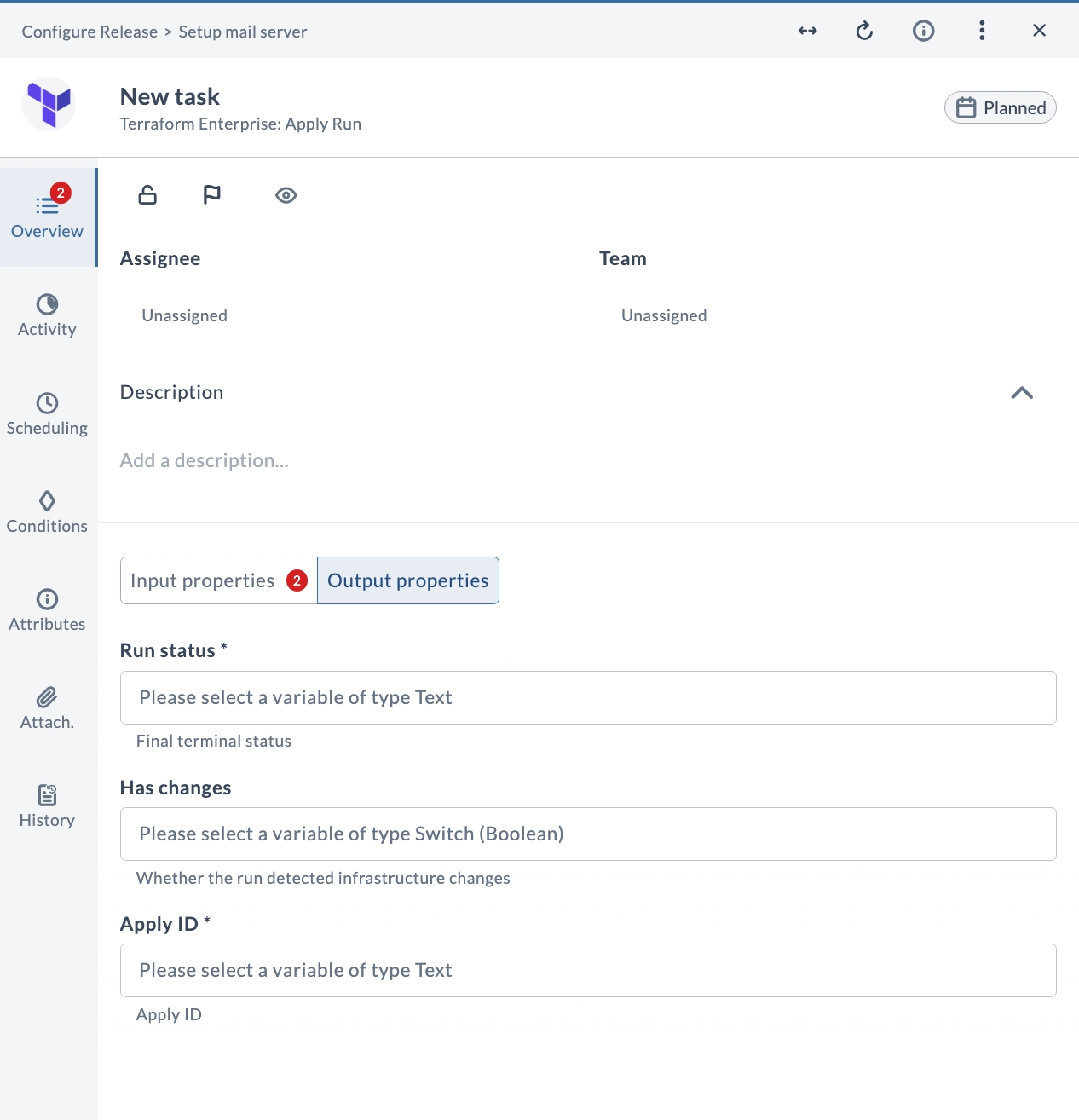
Output Properties
| Field | Description |
|---|---|
| Run status (*) | Final terminal status. |
| Has changes | Whether the run detected infrastructure changes. |
| Apply ID (*) | Apply ID. |
Create Config Version
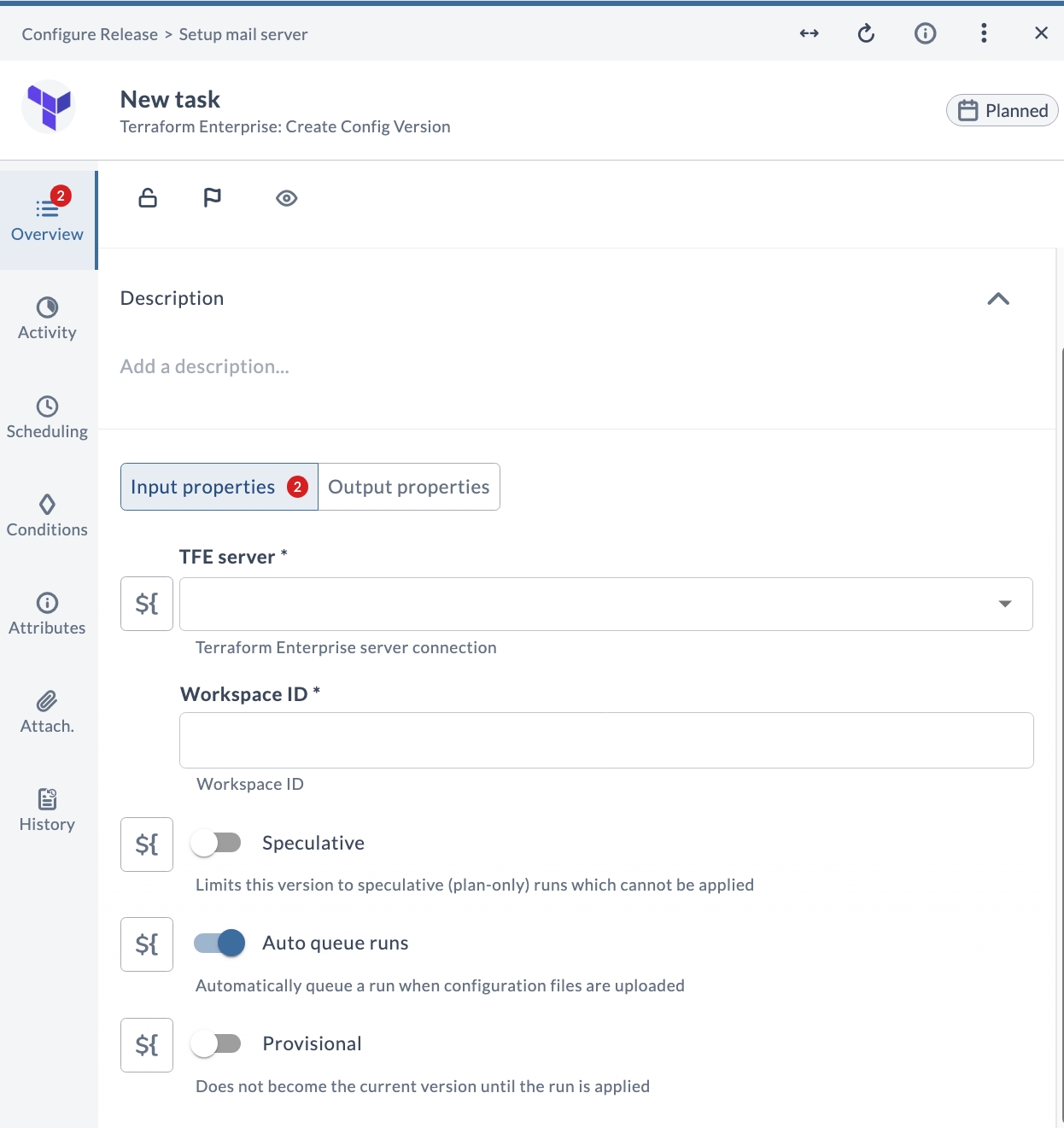
This task creates an upload-ready configuration version for a workspace and returns the URL used to upload the Terraform configuration.
Input Properties
| Field | Description |
|---|---|
| TFE server (*) | Terraform Enterprise server connection. |
| Workspace ID (*) | Workspace ID. |
| Speculative | Limits this version to speculative (plan-only) runs which cannot be applied. |
| Auto queue runs | Automatically queue a run when configuration files are uploaded. |
| Provisional | Does not become the current version until the run is applied. |
Output Properties
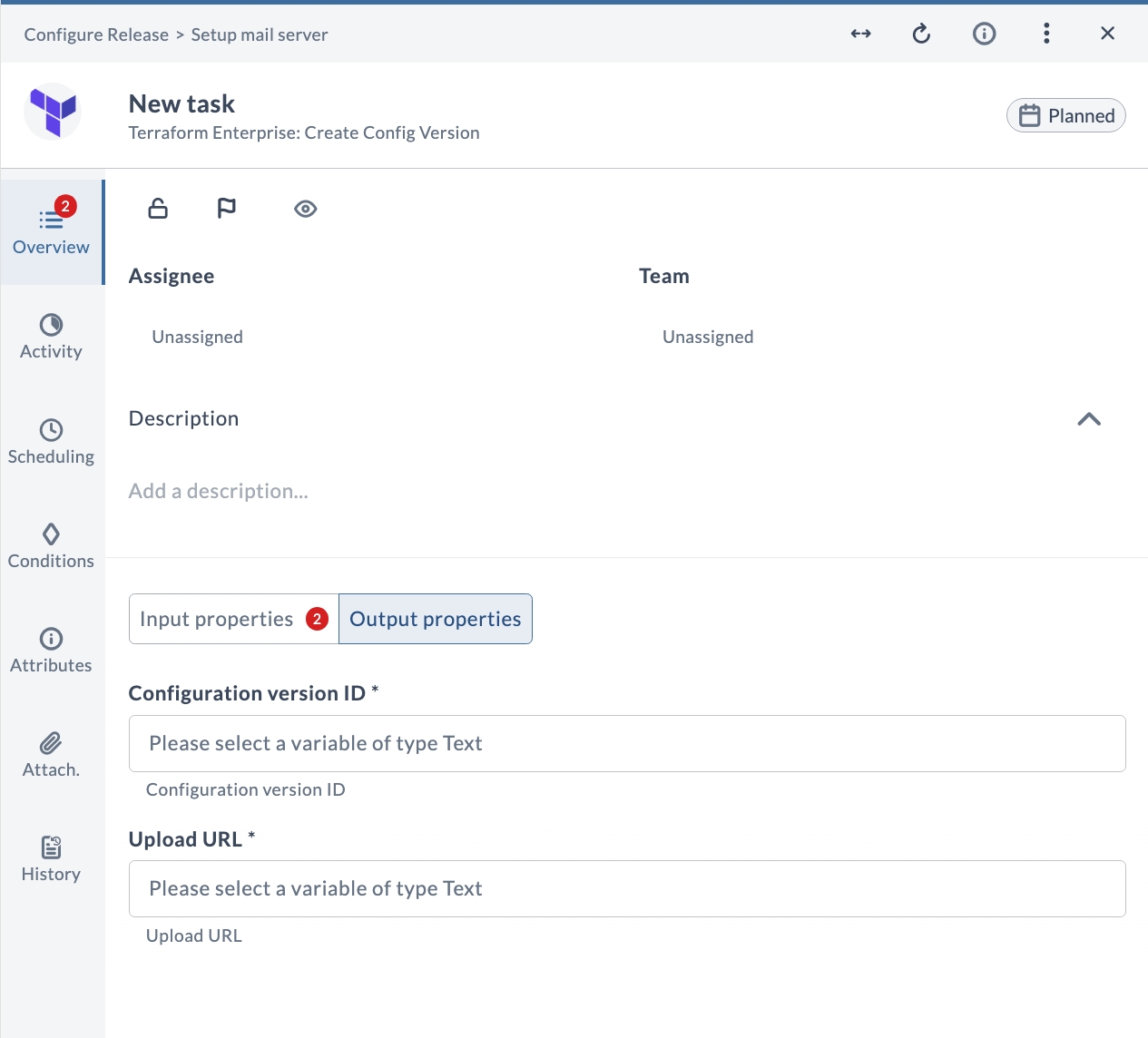
| Field | Description |
|---|---|
| Configuration version ID (*) | Configuration version ID. |
| Upload URL (*) | Upload URL. |
Create Run
This task queues a new Terraform plan and apply run against a workspace. When Auto apply is enabled, TFE automatically applies on a successful plan, and the task polls until the run reaches a terminal state (applied, planned_and_finished, errored, canceled, force_canceled, or discarded).
This task self-schedules using Release task polling and does not block a server thread while waiting for the run to complete.
Input Properties
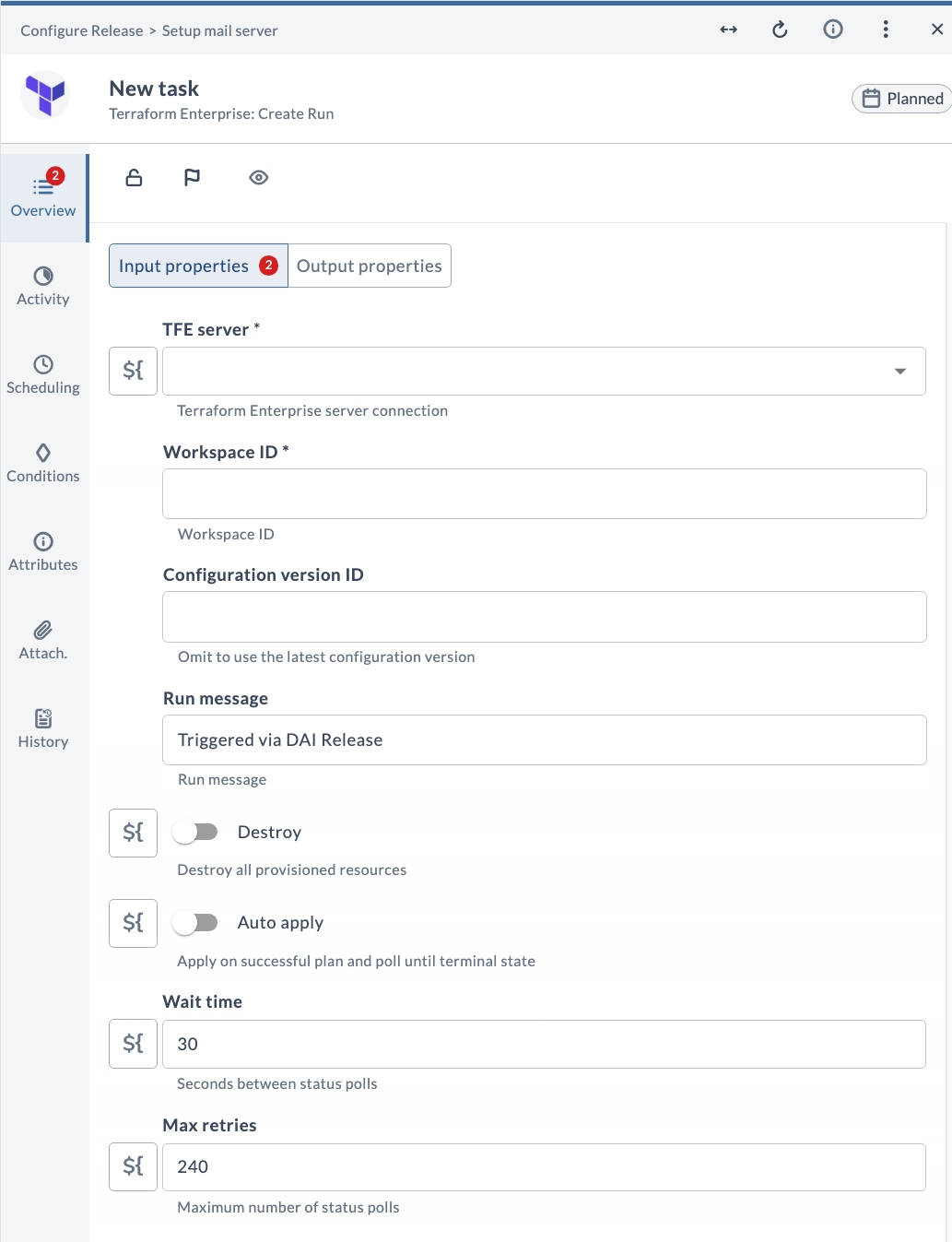
| Field | Description |
|---|---|
| TFE server (*) | Terraform Enterprise server connection. |
| Workspace ID (*) | Workspace ID. |
| Configuration version ID | Omit to use the latest configuration version. |
| Run message | Run message. |
| Destroy | Destroy all provisioned resources. |
| Auto apply | Apply on successful plan and poll until terminal state. |
| Wait time | Seconds between status polls. Default is 30. |
| Max retries | Maximum number of status polls. Default is 240. |
Output Properties
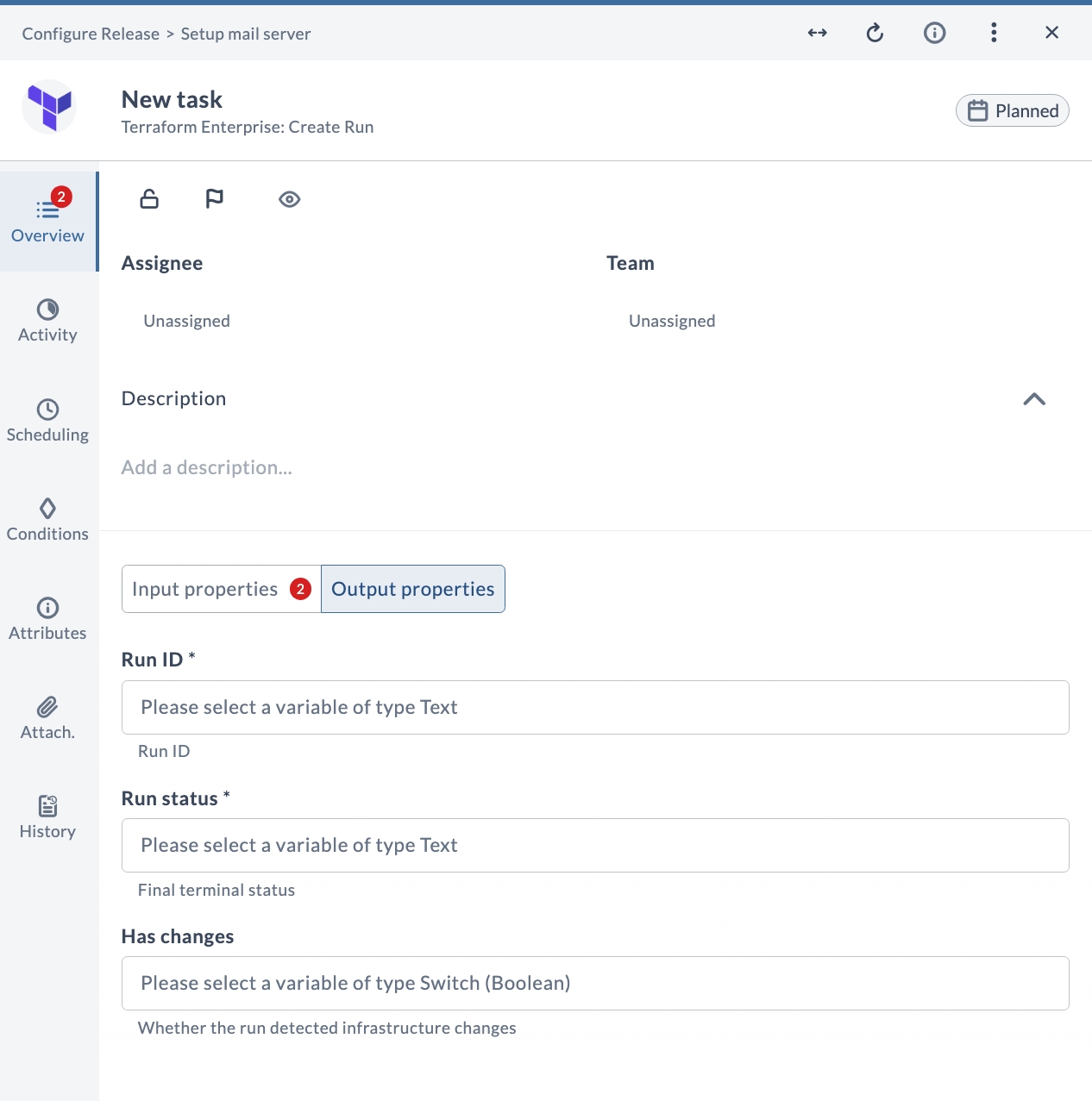
| Field | Description |
|---|---|
| Run ID (*) | Run ID. |
| Run status (*) | Final terminal status. |
| Has changes | Whether the run detected infrastructure changes. |
Create Variable
This task creates or updates a workspace variable. It supports both Terraform and environment variable categories, as well as HCL-formatted and sensitive values.
Input Properties
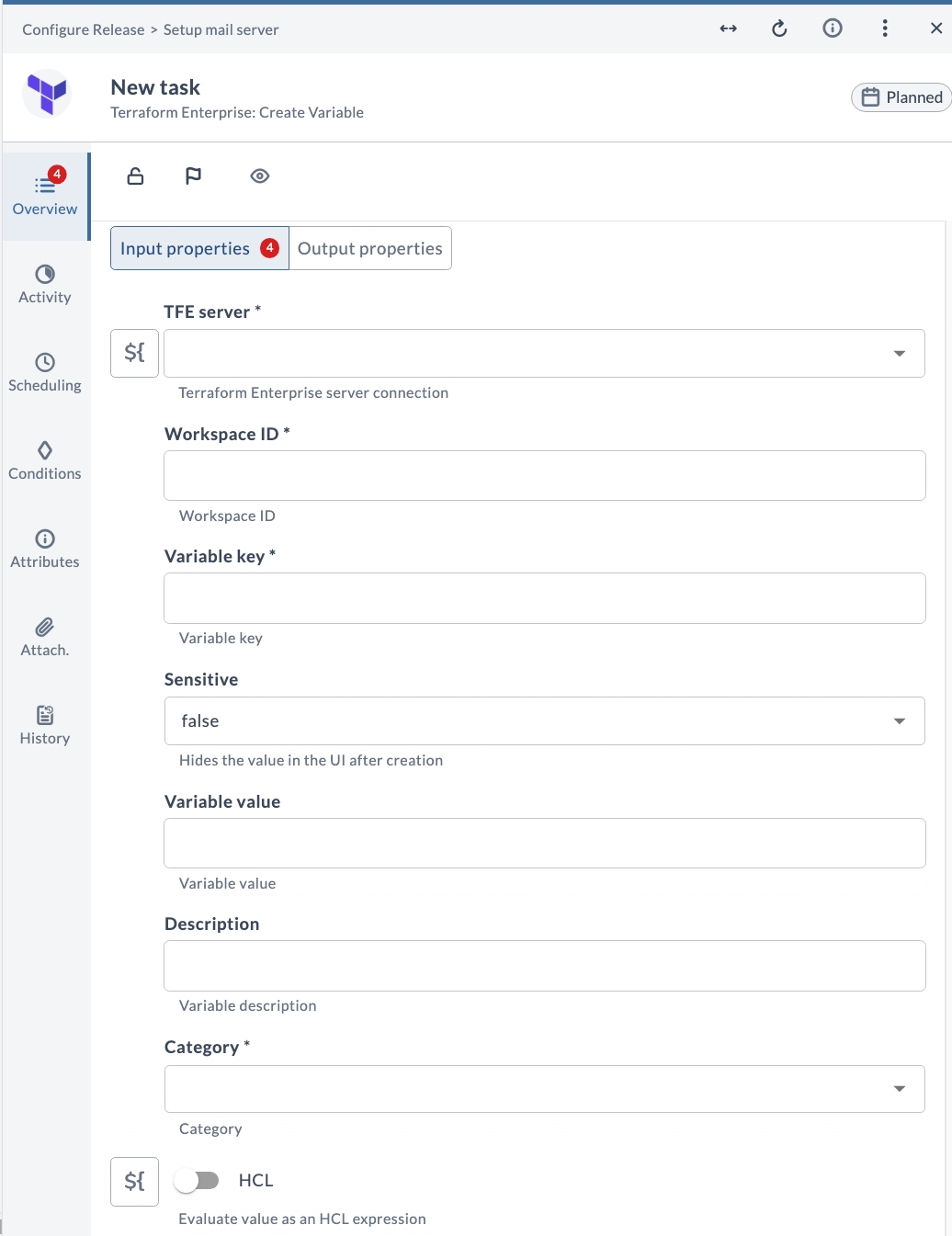
| Field | Description |
|---|---|
| TFE server (*) | Terraform Enterprise server connection. |
| Workspace ID (*) | Workspace ID. |
| Variable key (*) | Variable key. |
| Sensitive | Hides the value in the UI after creation. |
| Variable value | Variable value. |
| Description | Variable description. |
| Category (*) | Category. |
| HCL | Evaluate value as an HCL expression. |
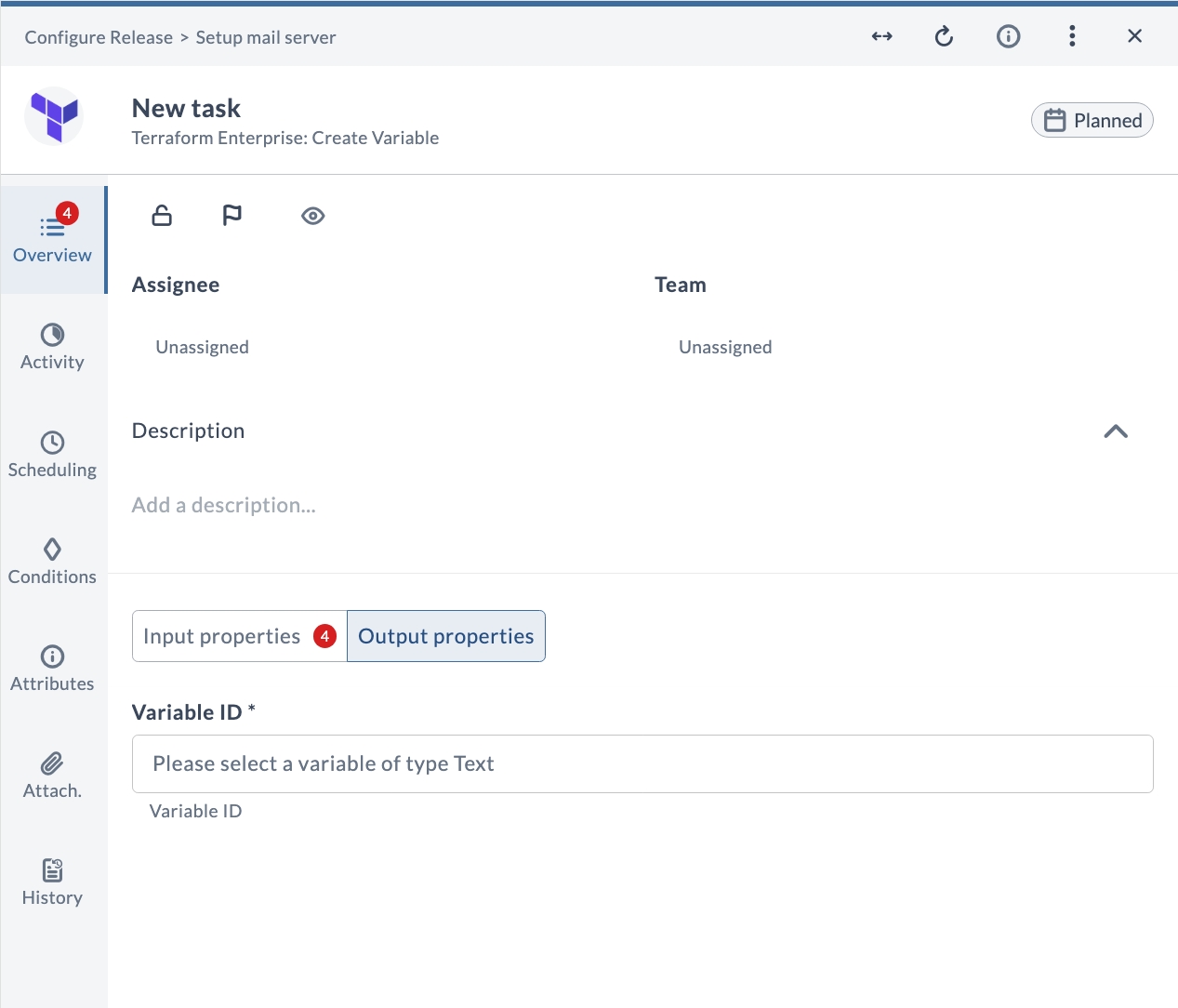
Output Properties
| Field | Description |
|---|---|
| Variable ID (*) | Variable ID. |
Create Workspace
This task creates a new workspace in the configured TFE organization. Use it to provision a workspace before uploading configuration or triggering a run.
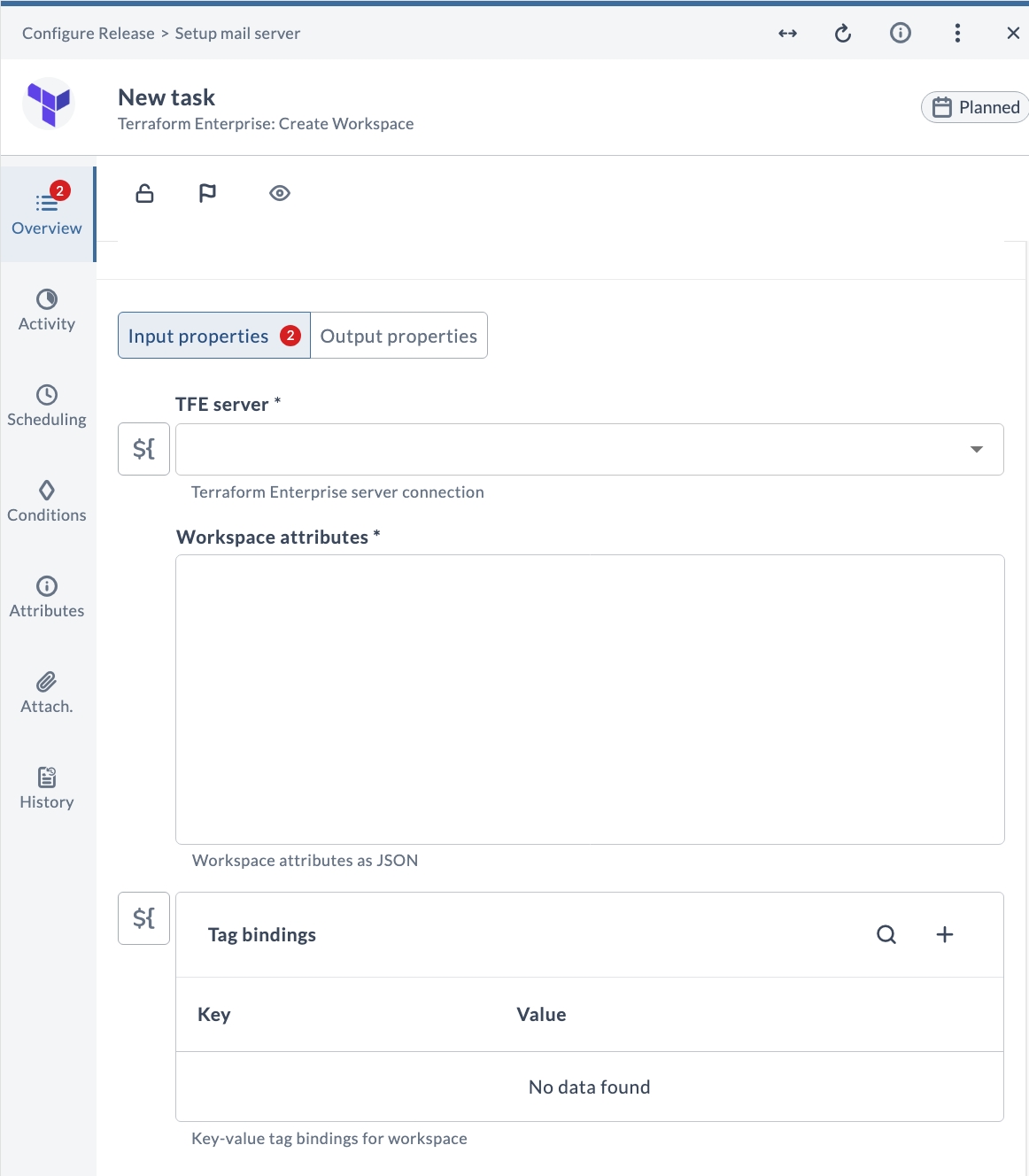
Input Properties
| Field | Description |
|---|---|
| TFE server (*) | Terraform Enterprise server connection. |
| Workspace attributes (*) | Workspace attributes as JSON. |
| Tag bindings | Key-value tag bindings for workspace. |
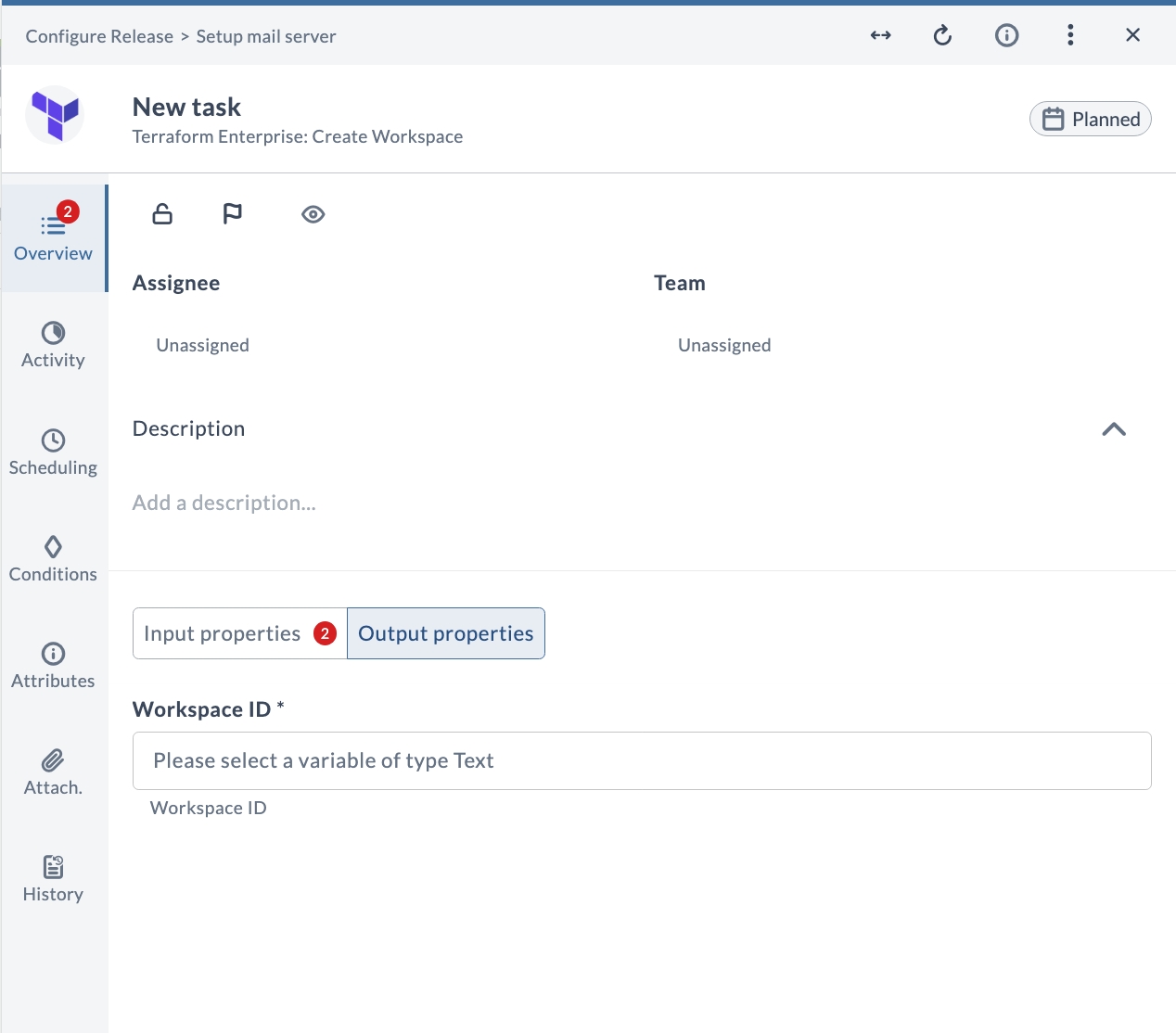
Output Properties
| Field | Description |
|---|---|
| Workspace ID (*) | Workspace ID. |
Delete Workspace
This task deletes an existing workspace from the configured TFE organization. Use it to clean up workspaces that are no longer needed as part of your release workflow.
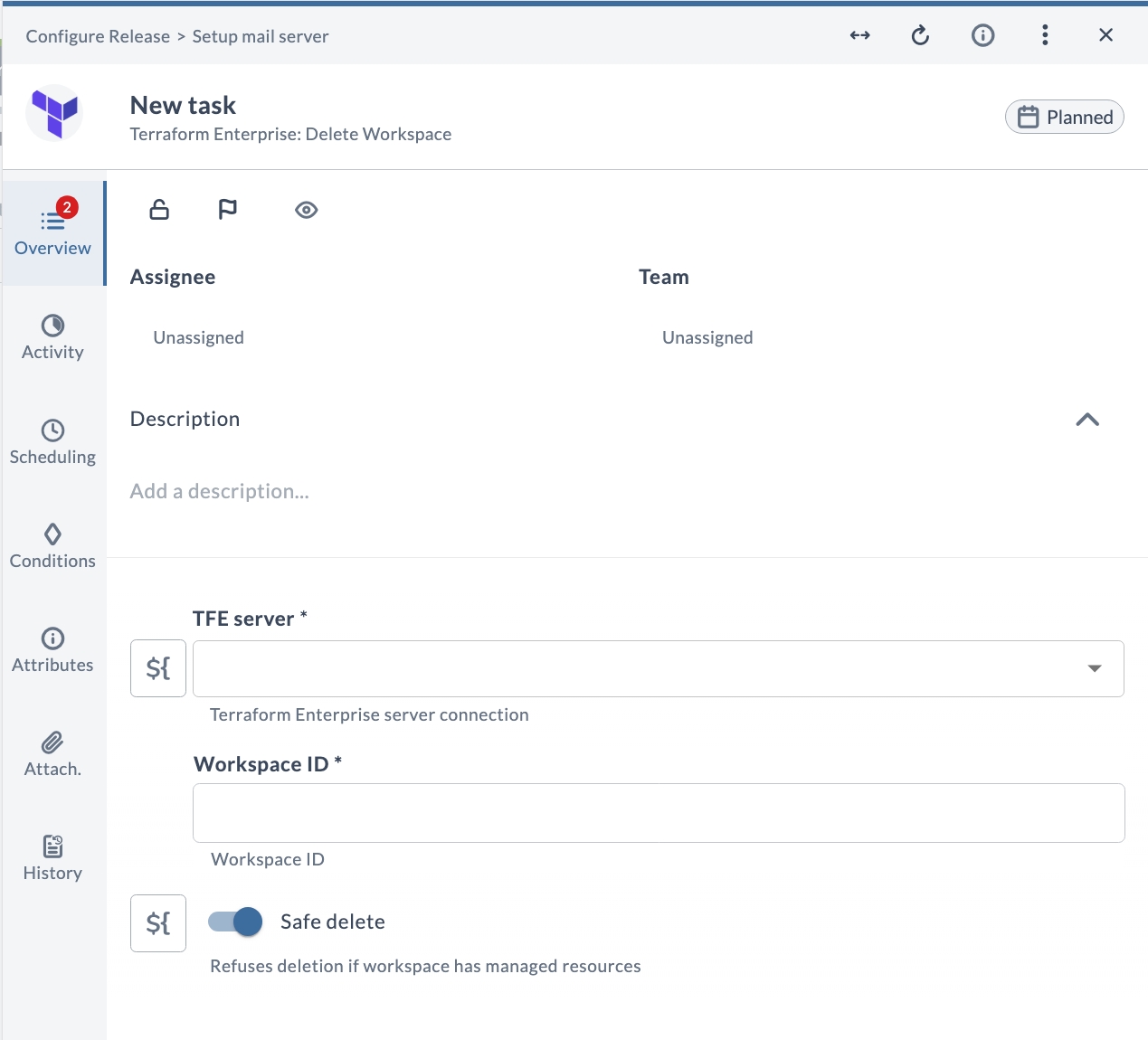
Input Properties
| Field | Description |
|---|---|
| TFE server (*) | Terraform Enterprise server connection. |
| Workspace ID (*) | Workspace ID. |
| Safe delete | Refuses deletion if workspace has managed resources. |
Get Run
This task retrieves a Terraform run by its run ID. If no run ID is provided, the latest run for the workspace is returned.
Input Properties
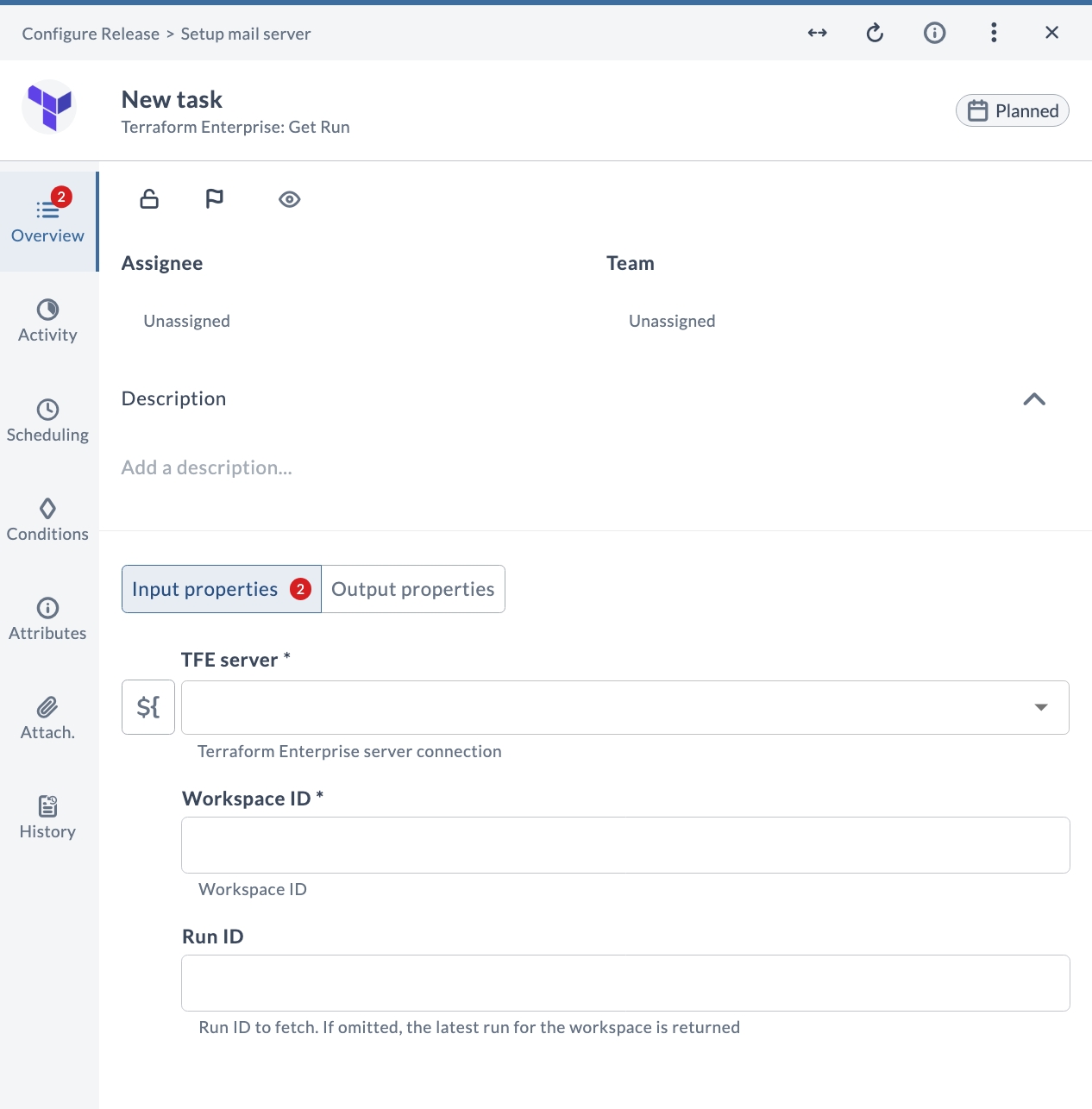
| Field | Description |
|---|---|
| TFE server (*) | Terraform Enterprise server connection. |
| Workspace ID (*) | Workspace ID. |
| Run ID | Run ID to fetch. If omitted, the latest run for the workspace is returned. |
Output Properties
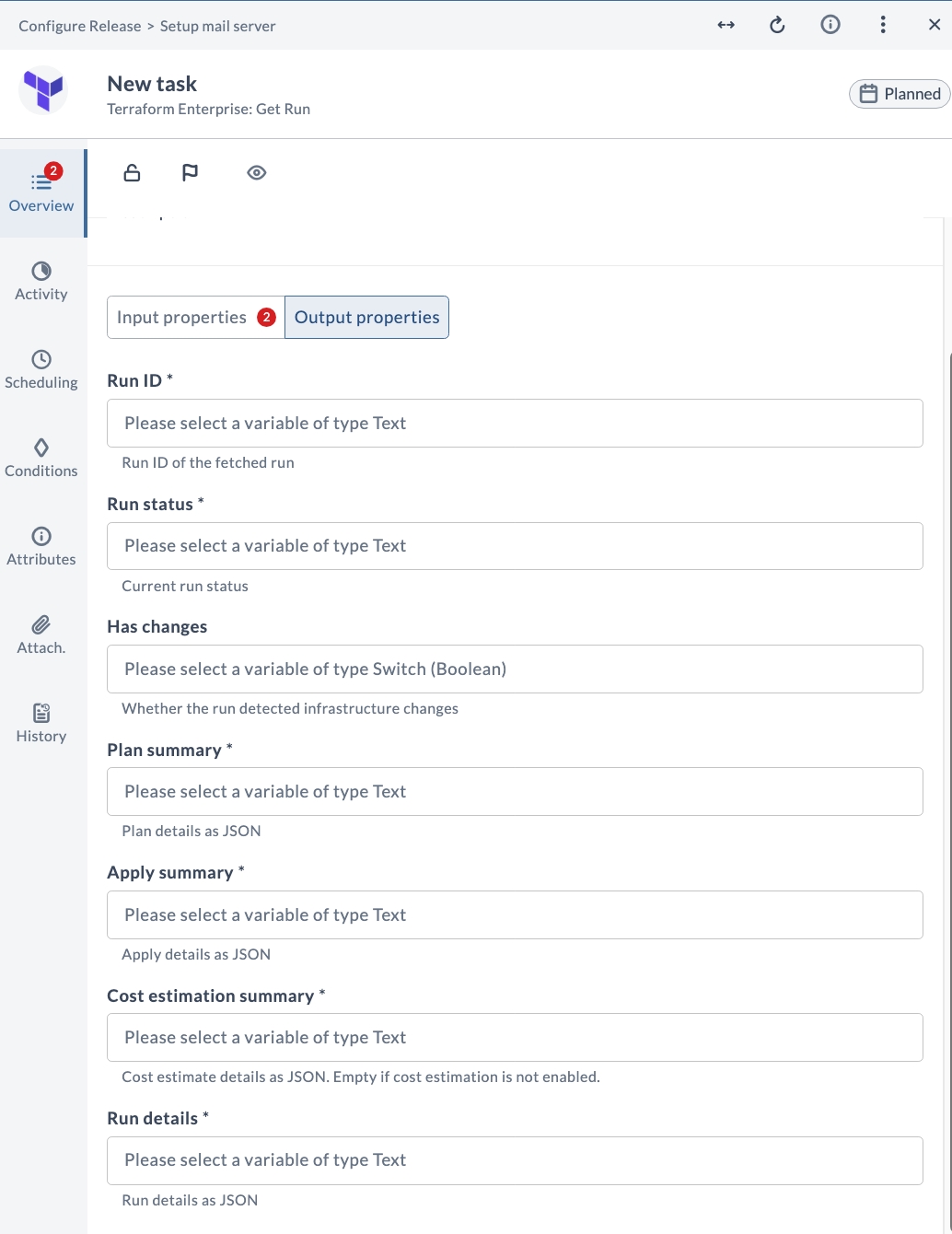
| Field | Description |
|---|---|
| Run ID (*) | Run ID of the fetched run. |
| Run status (*) | Current run status. |
| Has changes | Whether the run detected infrastructure changes. |
| Plan summary (*) | Plan details as JSON. |
| Apply summary (*) | Apply details as JSON. |
| Cost estimation summary (*) | Cost estimate details as JSON. Empty if cost estimation is not enabled. |
| Run details (*) | Run details as JSON. |
Get Workspace State
This task retrieves the current state of a workspace, including the state serial number, the resource count, and all Terraform outputs as a JSON string.
Input Properties
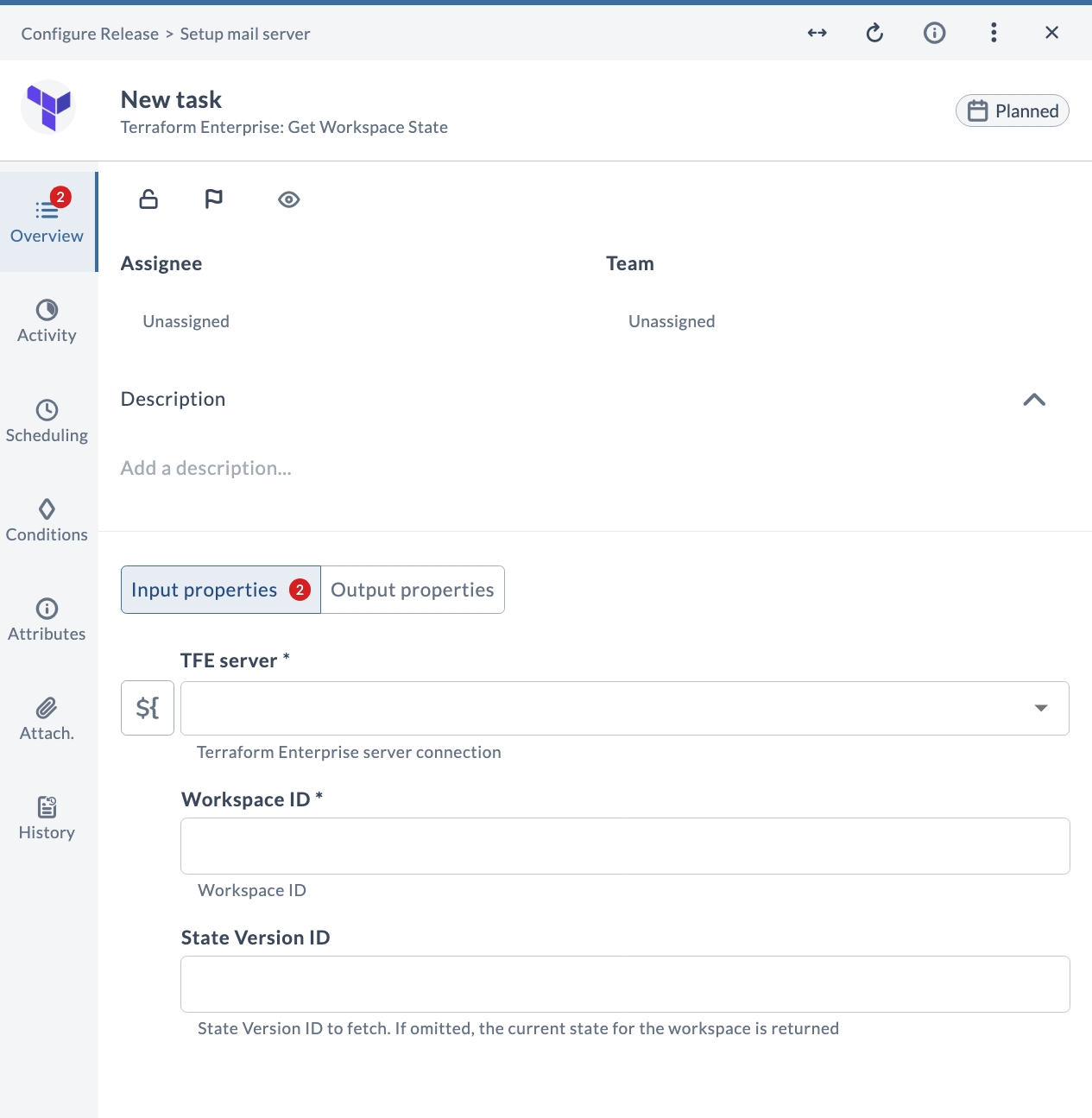
| Field | Description |
|---|---|
| TFE server (*) | Terraform Enterprise server connection. |
| Workspace ID (*) | Workspace ID. |
| State Version ID | State Version ID to fetch. If omitted, the current state for the workspace is returned. |
Output Properties
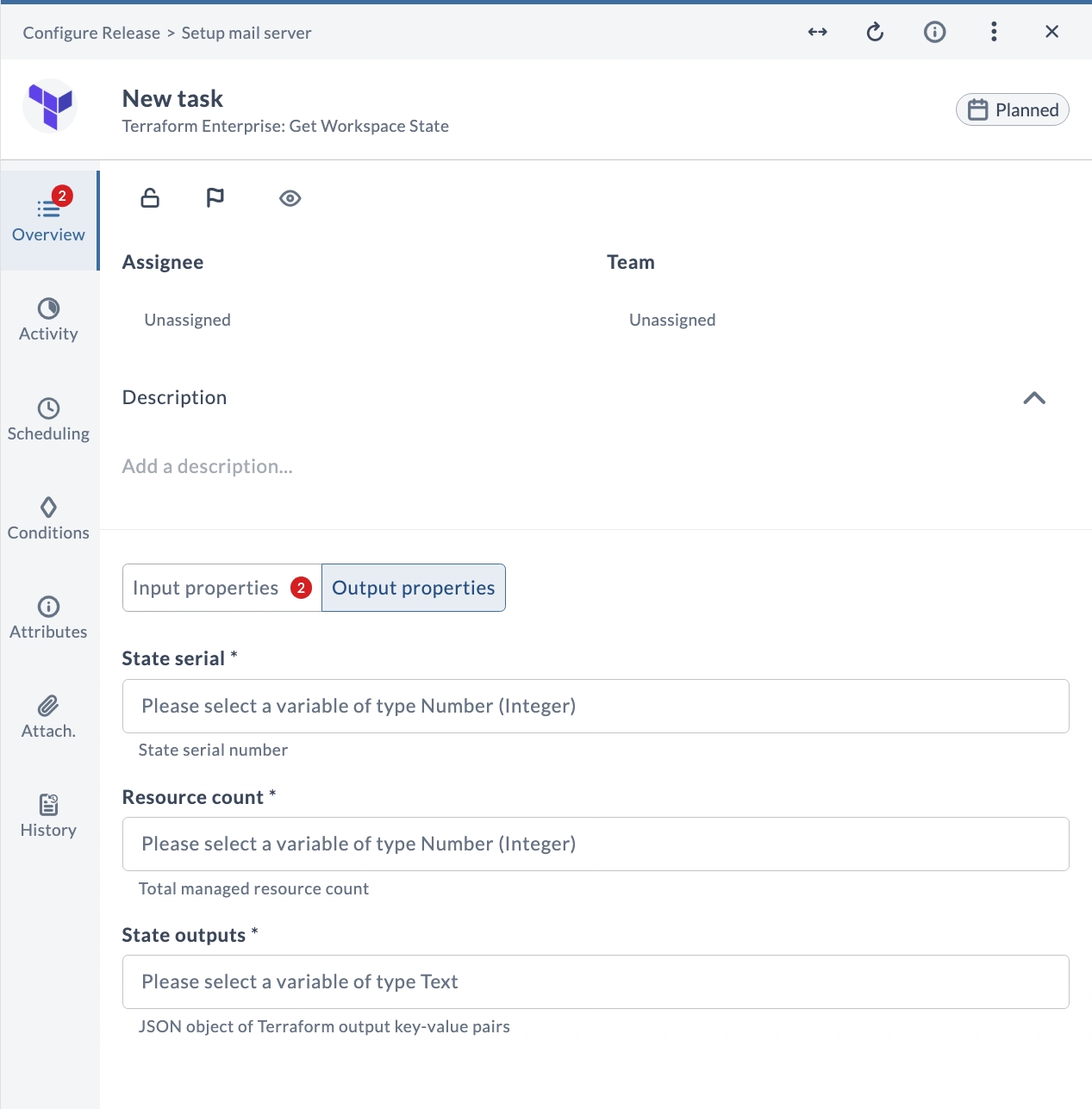
| Field | Description |
|---|---|
| State serial (*) | State serial number. |
| Resource count (*) | Total managed resource count. |
| State outputs (*) | JSON object of Terraform output key-value pairs. |