System Settings
The System Settings area in Digital.ai Release lets administrators configure how the platform behaves. You can control everything from basic customization and task defaults to risk scoring, notifications, and workflow categories.
To access System Settings, go to the upper-right corner of the screen and click the Settings icon  > System Settings. The System Settings pages are only available to users who have the Admin global permission.
Each settings page focuses on a specific area of the platform. Changes you make here apply across all folders, templates, and releases unless overridden at a lower level.
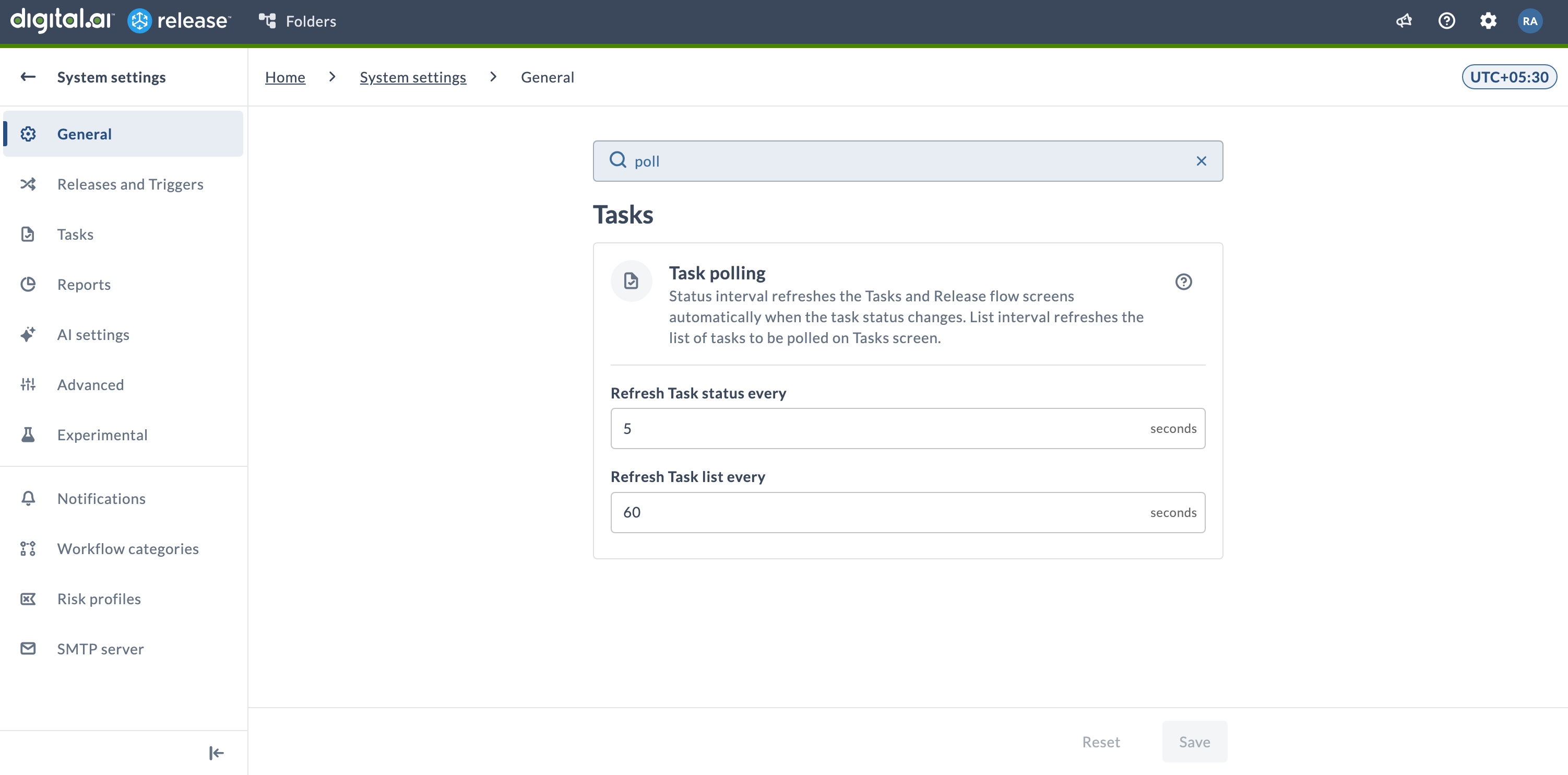
Search System Settings
Release administrators can now search across System settings to locate a specific setting without browsing each section. Search is available in the General, Release and Triggers, Tasks, Reports, AI settings, Advanced, and Experimental settings sections.
Key Topics
- General Settings: Configure basic customization options such as instance name, header color, login messages, and feature flags.
- Release and Triggers Settings: Control default behavior for releases and triggers.
- Task Settings: Configure default task behavior and task-related options.
- Report Settings: Manage report generation and display settings.
- AI Settings: Configure AI-related features and settings.
- Advanced Settings: Configure advanced platform behaviors.
- Experimental Settings: Enable or disable experimental features.
- Notification Settings: Manage how and when notifications are sent to users.
- Risk Profile Settings: Define risk profiles that determine how release risk is calculated.
- Configure Risk Calculation: Set up risk calculation rules and thresholds.
- Workflow Category Settings: Manage workflow categories for organizing self-service workflows.
- SMTP Server Settings: Configure your SMTP server for sending email notifications.
- Release System Information: View system information and diagnostics.
- Task Manager: Monitor and manage background tasks.
- Source Control Management Connection: Set up SCM connections for the platform.
- Configure System Messages: Display system-wide messages to users.