Feed Data to Analytics
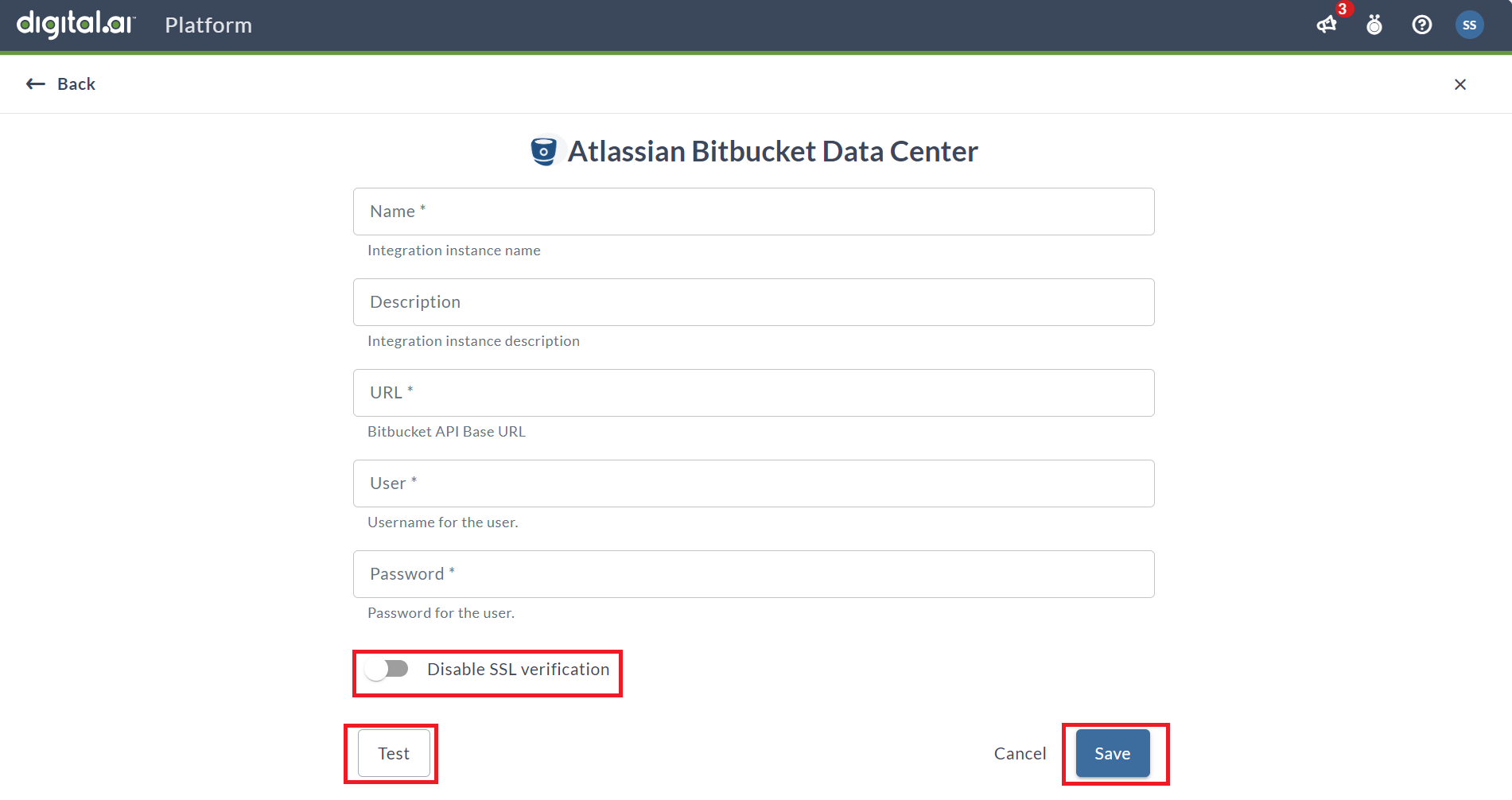
Ingestion sources feed data into your Intelligence Analytics products, such as CRP or Embedded Analytics. The Source Integrations functionality of Platform allows you to configure your integrations for data ingestion into the Digital.ai Intelligence Platform.
Add a Source Integration
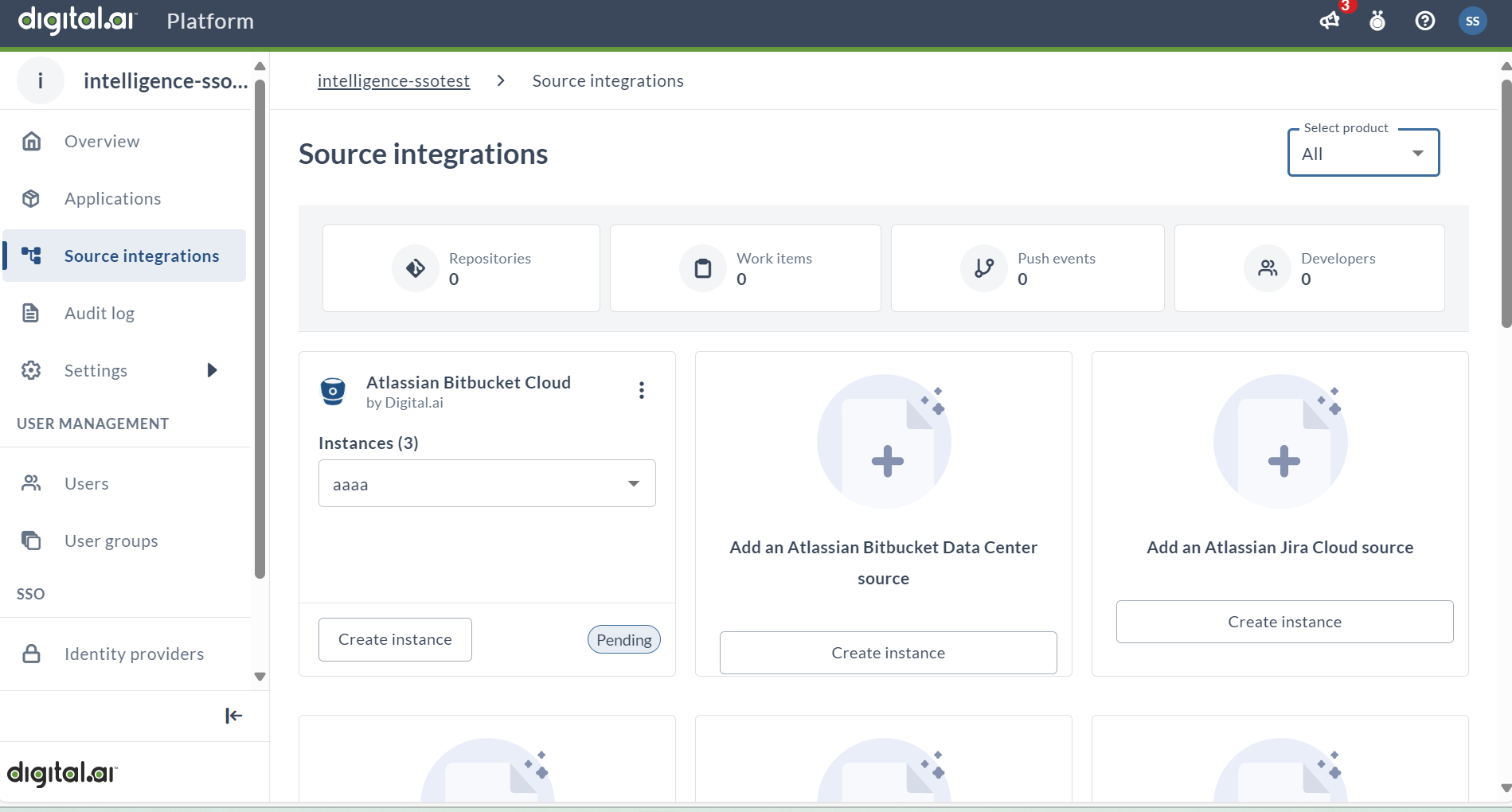
Select a Product
The Select Product drop-down menu allows you to choose the desired product (you are entitled to) for which the third-party integration needs to be created.
Create an Instance
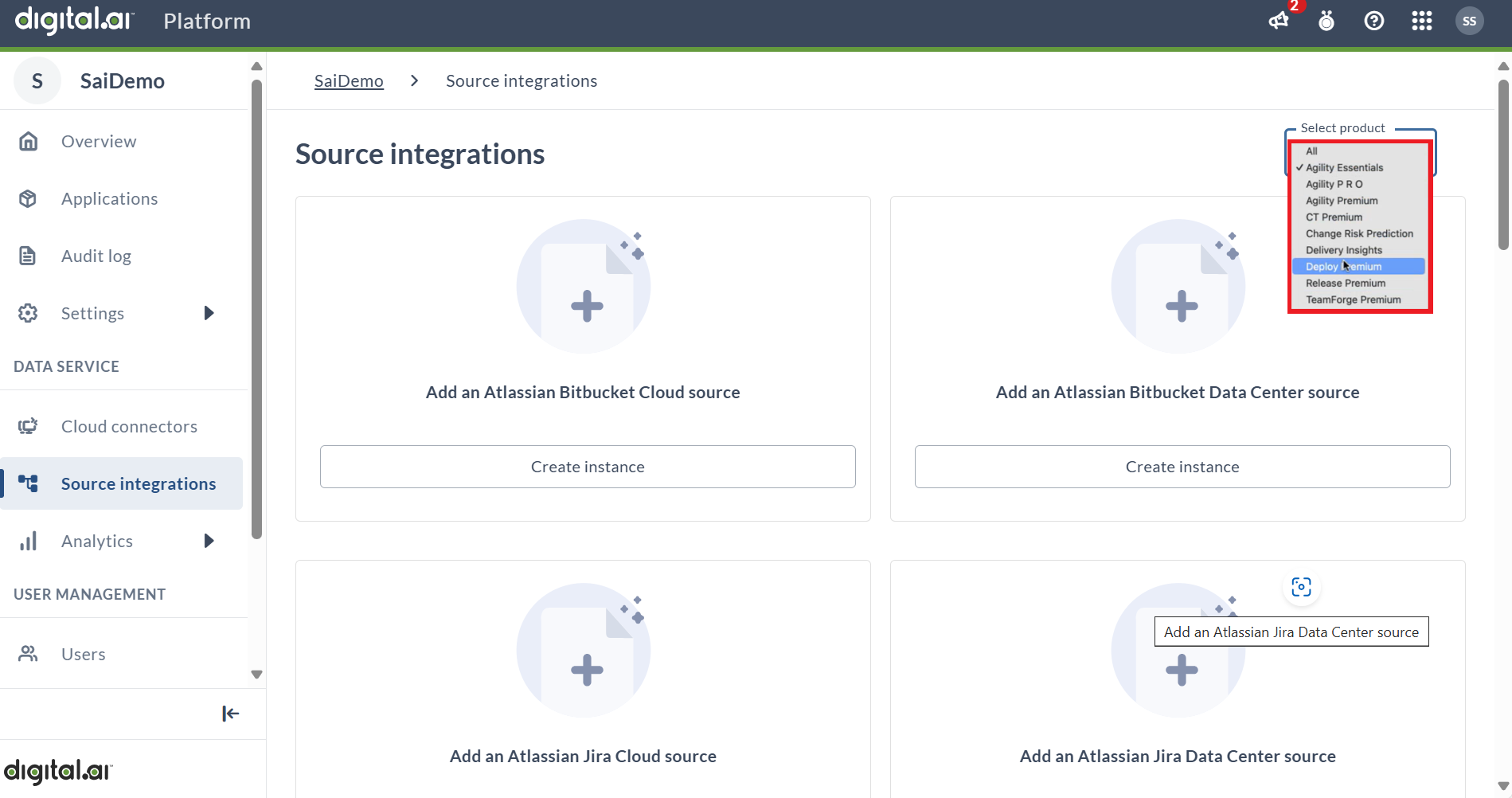
A source instance refers to a specific deployment of that source that holds significance for the customer. By creating or configuring an instance, we are indicating, for example, that the customer has a (Release or Agility) product instance running in their data center.
To create an instance, select the empty card of your choice and click Create Instance.
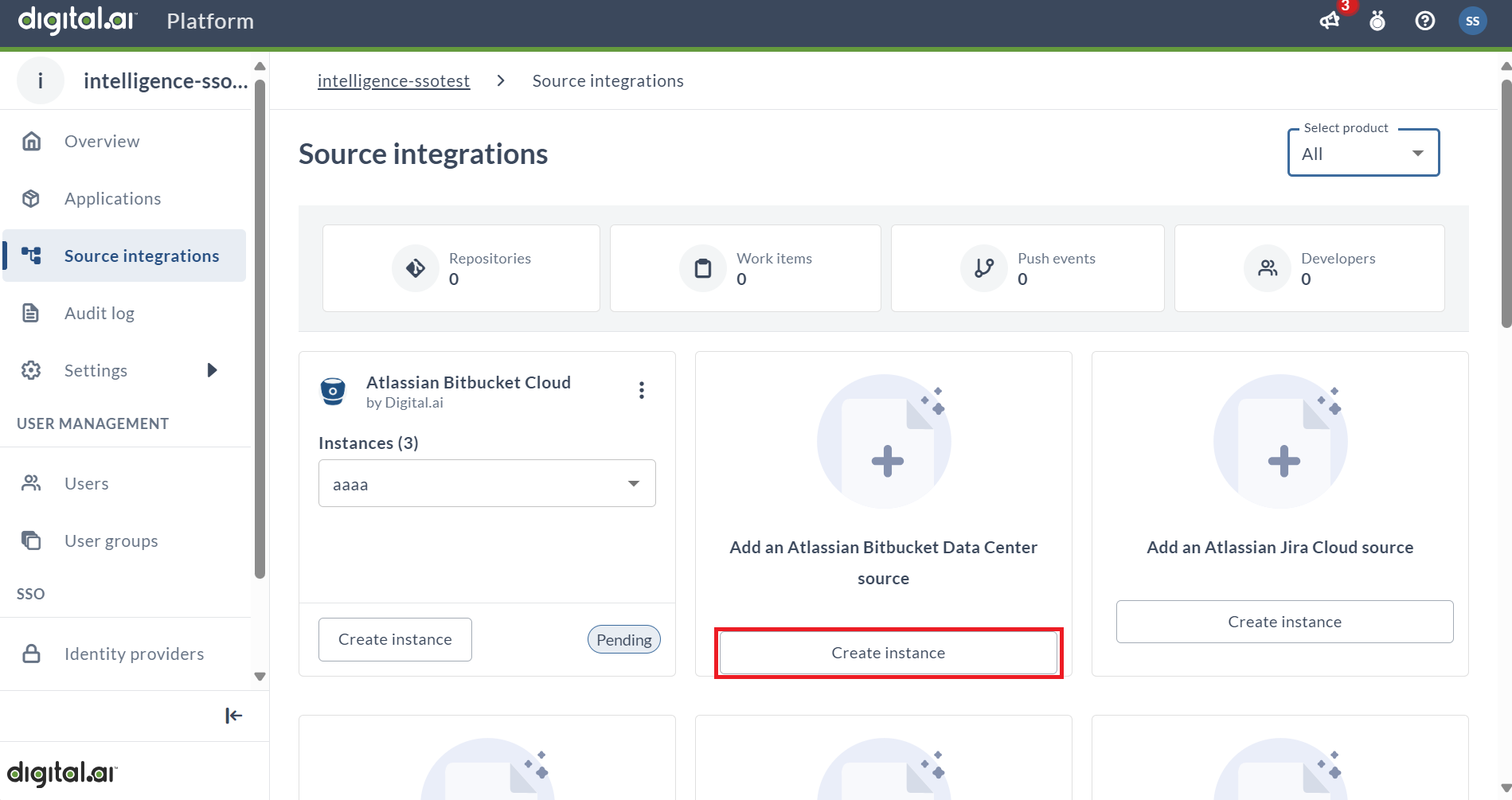
Fill out the form by providing the Integration Instance Name, Integration Instance Description, Bitbucket API Base URL, Username, and Password. You can also choose to Disable SSL Verification if needed. Once all required fields are filled, click Test to verify the new integration if required. After successful testing, click Save to finalize the integration.