Native Locking and Concurrency Management for Deployment Tasks
This topic describes issues caused by concurrent deployments in Deploy when using custom microservices deployment technologies. Middleware limitations may restrict the target environment to performing only one deployment at a time, leading to potential conflicts.
To handle this, a native locking mechanism is implemented in Deploy, with locks persisted in the database, to ensure that only a single deployment executes at a time.
Users can define a locking policy and/or a concurrency limit for an environment, an infrastructure container, a set of infrastructure containers, or a related object (for example, locking a cell when deploying to one of its JVMs).
A generic locking mechanism is provided for containers and CIs, regardless of the middleware type. Users can lock at the following scopes:
- Application: Prevents concurrent deployment of multiple versions of the same application to the same environment. Deployments of the same application to different environments are not affected.
- Container (Infrastructure): Prevents any deployment to that container, regardless of which environment shares it. Note: a container can be shared between environments.
- Environment: Prevents any further deployments to the same environment.
- All containers in a given environment:
- Prevents further deployments to the same environment.
- Prevents further deployments to any other environment that shares one or more of the same containers.
- Deployed Application:
- Prevents any undeploy operation.
- Prevents any update deployment.
- Concurrent update deployments are blocked when one update is already in progress.
- Concurrent undeployments are blocked when one undeployment is already in progress.
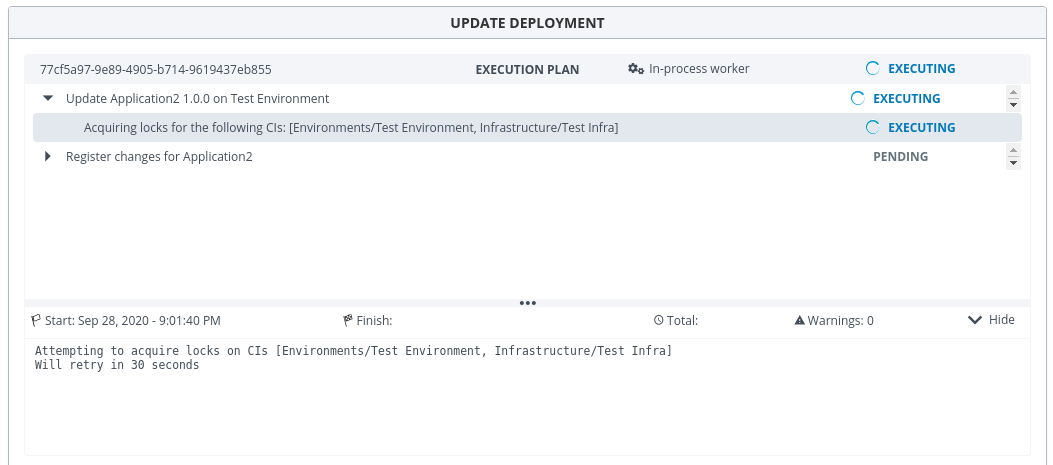
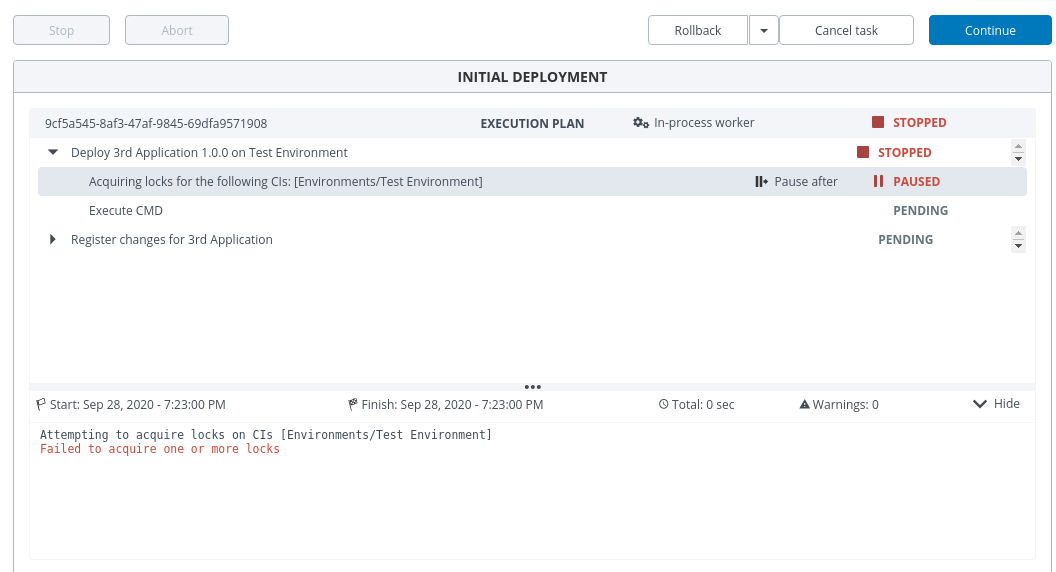
Lock cleanup occurs automatically when a deployment completes, regardless of its final state (FAILED or DONE):
- Force cancel clears the locks.
- Successful completion clears the locks.
- Manual SQL cleanup at the database level must be accompanied by cleanup of the corresponding lock entries for the deleted tasks.
Steps
- Lock the infrastructure and environment using the conditions described in Conditions to prevent concurrent deployments.
- Schedule a deployment.
- Before the scheduled deployment runs, manually deploy an application and leave it in progress (do not finish it).
- The scheduled deployment will remain locked until the manual deployment is cancelled or finishes.
- Once the manual deployment finishes, the scheduled deployment resumes and completes.
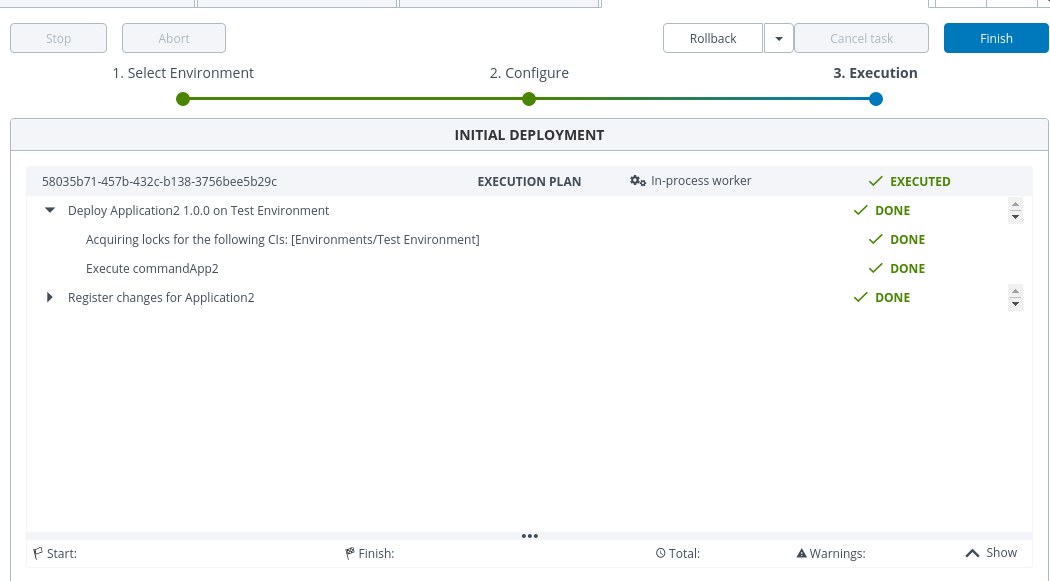
Concurrent Deployments Limit
You can limit the number of concurrent deployments if you have the necessary permissions.
To set a maximum concurrency limit:
- Go to New Infrastructure, find the Locking property, and set the Concurrent Limits value.
- Run your deployments. Deployments will execute up to the configured limit. For example, if the limit is set to 2, a third deployment will be queued until one of the first two finishes.

Conditions to prevent concurrent deployments
Concurrent deployments are prevented based on the combination of the Allow Concurrent Deployments and Lock All Containers settings on the container and environment, as shown below:
Selected = checkbox is checked (enabled). Unselected = checkbox is unchecked (disabled).
| Container | Environment | Lock All Containers |
|---|---|---|
| Unselected | Unselected | Selected |
| Unselected | Selected | Unselected |
| Unselected | Selected | Selected |
| Selected | Unselected | Unselected |
| Selected | Unselected | Selected |
Multiple environments sharing the same container
This scenario illustrates how locking applies across environments that share an infrastructure container.
- Create an infrastructure item (Infra1).
- Create two environments (Env1 and Env2) and add Infra1 to both.
- Lock deployments to Env1: in Infra1, uncheck Allow Concurrent Deployments; in Env1, uncheck Allow Concurrent Deployments and check Lock All Containers.
- Deploy two applications to Env1 simultaneously — the lock is enforced and concurrent deployments are blocked.
- For Env2, enable concurrency and uncheck Lock All Containers.
- Deploy two applications to Env2 simultaneously.
- Because the lock is active on Env1 (which shares Infra1), concurrent deployments to Env2 are also blocked — regardless of Env2's own lock configuration.
Retry
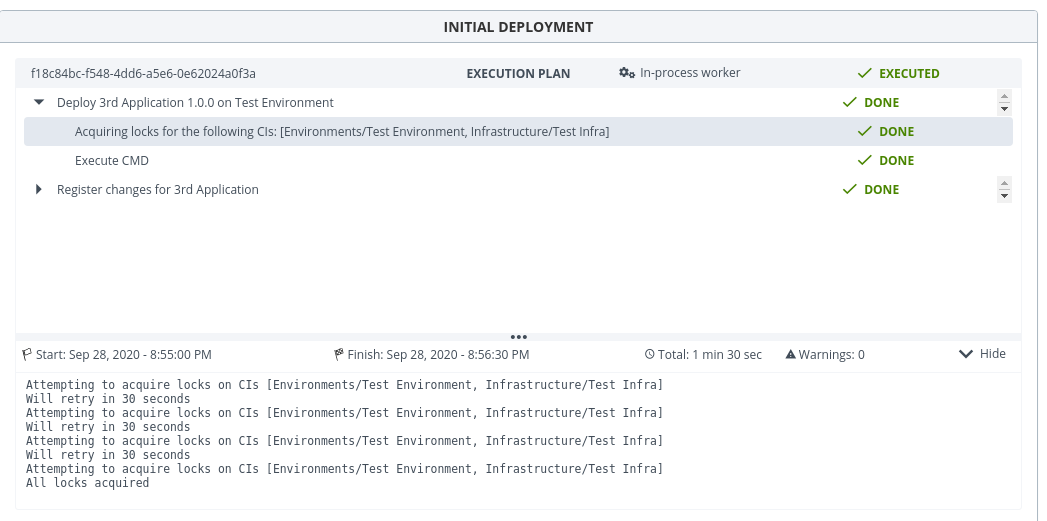
If a deployment cannot acquire a lock, you can configure automatic retries so it keeps trying until the lock becomes available.
- Enable lock retry on the environment.
- Set the Lock Retry Interval (how long to wait between attempts).
- Set the Lock Retry Attempts (maximum number of attempts).
- Configure the lock on the environment and infrastructure.
- Schedule a deployment.
- Before it runs, manually deploy an application and leave it in progress.
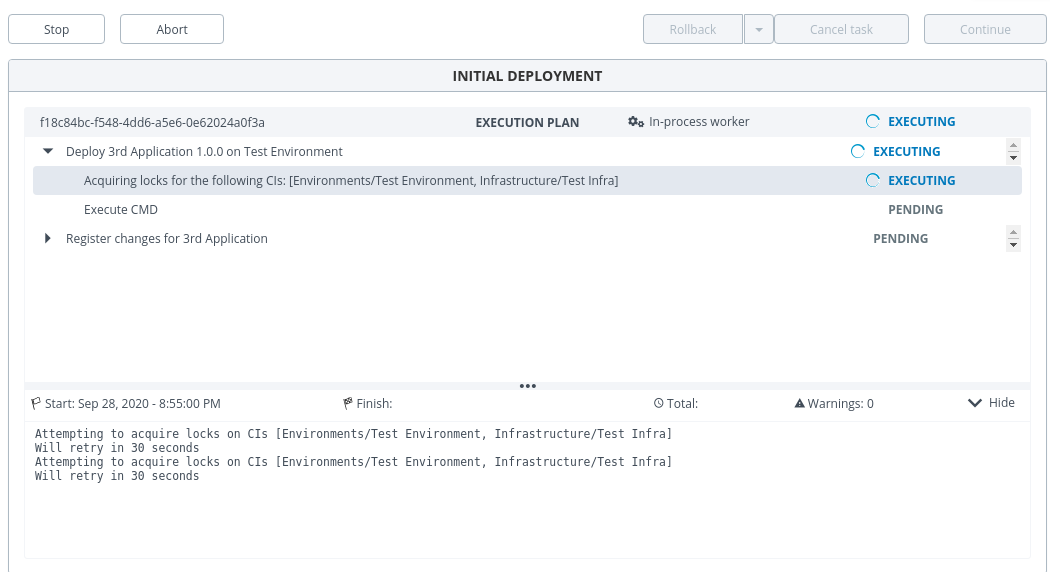
- The scheduled deployment retries at the interval set in step 2, up to the number of attempts set in step 3.
- When the manual deployment finishes, the scheduled deployment stops retrying and completes successfully.
Application-level locking
The allowConcurrentDeployments property can be set on an application (udm.Application) to prevent concurrent deployments of different versions of the same application to the same environment. This is useful when your target environment or middleware does not support multiple deployments of the same application running simultaneously.
How it works
When allowConcurrentDeployments is set to false on an application:
- The first deployment of any version of that application to an environment acquires the lock and proceeds normally.
- Any subsequent deployment of a different version of the same application to the same environment is queued and waits until the lock is released.
- The lock is held for the entire duration of the deployment — including if it fails and requires manual intervention.
- The lock is released when the active deployment finishes (successfully, by failure, or by abort).
- Queued deployments then proceed automatically.
Key rules:
- Lock scope is per application, per environment. Deploying the same application to a different environment is not blocked — those deployments run in parallel.
- Different applications are independent. This setting only controls locking within a single application. Two different applications deploying to the same environment are never blocked by each other through this setting.
- Execution order of queued deployments is not guaranteed. Queued deployments are processed asynchronously and may not execute in the order they were initiated (not FIFO).
Configure application-level locking
For a new application
-
In the Deploy UI, go to Applications and create a new application.
-
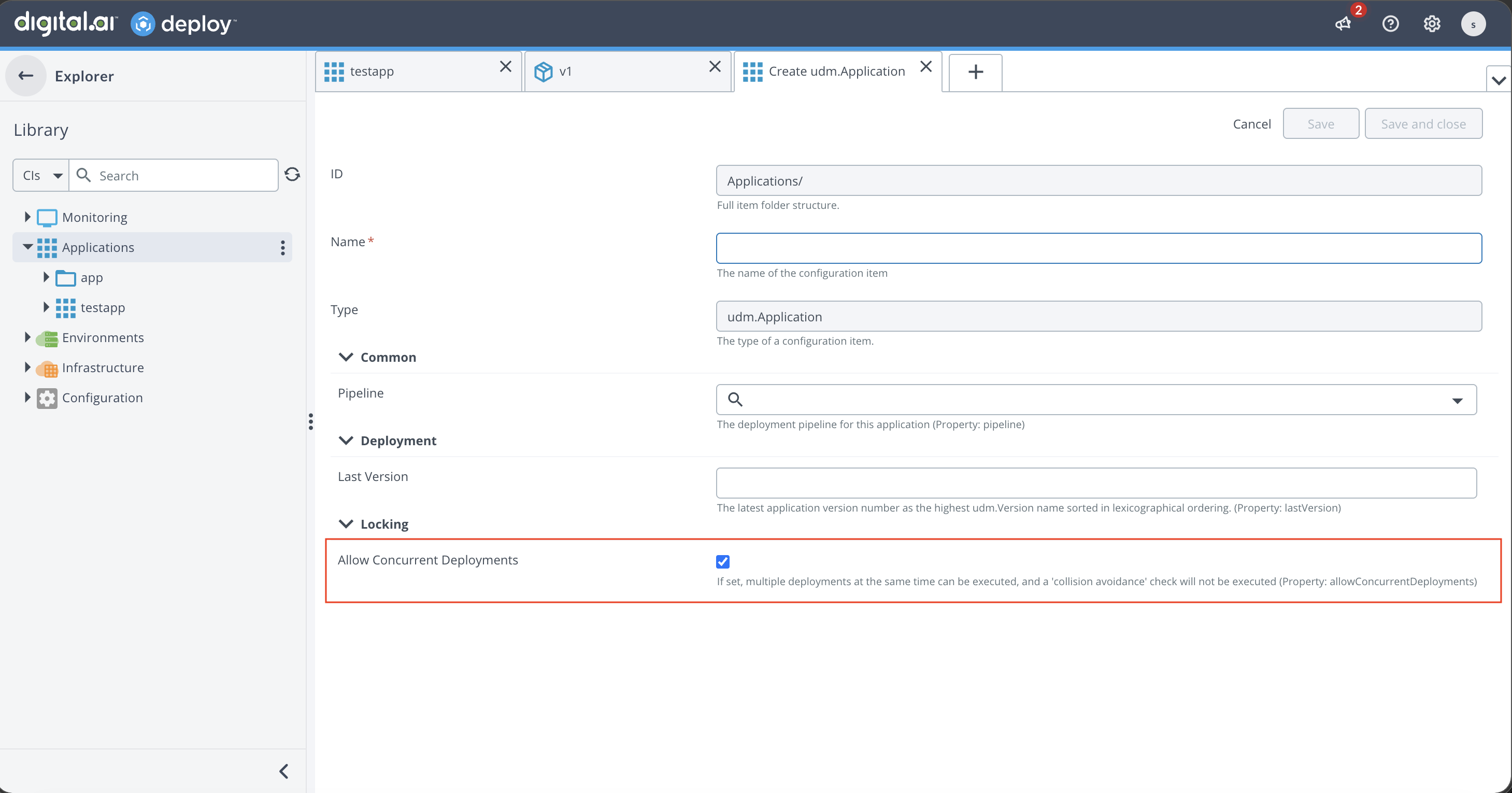
In the application creation form, scroll to the Locking section at the bottom.
-
Uncheck Allow Concurrent Deployments to prevent concurrent deployments of different versions to the same environment.
-
Save the application.
For an existing application
-
In the Deploy UI, navigate to the application under Applications.
-
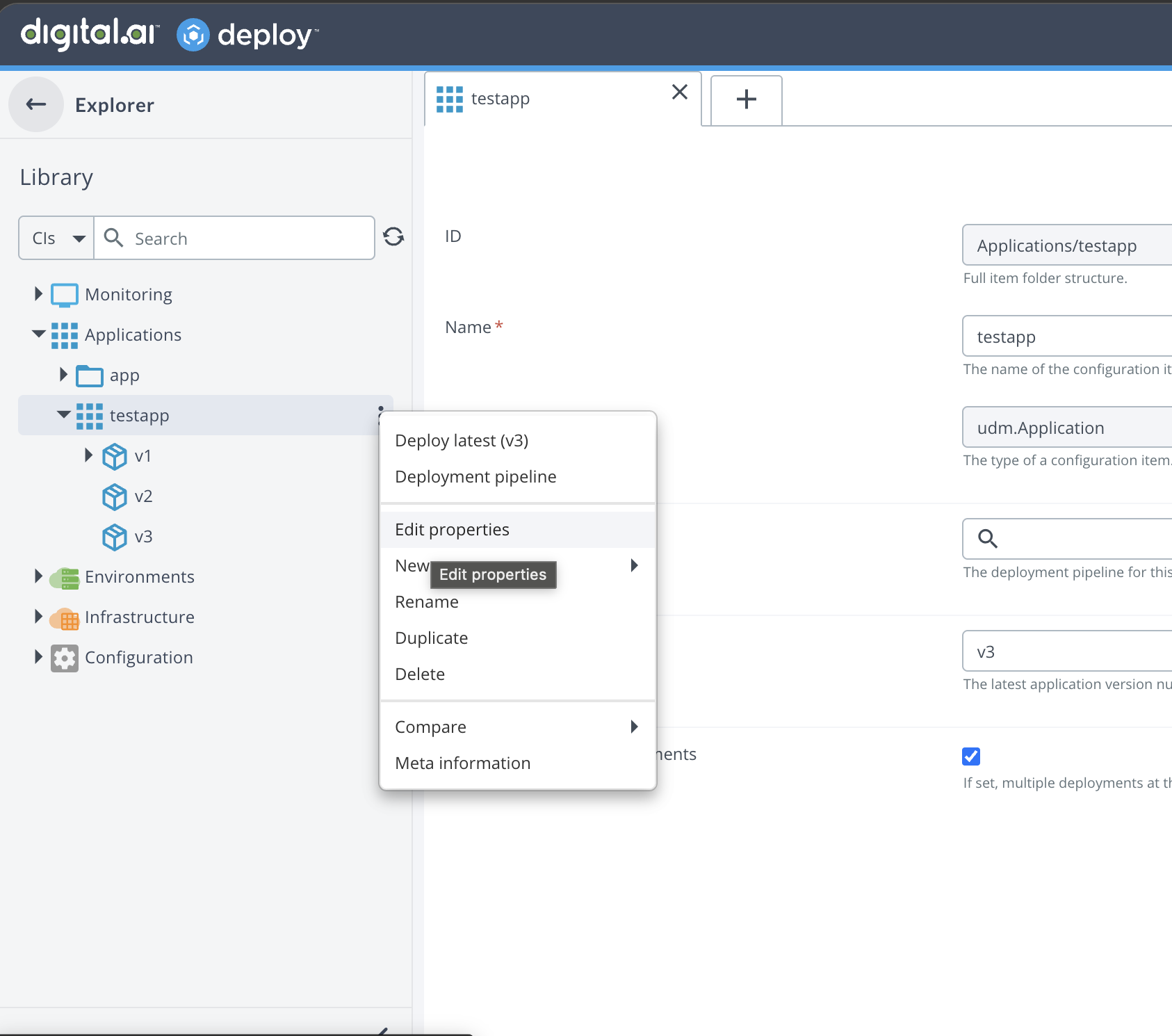
Click the application and select Edit Properties.
-
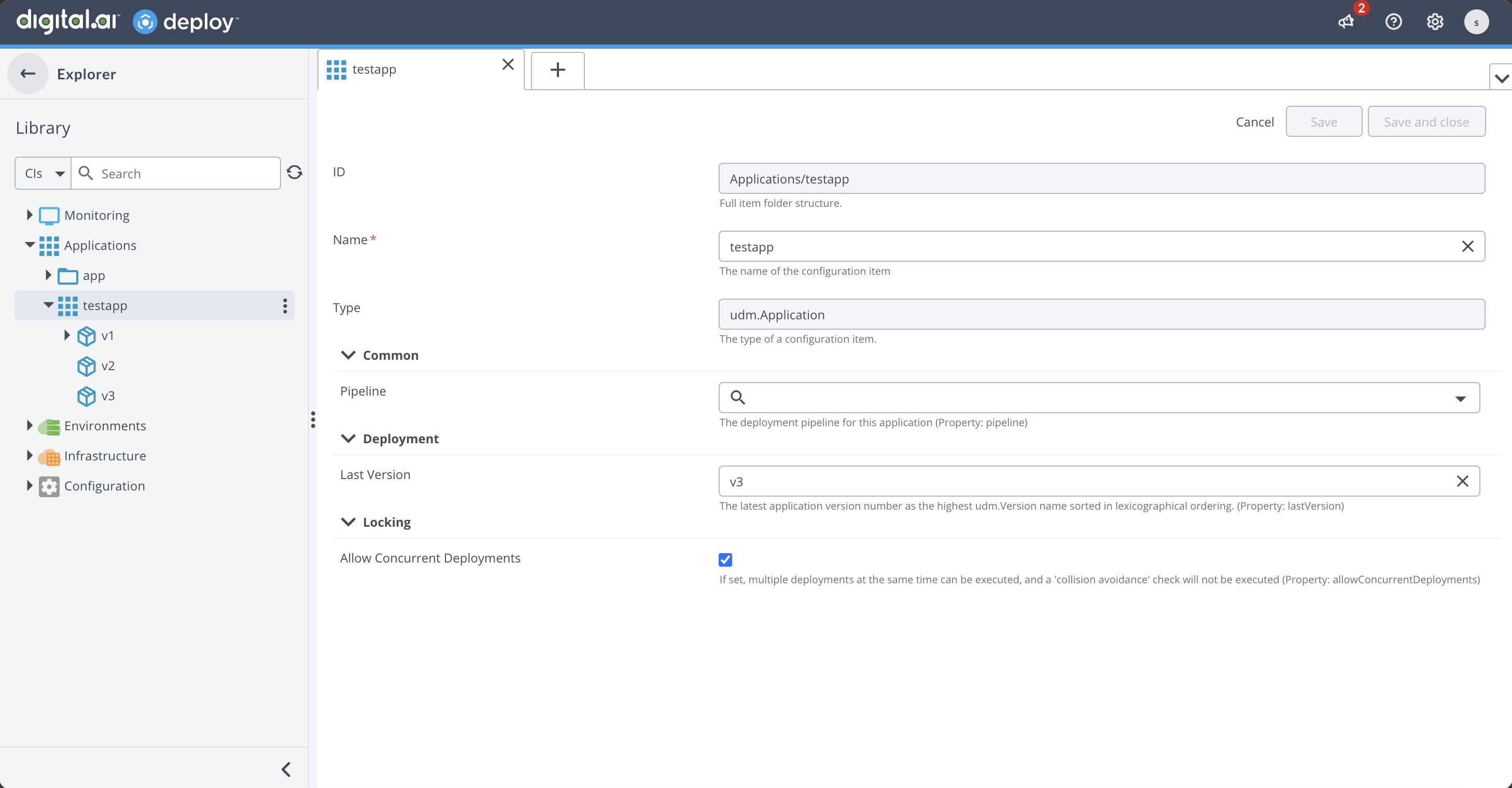
Scroll to the Locking section and uncheck Allow Concurrent Deployments.
-
Save the application.
The setting takes effect immediately for all deployment packages (versions) under this application.
| Value | Behavior |
|---|---|
true (default) | Multiple versions of the same application can deploy to the same environment concurrently. This preserves existing behavior. |
false | Only one version of the application can deploy to a given environment at a time. Other versions are queued until the active deployment completes. |
Example scenario
Consider a team managing three applications with the following locking configuration:
| Application | Allow Concurrent Deployments | Effect |
|---|---|---|
| AppA | true | Multiple versions can deploy simultaneously to the same environment |
| AppB | true | Multiple versions can deploy simultaneously to the same environment |
| AppC | false | Only one version can deploy to a given environment at a time |
These applications are deployed across two environments: DEV and UAT.
Simultaneous deployments to UAT
When multiple deployments are triggered to the UAT environment at the same time:
| Deployment | Status | Reason |
|---|---|---|
| AppA Ver_A1 | In progress | Concurrent deployments allowed for AppA |
| AppB Ver_B1 | In progress | Different application — independent of AppA |
| AppC Ver_C1 | In progress | First AppC deployment to UAT acquires the lock |
| AppC Ver_C2 | Queued | Blocked: another AppC version (Ver_C1) is already deploying to UAT |
| AppA Ver_A2 | In progress | Concurrent deployments allowed for AppA |
Once AppC Ver_C1 completes (or fails, or is aborted), AppC Ver_C2 automatically acquires the lock and proceeds.
Independent deployments to DEV
Locks are scoped per environment, so deployments to DEV are completely independent of what is happening in UAT:
| Deployment | Status | Reason |
|---|---|---|
| AppA Ver_A2 | In progress | DEV is independent from UAT |
| AppC Ver_C2 | In progress | No other AppC version is deploying to DEV — lock is available |
Verify locking behavior
- Deploy version 1.0 of the application to an environment. Do not click Finish after the deployment completes.
- While the first deployment is still active, start deploying version 2.0 of the same application to the same environment.
- The second deployment displays an Acquiring locks step and waits until the first deployment is finished.
- Return to the first deployment and click Finish.
- The second deployment acquires the lock and proceeds automatically.
Lock cleanup
Locks are cleaned up automatically in the following scenarios:
- Deployment completes successfully.
- Deployment fails.
- Deployment is aborted.
- Force cancel is used on a deployment.
If deployment tasks are deleted manually at the database level, the corresponding lock entries must also be cleaned up manually to avoid stale locks.