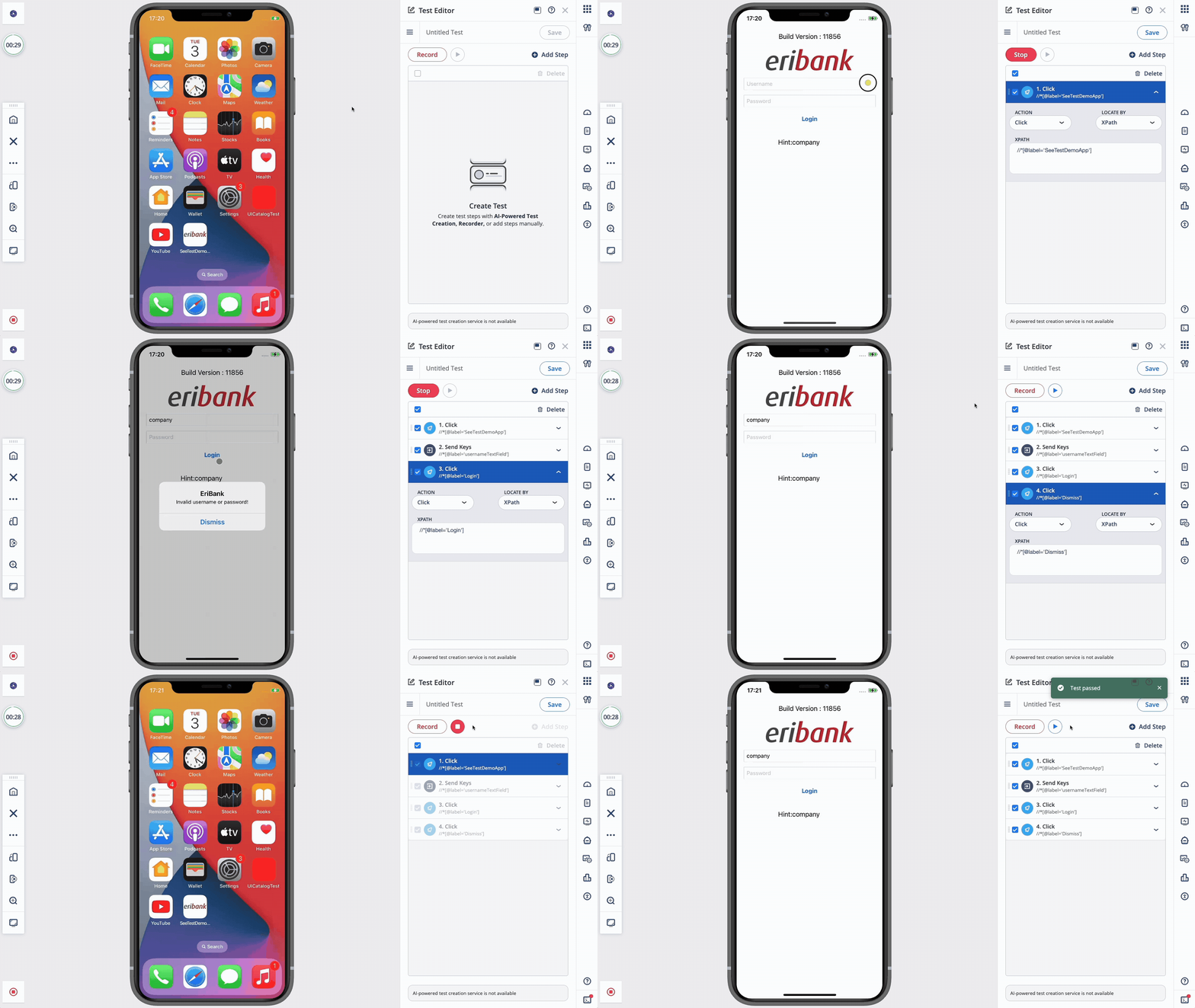
iOS Test Recorder
The iOS Test Recorder is a low-code tool for creating automated tests by recording actions performed on an iOS device.
When you launch a device in Mobile Studio, the recorder captures user interactions such as taps, swipes, and text input, and automatically converts them into test steps. You can review and modify these steps in the Test Editor to adjust the test flow or add validations as per your requirement.
The iOS Test Recorder allows you to export the recorded tests as standard XCUITest or Appium scripts for use in your local development environment.
Transform Manual Actions into Automated Tests
The iOS Test Recorder works like a record button for your mobile app, turning your manual actions into a digital blueprint for automatic testing.
- No coding required: Anyone can create automated tests without needing to learn complex computer programming.
- Saves time: Build tests in minutes by letting the tool identify app buttons and menus for you automatically.
- Captures real actions: Record every tap, swipe, and scroll exactly as a real user would experience them.
- Easy sharing: Instantly turn your recorded actions into a file that your technical team can use and improve.
- Fast updates: Fix tests quickly by simply re-recording your steps whenever the applications design changes.