Root Cause Analysis
Automation testers and developers spend significant time triaging failed tests. Determining whether a failure comes from the application, an unstable environment, infrastructure, or the test code itself usually requires manual digging through logs, videos, and network data.
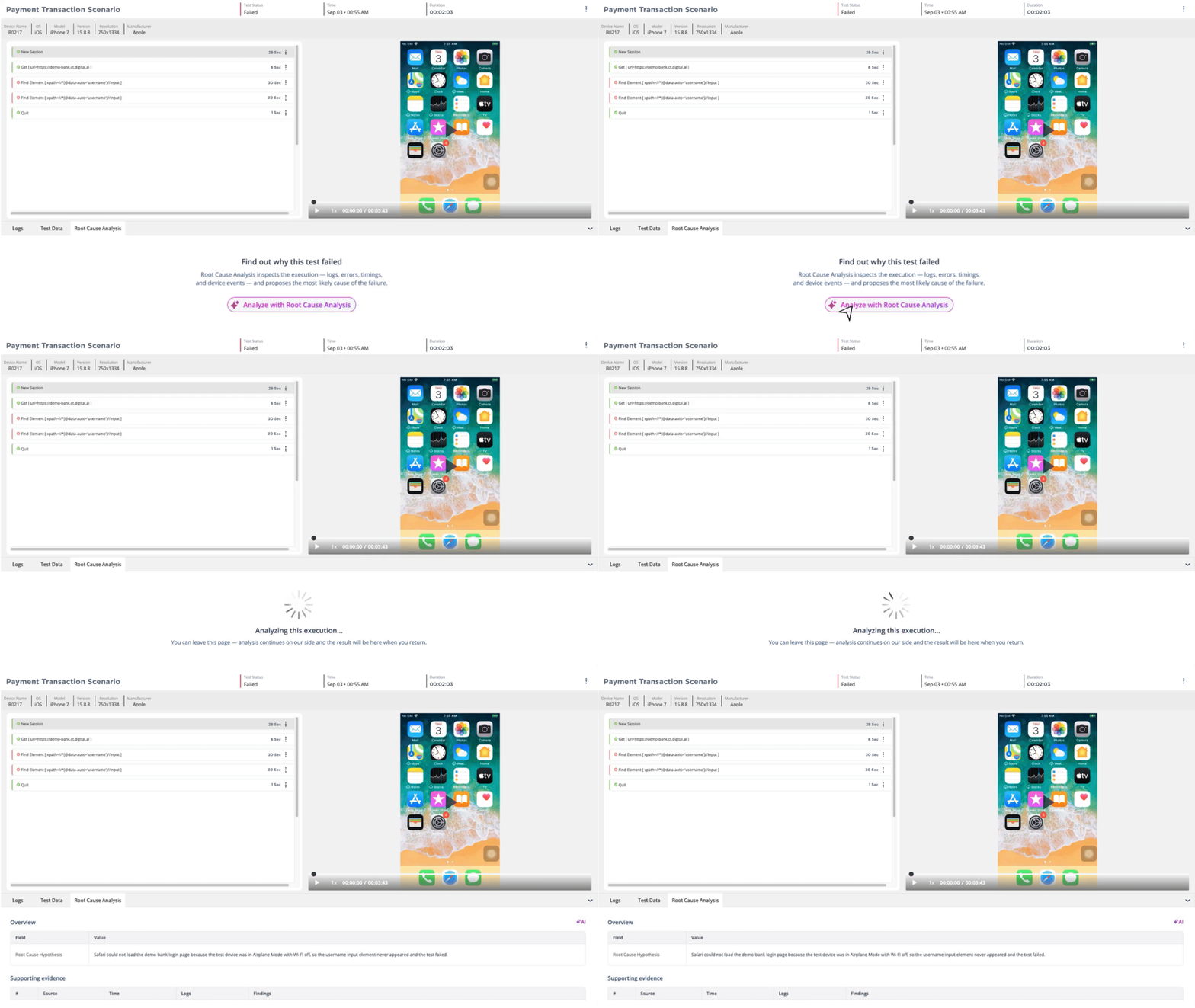
Root Cause Analysis (RCA) is an AI-powered tool that analyzes a failed automated test execution and returns a single ranked root cause hypothesis and the supporting evidence behind it. When a test fails or encounters an error, you can trigger RCA from the Video Report for that execution.
RCA is available only to Premium Digital.ai Testing SaaS customers. If the Root Cause Analysis tab does not appear on a failed execution that meets the criteria below, contact your Digital.ai account team.
Availability
The Root Cause Analysis tab appears in the video report only when all of the following are true:
| Requirement | Detail |
|---|---|
| License | Your account has a Premium Digital.ai Testing license. |
| Execution type | The execution is an automated test. Manual test sessions are not supported. |
| Status | The execution ended with a status of Failed or Error. Passed executions are not analyzed. |
| Framework | The execution used the Appium Server framework. |
| Device | The execution ran on a dedicated device, real or virtual. Shared devices are not supported in this phase. |
Understanding the RCA output
A completed analysis includes root cause hypothesis and supporting evidence.

Root cause hypothesis
The most likely root cause of the failure, explained in plain language. It describes what failed and why it failed. providing a starting point for reviewing the supporting evidence.components, errors, or log details when they are available, and avoids stating more certainty than the evidence supports.
Supporting evidence
Each analysis lists the evidence RCA used to reach its conclusion, traceable back to the execution. Evidence can include a failed step, an error message, a stack trace, a log line, a device log, or a timestamp, along with its source where available.

Providing feedback
- After reviewing an analysis, you can mark it as helpful or not helpful using the thumbs up or thumbs down control.
- Feedback is optional, and you can submit it more than once.
- Feedback is helpful for improving the agent’s learning loop and helping it provide better results over time.
Retry and failure handling
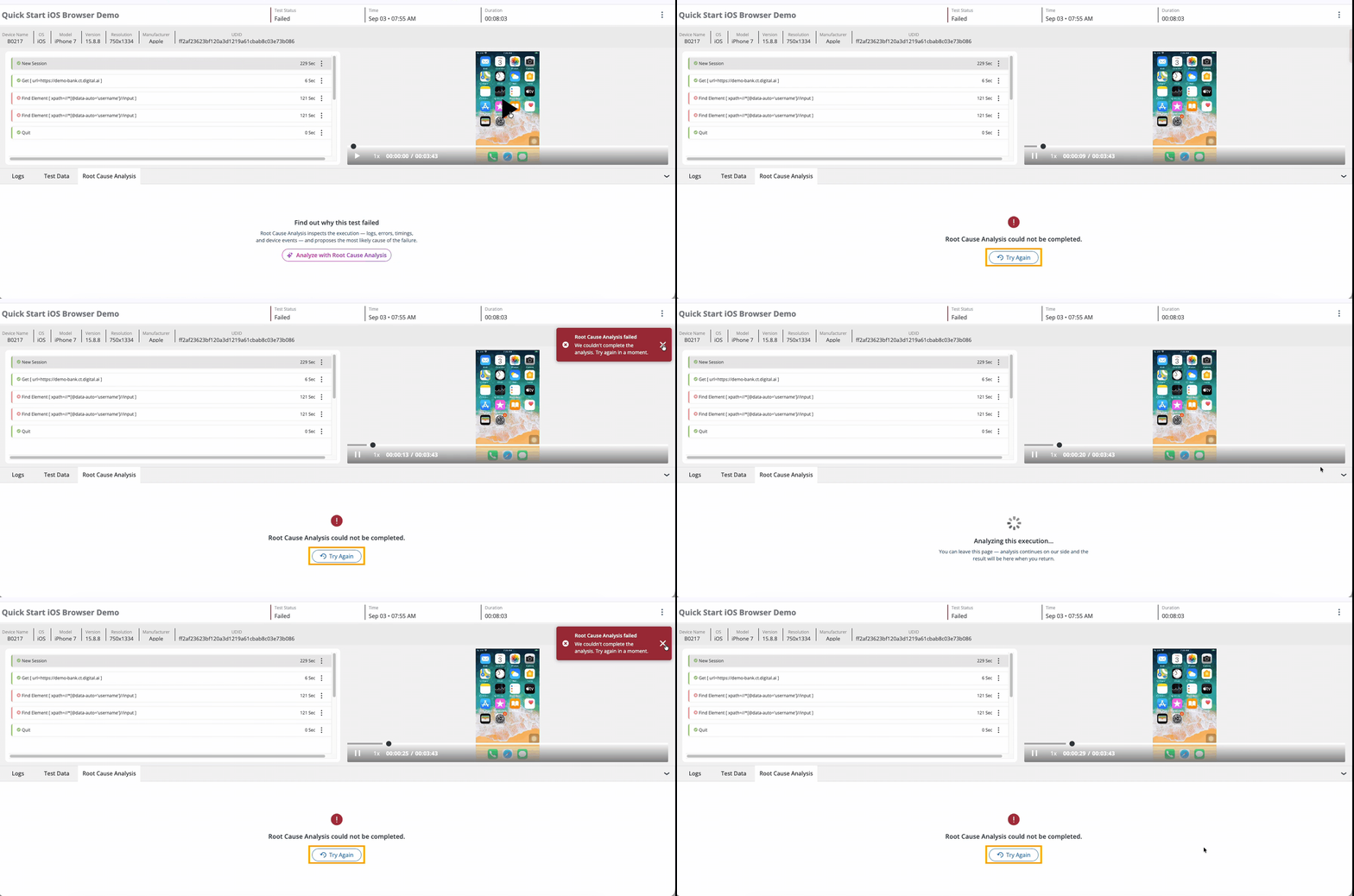
If RCA can't complete an analysis, the tab shows: "RCA analysis could not be completed." A Retry Analysis button appears below the message.
- If you see the following message, please contact support: “RCA analysis could not be completed.”
Known limitations
In this phase:
- RCA supports Appium Server and Appium Grid executions only. Other frameworks are planned for later phases.
- Shared devices are not supported.
- Manual test sessions are not supported.