Devices View
The Devices page provides insights into device usage across your testing environment, helping you identify which physical devices and operating system versions are used most and least frequently.
The Devices page is available only to Cloud Administrators.
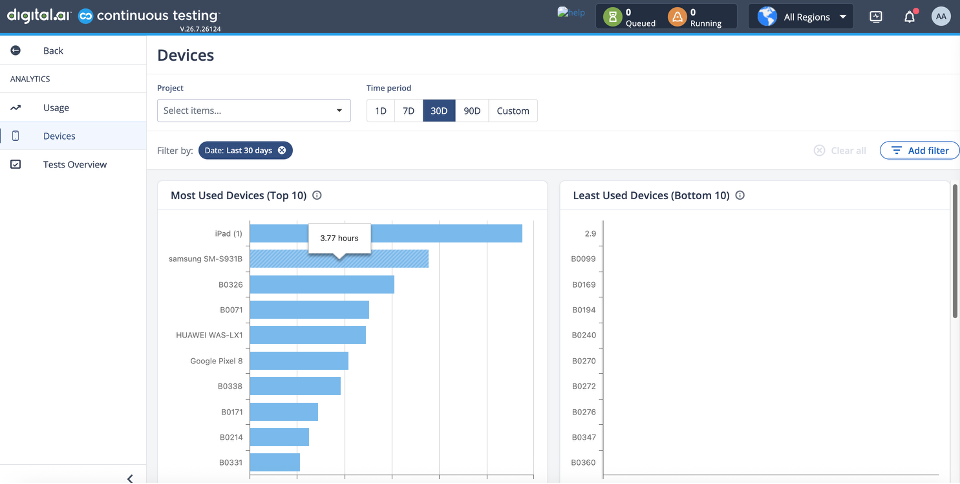
The Devices page displays the Most Used Devices (Top 10) and Least Used Devices (Bottom 10), ranked by total session hours. Hover a bar to see the exact hours.
Filters
You can refine the data displayed on the Devices page using the following global filters:
-
Session Type: Filter session data by execution environment or type (e.g.,
Browsers,Development,Manual testing,Mobile Execution,Shared Devices,Virtual Devices).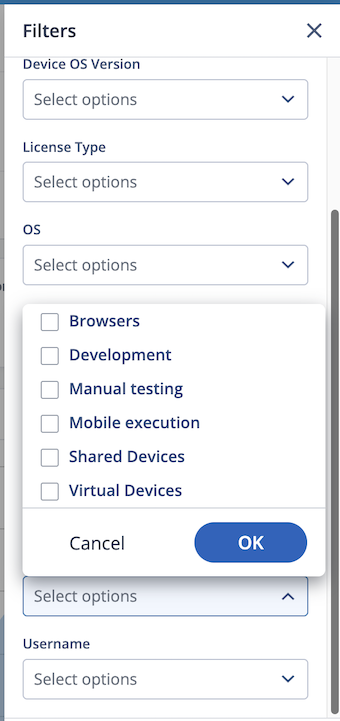
-
License Type: Filter data based on your organization's assigned license types (e.g.,
Dedicated Devices,Shared Devices,Virtual Devices,Browsers).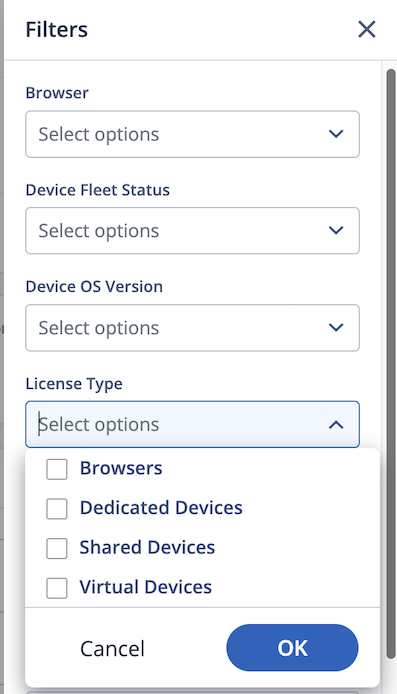
-
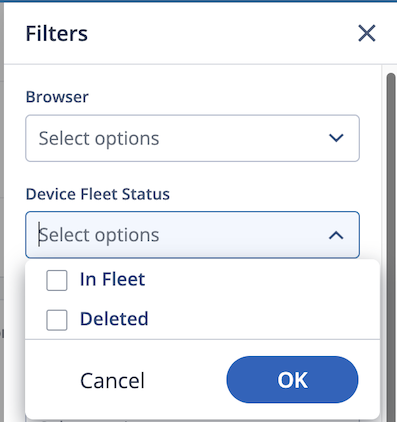
Device Fleet Status: Filter device data by availability status:
- In Fleet: Includes devices currently connected and available in the cloud environment.
- Deleted: Includes historical data for devices that have been disconnected or deleted.
Charts
| Chart | Description |
|---|---|
| Least Used Devices (Bottom 10) | Real devices ranked by total session hours, lowest first — useful for spotting underused devices. |
| Most Used Devices (Top 10) | Real devices ranked by total session hours, highest first — useful for spotting overused devices. |
| OS Usage Ranking | Most Used and Least Used OS Versions shown side by side. |
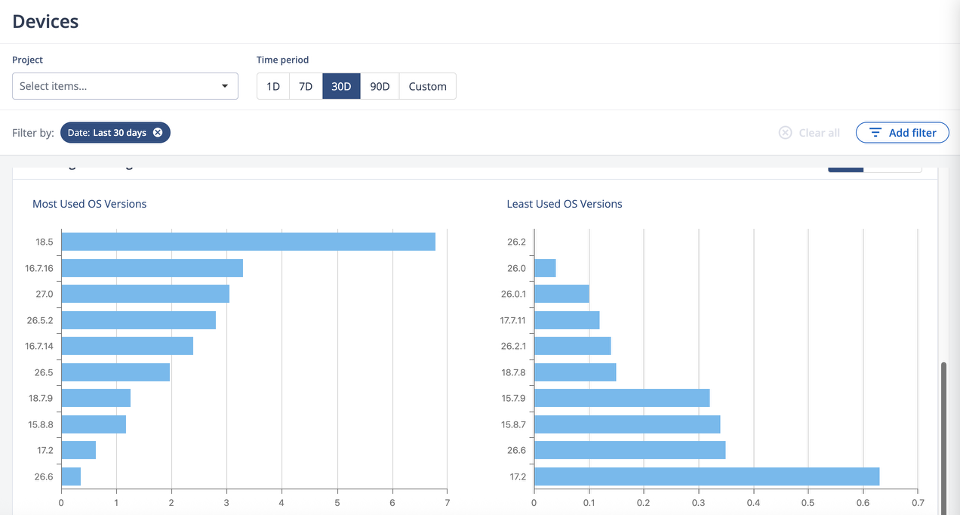
The above image shows the Most Used OS Versions and Least Used OS Versions for the selected OS family (iOS shown here).