Digital.ai Testing 26.6 Release Notes
Natively Built-In Accessibility Reports
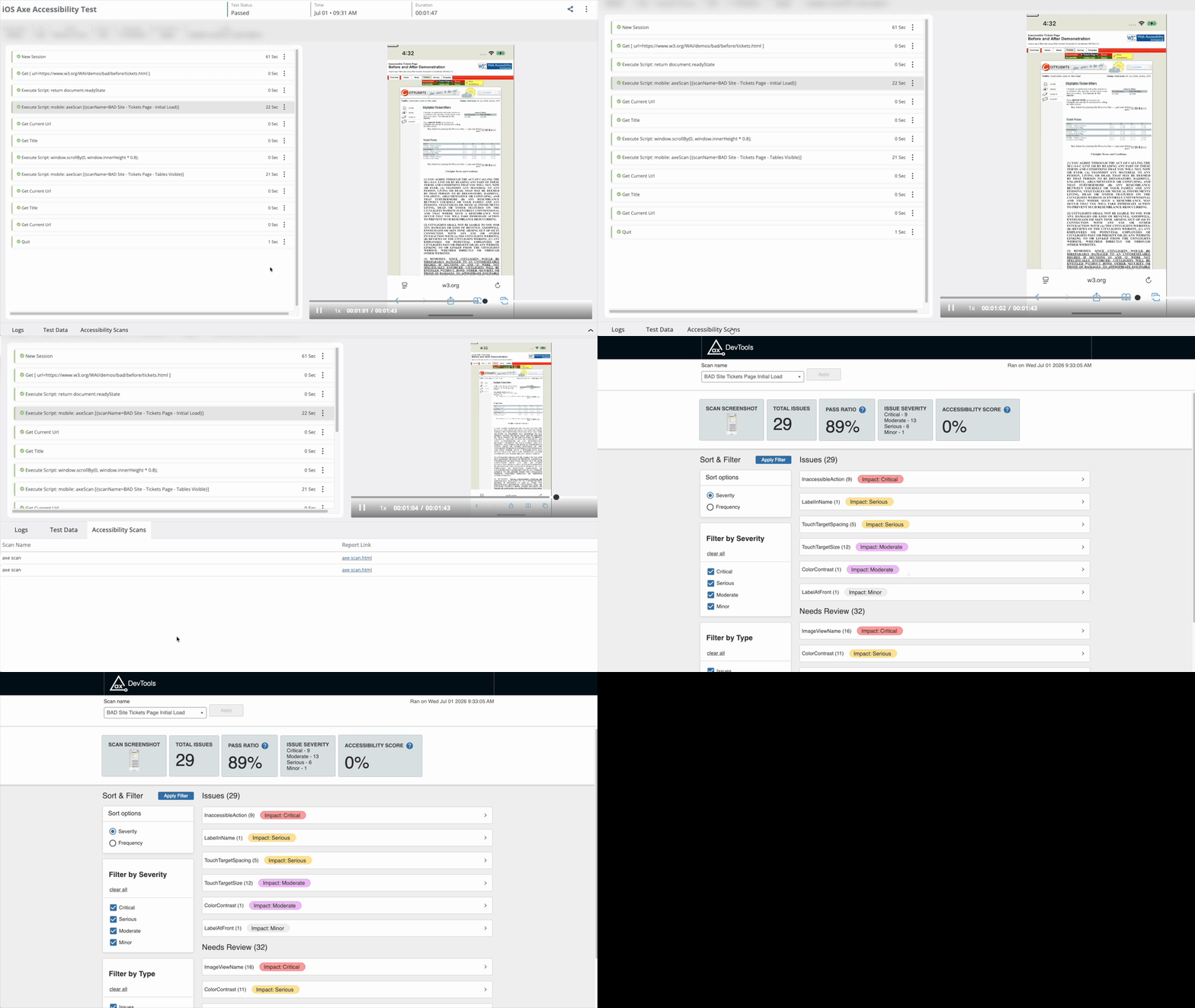
Accessibility scan results, powered by Deque Axe, are now available directly within generated test reports.
Teams can review accessibility findings alongside functional test results in the same test session, without switching tools or manually exporting data. This creates one review workflow with audit-ready evidence.
Combined with secure report sharing, stakeholders can review the same evidence through a protected link, making it easier than ever to collaborate across teams.
To learn more about accessibility, see Accessibility Scans in Reporter.
Android 17 Support
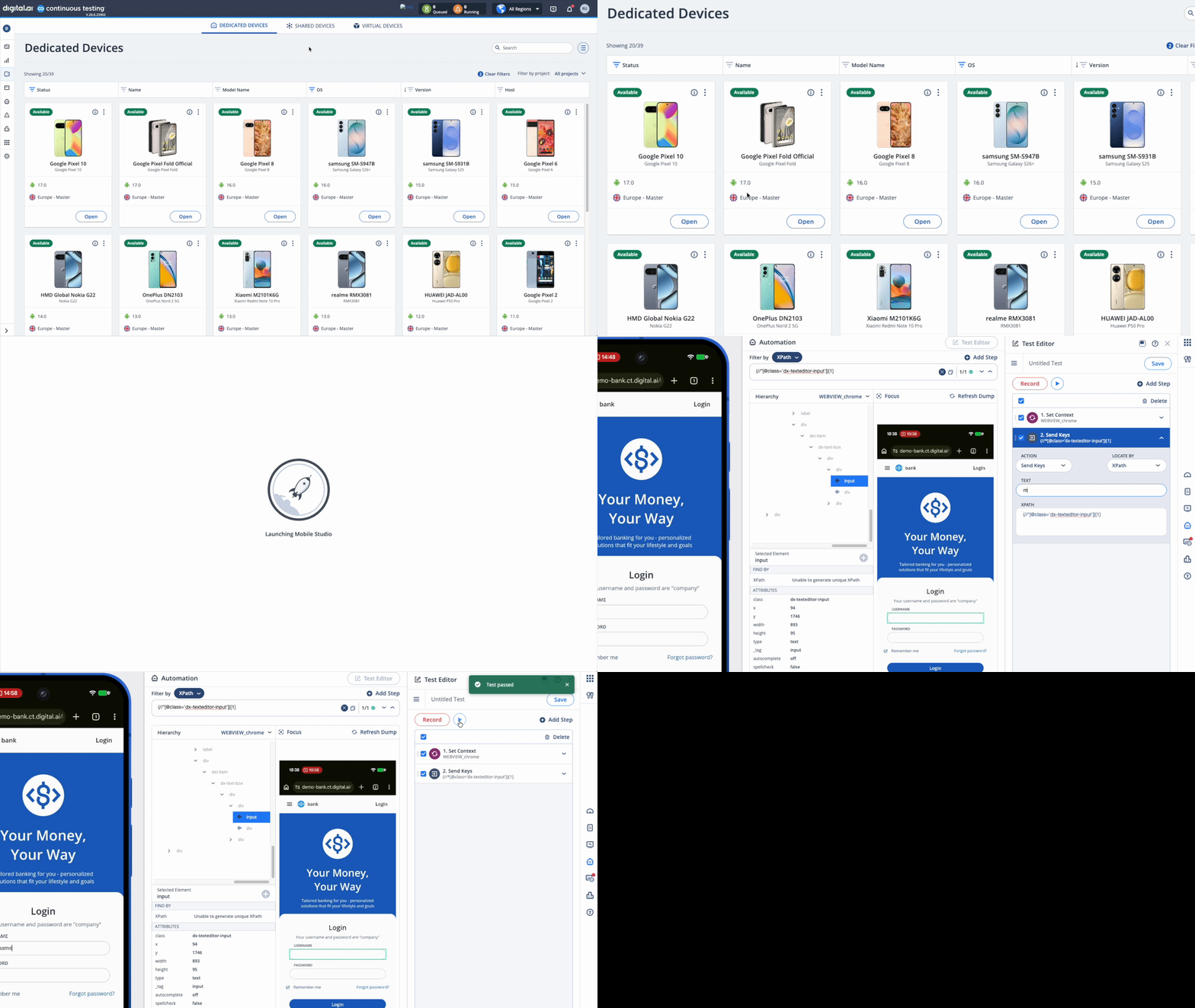
Earlier this year, we announced support for Android 17 Beta to help teams validate applications ahead of the official release. Now, Digital.ai Testing supports the Android 17 official release, teams can test on the latest OS version to validate compatibility, uncover potential issues early, and ensure a smooth user experience.
Integrations & Ecosystem
Digital.ai Testing MCP Server
The Digital.ai Testing MCP server connects your AI agent directly to your testing platform, turning natural language into real platform actions across administration, analysis, and test execution.
Get started in minutes with the Digital.ai Testing MCP Server.
WebdriverIO MCP Server Support
We now support the WebdriverIO MCP Server, enabling AI agents to connect WebdriverIO workflows to real browsers and mobile devices in the Digital.ai Testing platform.
Bug Fixes and Improvements
-
Cloud
- Device Group audit logs now record who assigned and/or unassigned a device to a Device Group, providing better tracking and auditing.
- Fixed an issue where the "Release Notes" and "Getting Started" links on the Help page pointed to incorrect documentation URLs.
-
Mobile Studio
- Enhanced XML dump loading times for applications with multiple contexts in Appium Server.
- Fixed an issue with device video recording on Safari browsers.
- Fixed an issue affecting the display of application build versions in Apps Manager.
-
Reporter
- The Download Test Video API now supports
testUUIDas the primary identifier. Learn more. - CORS configuration when enabled, CORS configuration now applies to the Reporter APIs in addition to the Cloud APIs.
- The Download Test Video API now supports
-
Android Support
- Fixed an issue where Simulate Capture failed to scan QR codes the first time an application was launched after being installed in instrumented mode.
- Fixed an intermittent issue where launching a URL in Chrome failed when the browser was relaunched multiple times within the same session.
- Fixed an issue where UI elements were not recognized in instrumented mode.
- Fixed an issue where installing multiple large applications simultaneously in instrumented mode caused the App Signer to crash.
-
iOS Support
- Fixed an issue where applications failed to log in when launched in instrumented mode.
- Fixed an intermittent issue where the instrumented dump failed to load.
- Fixed an issue where web automation tests failed with a Web Inspector error, even though it was enabled.
-
Appium Server
- CarPlay – Instrument Cluster Screenshot Capture
- Capture screenshots from the Instrument Cluster display during CarPlay test execution.
- Upgraded the Appium Server library to version 3.5.2 for both Docker Swarm and Local Appium modes.
- CarPlay – Instrument Cluster Screenshot Capture
Important Notes
Deprecation Notices
-
Reporter URL – Starting August 2026 (v26.8), Reporter URLs based on
test_id(e.g..../html-report/index.html?test_id=123) will be deprecated in favor of new UUID-based Reporter URLs (e.g..../html-report/uuid). This eliminates issues caused by project-specific test ID mappings, allowing reports to be shared across projects. Update any existing report links in your documentation, dashboards, integrations, or other workflows before upgrading. Learn more. -
Local Disk Installation – Starting in version 26.9, the Install from local disk option for the Install command in SeeTest Grid is deprecated and will be discontinued at the end of September 2026. Migrate any test scripts that use local disk paths to install applications through the Application Manager, a URL, or the cloud using a unique application name instead. For migration assistance, contact the Technical Support team.
-
OCR-based Tests – By the end of 2026, OCR-based text recognition in Appium Grid and SeeTest Client workflows will be deprecated. Plan future OCR-based automation using the image recognition capabilities available through Appium Image Recognition on Appium Server.
Known Issues
-
iOS 27 beta
- The SetNetworkConnection command does not work in
airplane_mode. - The SetNetworkConnection command does not turn Bluetooth off if Bluetooth is already enabled.
- Device passcode cannot be enabled or disabled using either the Web Studio UI or the SetPasscode Appium command.
- The SetNetworkConnection command does not work in
-
iOS (general)
- Switching between Safari browser tabs (window handles) may fail on devices running iOS 18.x through iOS 26.2. This is a known Apple limitation that is resolved in iOS 26.5 and later.
- On iOS 18 and below, web elements may be incorrectly reported as not visible on zoomed pages.
- Accessibility scans with Deque Axe Driver are temporarily not available for Appium versions 3.3.0 and higher.
Cloud Management and On-Premises Deployment
Release notes related to Cloud Management and On-Premises Deployment are published in On-Premises Cloud Management Release Notes.
This separation improves clarity for On-Premises cloud administrators and includes installation, platform support, and infrastructure-related changes.
Latest Browser and OS Version Support
 |  |  |  |  |  |  | |
|---|---|---|---|---|---|---|---|
| Official | 15.8.X - 26.5.2 | 9-17 | 150 | 152 | 150 | 26 | 131 |
| Beta | 26.6 beta 4 27 beta 3 | One UI 9 beta | 151 | 153 | 151 | - | - |
Limitations on Android 12 – 17 devices are mentioned here and iOS limitations can be found here.
For browser testing limitations, read more here.
Maintenance Update 1
Release Date: July 29th, 2026
- Cloud: Resolved an issue where the macOS installer was not notarized by Apple, preventing on-premise customers from upgrading their environments. Learn more.
For the latest installer updates, visit our On-Premises Cloud Management Release Notes page.
Next Release
Due date: August 10th, 2026 (or prior)
The due date and highlights of the next release are as anticipated by Digital.ai Testing on the date of release of the current version, and are forward-looking statements. Actual due dates and highlights may vary.