Accessibility Scans in Reporter
The Reporter tool integrates with Deque Axe to provide access to accessibility scan results generated during test execution. When a scan runs with the Axe Driver, Reporter stores the resulting reports and makes them available from the related test execution report.
View Accessibility Scans
To view accessibility scan results:
- Open the required test execution report in Reporter.
- Select the Accessibility Scans tab.
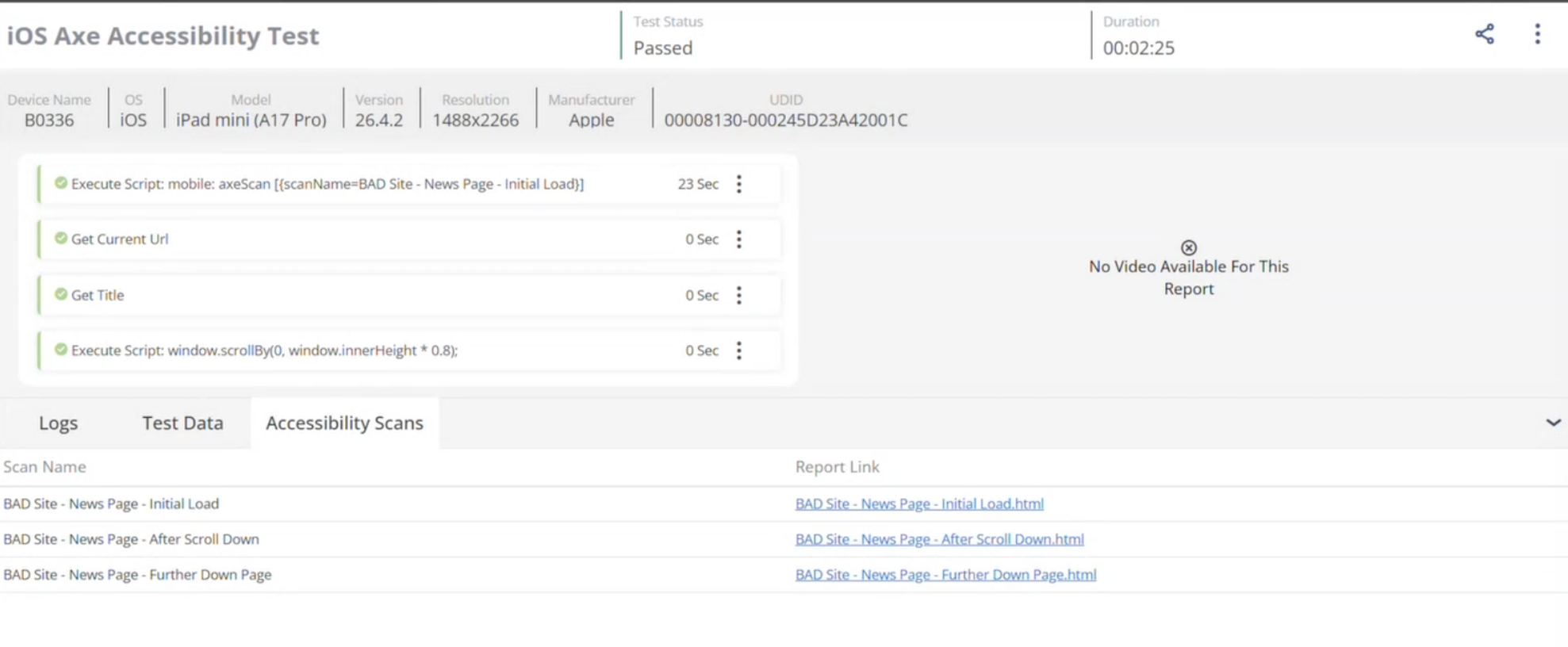
The tab displays all accessibility scans generated during the test execution.
Accessibility Scan Information
The Accessibility Scans tab contains the following information:
| Field | Description |
|---|---|
| Scan Name | The name assigned to the scan during execution. |
| Report Link | A link to the generated scan report. |
Open an accessibility report
To view a detailed report:
- Open the Accessibility Scans tab.
- Locate the required scan.
- Select the report link.
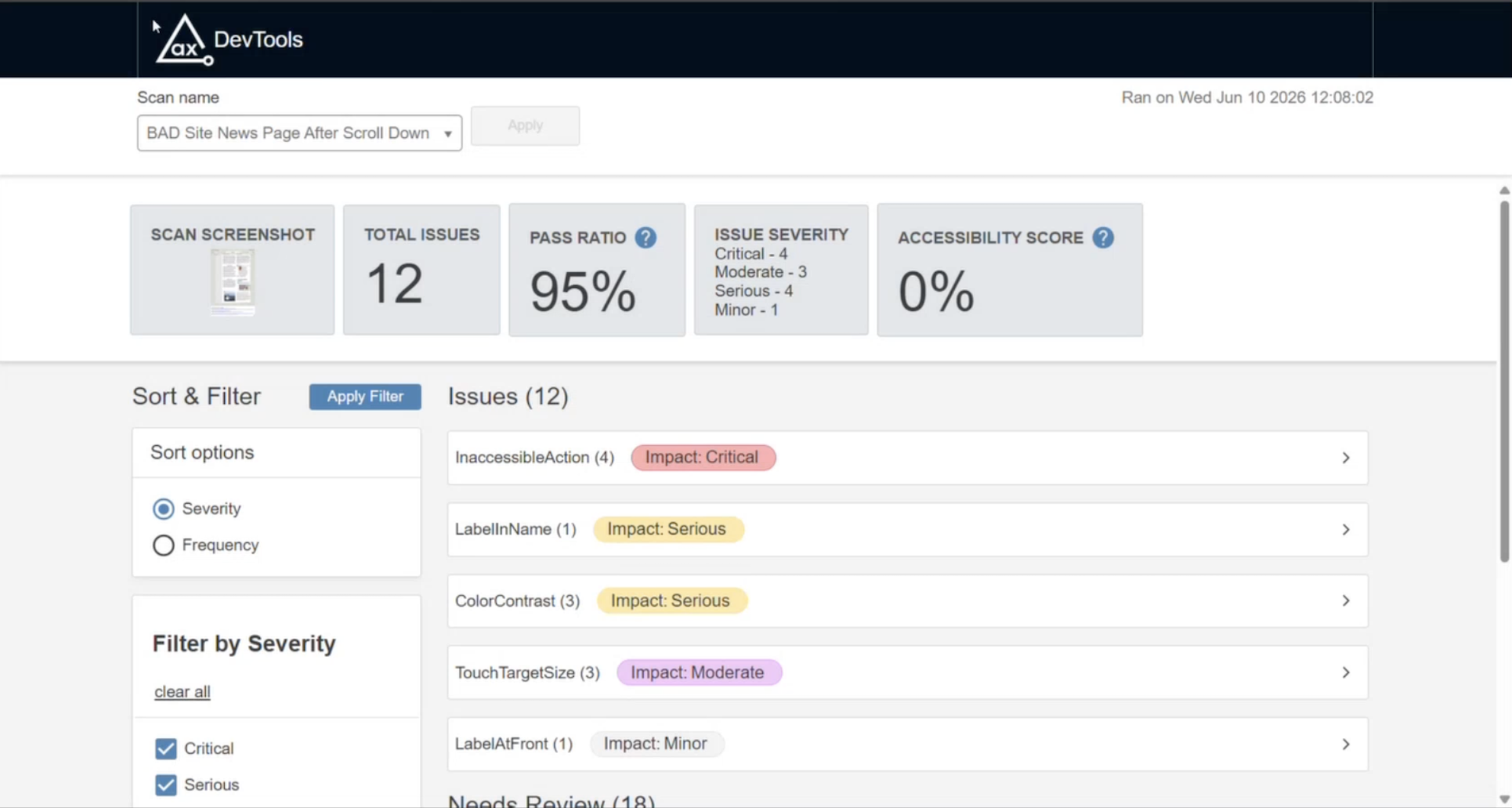
Reporter opens the generated Axe report, which includes details about detected accessibility issues, affected elements, severity levels, and remediation guidance from Deque Axe.
Multiple Accessibility Scans
A single test execution can contain multiple accessibility scans. For example, the scans can be performed:
- After the initial page load
- After user interactions
- After page navigation
- After scrolling through content
Each scan is listed separately in the Accessibility Scans tab and provides its own report.
Report storage and retention
Accessibility results are stored with the associated test execution report and remain available in Reporter according to the configured retention policy.
Download the reports
In addition to viewing scan results in Reporter, you can download the report package for offline review.
To download the reports:
- Open the required test execution report in Reporter.
- Click the pop-up menu next to share icon, select Download.
- In the Download test data dialog, select Accessibility Reports and click Download.
The download is a .zip file that contains:
- Accessibility scan result files in JSON format
- Generated HTML reports for each scan
Use the JSON files for further analysis or integration with external tools. The HTML files provide a readable view of the scan findings.
Share accessibility reports
Accessibility results can be shared through Reporter’s public sharing feature. When you share an execution report by public URL, the related scan results are also available to users who can access the shared report.
Users with access to the shared report can:
- View the accessibility scan results
- Open the generated HTML reports
- Download the report package as a
.zipfile
Important notes
-
Accessibility reports are generated by the Deque Axe Driver. The information shown in the report is based on the scan results returned by the Axe engine.
-
Accessibility results are available only when scans are generated during the test execution. For more information about adding accessibility scans to your test automation, see axe DevTools integration with Appium.