Agility Sync Major Release Notes
This page contains the release notes for all Agility Sync major releases.
For Agility Sync major releases that are currently supported, see the Digital.ai Agility release notes.
Digital.ai Agility Sync 22.2 Release Notes
Here's a list of what's new and what's fixed with Agility Sync 22.2.
What's New
- We have refactored the framework for creating webhooks automatically in the ALM systems Agility and Jira to ensure that we only subscribe to changes associated with those asset types and projects that are mapped.
- Added Pendo Support for Agility Sync.
- Implemented Shared Service- SSO for Agility Sync using Digital.ai Platform.
- Migrated Agility Sync logs to Cloudwatch for hosted customers. We recommend a retention policy of 1 week.
- Revamped Logs page with new look and feel.
Fixed
- Event type updated for Microsoft TFS plugin in webhook update.
- Dot-walking reference fields support for ServiceNow.
- (Undefined variable: Global Variables.sfdc.short) test connection fails with error - "
400 Client Error: Bad Request for url: https://login.salesforce.com/services/oauth2/token" - Agility-iteration to Jira-Sprint sync failed with KeyError: '
absolute_url'. - Fixed issue with import mapping not working with external plug-in custom module.
- Performance improvements in Agility Sync.
Digital.ai Agility Sync 22.1 Release Notes
Here's a list of what's new and what's fixed with Agility Sync 22.1.
What's New
-
Agility Connect has been renamed to Agility Sync.
-
We have decoupled Agility Sync features from Continuum to create a new product, Agility Sync. This product contains all Agility Sync features and the Tasks feature from Continuum. Refer to Migrating from Agility Sync or Continuum to Agility Sync for information on migrating from Agility Sync to Agility Sync.
Please reach out to the Services/Support team before kickstarting your upgrade from Continuum/Agility connect to Agility Sync.
Please DO NOT try the upgrade steps by yourself.
-
Global asset data such as workspaces, projects, releases, iterations, and users along with RBAC (Role-Based Access Control) permissions can now be migrated from Broadcom Rally to Agility.
-
Third parties such as customers or partners can write their new tool integration using our custom frame work. Refer to Agility Sync API documentation for more information.
-
Discontinued support for Python 2.x and added support for Ubuntu 20 using Python 3.
-
Added support for DocumentDB.
-
Jira data migration improvements
-
ServiceNow integration enhancements
-
Azure DevOps improvements
Digital.ai Agility Sync 21.3 Release Notes
Here's a list of what's new and what's fixed with Agility Sync 21.3.
Rally—Agility data migration (Beta)
- You can now create a mapping solely for the purpose of migrating your Rally assets to Digital.ai Agility.
- This is a beta feature in Agility Sync 21.3. Do not use this in a production setup.
- While the mapping you create can migrate the Rally data to Agility (and not vice versa), you cannot have the mapping do live data sync between Rally and Agility.
While all other mapping features are supported, the following Additional Mapping features are not supported for Rally—Agility data migration:
- Live Sync
- Work Item Change Detection
- Dependencies
- Conflict Resolution
For more information, see Create a Mapping to Migrate Assets from Rally to Digital.ai Agility (Beta).
Bug fixes
Fixed an issue with Agility — Jira integration, due to which the Jira work item in Jira gets deleted post sync when you delete an attachment from the Agility work item in Agility.
Digital.ai Agility Sync 21.2 Release Notes
Here's a list of new features and enhancements that's part of Agility Sync 21.2:
Agility—Salesforce integration
Agility Sync supports integration between Agility and Salesforce.
Agility Sync supports the following Salesforce assets:
- Case
- Opportunity
- Lead
- Account
Salesforce project mapping is not supported. You must select "No Projects" from the Projects drop-down list when you integrate Agility—Salesforce.
For more information, see Agility—Salesforce Integration.
Agility Sync Plugin Management
- Native plugin management within Agility Sync to add and delete new application instances.
- Click Systems from the Agility Sync home page to go to the Manage Plugin page. You can add new instances of the following tools from the Manage Plugin page.
- Digital.ai Agility
- Jira
- TeamForge
- ServiceNow
- Azure DevOps/TFS
- Micro Focus ALM/Quality Center
- Salesforce/SFDC
You can also test the connection between Agility Sync and the tool's instance from the Manage Plugin page.
Do not edit the instances you added using Agility Sync's native Manage Plugin page using Continuum's Manage Plugin page.
For more information, see Configure the Agility Sync Plugins.
Export and Import Agility Sync Mappings
You can now select and export the mappings you created in Agility Sync. The ability to export Agility Sync mappings comes in handy when you have multiple instances of Agility Sync or if you want to export a mapping that you created in your test setup and import the same in your production setup.
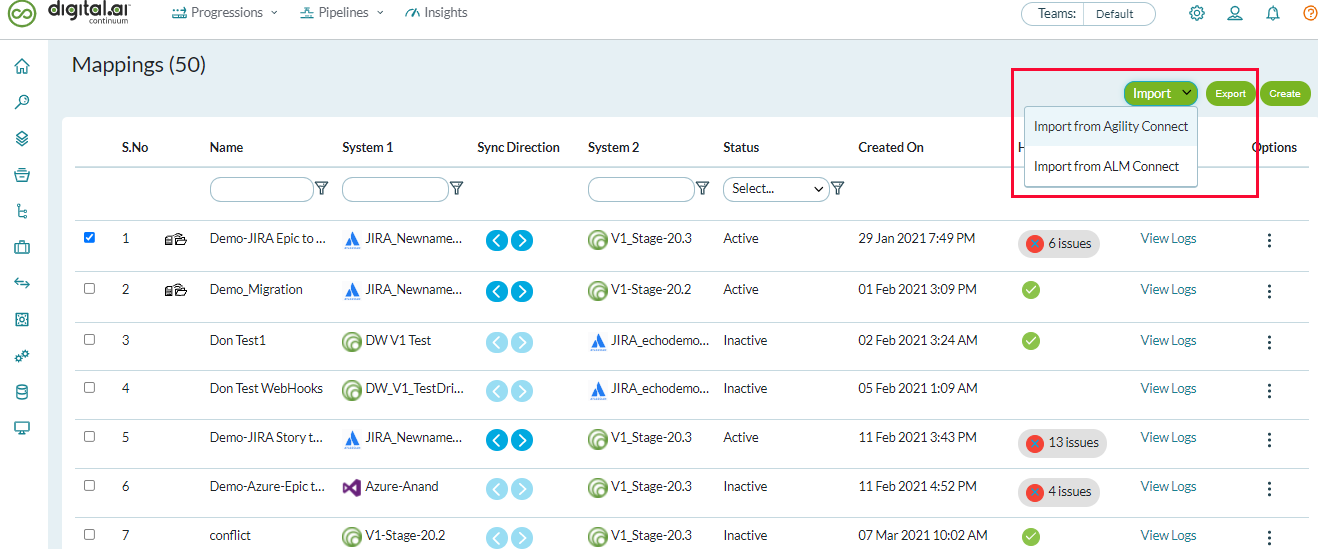
For more information, see Export/Import Mappings.
Resync All Failed sync events
Instead of resyncing failed sync events one at a time, you can now Resync All failed sync events in one go from the Logs page. This feature comes in handy at times when you find a single root cause leading to multiple sync failures. Earlier, in addition to fixing the root cause of sync failures, you must resync all the failed sync events one by one, which was tedious. Now, with the ability to Resync All, you can resync all the failed sync events in one go (clicking the Health issues from the Mapping List page shows Logs page with the list of all failed sync events).
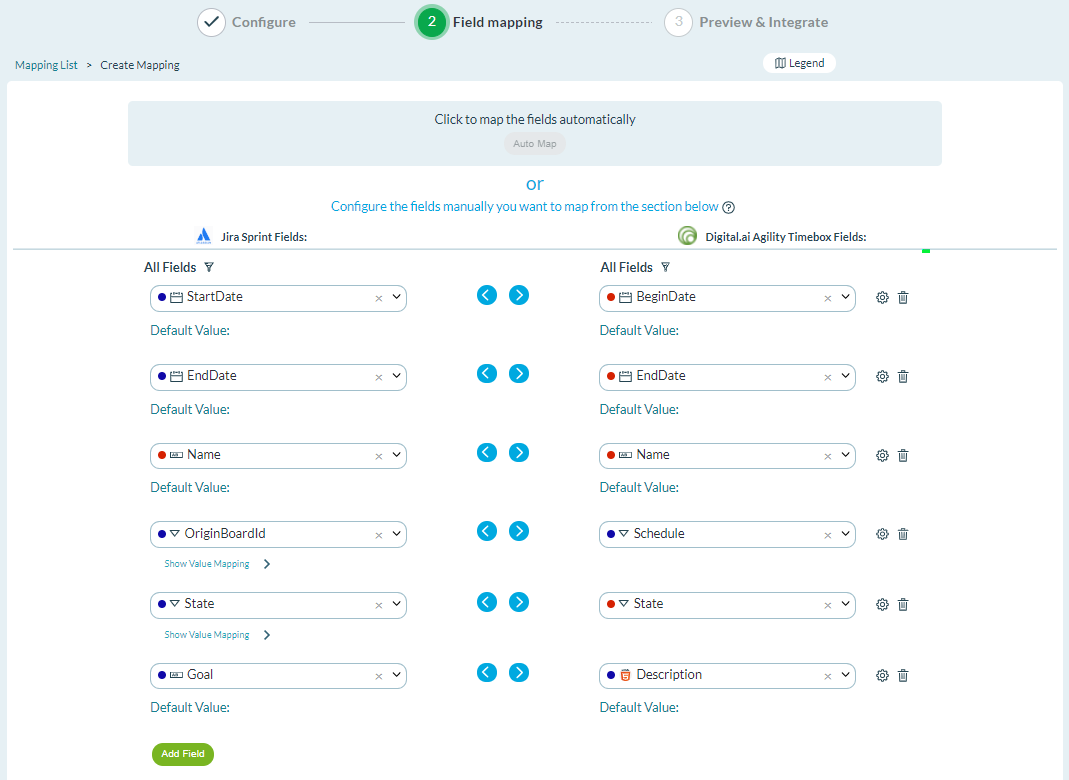
Auto Map fields when you create a mapping for Iteration and Sprints
Sync Specific Workitem
In addition to text type fields, "Contains" and "Not Contains" comparison operators are available for list type and multi-select fields.