Portfolio Planning
Who does portfolio planning: Portfolio managers define strategic themes, manage budgets, and create roadmaps. Product owners contribute to portfolio item breakdown and prioritization. Program managers coordinate delivery across multiple teams. Executives review roadmaps and approve investment decisions.
Portfolio Planning establishes strategic direction, manages budgets, and creates roadmaps for coordinated delivery across your organization. These tools align work with business objectives, track progress, and forecast delivery timelines.
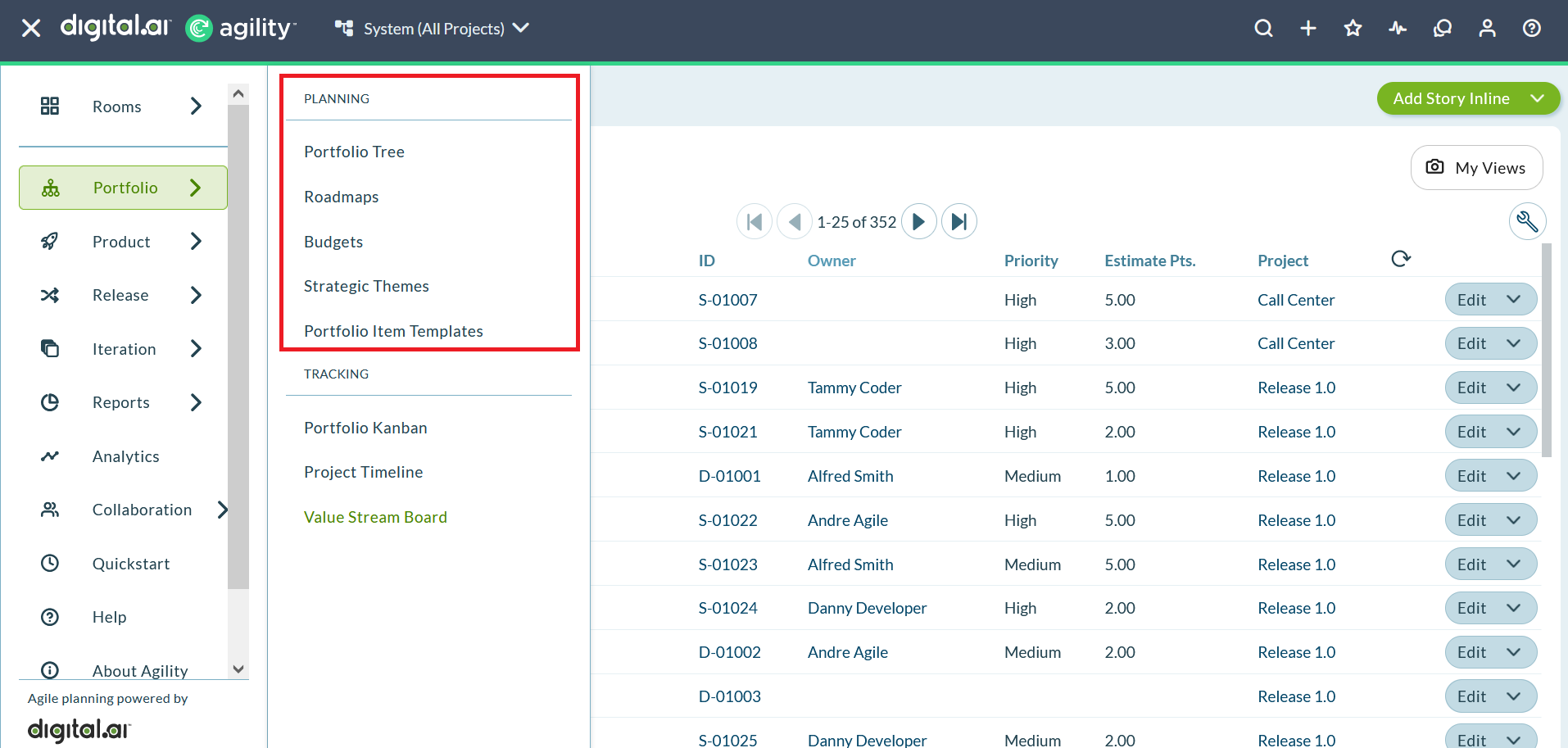
Portfolio Planning Capabilities
Manage Budgets
Budgets track and control spending across portfolio items. Teams set budget thresholds, monitor actual vs. planned spend, and receive alerts when budgets approach limits. This capability supports informed investment decisions and ensures work aligns with available resources.
Learn more: Manage Budgets
Milestones
Milestones define key dates and events that mark significant achievements or decision points in portfolio delivery. They provide visibility into important deadlines and help coordinate dependencies across teams and projects.
Learn more: Milestones
Portfolio Tree
The Portfolio Tree organizes and manages portfolio items in a hierarchical structure that reflects organizational strategy. It provides a comprehensive view of all initiatives, features, and sub-features, showing how work rolls up to strategic objectives.
Portfolio Tree capabilities:
- Portfolio Item Overview: Understand portfolio item types, hierarchies, and relationships
- Using the Portfolio Tree: Navigate and interact with the portfolio hierarchy
- Create Portfolio Items: Add new initiatives, features, and sub-features
- View and Track Portfolio Items: Monitor progress across the portfolio tree and related views
- Manage Portfolio Item Lifecycle: Split partially completed items and close finished work
- Assign Teams and Owners: Allocate resources and ownership to portfolio items
- Add Items to Portfolio Tree: Add parent items, child items, and backlog work
- Manage Portfolio Item Relationships: Link blocking issues and generate parent items
- Apply Filters: Focus on specific portfolio items using filters
- Move and Rank Items: Reorder and prioritize portfolio items with drag and drop
Learn more: Portfolio Tree
Roadmapping
Roadmaps visualize portfolio item delivery across time using Board and Timeline layouts. They support planning future work, communicating schedules to stakeholders, and adjusting timelines as priorities change.
Roadmapping capabilities:
- Customize Roadmap Views: Access roadmaps, switch layouts, configure display options, and apply filters
- Add Portfolio Items to Roadmap: Create portfolio items directly on the roadmap
- Update Dates using Roadmap: Adjust portfolio item timelines with drag and drop
- Save and Export Roadmaps: Preserve custom views and export to PDF
- Publish and Share Roadmaps: Share roadmaps with stakeholders via public URLs
Learn more: Roadmapping
Team Forecasting
Team Forecasting capabilities plan and forecast team capacity using strategic themes and SWAG (Scientific Wild-Ass Guess) estimates. These tools help teams understand organizational capacity, identify resource constraints, and make informed commitments.
Team Forecasting capabilities:
- Manage Strategic Themes: Align portfolio items with business objectives and strategic initiatives
- Understanding Swag: Use high-level estimates to forecast delivery timelines and capacity
Learn more: Team Forecasting
Portfolio planning features including Portfolio Tree, Roadmapping, and Budget tracking are available in Premium edition. Strategic themes and forecasting capabilities support strategic planning across all editions.
Get Started with Portfolio Planning
Step 1: Define strategic themes to align work with business objectives
Step 2: Set up budgets to track spending and investment across portfolio items
Step 3: Create portfolio items in the Portfolio Tree to organize work hierarchically
Step 4: Build roadmaps to visualize delivery timelines and communicate plans
Step 5: Apply filters to focus on specific portfolio items, teams, or strategic themes
Step 6: Track progress across the portfolio tree, roadmaps, and tracking views
Step 7: Forecast capacity using SWAG estimates and team velocity
Success Indicators
You're effectively using portfolio planning when:
- Strategic themes clearly connect to portfolio items and business objectives
- Budget tracking provides visibility into spending against strategic initiatives
- Roadmaps communicate delivery timelines to stakeholders with confidence
- Portfolio items are organized hierarchically in the Portfolio Tree
- Teams use velocity data and SWAG estimates for realistic forecasting
- Filters help you focus on specific initiatives, teams, or strategic priorities
Troubleshooting
Why can't I create portfolio items?
You need modify access to the project or portfolio. Contact your Project Admin to verify permissions. Some organizations restrict portfolio item creation to specific roles like Portfolio Manager or Product Owner.
Why don't my budget alerts appear?
Budget alerts require properly configured budget thresholds. Verify budget settings in the Manage Budgets page. Ensure email notifications are enabled in your member preferences.
Why can't stakeholders see my published roadmap?
Published roadmaps require the public URL generated from the Publish feature. Verify you shared the correct URL. Note that published roadmaps are snapshots and don't update automatically; create new snapshots to share updated timelines.
Related Topics
- Portfolio Tracking - Monitor portfolio item progress and status
- Plan - Overview of all planning capabilities in Digital.ai Agility
- Manage Budgets - Track and control spending across portfolio items
- Portfolio Tree - Organize portfolio items in a hierarchical structure
- Roadmapping - Visualize portfolio item delivery across time
- Team Forecasting - Plan and forecast team capacity using strategic themes