Digital.ai Agility version 26.1 Release Notes
📅 25 Apr 2026
Release Summary
Enhancements and bug fixes in Digital.ai Agility version 26.1
Digital.ai Agility
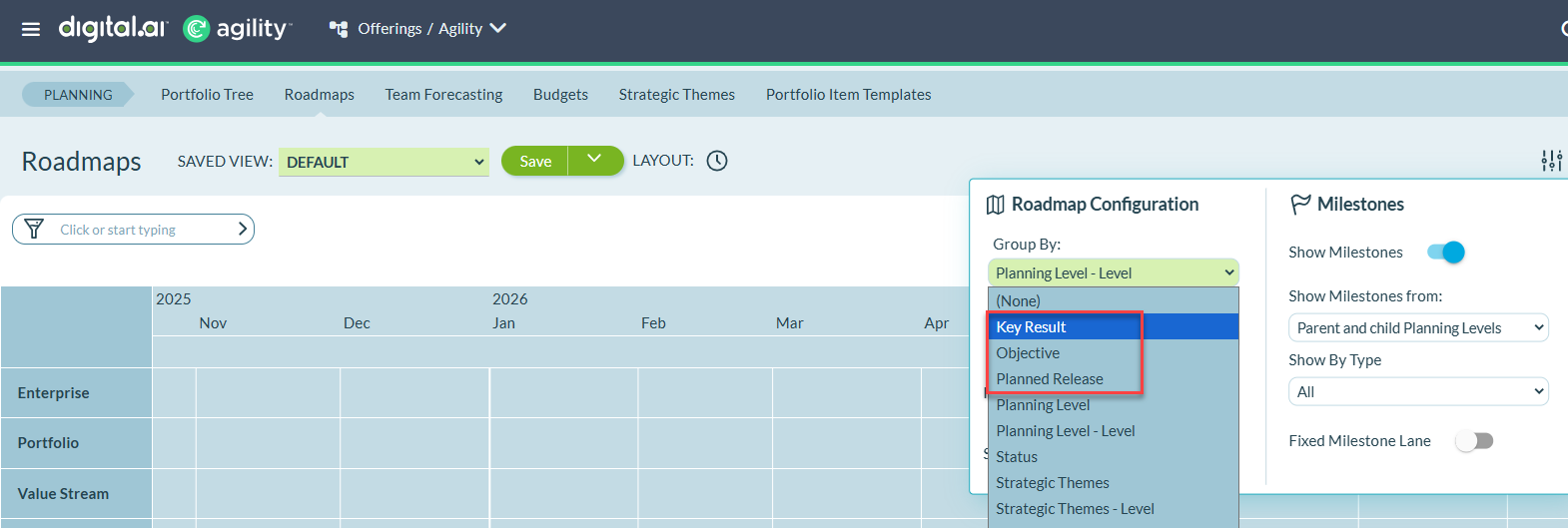
- Group portfolio items by Objectives, Key Results, and Planned Release in Roadmap views for smarter strategic planning
- Native OKR management now available in Agility for all deployments, on Pro and Premium editions
- Save and manage list views with combined filters and column configurations in OKRs
Group by Objectives, Key Results, and Planned Release in Roadmap
The Roadmap Board and Timeline views now support grouping portfolio items by Objectives, Key Results, and Planned Release, helping you organize work by strategic goals and delivery timelines.
Select Group by Objective to organize portfolio items by their associated OKR objectives, or Group by Key Result to track progress toward specific measurable outcomes. Use Group by Planned Release to organize work by release timelines and delivery milestones. Only objectives, key results, or releases that have associated portfolio items are displayed on the roadmap.
Portfolio items associated with multiple objectives or key results appear in separate rows for each association, ensuring all strategic relationships remain visible.
For complete instructions, see Customize Roadmap Views
Native OKR Management in Agility
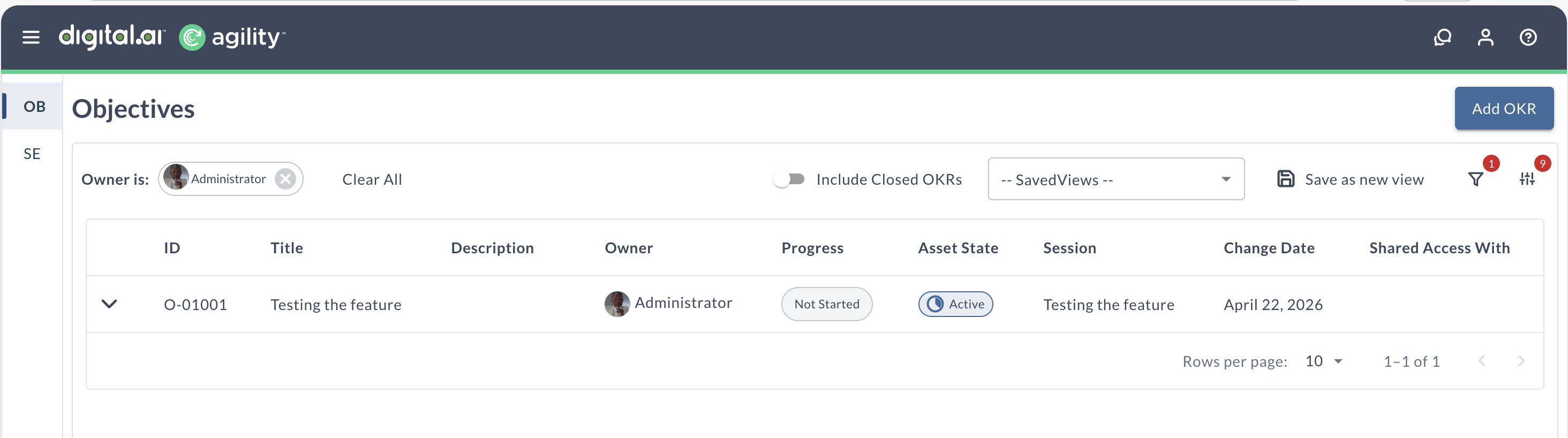
Agility now includes native Objectives and Key Results (OKR) capabilities, so you can track and align strategic goals directly within Agility without external tools.
Create objectives and measurable key results within Agility, link them to work items (Epics, Stories, Defects), and track progress automatically based on key result completion. The integrated OKR framework connects strategy to execution, providing visibility into how daily work contributes to organizational goals.
Key capabilities:
- Create and manage objectives and key results with customizable fields
- Link objectives to Epics and Strategic Themes; associate key results with Epics, Stories, and Defects
- Cascade OKRs to create hierarchical alignment from organizational to team-level goals
- Track progress automatically through key result completion and work item associations
- Organize OKRs by sessions (quarterly, annual) with archiving support
- Filter OKRs in list and roadmap views
- Add comments to objectives and key results for collaboration
This enhancement replaces the previous Platform OKR integration with a fully integrated solution that works consistently across all Agility deployments. Rooms 2.0 now uses Agility OKRs instead of Platform OKRs.
For complete documentation, see Objectives and Key Results.
Raise a support ticket to enable native OKRs in Agility.
Save and Manage List Views in OKRs
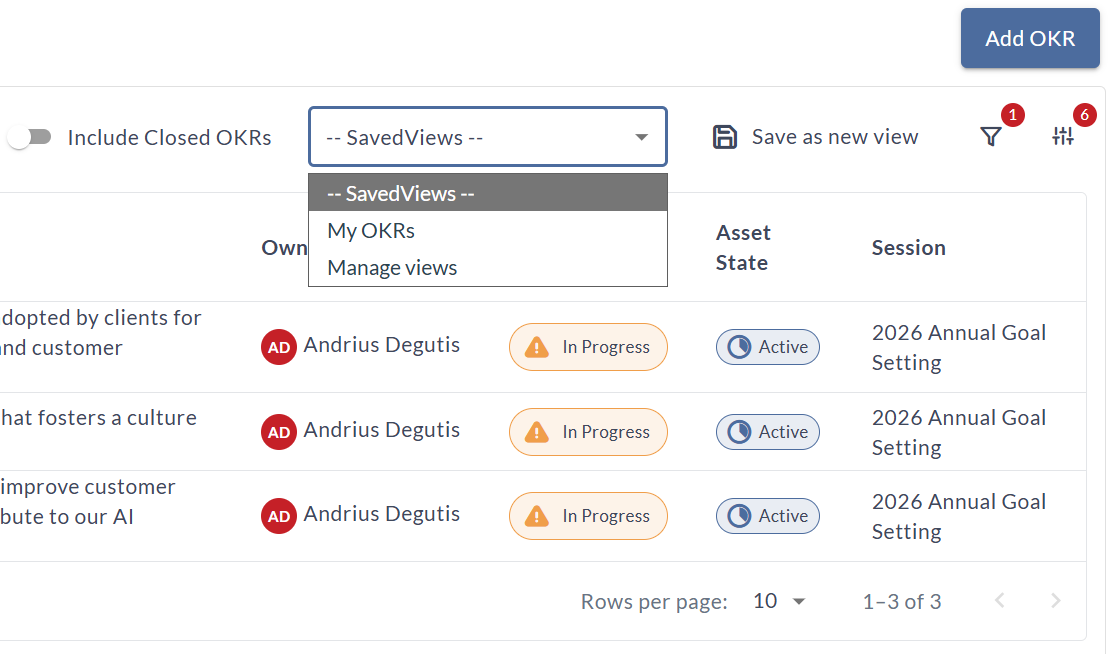
Create and save custom views in the OKRs list page that preserve both your filter selections and column configurations together. Switch between saved views instantly without reapplying filters or reconfiguring columns each time.
Click Save view after applying filters or customizing columns to store your configuration with a descriptive name. Access saved views from the Saved views dropdown in the toolbar to quickly apply common perspectives like "My Active OKRs" or "Team Q1 Objectives."
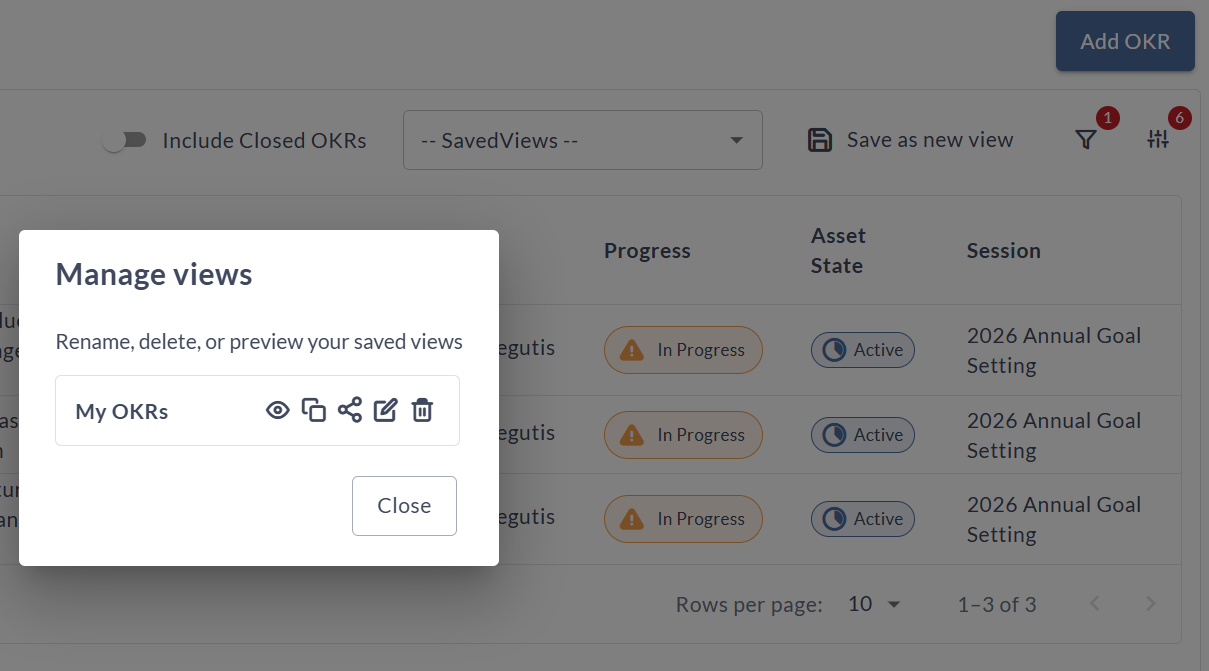
Manage your saved views collection through the Manage views modal where you can rename, duplicate, preview, or delete views. Share view links with team members to ensure consistent reporting perspectives across your organization.
For complete instructions, see Saved Views in OKRs and Configure Columns in OKRs.
|
|
Documentation Changes
Release Notes Organization
The Agility Release Notes section has been reorganized to help you find relevant information faster. Release notes are now grouped into Supported Releases (versions 26.1, 26.0, and 25.3) and Older Releases (version 25.2 and earlier).
Each major release now displays its release date prominently at the top of the page. The Release Notes and Downloads landing page includes updated navigation, a comprehensive support matrix link, and clear guidance on accessing downloads, integrations, and maintenance schedules.
For details, see Release Notes and Downloads.
User Guide Improvements
The Agility user guide has been restructured with improved navigation across all chapters. Navigation depth has been reduced to a maximum of 4 levels instead of 5+, making it easier to find topics and reducing clicks to content.
Over 100 fragmented topics have been merged into comprehensive guides across all chapters. Chapters 1 (Getting Started) and 2 (Plan) also include detailed topic-level revisions: standardized references for consistency and passive introductions removed in favor of clear, active-voice instructions. Additional chapters will receive similar topic-level revisions in future releases.
For organized navigation and faster access to topics, visit Getting Started and Plan.
Upgrade Schedule
| How to Upgrade | Details |
|---|---|
| On-demand (auto-upgrade) | If your system is not in the auto-upgrade program, contact support to be added to the program or to schedule your upgrade. Upgrade Date: Apr 25 (Trial) |
| On-site | Contact support for a new 2026 annual license for your on-site system. Upgrade Date: May 02 Contact Us |