Agility Version 26.2 Point Release 6
Overview
Enhancements and bug fixes in Digital.ai Agility.
Enhancements
- Report on your Agility data with prebuilt Power BI report templates.
- Configure workflow transition rules for a team from the Workflow tab.
- Update multiple fields on selected cards from board views, including custom fields.
Power BI Report Templates for Agility
Use prebuilt Power BI templates to report on your Agility data in the BI tool your team already uses. The templates run on top of the Agility Data Mart, so your data stays within your own environment. You can customize the templates or use them as a starting point for your own reports, and you can embed a report in a Room so the metrics are visible to your team.
Power BI templates and the Agility Data Mart are available with Agility Pro and Premium editions.
Available Reports
- ART Predictability Report: Trend planned against actual Business Value per Program Increment to calculate ART predictability.
- Planning Level Burn Up/Down: Compare targeted work to planned and completed work across a planning level.
- Portfolio Test Trend Report: Trend Acceptance Test execution results over time for Portfolio Items.
- Test Trend Report: Trend test execution results over time.
- Throughput Velocity Sprint Planned vs Completed: Compare planned and completed work per sprint.
For more information, see Power BI Reports Overview and Getting Started with Power BI Templates.
Configure Workflow Transition Rules for a Team
Control status changes for work items by configuring workflow transitions directly from the Workflow tab on the Team Details page. For each status, define which statuses a work item is allowed to move from into that status (To Status → From Allowed Status).
What You Can Do
- Add, edit, or delete a rule for a status in the Rule Builder. The Allow only template is currently the only available template.
- Select one or more From statuses for each rule.
- Publish your changes. Until you publish, changes stay in draft mode and are accessible only to the user who made them.
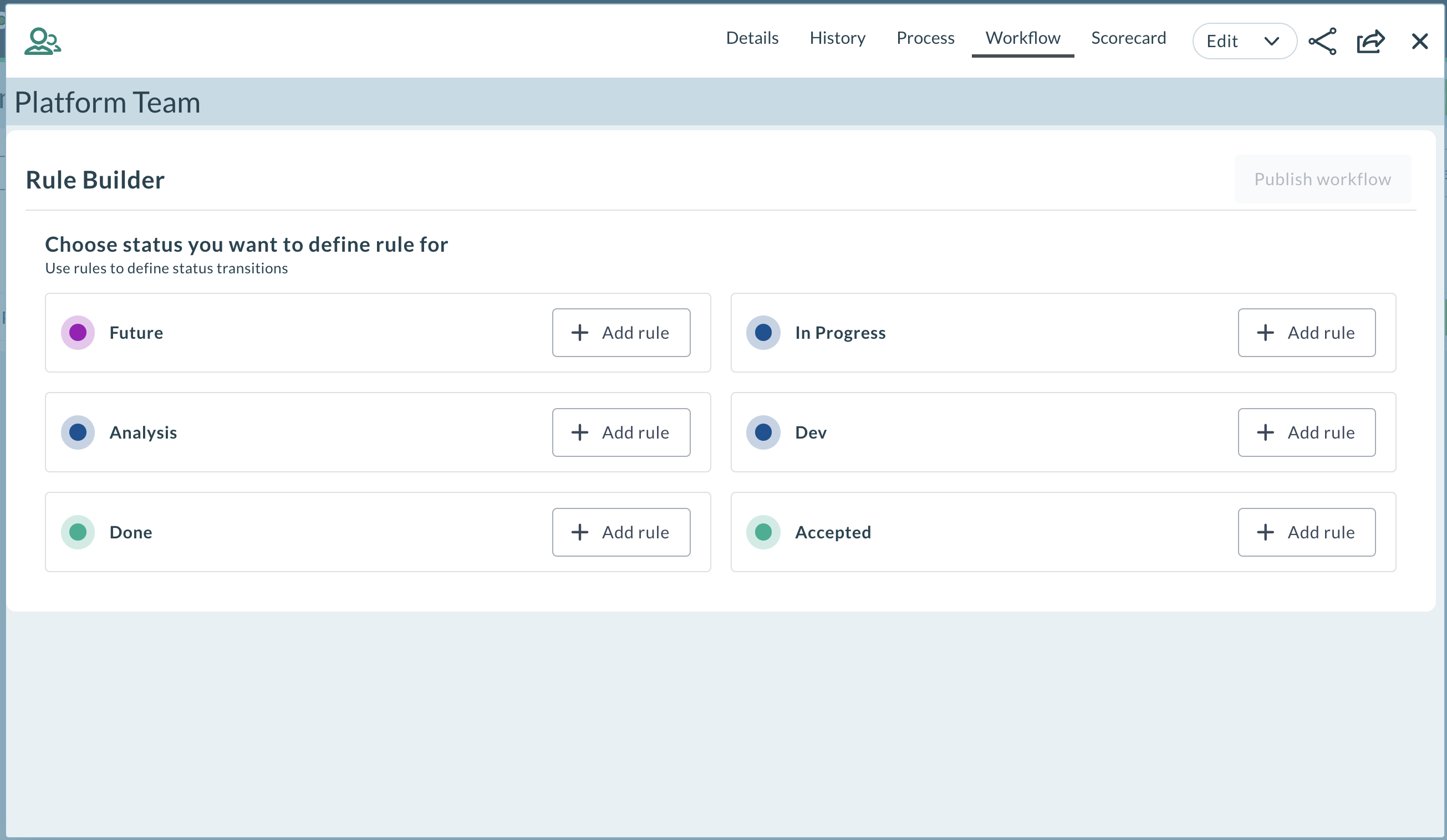
System Admins, Member Admins, Project Admins, and Project Leads can define the rules at the team process level.
For more information, see Workflow Transition Rules.
Update Multiple Fields from Board Cards
Apply the same update to several work items at once from card-based boards, instead of editing each card individually. Select multiple cards and update fields such as State, Priority, Iteration, Release, Team, and Owner in a single action. You can also update custom fields.
Where You Can Use It
- Team Room: Iteration Storyboard and Kanban Storyboard
- Planning Room: Portfolio Kanban
- Iteration: Storyboard
- Portfolio: Portfolio Kanban
The custom fields shown depend on the type of item. For Backlog items, the custom fields added under Backlog appear. For Epics, the custom fields added under Epic appear.
Fixes
This release includes the following fixes.
Performance of Many-to-Many Relationship Queries
Improved database performance for queries on many-to-many relationships. The filtered indexes on these relationships now include the AuditEnd column, so SQL Server can use them when it runs queries.
Convert to Defect or Story in Rooms 2
Resolved an issue with Convert to Defect and Convert to Story in Rooms 2. You can now convert items without errors when the source and target asset types have different mandatory field configurations.
Member Filter in Team Room
Resolved an issue where the member filter in the Team Room stopped working if you applied it before the storyboard finished loading. The filter now works after the board loads. This also fixes the Standup view, where the owner filter was not applied.
Rooms 2 Updates
Rooms 2 is updated weekly. To know more about the enhancements and fixes of Rooms 2, see Rooms 2 Weekly Updates.
Point Releases
| How to Upgrade | Agility Enterprise | Agility Ultimate |
|---|---|---|
| On-demand (auto-upgrade) | October 10, 2026 | October 10, 2026 |
| If your system is not in the auto-upgrade program, contact support to be added to the program or to schedule your upgrade. | Contact us | Contact us |
| On site | ||
| Contact us if you need a 2026 annual license for your on-site system. | Contact us | Contact us |