Agility 26.0 Point Release 19
Overview
Enhancements and bug fixes in Digital.ai Agility.
Enhancements
- Format banner messages using Markdown, including bold and italic text, bulleted lists, and hyperlinks
- Replace illegal XML control characters in REST API responses with a new
replaceIllegalCharsquery parameter
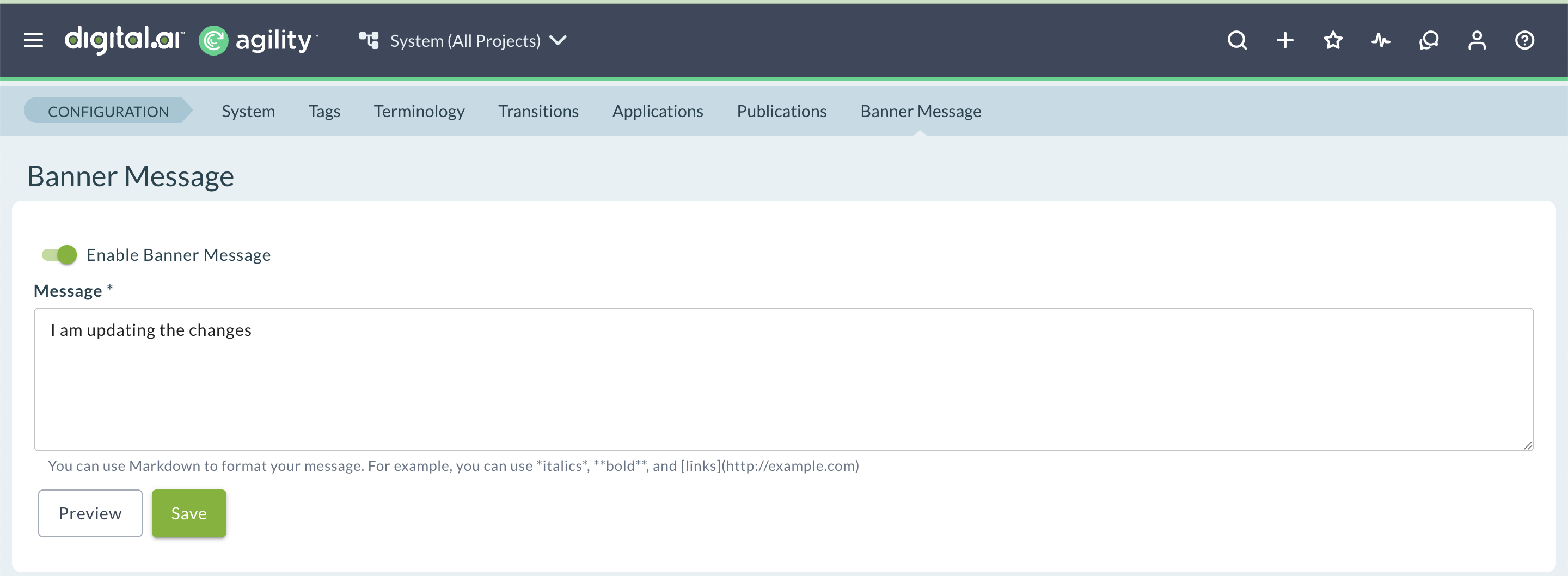
Format Banner Messages with Markdown
Banner messages now support Markdown formatting, so you can highlight important information and link to relevant pages without leaving Agility. This uses the same Markdown syntax already supported in Rooms 2 conversations.
Key capabilities:
- Format banner message text with bold and italic styling
- Add a bulleted list to a banner message
- Insert hyperlinks directly in a banner message
For complete instructions, see Configure Banner Messages.
Replace Illegal XML Characters in REST API Responses
Text fields in Agility can contain control characters that aren't valid in the XML 1.0 specification, such as vertical tab or form feed characters. Previously, the REST API encoded these characters as illegal character references, which caused standard, conforming XML parsers to reject the response.
Add the replaceIllegalChars=true query parameter to a REST API request to replace these characters with the Unicode replacement character (U+FFFD) instead, so the response parses correctly in standard XML parsers.
What changed:
- The REST API accepts a new optional query parameter:
?replaceIllegalChars=true. - When set to
true, illegal control characters (all control characters other than tab, newline, and carriage return) are replaced with U+FFFD. - If any characters are replaced, the containing XML element includes a
replacedIllegalChars="true"attribute.
Fixes
Process Tab on the Team Details Page
Resolved an issue where the Process tab on the Team Details page became unresponsive after you switched to another tab, such as Details or History, and back. The Process tab now updates correctly when you switch between tabs.
Release Forecasting Page Error
Resolved an issue where the Release Forecasting page displayed an "Invalid parameter value. Parameter name: optimistic" error after you entered forecast criteria and clicked Go. The Release Forecasting page now loads forecast results correctly.
Rooms 2 Updates
Rooms 2 is updated weekly. To know more about the enhancements and fixes of Rooms 2, see Rooms 2 Weekly Updates.
Point Releases
| How to Upgrade | Agility Enterprise | Agility Ultimate |
|---|---|---|
| On-demand (auto-upgrade) | October 31, 2026 | October 31, 2026 |
| If your system is not in the auto-upgrade program, contact support to be added to the program or to schedule your upgrade. | Contact us | Contact us |
| On site | ||
| Contact us if you need a 2026 annual license for your on-site system. | Contact us | Contact us |