Agility Version 25.3 Point Release 11
Overview
Enhancements and bug fixes in Digital.ai Agility.
Enhancements
- Group Roadmap items by Objectives and Key Results in Board and Timeline views.
- Group Roadmap items by Planned Release in Board and Timeline views.
- Clickable Objective and Key Result links in list views.
Group by Objectives and Key Results in Roadmap Views
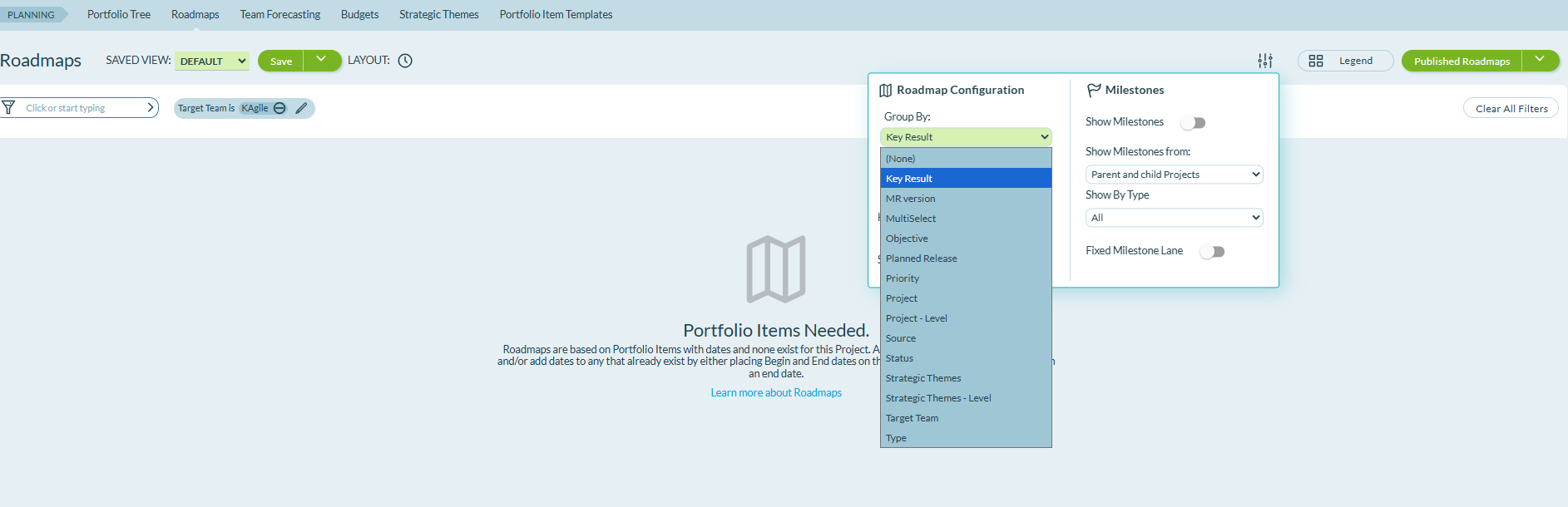
The Roadmap Configuration includes Objective and Key Result as grouping options in both Board and Timeline views. These grouping options show how your roadmap items align with specific outcomes and goals.
Select Objective or Key Result from the Group By dropdown in the Roadmap Configuration panel to organize Portfolio Items by their associations. When a Portfolio Item is associated with multiple Objectives or Key Results, it appears in separate rows for each association, showing all relationships and dependencies across your portfolio.
Group by Planned Release in Roadmap Views
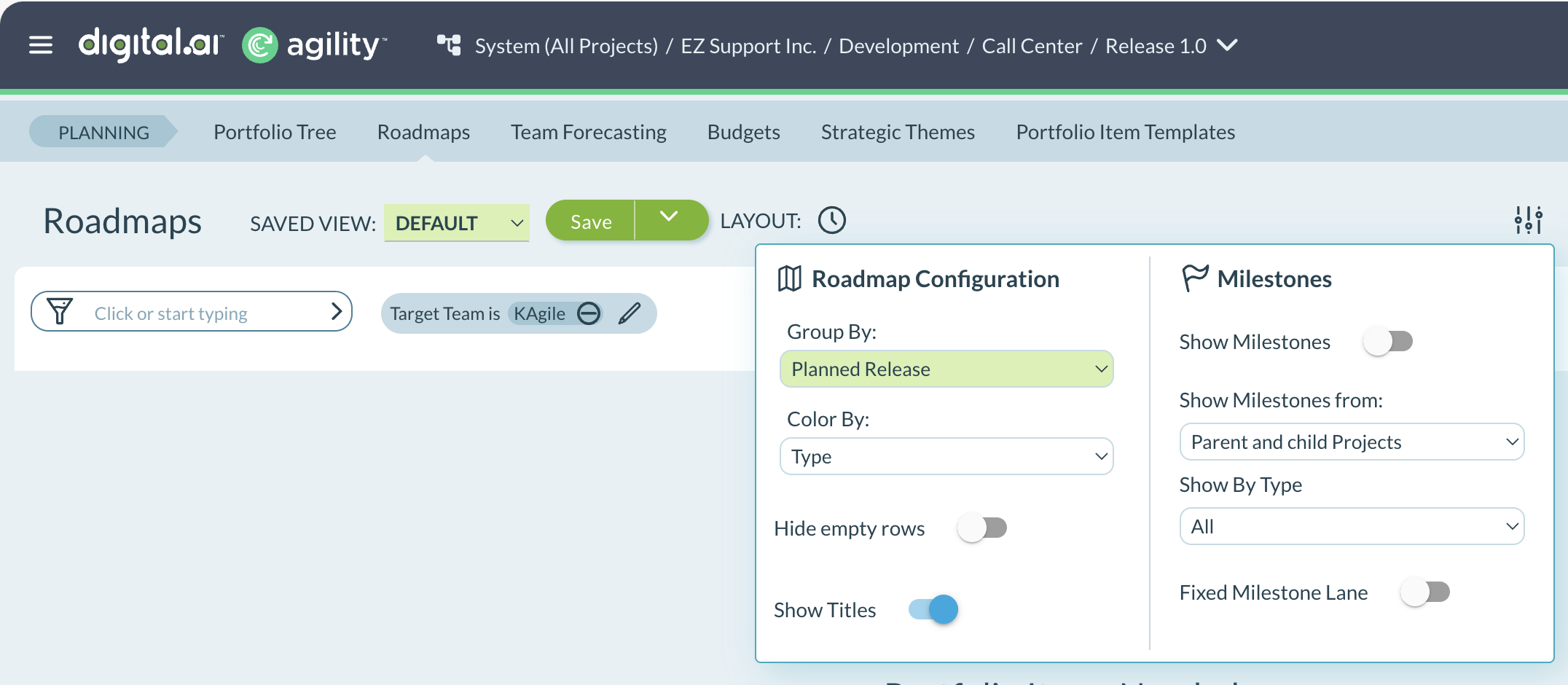
The Roadmap Configuration includes Planned Release as a grouping option in both Board and Timeline views. This grouping option shows how your Portfolio Items are aligned with each release.
Select Planned Release from the Group By dropdown in the Roadmap Configuration panel to organize Portfolio Items by their assigned releases. The view shows which Portfolio Items are planned for each release.
Clickable Objective and Key Result Links
Objective IDs and Key Result IDs are clickable links in Planning Room, Portfolio Tree, and Backlog views. When you click an Objective or Key Result ID, the corresponding item opens in the Rooms 2 asset detail window. The Details tab displays all OKR fields including objective associations, current values, target values, and descriptions.
Fixes
There are no fixes in this point release.
Rooms 2 Updates
Rooms 2 is updated weekly. To know more about the enhancements and fixes of Rooms 2, see Rooms 2 Weekly Updates.
Point Releases
| How to Upgrade | Agility Enterprise | Agility Ultimate |
|---|---|---|
| On-demand (auto-upgrade) | March 28, 2026 | March 28, 2026 |
| If your system is not in the auto-upgrade program, contact support to be added to the program or to schedule your upgrade. | Contact us | Contact us |
| On site | ||
| Contact us if you need a 2026 annual license for your on-site system. | Contact us | Contact us |